


 Video Converter Ultimate
 Scherm opnemer
 Videoreparatie
[Volledige beoordeling] Wat zijn de beste video-metadata-editor op desktop?
Videometagegevens kunnen u op veel manieren helpen; een uitstekend voorbeeld is dat u uw bestand kunt rangschikken op tijd en datum, auteurs, bestandsgrootte en nog veel meer – kortom, om alles te organiseren. Hoewel er op elk mediabestand metadata staan, moeten we die soms bewerken om specifieke redenen. Het kan echter lastig zijn om te kiezen welke tool u moet gebruiken, omdat er een heleboel metadatabewerkers op de markt zijn. Om u deze last te besparen, helpen we u bij het beoordelen van verschillende editors voor uw gegevens die u op de markt kunt vinden en die uitsluitend topprestaties leveren. Alle details en functies zijn grondig nagekeken om u een eerlijke beoordeling van elke software te geven. Laten we dieper ingaan op informatie over de vijf beste videometadatabewerkers waarop u kunt vertrouwen.

Deel 1. 5 van de beste videometadata-editors die offline beschikbaar zijn op desktop
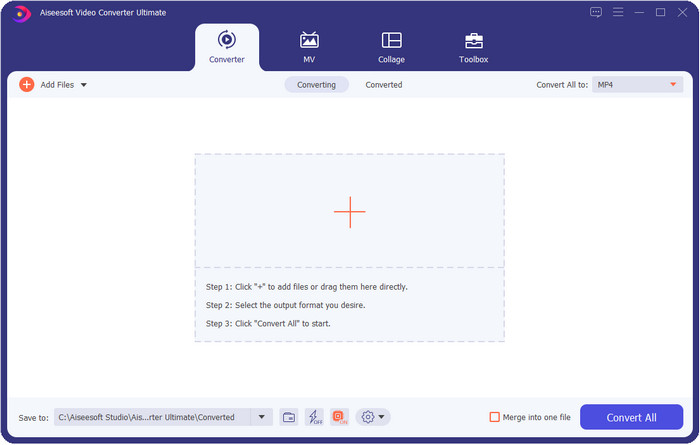
Video Converter Ultimate [Sterk aanbevolen]
Gratis downloadVoor Windows 7 of nieuwerVeilige download
Gratis downloadVoor MacOS 10.7 of nieuwerVeilige download
Compatibel besturingssysteem: Windows, Mac en Linux
Video Converter Ultimate is de beste videometadatabewerker om de metadata van uw bestand te bekijken, te verwijderen en te bewerken. Deze metadatabewerker is niet de gebruikelijke editor die u kunt gebruiken, want het is een volledig pakket aan functies die u in korte tijd onder de knie kunt krijgen. Met deze tool kunt u in minder dan een seconde allerlei interessante gegevens aan uw metadata toevoegen, zoals opmerkingen, een omslagafbeelding, jaar, genre als het om muziek gaat, en nog veel meer. Wilt u weten wat ons aan deze tool verbaast? In tegenstelling tot andere software wordt er geen kopie van het bewerkte bestand gemaakt, wat niet ruimtebesparend is. Maar als u deze tool gebruikt, maakt het bestand dat u in de ultimate-tool uploadt geen kopie aan en worden de metadata die u toevoegt toegepast op hetzelfde bestand dat u hebt toegevoegd; het is dus ruimtebesparend. Bovendien, als u een alles-in-één tool nodig hebt, is dit de perfecte keuze voor alle gebruikers die een metadataviewer op Mac en Windows nodig hebben.
Voordelen
- Het ondersteunt meerdere formaten waarop u kunt uploaden, zoals MP4, MKV, AVI, FLV, MP3 en andere 1000+ media-indelingen om de metadata eenvoudig te wijzigen of te verwijderen.
- Het stelt elke gebruiker in staat om een gemakkelijke ervaring te hebben bij het bewerken van de metadata.
- Het is de beste keuze voor Windows- en Mac-gebruikers om deze metadata-editor op hun schijf te downloaden.
- Verwijder eenvoudig metadata van meerdere bestanden met een paar klikken.
Nadelen
- Het is essentieel om de tool te kopen en te downloaden, maar het is elke cent en elke computerdrive waard.
ExifTool
Compatibel besturingssysteem: Windows, Mac en Unix
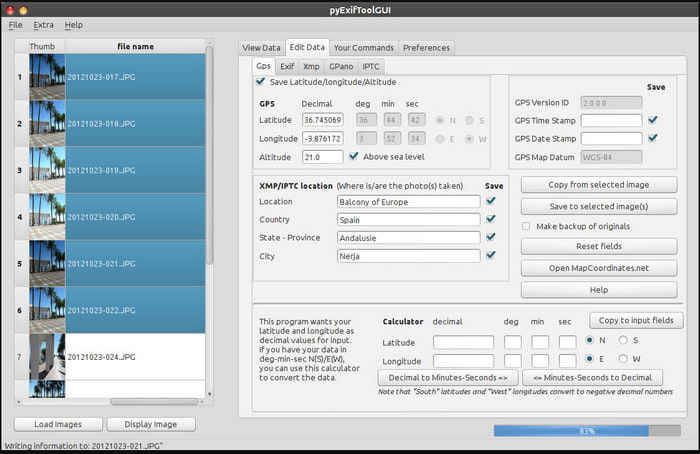
ExifTool is een bekende videometadatabewerker voor Windows, Mac en Unix die u gemakkelijk gratis kunt gebruiken. Het ondersteunt verschillende video- en beeldformaten om de metadata te wijzigen of te verwijderen. Daarnaast kunt u met deze tool meerdere metadata in verschillende bestanden tegelijk bewerken. In tegenstelling tot andere editors in deze lijst gebeurt er erg veel in deze tool; als u dus nieuw bent met het bewerken van metadata, hebt u tijd nodig om de tool te leren kennen.
Voordelen
- Gratis te downloaden.
- Het kan de metadata gemakkelijk bewerken en bekijken.
Nadelen
- Interface en opties zijn verwarrend om te gebruiken.
Metagegevens++
Compatibel besturingssysteem: Windows
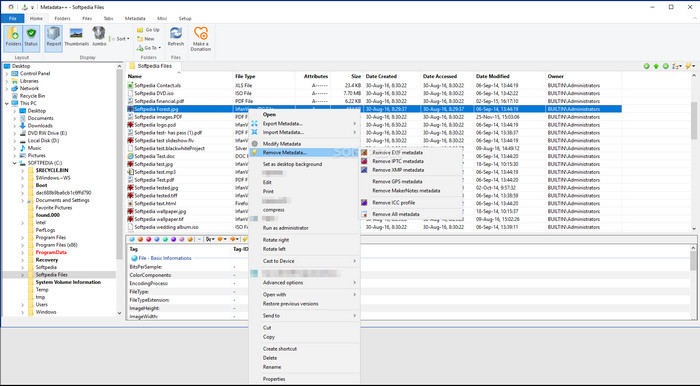
Als u in Windows wilt vertrouwen op een open-source videometadatabewerker, kunt u Metadata++ gebruiken. Met deze tool kunt u snel metadata aan een bestand toevoegen of verwijderen met behulp van sneltoetsen, zodat u de muis minder vaak hoeft te gebruiken. De editor is echter niet zo krachtig als de andere in deze lijst, maar u kunt nog steeds op deze tool vertrouwen als u hem wilt gebruiken.
Voordelen
- Er zijn sneltoetsen beschikbaar voor het snelle proces van het bewerken van metadata.
- Voeg eenvoudig metadata toe aan de bestanden die dat niet hebben gedaan.
- Gratis te downloaden op Windows.
Nadelen
- GUI is verouderd.
- Er moeten te veel functies worden begrepen voordat u ze kunt gebruiken.
MijnMeta
Compatibel besturingssysteem: Windows
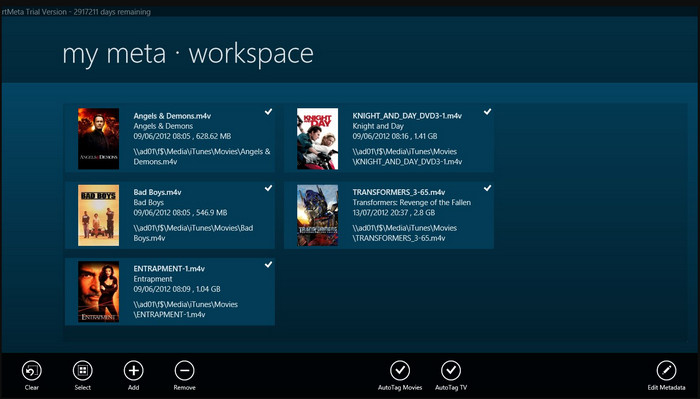
MyMeta is een videometadatabewerker waarmee u direct MP4-, M4V- en MOV-bestanden kunt bewerken. Deze tool heeft een functie om automatisch metadata en een cover aan te maken op basis van resultaten van internet. Ook kunt u deze tool gebruiken om bestanden te taggen op basis van de informatie. Hoewel de tool uitstekend is, ondersteunt hij alleen de formaten MP4, M4V en MOV.
Voordelen
- Makkelijk te gebruiken.
- Met de autotag kunt u de metadata van een bepaald bestand binnen een paar klikken kopiëren.
- Nette GUI.
Nadelen
- Het ondersteunt alleen MP4, M4V en MOV. Dus als u hier een ander formaat probeert te uploaden, wordt dit niet ondersteund.
- Sommige functies voldoen niet aan de eisen van de gebruiker.
VLC Media Speler
Compatibel besturingssysteem: Windows, Mac, Linux
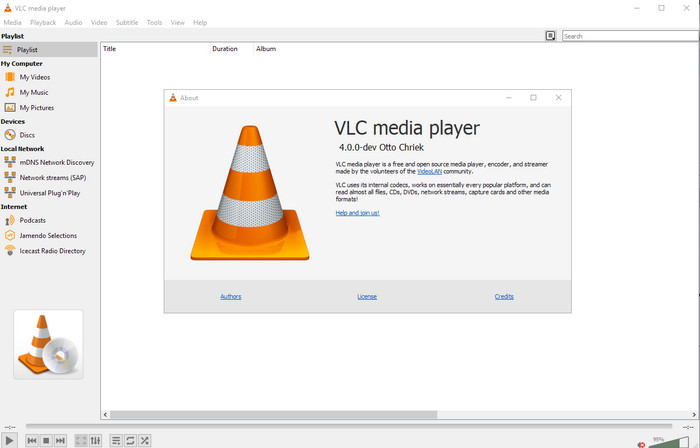
VLC Media Player is gemaakt om mediabestanden af te spelen, maar u kunt deze open-source videometadatabewerker ook gebruiken om de metadata van het bestand te bewerken. Zoals gezegd kan hij gemakkelijk een grote variatie aan formaten afspelen met verschillende codecs op vrijwel elk platform dat u maar kunt bedenken, omdat het een eersteklas videospeler is. Hoewel hij verschillende bestandsformaten kan afspelen, is het aantal bestandsformaten waarvan u de metadata kunt bewerken beperkt en niet zo groot als bij de andere genoemde tools.
Voordelen
- Open-source metadata-editor om te downloaden.
- Gebruikersvriendelijk.
- Beschikbaar in alle besturingssystemen.
Nadelen
- Het ondersteunt een gemiddeld formaat om op te uploaden.
- De GUI van de tool is verouderd.
Deel 2. Vergelijkingstabel over Video Metadata Editor
| Kenmerken | Video Converter Ultimate [Sterk aanbevolen] | ExifTool | Metagegevens++ | MijnMeta | VLC Media Speler |
| Metagegevens toevoegen en verwijderen |  | | | | |
| Gebruikersvriendelijk | | | | | |
| Ondersteunt brede formaten | |  | | | |
| Beste keuze voor beginners | | | | | |
| Batchmetagegevens bewerken | | | | | |
Deel 3. Metadata toevoegen, verwijderen en bewerken met behulp van de sterk aanbevolen metadata-editor
Als u hebt gekozen voor Video Converter Ultimate als uw videometadatabewerker, raden we u aan de onderstaande stappen te volgen. Zonder verder oponthoud, laten we het tempo erin houden en beginnen met het gebruik van de ultimate-tool voor deze ultieme taak.
Stap 1. Download de tool door op de downloadknop hieronder te klikken; kies of u Windows of Mac gebruikt. Na het downloaden moet u op het bestand klikken om het direct te installeren en start u het programma zodra alles klaar is.
Gratis downloadVoor Windows 7 of nieuwerVeilige download
Gratis downloadVoor MacOS 10.7 of nieuwerVeilige download
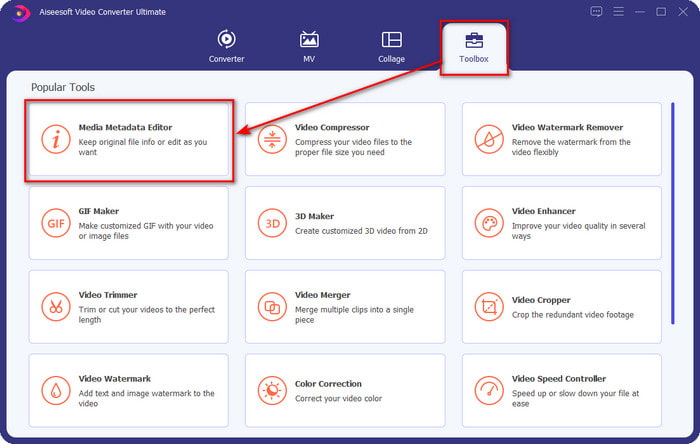
Stap 2. Nadat u de tool hebt gestart, klikt u op het gedeelte Toolbox en zoekt u daaronder naar Media Metadata Editor; klik daarop voordat u doorgaat naar de volgende stap.
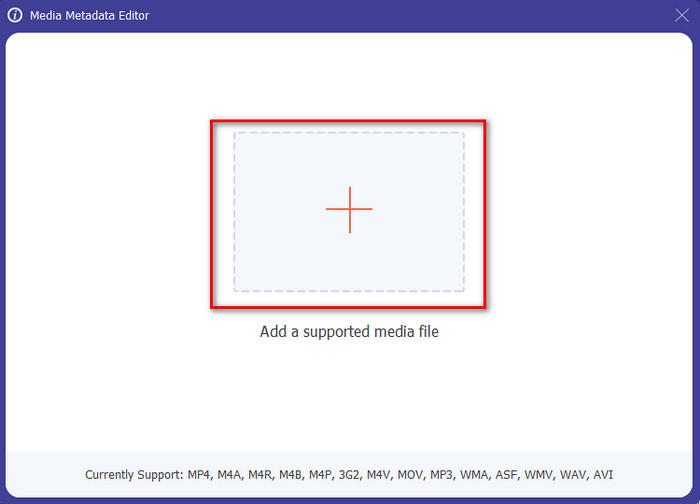
Stap 3. Voeg het bestand toe door op het +-pictogram te klikken; er verschijnt een map op uw scherm. Selecteer het mediabestand waarvan u de metadata wilt bewerken en druk op Open.
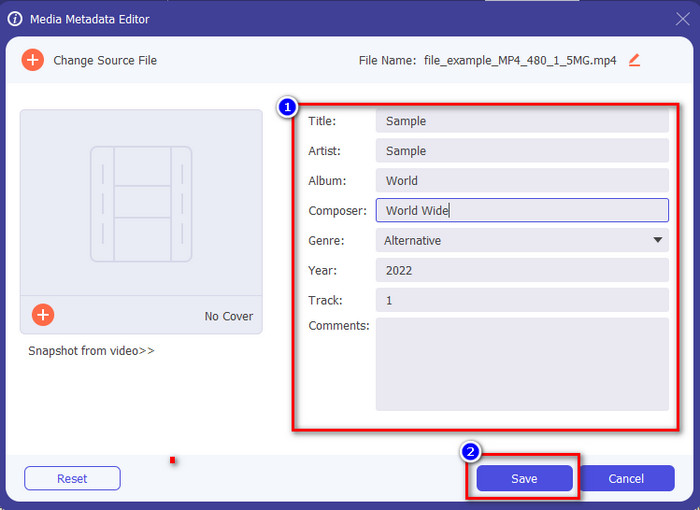
Stap 4. In het nieuwe venster dat op uw scherm verschijnt, kunt u nu metadata bewerken, verwijderen en toevoegen in de weergegeven tekstvakken. Als u tevreden bent met de metadata, klikt u op Opslaan om de metadata op het bestand toe te passen. Kinderlijk eenvoudig, nietwaar? Dat is wat de ultimate-tool kan doen.
Deel 4. Veelgestelde vragen over Video Metadata Editor
Kan ik metadata online bekijken?
Ja, u kunt FVC Free Video Converter Online gebruiken om de metadata van een video online te bekijken; volg de onderstaande stappen om te weten hoe u dit doet. Klik eerst op de link om een nieuw tabblad in uw browser te openen; deze link brengt u automatisch naar de officiële website van de FVC Converter Online. Klik vervolgens op Add Files to Convert; als dit de eerste keer is dat u de dienst gebruikt, moet u de launcher downloaden en op het bestand klikken om deze te installeren. Klik er daarna opnieuw op; dit keer verschijnt er een computermap, selecteer het bestand waarvan u de metadata wilt bekijken en druk op Open om verder te gaan. Er verschijnt een nieuw venster op het scherm; klik op het i-pictogram en u kunt nu de metadata van de video zien.
Wat zijn de onderdelen van metadata?
Metadata omvat verschillende soorten informatie over een mediabestand: de naam van de auteur, compositie, locatie, instellingen, gebruikt apparaat, datum, tijd, genre als het om muziek gaat, afbeelding, en nog veel meer. Maar meestal hangt de metadata af van waar het bestand over gaat; als het bestand een luisterboek is, is de metadata anders dan bij een videobestand.
Is ID3 een voorbeeld van metadata?
ID3 is een metadatacontainer die te zien is op MP3-mediabestanden; eigenlijk op audiobestanden.
Gevolgtrekking
De software die we in dit artikel presenteren kan u helpen om de metadata van een video te bekijken, te bewerken, toe te voegen of te verwijderen, zelfs als u niet veel kennis hebt van metadata. Nu u de top 5 editors op de markt kent, is het tijd om te kiezen op welke tool u voor deze taak wilt vertrouwen. Als u het gevoel hebt dat u nog twijfelt, raden wij u om veel redenen aan om Video Converter Ultimate te gebruiken. In tegenstelling tot de andere tools kan deze software deze taak in slechts enkele seconden uitvoeren. Als u nog steeds niet gelooft wat we zeggen, moet u de tool downloaden om hem zelf uit te proberen en te zien wat hij verder nog te bieden heeft.
-
 4 van de beste online en offline metadataviewers [bijgewerkt 2025]
 Kan ik de metadata van mijn bestand controleren? Ja, dat kan, met behulp van dit bericht zullen we u kennis laten maken met de verschillende metadataviewers die u kunt gebruiken.
-
 Top 5 metadata-extractors die online en offline beschikbaar zijn [2025]
 Je kunt meerdere metadata-extractors op de markt vinden, maar vandaag kiezen we alleen de vijf meest gekozen tag-extractors volgens het publiek.
-
 7 populaire muziektag-editors op Windows, Mac en mobiele apparaten
 Muzieklabels zijn populair om te gebruiken voor het rangschikken van de muziek in uw bibliotheek volgens de gegevens erin. Wat als je het wilt veranderen? Lees de details hieronder om meer te weten.
