


 Video Converter Ultimate
 Nagrywarka ekranu
 Naprawa wideo
Lepiej wyrażaj swoje emocje za pomocą 8 najlepszych kreatorów GIF online na komputery PC i Mac
Pierwszą rzeczą, która przychodzi nam na myśl, gdy mówimy o GIF-ach, jest komedia. Te proste obrazy wideo mogą zmienić naszą zwykłą starą wiadomość tekstową w żywszą melodię. W ten sposób GIF-y stały się obecnie popularne, ponieważ pokazują niektóre z przesadnych emocji, które chcemy, aby świat zobaczył. Ale rzeczywiście łatwiej jest dodać GIF-y do wiadomości, aby lepiej wyrazić swoje emocje. Ale nie wszystkie GIF-y w Internecie dostarczają konkretnych emocji, które chcesz dostarczyć. W związku z tym posiadanie wprowadzających w błąd GIF-ów może dostarczyć Twojemu przekazowi niewłaściwej intencji. Ale zamiast szukać w Internecie lub w zależności od aplikacji do przesyłania wiadomości, dlaczego nie zrobisz własnego GIF-a?

Właściwie bardzo łatwo jest taki stworzyć. Jeśli szukasz najlepszego kreatora GIF-ów online, jesteś we właściwym miejscu. Zwróć więc uwagę na poniższe listy, aby dowiedzieć się, który z nich tworzy najlepsze GIF-y – takie, których możesz użyć do wyrażania swoich emocji, a także pomóc innym użytkownikom, którzy mają problem ze znalezieniem odpowiedniego GIF-a, by pokazać, co czują. Nauczenie się tworzenia własnych GIF-ów i pomaganie innym to jak upiec dwie pieczenie na jednym ogniu. Zatem, bez dalszych wyjaśnień, poznajmy, które narzędzia są najlepsze i jak poprawnie z nich korzystać, aby stworzyć wyjątkowy GIF. Poniższa lista zawiera 8 najlepszych kreatorów GIF-ów, na które możesz trafić w sieci za darmo.
Top 1. Darmowy konwerter wideo online
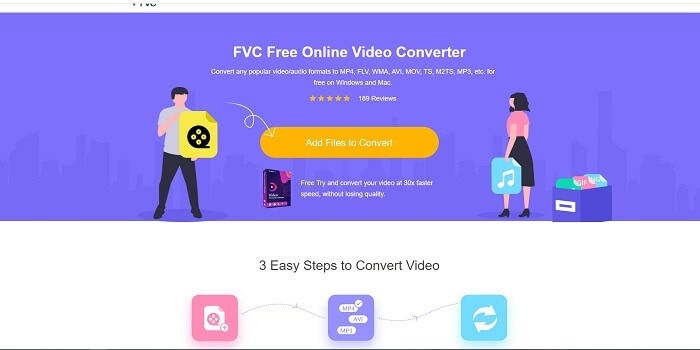
Jeśli szukasz wyjątkowego kreatora GIF-ów online, to ten fragment jest właśnie dla ciebie – czytaj uważnie, aby dowiedzieć się więcej. FVC darmowy konwerter wideo online To narzędzie jest aplikacją webową, którą z łatwością znajdziesz w internecie. Najlepszym sposobem na tworzenie GIF-ów z filmów jest ich konwersja do formatu GIF. Może się zastanawiasz, czy naprawdę da się tworzyć GIF-y za pomocą konwertera, a nie typowego kreatora? Odpowiedź brzmi: tak. To prostszy sposób na stworzenie GIF-a. Jednak to narzędzie nie jest zwykłym konwerterem ani zwykłym kreatorem z poniższej listy. W przeciwieństwie do innych narzędzi w sieci, oferuje najszybszą i niezawodną konwersję, z której możesz chętnie korzystać. Brak limitu konwersji oznacza, że możesz przekształcać dowolną liczbę plików wideo lub audio, o ile masz połączenie z internetem. Rozmiar pliku również nie jest ograniczony do określonej liczby MB, a jakość wynikowych plików jest znakomita.
Czy wiedziałeś jednak, że to narzędzie ma także bezkonkurencyjną wersję premium? Jest znane jako ojciec wszystkich konwerterów – Video Converter Ultimate. To narzędzie zapewnia użytkownikowi znacznie lepsze wrażenia z konwersji dzięki bardzo szybkiemu przetwarzaniu oraz prestiżowym funkcjom premium, a także obsługuje wszystkie popularne formaty, jakie możesz znać. W przeciwieństwie do innych narzędzi z tej listy i dostępnych w sieci, Ultimate Converter jest najlepszym kreatorem GIF-ów do konwersji dowolnego pliku wideo na GIF. Możesz też dodać osobisty akcent do GIF-a, aby był bardziej ekspresyjny. Prędkość konwersji do formatu GIF jest 30 razy większa niż w przypadku narzędzia online i 100 razy większa niż w przypadku konwerterów czy kreatorów GIF-ów wymienionych poniżej. Możesz z niego korzystać po zainstalowaniu go na dysku. Choć to narzędzie płatne, nie będzie cię kosztować zbyt dużo. Co więcej, to naprawdę wielofunkcyjny konwerter, szczególnie jeśli chodzi o GIF-y. Nie musisz więc oczekiwać mniej – to narzędzie oferuje znacznie więcej niż zwykły konwerter.
Bezpłatne pobieranieDla Windows 7 lub nowszegoBezpieczne pobieranie
Bezpłatne pobieranieDla MacOS 10.7 lub nowszegoBezpieczne pobieranie
Ale na razie skupmy się na darmowym narzędziu online tego oprogramowania. Tak więc, aby dostarczyć Ci dowodów na to, że to narzędzie online jest bardzo skuteczne w konwersji, musisz wykonać poniższe proste kroki. Jeśli masz co do tego wątpliwości. Ale powiem ci, że nie wszystkie funkcje konwertera Ultimate są dostępne w narzędziu online, ale rzeczywiście tworzą zaskakujący format.
Krok 1. Aby uruchomić narzędzie, kliknij link, by przejść do głównej strony FVC.
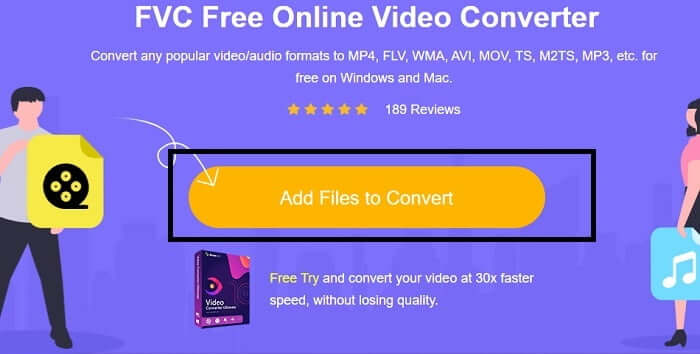
Krok 2. Kliknij Add Files to Convert, a następnie Allow, aby uruchomić konwerter.
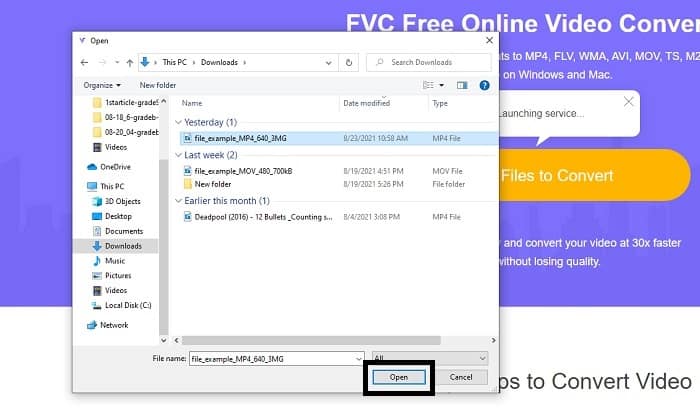
Krok 3. Jeśli na ekranie pojawi się eksplorator plików jak na tym przykładzie, wszystko idzie dobrze. Znajdź i kliknij plik wideo, który chcesz przekonwertować, a następnie wybierz Open.
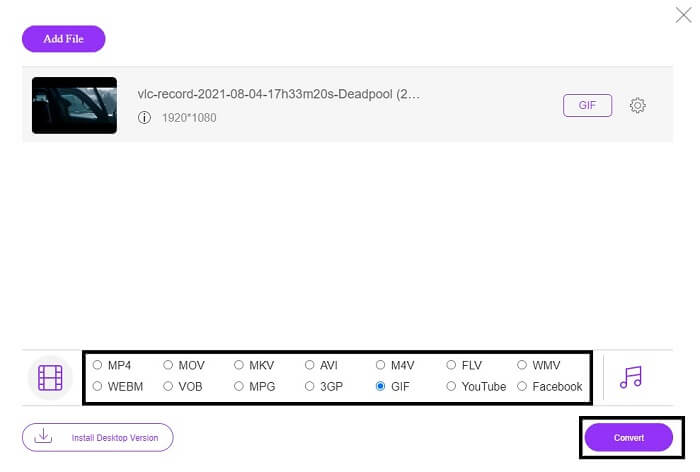
Krok 4. Zmień format pliku na GIF. Dodatkowo możesz przekonwertować swoje wideo lub audio na inny, bardziej odpowiedni format. Jeśli wszystko jest gotowe, kliknij Convert, aby rozpocząć konwersję. Wskaż również miejsce zapisu końcowego pliku.
Krok 5. Gdy konwersja zostanie zakończona, na ekranie ponownie pojawi się eksplorator plików – znajdź plik wynikowy i ciesz się efektem.
Top 2. Ezgif
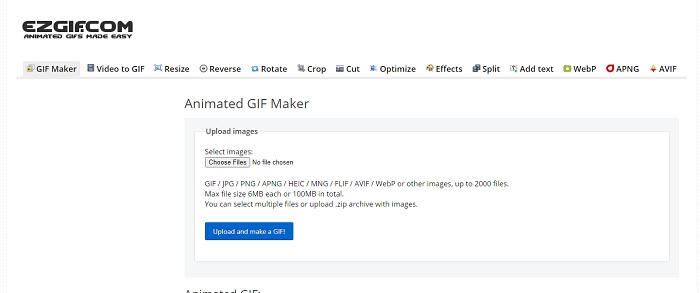
Jednym z najlepszych kreatorów GIF-ów online jest Ezgif. Dzięki temu narzędziu możesz tworzyć GIF-y oraz je ulepszać, zmieniać ich rozmiar, przycinać, optymalizować, dodawać tekst i wiele więcej. Umożliwia również konwersję wideo na format GIF. Choć funkcji jest sporo, każda z nich działa w osobnym module. Zamiast więc robić wszystko w jednym interfejsie, musisz przeskakiwać między kolejnymi etapami tworzenia i edycji. Korzystanie z tego narzędzia może być kłopotliwe, zwłaszcza że nie obsługuje przeciągania i upuszczania plików, co utrudnia ich szybkie dodawanie. Mimo to wciąż pozostaje jednym z popularnych kreatorów online.
Top 3. Obrazflip
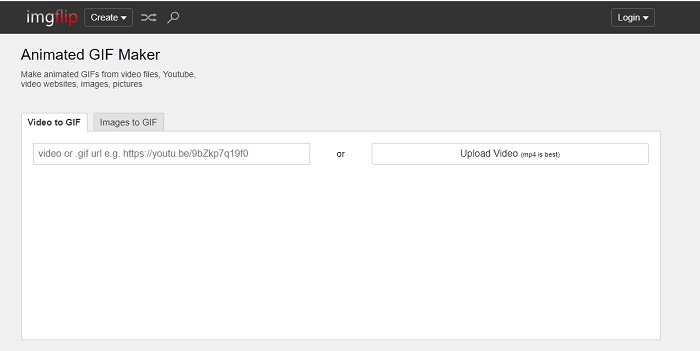
Internetowy kreator GIF-ów z wideo i linków, który daje świetną szansę na stworzenie GIF-a – jeśli tego właśnie potrzebujesz, sprawdź Imgflip. To narzędzie umożliwia tworzenie memów, GIF-ów i wykresów i dobrze spełnia swoje zadanie. Oferuje również prostą edycję twoich GIF-ów. Maksymalna rozdzielczość dostępna w wersji darmowej to jednak 360 pikseli, a w wersji premium – 480 pikseli. Oznacza to, że jeśli twoje wideo ma rozdzielczość 1080p lub 4K, jakość końcowego GIF-a będzie znacznie niższa, niż można by oczekiwać.
Top 4. Visme
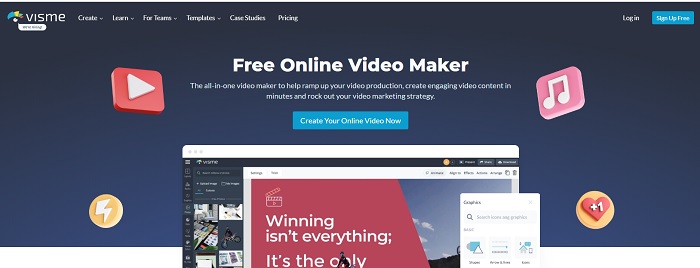
To narzędzie pozwala ci stać się bardziej szczegółowym w twoim GIF-ie. Visme jest znany, ponieważ zapewnia bardziej szczegółowy program do tworzenia filmów. Ponadto to narzędzie wymaga zalogowania się na konto, zanim będzie można z niego korzystać. Możesz korzystać z Facebooka, Gmaila lub zarejestrować się na ich stronie internetowej. Tak więc, jeśli jesteś fanem prywatności danych, to narzędzie nie jest dobrym wyborem. Chociaż zalogowanie się do tego narzędzia nie spowoduje ujawnienia informacji o Tobie, niektórzy z nas nie chcą podawać ważnych informacji o nas, ponieważ chcemy, aby nasze dane były bardziej prywatne i dla naszego bezpieczeństwa. Ale nie musisz się martwić, ponieważ nie ma przypadku, aby to narzędzie przeciekało twoją prywatność.
Top 5. FreeGIFMaker.me
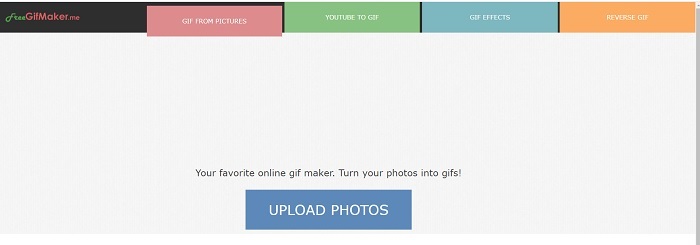
Jeśli szukasz linku wideo do konwertera GIF, to jest to dla Ciebie. W szczególności obsługuje tylko linki wideo platformy YouTube. FreeGIFMaker. może wykonać prostą konwersję wideo na GIF. Ale zapewnia również obrazy do gif, edytuj gif i odwróć gif. Chociaż to narzędzie zapewnia najczęstszą funkcję, jaką powinien zapewnić twórca GIF-ów, nadal nie jest jednym z najlepszych, ale można je umieścić na liście 30 najlepszych twórców gifów. Wymienione funkcje znajdują się w różnych częściach, więc zamiast tworzyć ostateczny wynik GIF z edycją, musisz przejść po jednej do drugiej, aby po prostu wykonać edycję, którą chcesz.
Top 6. Zrób gif
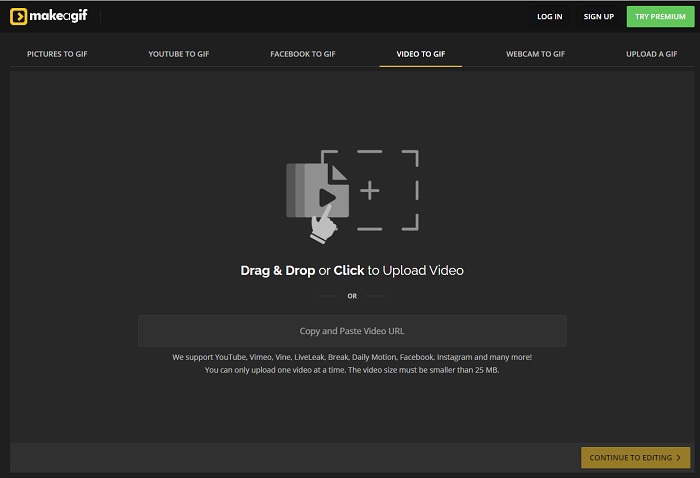
Kolejny internetowy kreator GIF-ów, na który z pewnością natknąłeś się w sieci, to Make A Gif. Oferuje spokojniejszy, ciemniejszy interfejs – jeśli lubisz taki klimat, to narzędzie jest dla ciebie. Jest naprawdę elastyczne, ponieważ skupia się wyłącznie na tworzeniu GIF-ów – z obrazów, filmów z Facebooka, filmów z YouTube’a, twoich własnych nagrań wideo, a nawet z kamery internetowej. Wideo, które przesyłasz, musi jednak ważyć mniej niż 25 MB, więc jeśli chcesz stworzyć długi GIF, to nie będzie najlepszy wybór. Jeśli natomiast zależy ci na krótkich animacjach – około 10 sekund – to rozwiązanie w sam raz.
Top 7. Edytor obrazów online
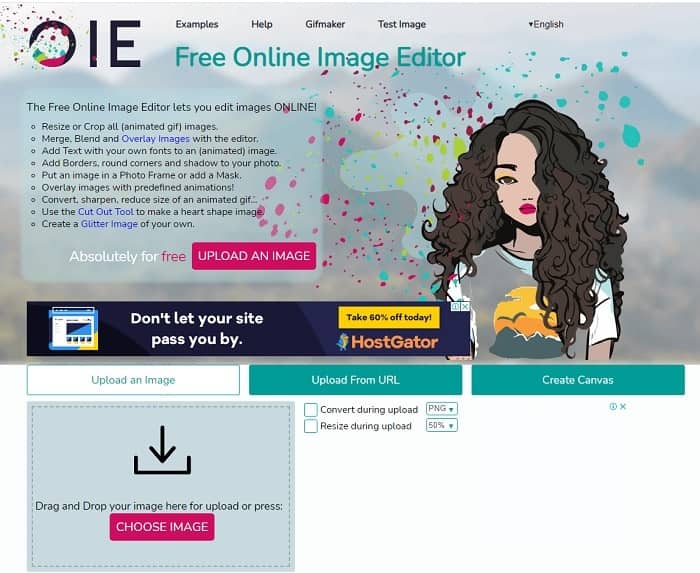
To narzędzie umożliwia edycję obrazu i przekształcenie go w format GIF. Edytor obrazów online umożliwia tworzenie GIF-ów przy użyciu twoich obrazów. Zapewnia również animacje i proste funkcje narzędzi do edycji. Ale trudniej jest stworzyć GIF za pomocą tego narzędzia, ponieważ musisz poświęcić trochę czasu na jego utworzenie. Tak więc, jeśli dopiero zaczynasz tworzyć GIF-y, to narzędzie może być dobre, ale nie najlepsze dla Ciebie. To tak, jakbyś tworzył GIF-a w Photoshopie, ale znacznie gorzej z powodu samego narzędzia. Chociaż główna strona internetowa jest wyjątkowa, interfejs narzędzia jest tak prosty, że przeglądanie za każdym razem staje się nudniejsze. Wygląda na to, że nikt jeszcze nie aktualizuje interfejsu. Ale mimo to jest to świetny wybór, jeśli chcesz utworzyć GIF z obrazami.
Top 8. Kapwing
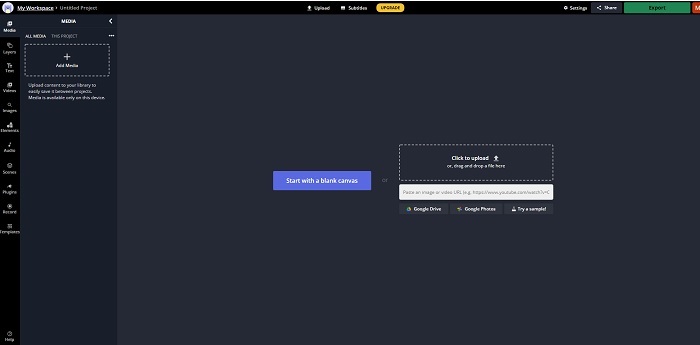
To narzędzie to kolejny darmowy kreator GIF-ów online. Wyglądem może kojarzyć się z Photoshopem, ale w wersji przeglądarkowej. Kapwing pomaga tworzyć własne GIF-y z wideo lub obrazów, które dostarczysz. Choć nazwa może nie brzmieć zbyt zachęcająco czy poważnie, to jednak świetny wybór jako internetowy kreator animowanych GIF-ów. To narzędzie jest typowym kreatorem GIF-ów, a nie konwerterem. Możesz też łatwo udostępnić gotowy plik w najpopularniejszych serwisach, takich jak Facebook, Twitter czy Instagram. Mimo że samo tworzenie GIF-a jest proste, eksport wideo jest znacznie wolniejszy niż w przypadku innych narzędzi z tej listy. Jeśli masz wolne łącze internetowe, nadal możesz z niego korzystać, ale musisz się liczyć z dłuższym czasem oczekiwania na końcowy plik. Maksymalna długość wideo, które warto przesłać, to mniej niż 60 sekund, aby zachować dobrą jakość. Jeżeli nie masz doświadczenia z Photoshopem, to narzędzie może wydać się ci trudniejsze w obsłudze.
Często zadawane pytania dotyczące internetowego kreatora GIF
Dlaczego GIF-y się rozwijają?
Pod koniec 1987 roku amerykański informatyk Steve Wilhite, który pracował dla CompuServe, miał problem, ponieważ chcieli wyświetlić ruchomy obraz, oszczędzając miejsce, więc opracowali GIF. Opierając się również na jego stwierdzeniu, że jest wymawiane jako JIF, a nie GIF, ale pisownia to GIF z łagodną wymową G. Chociaż oba są poprawną pisownią.
Czy mogę użyć programu Photoshop do przekonwertowania pliku na GIF?
Tak, możesz przekonwertować MPG na GIF za pomocą Photoshopa lub dowolnego znanego formatu na GIF.
Czy można przekonwertować MP4 na GIF?
Tak, możesz przekonwertować MP4 na GIF lub zmienić dowolny format wideo na GIF.
Wniosek
Po całej dyskusji stało się jasne, że wszystkie narzędzia są w stanie tworzyć format GIF. Chociaż mają różne możliwości działania, takie jak konwertowanie go na GIF, tworzenie GIF-a, łączenie z GIF-em lub obrazy do GIF-a. Ale wszystkie narzędzia mają swoje unikalne cechy, ale jedna z nich - FVC Video Converter Ultimate to najlepszy wybór. Jest to nie tylko najlepsze w tworzeniu GIF-ów, ale daje możliwość konwertowania, łączenia, tworzenia kolaży, MV i wielu innych. Chociaż nie możesz uzyskać dostępu do funkcji w wersji premium online, zawsze możesz przetestować, wypróbować lub przeprowadzić konwersję online za pomocą bezpłatnej wersji. Video Converter Ultimate jest najlepszy nie tylko w konwersji, jak się mówi. Możesz także użyć swojej magii, aby stworzyć piękne wyjście bez ograniczeń. Więc nigdy nie ograniczaj swoich umiejętności, ponieważ to narzędzie jest łatwe, proste, ale daje majestatyczny efekt.
-
 (Przewodnik) Jak konwertować filmy M4V na animowane pliki GIF w systemie Windows / Mac
 Jeśli chcesz tworzyć animowane pliki GIF ze swoich ulubionych filmów M4V, możesz dowiedzieć się o 2 łatwych i wydajnych sposobach konwersji filmów M4V na pliki GIF z niestandardowymi ustawieniami.
-
 WebM na GIF – 3 darmowe konwertery WebM na GIF do tworzenia własnych GIF-ów
 Czy WebM to GIF? Jak zamienić wideo w GIF? Czy jest jakiś darmowy konwerter WebM na GIF? Ten post udostępnia 3 bezpłatne sposoby, które pomogą Ci przekonwertować WebM na GIF.
-
 Jak konwertować filmy MKV na animowane pliki GIF bez Photoshopa / FFmpeg
 Po pobraniu i obejrzeniu filmów MKV na komputerze możesz chcieć podzielić się wspaniałymi chwilami z przyjaciółmi lub w Internecie jako GIF-y. W tym artykule dowiesz się o 2 najłatwiejszych sposobach konwersji MKV na GIF.
