


 Video Converter Ultimate
 Nagrywarka ekranu
 Naprawa wideo
Jak scalić pliki MPG na komputerze?
Kiedy próbujesz zgrać film z płyty DVD na komputer, zwykle jest on zapisywany w formacie MPG. Ponieważ zgrany film jest często podzielony na kilka krótkich klipów MPG, możesz chcieć połączyć kilka klipów filmowych w formacie MPG w jeden, aby uzyskać pełny plik filmu. W tym artykule pokażemy Ci, jak łączyć pliki MPG na 2 sposoby.

Część 1. Jak dołączyć do plików MPG za pomocą Video Converter Ultimate?
Aby połączyć filmy MPG i je edytować, możesz potrzebować profesjonalnego oprogramowania do łączenia wideo. Video Converter Ultimate to najlepszy sposób na rozwiązanie Twojego problemu. Dzięki potężnym funkcjom łączenia, konwersji i edycji wideo możesz swobodnie dołączać do wielu plików MPG i dostosowywać je na swoim komputerze.
- 1. Jednym kliknięciem dołączaj i konwertuj różne typy formatów wideo, w tym pliki MPG.
- 2. Wiele funkcji edycji wideo MPG, w tym przycinanie, dzielenie, obracanie oraz dodawanie znaku wodnego i napisów.
- 3. Specjalny zestaw narzędzi, który zapewnia wzmacniacz wideo MPG w celu ulepszenia jakości wideo.
- 4. Dodaj motyw i filtry, aby ozdobić klipy filmowe mpg
Bezpłatne pobieranieDla Windows 7 lub nowszegoBezpieczne pobieranie
Bezpłatne pobieranieDla MacOS 10.7 lub nowszegoBezpieczne pobieranie
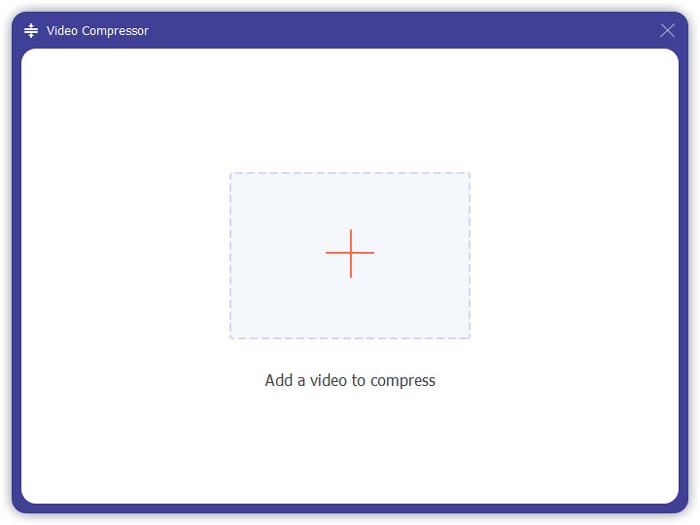
Krok 1. Pobierz i zainstaluj Video Converter Ultimate. Wybierz interfejs Converter. Następnie możesz dodać pliki MPG, które chcesz połączyć, klikając kwadrat Add Files na środku interfejsu. Możesz też przeciągnąć kilka plików MPG do tego pola, aby je dodać. Program umożliwia dodanie wielu plików MPG i scalenie ich w jeden.
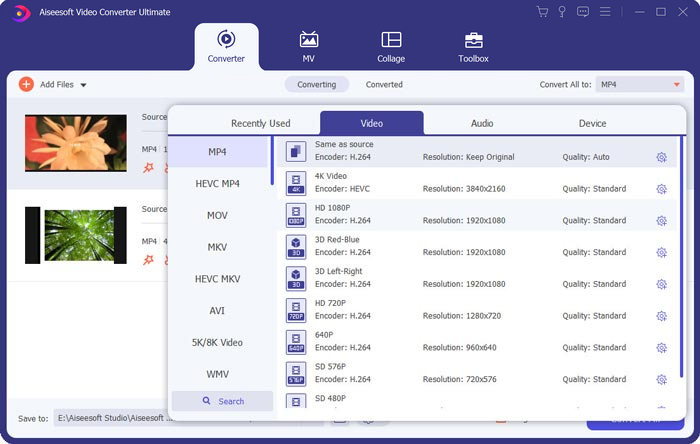
Krok 2. Następnie wybierz format wideo, który chcesz uzyskać, klikając pole Convert All to po prawej stronie. W menu możesz wybrać różne typy formatów, w tym MP4, MOV, MKV itd. Możesz ręcznie dostosować parametry formatu, klikając ikonę gear (trybik).
Krok 3. Aby edytować swoje filmy, możesz kliknąć ikonę scissor (nożyczki), aby uruchomić interfejs edycji. Możesz ustawić czas rozpoczęcia i zakończenia filmów, aby je przyciąć. Filmy MPG na lewym pasku są wyświetlane w porządku chronologicznym. Jeśli chcesz zmienić kolejność filmów, możesz je przeciągnąć i ustawić w innej sekwencji. Film znajdujący się wyżej zostanie odtworzony przed filmem znajdującym się niżej w końcowym scalonym wideo.
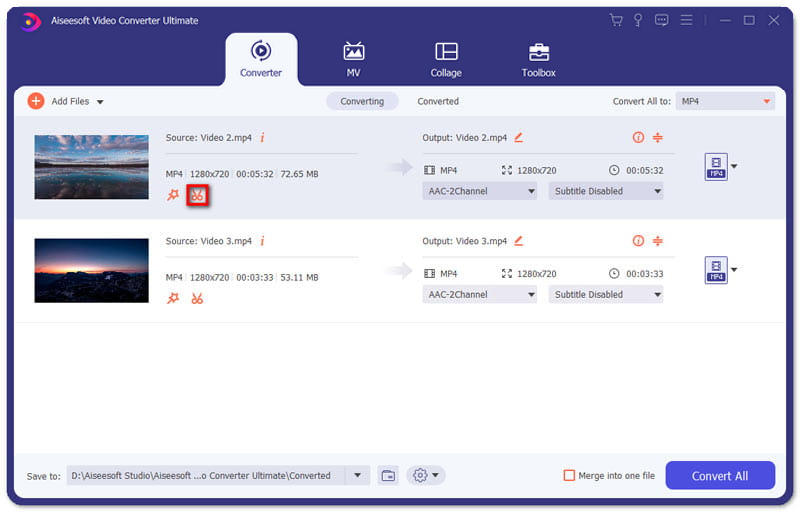
Krok 4. Po zakończeniu edycji możesz scalić klipy i wyeksportować finalny projekt. Musisz wiedzieć, że filmy zostaną połączone w porządku chronologicznym, zgodnie z kolejnością w interfejsie edycji. Aby rozpocząć scalanie, zaznacz pole Merge into One File, a następnie kliknij przycisk Convert All. Po zakończeniu możesz znaleźć połączony film w odpowiednim folderze.
Następnie możesz odtwarzać pliki MPG bezpośrednio za pomocą odtwarzacza MPG MPEG.
Część 2. Jak dołączyć do plików MPG za darmo online?
Jeśli chcesz za darmo łączyć pliki MPG online, możesz użyć narzędzia Free Online Video Merger. Prosty i dobrze zaprojektowany interfejs jest przyjazny dla wszystkich użytkowników.
Krok 1. Pobierz uruchamiacz i skonfiguruj narzędzie do scalania. Następnie możesz dodać pliki MPG, klikając znak + w interfejsie. Na dole ekranu możesz dostosować rozdzielczość i format scalonego wideo w menu. Kolejność filmów jest chronologiczna od lewej do prawej strony ekranu.
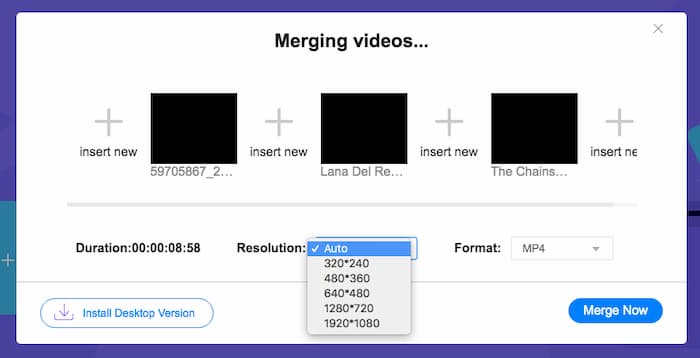
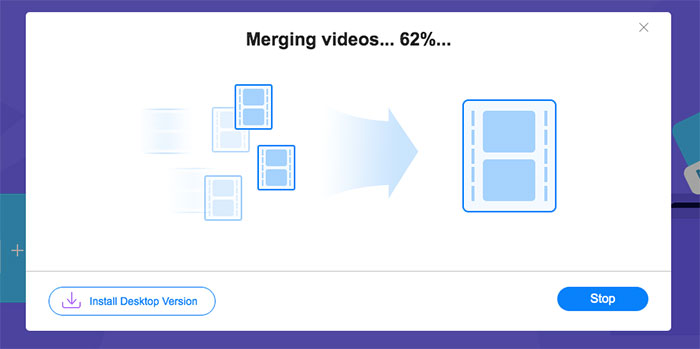
Krok 2. Aby rozpocząć łączenie, kliknij przycisk Merge Now. Po zakończeniu scalania możesz znaleźć wideo w domyślnym folderze Download na swoim komputerze.
Część 3. Często zadawane pytania dotyczące dołączania do plików MPG
1. Jak mogę otworzyć plik wideo MPG?
Zwykle plik wideo MPG to wersje MPEG-1 i MPEG-2. MPEG-1 jest kompatybilny z większością popularnych odtwarzaczy multimedialnych, takich jak Windows Media Player i VLC Media Player. MPEG-2 jest przeznaczony do filmów DVD. Możesz pobrać dekoder DVD innej firmy, aby go otworzyć.
2. Co to jest plik MPG?
Plik MPG to szalenie używany plik wideo do zapisywania danych wideo i audio. Może zapisywać i kompresować duże dane audio i wideo w małym rozmiarze bez utraty jakości. Jest standaryzowany przez Moving Picture Experts Group (MPEG). MPG służy do zapisywania i dystrybucji filmów w Internecie. Pliki MPG są zapisywane jako PS lub MPEG-PS w formacie kontenera strumienia programu.
3. Jak mogę bezpłatnie połączyć pliki wideo MPG?
W Internecie jest wiele bezpłatnych narzędzi do łączenia filmów. Wspomniana powyżej bezpłatna fuzja wideo online to bezpłatne narzędzie z łatwym i przejrzystym interfejsem, które może spełnić Twoje wymagania.
Wniosek
Kiedy chcesz połączyć kilka plików MPG w jeden, potrzebujesz profesjonalnego narzędzia do łączenia wideo. W tym artykule możesz dowiedzieć się, jak korzystać z takich programów, aby zrealizować swoje potrzeby. Jeśli masz jakiekolwiek pytania dotyczące narzędzi do scalania wideo lub chcesz dowiedzieć się więcej o łączeniu plików MPG, zostaw komentarz poniżej.
-
 2 najlepsze metody dołączania do filmów MXF z Sony X70
 Jeśli zrobiłeś kilka filmów MXF z Sony X70, jakie są najlepsze metody dołączania do plików MXF? Oto 2 skuteczne metody łączenia filmów z wysoką jakością.
-
 2 sposoby kompresji wideo dla YouTube
 Filmy z YouTube są duże i wolno je przesyłać? Po prostu skompresuj rozmiar pliku wideo na mniejszy dla YouTube na 2 sposoby online i na komputerze.
-
 GIF Player - 5 najlepszych odtwarzaczy GIF na komputery PC z systemem Windows, Mac, Android i iPhone
 Jaki program otwiera pliki GIF? Jak przeglądać GIF-y na Androidzie? Czy iPhone ma odtwarzacz GIF do otwierania GIF-ów? Ten post przedstawia 5 najlepszych odtwarzaczy GIF dla Ciebie.
