


 Video Converter Ultimate
 Gravador de ecrã
 Reparo de vídeo
Saiba mais sobre os 5 melhores editores de vídeo para PC e compare
A lot of people nowadays love to take videos to save memorable moments and most of them use it to make money. Like vloggers and influencers, they always took a video of themselves on what they are doing for their fans. Also, to gain more popularity than the other influencers or vloggers. So, if you are an aspiring vlogger or influencer who loves to take videos of yourself. Then you must consider having the best Windows 10 video editor to enhance and create an impressive video, gain more likes, views, subscribers, and also profit in the long run.So, before we start, we would like to congratulate you because you already take the first step on becoming a successful vlogger or influencer. But choosing the right tool you're supposed to use is one of the crucial parts you will encounter. So now, we gathered different video editors and as effective as ever for you to choose below.

Parte 1. Os 5 principais editores de vídeo do Windows online e offline
Topo 1. Video Converter Ultimate
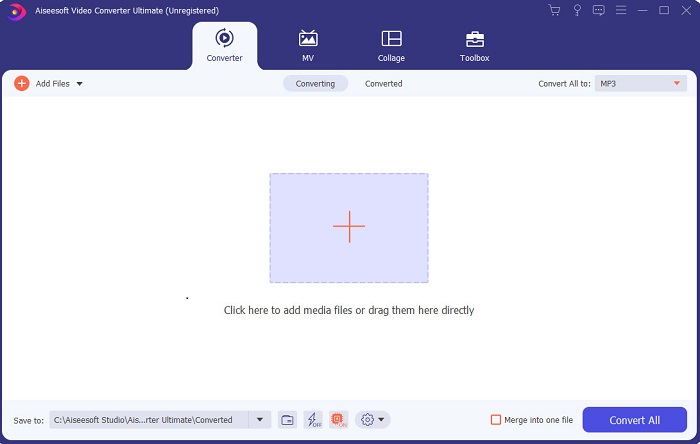
If you want to have the upper-hand and have the best videos like your idols have, then use the FVC Video Converter Ultimate. This converter and Windows video editor already helped a lot of its customers to become popular worldwide and maybe you're next. Most of the known influencers, vloggers, and video editors use this as their editor, enhancer, booster, and more. So, if you want to have a professional output like your idols and make some real cash on it. Then you must download this software immediately to become the new internet sensation and also the best version of yourself. Also, we provided pros and cons for you to understand this tool more.
Free DownloadFor Windows 7 or laterSecure Download
Free DownloadFor MacOS 10.7 or laterSecure Download
Prós
- Para iniciantes, esta ferramenta é a escolha certa para eles. Uma vez que fornece instruções simples para você seguir e mais fáceis de entender. Basicamente, está no ponto.
- Para profissionais, ao contrário de qualquer outro editor de vídeo para PC esta ferramenta tem muitos recursos futuristas. Por exemplo, se você deseja aumentar sua qualidade de áudio e melhorar o vídeo, você pode usar esta ferramenta. Além disso, se o seu áudio não estiver sincronizado com o vídeo, ele possui um recurso de sincronização de áudio para corrigi-lo.
- No geral, este é o conversor e editor fenomenal do qual você pode confiar. Principalmente se você quiser fazer uma entrada surpreendente no mundo dos vloggers e influenciadores.
- O software do editor pode ser baixado e não há ferramentas de edição com os mesmos recursos como este.
Contras
- Esta ferramenta não é gratuita, mas tem um preço baixo. Em outras palavras, é barato e produz uma saída de alta qualidade.
Topo 2. Windows Movie Maker
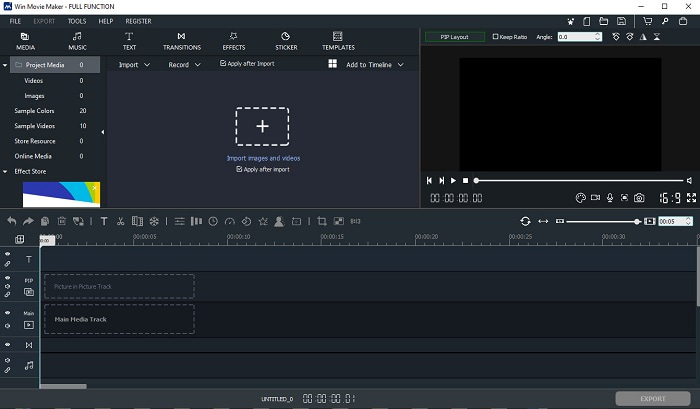
This video editor for Windows 7, 8, 10 and XP is one of the best at creating and editing. The Windows Movie Maker has already been downloaded by many users to edit their own videos. As it provides complicated editing features. But the tool is too overwhelming for those who are new in making and editing. But if you are a pro or should we say you have the experience of editing then you must try to use this tool. This tool has a premium version and it is a lot similar to the free tool it provides but the output has no watermark if you export.
Prós
- Para iniciantes, esta ferramenta não é ideal, mas é ótima para fazer edições complicadas.
- Para profissionais, os recursos apresentados aqui são viáveis se você tiver experiência.
- Ele fornece transição, efeitos e adesivos etc.
Contras
- A ferramenta é um pouco perturbadora por causa das funções da ferramenta que você pode executar aqui. Além disso, é opressor e não contém instruções sobre como operá-lo.
- Se você usar a versão gratuita desta ferramenta, espere ter uma marca d'água no próprio vídeo após exportá-lo.
Top 3. OpenShot
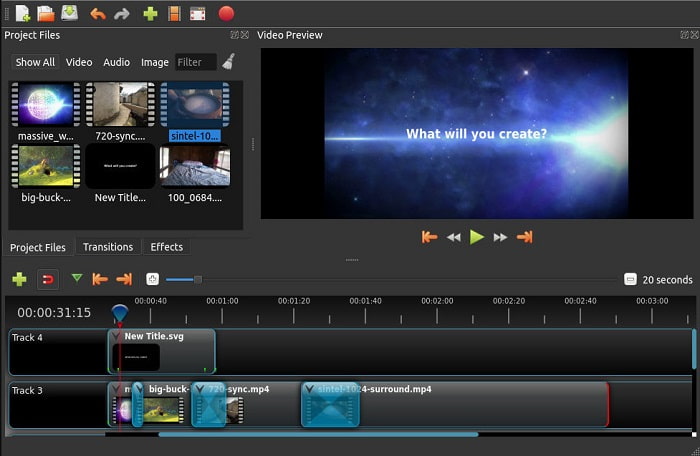
Another free video editing software with no watermark is the Openshot. As it provides simpler to understand functions than the Windows Movie Maker. Moreover, after you installed the tool there will be a simple tour on the tool functions. Although, it is explained but the basic features are only explained. But this tool only provides the basic editing features only which means you can't be creative. Also, if you install this tool, it is a bit boring to look at because of the monochrome color of the interface.
Prós
- Para iniciantes, esta é uma versão mais simples do Windows Movie Maker. Você pode adicionar efeitos, transições e muito mais.
- Para os profissionais, pode usar, mas não é o melhor.
- O software está ok se vier com uma edição simples.
Contras
- Não é possível alterar a interface chata e é menos interativa.
- Alguns bugs maiores e menores ainda estão presentes aqui mesmo após a atualização.
4. Lightworks
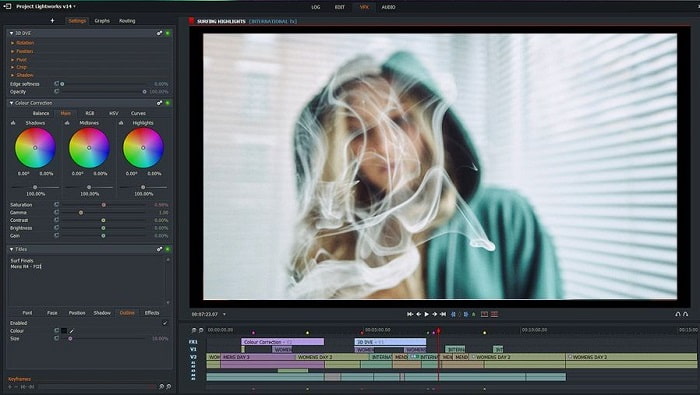
Lightworks is a free video editor for Windows but it also has a premium version. But when we tried and downloaded the tool it said that it has a .exe file that can harm our computer. So, we didn't download the tool and we did deep research about this tool. So, if you install the tool into your drive you will need to register first before you can use it. The editing features this tool provides is a lot to take in if you are a beginner but for pro it is a bit hard also. But no need to worry because you can learn how to use it by trying it.
Prós
- Para iniciantes, a ferramenta é muito complicada e pode ser muito difícil de manusear. Especialmente se você quiser fazer uma edição simples.
- Para os profissionais, você pode usar os recursos de edição em tempo real que esta ferramenta oferece. Embora alguns dos recursos sejam novos e muitos deles sejam pagos.
- O desempenho geral da ferramenta é classificado como classe A na edição e realização de vídeos.
Contras
- Se você deseja ter uma saída de 1080px, você deve comprar a ferramenta. E antes mesmo de poder usá-lo, você precisará se registrar.
- O software contém um arquivo .exe prejudicial, portanto, baixe-o por sua própria conta e risco.
5. ClipChamp
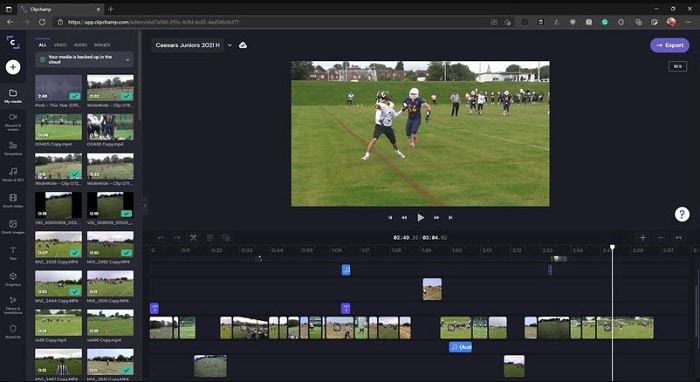
This online tool has if you upgrade the plan. Also, it is one of the easy to access tools you can use to edit the videos without downloading a specific software. Clipchamp is a great tool to use but you will need to register before you can access it. This Windows 10 video editor online has similar features with Lightworks but it is online. Nevertheless, if you import video files here to be edited you must expect a slow process of importing it. But the advantage of it is that you won't need to download the tool to function.
Prós
- Para iniciantes, esta ferramenta é obrigatória, mas o processo de edição e inserção de vídeo aqui é um pouco mais lento.
- Para profissionais, não há problema em usar e editar vídeos simples com recursos limitados.
- No geral, a ferramenta é mais fácil de entender do que o Windows Movie Maker.
Contras
- Depende da Internet, o que significa que se você tem uma Internet lenta, espera um processo instável.
- Precisa de um formulário de registro antes mesmo de usar a ferramenta da web.
Parte 2. Gráfico de comparação para os 5 editores de vídeo para Windows
| Recursos | Video Converter Ultimate | Windows Movie Maker | OpenShot | Lightworks | ClipChamp |
| Edição de vídeo como aparar, cortar, mesclar e assim por diante. |  | | | | |
| Video Enhancer | |  | | | |
| Marca d'água | | | | | |
| Suportado pelo programa | Ferramenta baseada em desktop | Ferramenta baseada em desktop | Ferramenta baseada em desktop | Ferramenta baseada na web | Ferramenta baseada na web |
| Faixa de preço | Por 1 mês: $25,00 Por um ano: $31.20 | $39.95 Pagamento único | Grátis, mas você pode doar | QScan Pro QScan Pro - Ativações de assinatura mensal $59.99 | Criador- $9 / mensal Empresarial- $19 / mensal |
| Licença vitalícia: $55.20 | QScan Max QScan Max - Ativações de assinatura mensal $119.99 | Business Platinum - $39 / mensal |
Parte 3. FAQs sobre o Editor de Vídeo do Windows
Qual é o melhor editor de vídeo Mac que posso usar?
Although, the tools presented here are all Windows editors except for the Video Converter Ultimate. So, to know what the other Mac video editors are then you must click this link and choose in the list.
Por que meus vídeos não podem ser reproduzidos no Android?
There are a lot of reasons why videos can't be played on your Android. So, to know what the reasons are then it is a must to know it immediately and fix the problem by reading on How to Repair Videos Not Playing on Android Phones.
Como comprimir meus vídeos longos e compartilhá-los no YouTube?
As for now you can upload 256 file sizes maximum so the best way to fix this is to compress it. If you want to share your videos on YouTube then let's learn how to deduce the file size and post on YouTube.
Conclusão
Before you become one of the vloggers or influencers you always look up, you will need to have the ability to do your own editing. As of today, this is your chance to use the phenomenal editor that provides Hollywood-like editing features and quality. In that way, you will impress your viewers, followers and even yourself. So, shine bright like a diamond and let the ray of light create a way to succeed with the help of FVC Video Converter Ultimate.
-
 O melhor editor de MP4 para Windows e Mac em 2025
 Esteja você usando seu computador para edição de vídeo MP4 ou apenas trabalhando em seu telefone, você poderá encontrar algumas opções excelentes aqui, incluindo o melhor editor de MP4 para Windows e Mac.
-
 Como adicionar áudio e música ao vídeo gratuitamente em seu computador / telefone
 Este artigo mostra 4 maneiras fáceis de adicionar áudio a vídeo gratuitamente. Não importa qual faixa de áudio você deseja adicionar ao seu vídeo, você pode obter resultados satisfatórios aqui.
-
 Como recortar e mesclar músicas online - 4 maneiras que você deve conhecer
 Quando você deseja cortar e mesclar músicas online para criar uma peça musical, você pode aprender mais sobre as 4 melhores ferramentas online para recortar as músicas e combinar os arquivos do artigo.
