Editar TS

Free Convert TS Files to MP4, MKV, AVI, MP3 and More

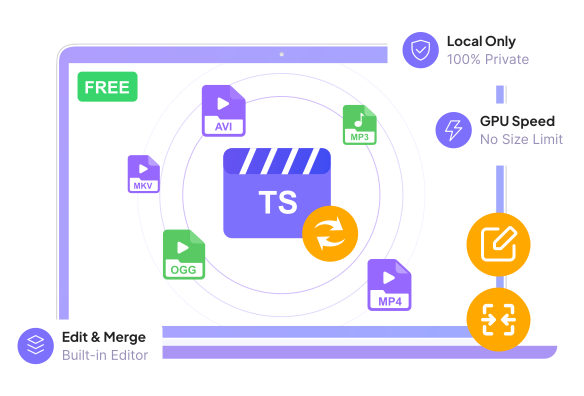
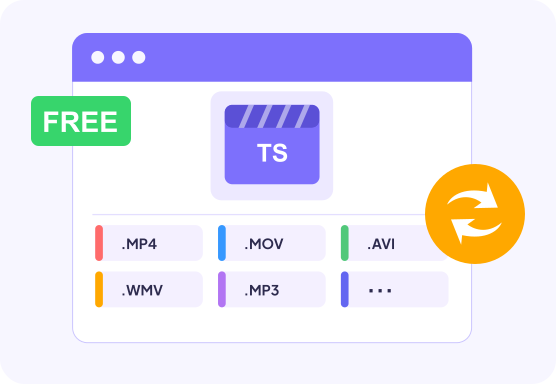
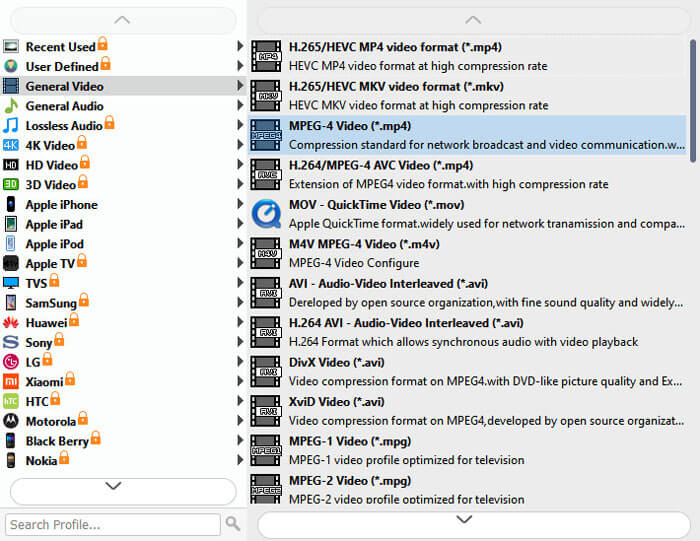
This free TS video converter allows you to convert TS videos to any video format like MP4 (HD H.264/MPEG-4 AVC video), MKV, AVI, and WMV videos for free. You can also convert TS videos to audio formats like MP3, AAC, AIFF, ALAC, FLAC, WAV. Whether you need MP4 for TV playback, MOV for sharing on Apple devices, or MP3 for background music extraction, it handles everything with one click, supporting the conversion of TS videos to HD/4K videos and lossless audio without losing high quality.


Conversão de lote TS

Batch Convert Multiple TS Files Quickly

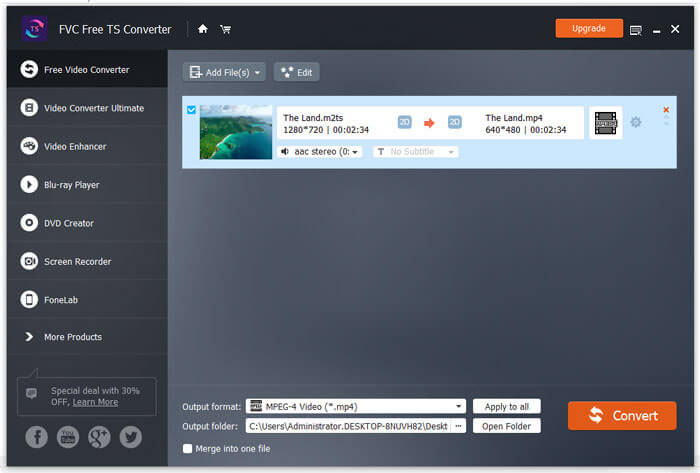
Tired of converting files one by one? Add all your TS files at once and set output formats individually or uniformly in FVC Free TS Converter. It allows you to make a batch conversion from TS files to different formats separately and efficiently. And there is no number or size limit when you upload multiple TS videos at one time. You can also enjoy a 10X conversion speed faster than online TS converters; even large batches are processed in moments, making your workflow incredibly efficient.

Mesclar TS

Merge Multiple TS Files into One

Instead of watching TV or movie series from one episode to another, why not merge them all into one video and skip the annoying closing credits? FVC Free TS Converter enables the "Merge into one file" function that allows users to join two or more videos to make a whole new video. All you need to do is select the videos you want to merge and tick the "Merge into one file" box. Then you can get a new video according to your preference.

Converter TS

Edit TS Video with Built-in Video Editor

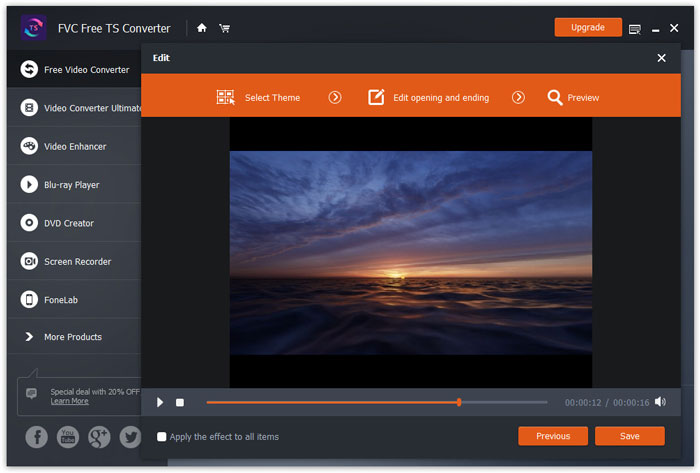
Besides converting, FVC Free TS Converter offers you a powerful video editor as well. You can easily use it to edit and customize your own TS files. For each video, you can choose a special theme, such as birthday, family, cuisine, landscape, sports, and even holidays like Halloween. With FVC Free TS Converter, modifying the title, author, or time length of videos is no longer difficult. You can also preview the files in advance before converting.

Download grátis Download grátis

Highlights of FVC Free TS Converter

Compatível com Vários Dispositivos

Convert TS files to make them compatible with iPhone, iPad, iPod, Samsung, SONY, Huawei, Motorola, Xbox, and other devices.

Sem perda de qualidade

Keep the high quality of the original TS video when converting it to HD or 4K video formats.

Conversão Segura

It is 100% safe & free to download this Free TS format converter to your computer to help you convert TS files in 1 click.

Faça capturas de tela

While previewing, you can take snapshots of your favorite video image to save as JPG, PNG, or BMP.

TS vs. MP4: Should You Convert TS to MP4?

When you change TS formats, the first format that comes to your mind might be MP4, one of the most mainstream media formats in the world. Why convert .ts to .mp4? To help you decide whether to choose it or not, you can refer to the table below:

TS (MPEG Transport Stream) MP4 (MPEG-4 Part 14)
Extensão de arquivo .ts, .mts, .m2ts .mp4
Tamanho do arquivo Usually larger due to less efficient storage Usually smaller with better compression efficiency
Qualidade de vídeo Similar quality when using the same codec and bitrate Similar quality when using the same codec and bitrate
Compatibilidade Supported by fewer players and devices Supported by almost all devices, browsers, and media players
Suporte de edição Less convenient; may require conversion first Widely supported by video editors
Suporte a metadados Limited compared with MP4 Rich metadata support (title, cover, chapters, etc.)
Playback Devices TVs, broadcast systems, Blu-ray players, some media players Smartphones, computers, tablets, TVs, websites
Melhor para Live TV, broadcasting, DVR recordings, Blu-ray streams Everyday video playback, sharing, uploading, editing

TS is designed for broadcasting and reliable transmission, and MP4 is designed for efficient storage, compatibility, and everyday video use. For most users, MP4 is the better choice because it offers wider compatibility, smaller file sizes, and easier editing. Download this free TS to MP4 converter now!

How to Use FVC TS File Converter

01

Step 1. Add TS file

Clique no botão “Adicionar arquivo (s)” para importar os arquivos TS para o programa.

02

Step 2. Add Theme

Click “Edit” button on the top of the interface to start editing TS file. You can select the theme, edit title, author, time and provider in the opening and ending.

03

Step 3. Preview file

Click “Next” button to enter the preview window and preview the whole video. Then, click “Save” to save those changes.

04

Step 4. Convert TS file

Selecione o formato desejado em “Formato de saída”. Depois disso, clique no botão “Converter” para iniciar a conversão do arquivo TS.

Adicionar arquivos TS Selecione o tema Antevisão Formato de saída

Why Choose a Desktop TS Converter?

Recurso Ferramentas on-line FVC Conversor TS gratuito (Desktop)
Limite de tamanho de arquivo Strict limits (usually 200MB – 1GB) No File Size Limit
Usage Limits Daily/monthly conversion caps No Usage Limits
Speed & Network Slow upload/download; fails if disconnected Zero upload time; supports hardware acceleration for 10X speed
Works Offline ❎ ✅
Privacy & Security Files uploaded to servers with the risk of leaks 100% offline processing, files stay on your device
Aceleraçao do hardware ❎ ✅
Processamento em lote ❎ ✅
Rich Editing Tools ❎ ✅

Many online TS converters have file size limits and require uploading videos. But this desktop TS converter lets you convert TS files locally with no uploads, no size restrictions, no internet dependency. Just give it a try and start converting your TS video to MP4, AVI, MKV, MOV, MP3, etc., on Windows and Mac now!

Download grátis Download grátis

Tech Specs for FVC TS Converter

requisitos de sistema

janelas Supported Windows OS
Windows 11, Windows 10, Windows 8, Windows 7
Mac OS Supported Mac OS
Mac OS X 10.13 ou superior (macOS Tahoe incluído)
Processador
CPU Intel/AMD de 1 GHz ou superior
BATER
1 GB RAM or more

Supported Output File Formats

Video Formats

MPG, MPEG-1, MPEG-2, MPEG-4, H.264, H.264/MPEG-4 AVC, DivX, XviD, AVI, FLV, MP4, M4V, MKV, MOV, 3GP, 3G2, MTV, SWF, WMV, ASF, DPG, TS, DV, VOB, AMV, WebM, etc.

Audio Formats

AAC, AC3, AIFF, AMR, AU, FLAC, M4A, MKA, MP2, MP3, OGG, WAV, WMA, etc.

Orgulho de ser homenageado por clientes queridos

FAQs do FVC Free TS Converter

O que é TS?

TS é um formato de arquivo de fluxo de vídeo usado para armazenar vídeo em DVDs. TS significa Transport Stream. Os arquivos TS também podem armazenar informações de áudio e dados.

Qual é melhor, TS ou MP4?

Se você está falando sobre a qualidade de vídeo dos arquivos MP4 e TS, na verdade eles são iguais. A principal diferença é que os arquivos TS são simples, enquanto os arquivos MP4 têm um índice no início do arquivo MP4.

Como reproduzo arquivos TS?

Você pode visualizar os arquivos TS por meio deste FVC Free TS Converter. Ou você pode usar um reprodutor profissional, como o Aiseesoft Blu-ray Player, para reproduzir vídeos TS.

Is FVC Free TS Converter free to use?

You can preview Yes. FVC Free TS Converter provides a free way to convert TS files into other video and audio formats.

How to convert TS files to MP4 on a Mac​ with this free TS converter?

Download the Mac version of FVC Free TS Converter. Click “Add File(s)” to add one or more TS videos; you can click the gear button separately to set up each file’s encoder, resolution, frame rate, and more. Then, check them all; click “Convert” for batch processing.

Does FVC Free TS Converter add a watermark to converted videos?

YNo. Converted videos from FVC Free TS Converter do not include a watermark.

Tips & Tricks about Converting TS Files