


 Video Converter Ultimate
 Gravador de ecrã
 Reparo de vídeo
Revisão completa sobre como converter arquivo SWF em AVI com os 5 conversores
A format created by the joint force of ShockWave Flash and Adobe is the SWF. This format is designed to contain and play video animation on Flash Player or on the web with the Flash plug-ins. However, it is very difficult to watch animated videos in the format of SWF. Because all of the media players don't support the said format other than the Flash Player. And in that case, you will need to find a converter to watch the .swf file on your desktop. So now, we present to you below are the converters you can use to convert SWF to AVI online and offline.
Parte 1. SWF vs AVI: Qual é o melhor?
Anteriormente, explicamos alguns dos dados que coletamos durante nossa pesquisa sobre arquivos SWF. Mas você sabia que esse arquivo usa um vetor em vez de um pixel? Para entender melhor, vamos nos aprofundar. Pixels são pequenas caixas que são mostradas na tela. Basicamente, todo esse pequeno quadrado tem cores diferentes e todos eles são unidos para criar um visual. No entanto, os vetores usam equações matemáticas para calcular a forma que vai tomar parte na tela. Portanto, se tentarmos assistir a vídeos SWF, esperamos uma qualidade visual muito melhor do que qualquer formato.
AVI é um dos formatos de arquivo de renome que possui um tamanho de arquivo enorme em comparação com os outros formatos. E a principal razão pela qual o tamanho do arquivo AVI é grande é apenas porque não é compactado. E por ser descompactado, espere que o arquivo mantenha a qualidade, mas em um tamanho muito maior.
A única razão pela qual você precisará aprender a converter um arquivo SWF em AVI é assistir ao vídeo que ainda está com a extensão de arquivo .swf. Além disso, já tornamos sua pesquisa muito mais fácil do que nunca, pois compilamos diferentes ferramentas que você pode escolher. Além disso, todas as ferramentas mencionadas abaixo fornecem uma ótima conversão que literalmente ajudará você a resolver esse problema.
Parte 2. 5 dos melhores conversores SWF para AVI disponíveis no desktop e na Web
1. FVC Video Converter Ultimate
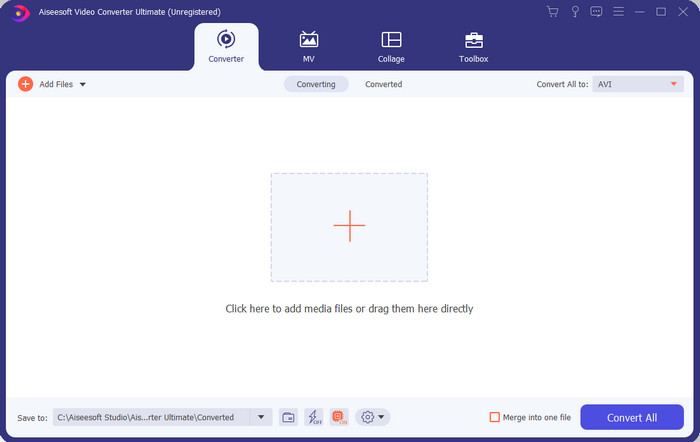
If you're looking for the ultimate phenomenal software you need to use to convert .swf then the FVC Video Converter Ultimate is the one. It is not placed at first if the software doesn't provide an outstanding conversion. Also, it supports 200+ formats that are known to you or even those that aren't. Unlike the converters enlisted below, this is far more different in interface, functionality, advanced features, accessibility, and more. If you are searching for a splendid converter then say this to yourself that the search is over as you find one. Furthermore, if you are still not convinced yet with the tool then let's see it for yourself by downloading this best free SWF to AVI converter first.
Prós
- Ele suporta aceleração de hardware e conversão rápida para converter em um piscar de olhos.
- Ampla gama de formatos de arquivo de mídia suportados.
- Os recursos de edição estão disponíveis após a liquidação do pagamento.
- A conversão em lote pode ser feita facilmente.
Contras
- Precisa ser pago primeiro antes que você possa usá-lo, mas é muito barato.
- Precisa ser baixado em sua unidade primeiro.
2. VLC Media Player
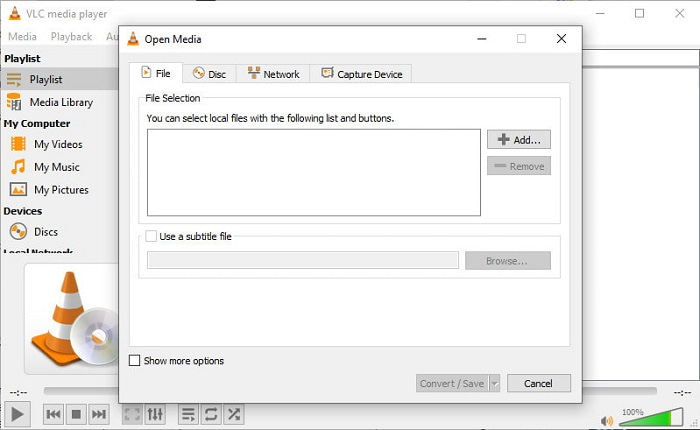
This media player has a secret feature you would love to use. VLC Media Player is not only used as a media player but has also provided a converter as well. However, the supported format of the built-in converter software is very minimal and you can't set the resolution. Also, the process of converting format here would definitely give you a hard time compared to the other converters. But if you want to try to and use this freeware SWF to AVI converter then download the media player.
Prós
- Tem um conversor embutido ao lado do media player.
- Grátis para download em qualquer plataforma.
- O download é seguro e o processo de conversão também é protegido.
Contras
- Formato menor suportado do que os outros conversores disponíveis nesta lista.
- Processo de conversão é muito a ser feito antes que você possa fazer a conversão.
3. Convertio
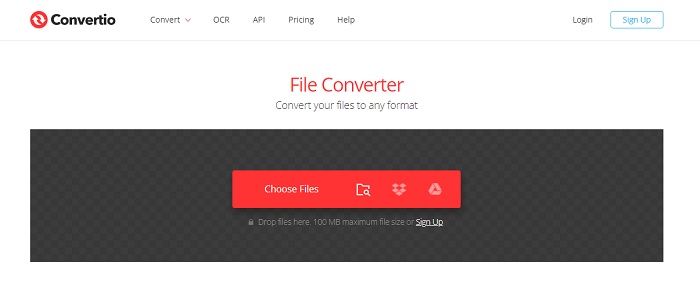
If you want to convert SWF to AVI online then try Convertio as it provides simple and effective conversion. Also, this web tool is safe to be used and all of the files that have been converted with this tool will be deleted from the website. Another amazing feature of this tool is that you can do the batch conversion if you sign-up. However, the process of uploading and downloading would definitely take a lot of your time and that is a little bit of hassle to the users. If you don't want to spend a penny on your conversion then try to use this.
Prós
- Não há necessidade de baixar o software em sua unidade antes de poder usá-lo.
- Ele suporta um nível médio de formatos que você pode escolher.
- 2 formatos de arquivo por vez podem ser convertidos ao mesmo tempo.
Contras
- Carregar e baixar o arquivo após a conversão levaria muito do seu tempo.
- Dependente da Internet, o que significa que, se sua Internet estiver lenta, espera muito tempo.
4. OnlineConvertFree.com
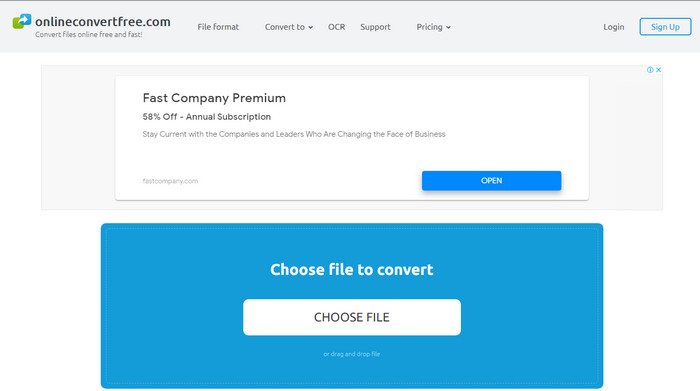
Another online video converter SWF to AVI you can use is the OnlineConvertFree.com. If simplicity is beauty, then this must be your choice on the job of converting. Unlike the first mentioned online tool, this is much simpler but it supports less formats you can choose. Also, the file size is limited in this online software. So, if you have a file size that is more than 20mb then expect that you can't use it with this tool. However, if you want to use this to convert files and also to not spend a lot then use this.
Prós
- É de acesso gratuito.
- Este conversor pode ser usado se você tiver uma conexão com a Internet.
- A interface geral parece legal.
Contras
- Não pode ser acessado se a internet não estiver disponível.
- Os anúncios estão matando o site.
Parte 3. 5 passos sobre como converter SWF para AVI no FVC Video Converter Ultimate
Aqui estão os passos detalhados sobre como usar o FVC Video Converter Ultimate. Todas as etapas fornecidas aqui garantirão uma experiência fácil e fenomenal.
Step 1. Firstly, it is a must to download the tool on your computer drive, choose whether it is PC or Mac. Then install the software on your drive, perform the set-up easily, then click Start Now.
Free DownloadFor Windows 7 or laterSecure Download
Free DownloadFor MacOS 10.7 or laterSecure Download
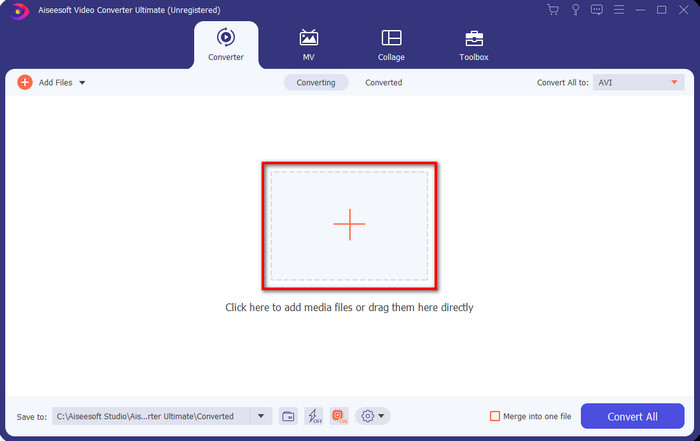
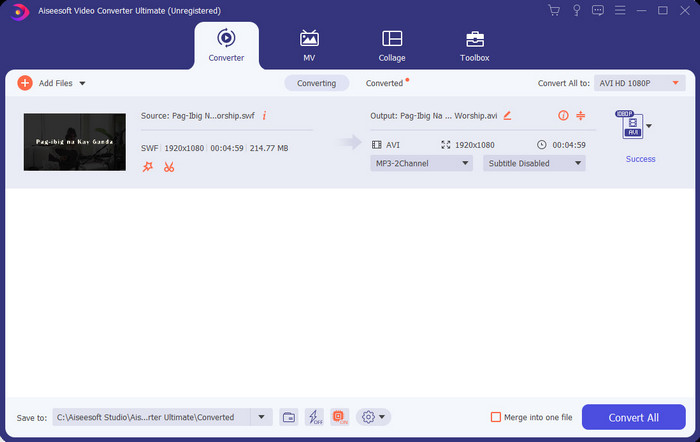
Step 2. Open the software you installed into your drive, then click the + button then locate the file on the folder that will be going to pop-up next. Press Open to proceed.
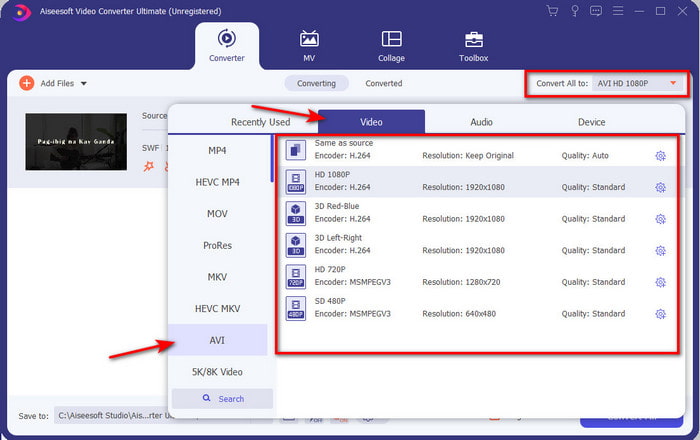
Step 3. And to change the SWF file into an AVI format click the drop-down button and select AVI format then choose the resolution.
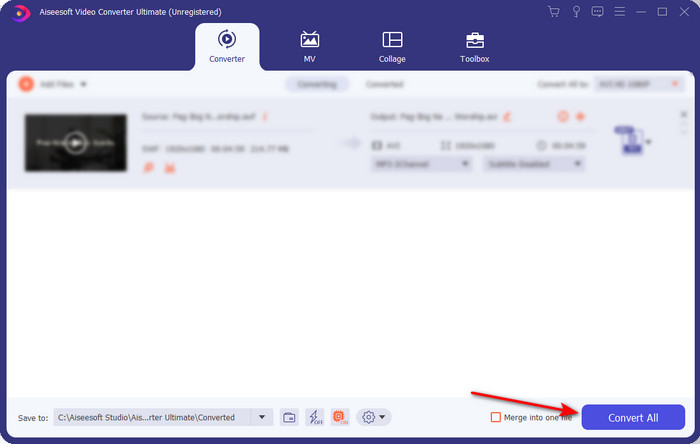
Step 4. And if you are already done selecting the format, click Convert All for the converting process to begin.
Step 5. After the conversion is done, a folder with the converted file will show. Click the newly AVI file to watch it and transfer it later if you want.
Parte 4. Perguntas frequentes sobre SWF e AVI
Posso reproduzir SWF em outros players de mídia?
Definitely no, because .swf is not supported on your media player even if you use a third-party app. And the best choice to play the .swf then you must turn it into a new format just to play it. But if you don't want to convert it then you must use the Flash Player just to play the SWF file format.
O .swf é menor em tamanho?
Absolutely yes, other than being small in size it is also loaded much faster compared to the other format and also the whole structure of the format itself. You can try compressing SWF files with a video compressor if they are too large.
Meu arquivo SWF pode ajustar a transparência?
Bem, você pode configurá-lo para ser transparente se quiser ou não, se não quiser. Além disso, você pode adicionar um canal alfa com a cor em sua tela ou tons de cinza para defini-lo como transparente.
Conclusão
Ao terminar este artigo, já descobrimos o que é SWF e o outro propósito dele. Além disso, aprendemos que você não pode usar o arquivo .swf se não usar um Flash Player e, além disso, não pode reproduzi-lo. Portanto, agora, a melhor solução para reproduzir o arquivo SWF é convertê-lo em um novo formato como o AVI. Além disso, todas as ferramentas mencionadas acima realizam seu trabalho como conversor. Mas não há ferramenta que forneça uma solução muito mais rápida e fácil do que o FVC Video Converter Ultimate.
-
 SWF para MP4: Converta gratuitamente SWF para MP4 Online e PC
 Como abrir arquivo SWF sem Adobe Flash Player? Pegue os 3 principais conversores de SWF para MP4 gratuitos para alterar gratuitamente de SWF para MP4 online e no PC / Mac em 3 etapas.
-
 [2 Soluções] Como converter arquivos SWF em GIF de forma fácil e gratuita
 Se você não conseguir exportar o formato GIF por meio do software Flash, tente primeiro salvar os arquivos no formato SWF. Em seguida, você pode aprender duas maneiras fáceis de converter arquivos SWF em GIF neste artigo.
-
 Excelente opção para converter MKV para um formato AVI
 Domine como converter vídeos MKV com etapas fáceis fornecidas exclusivamente para você. Você quer saber como? Então clique neste link para saber mais.
