


 Video Converter Ultimate
 Gravador de ecrã
 Reparo de vídeo
Excelentes métodos para reconhecer na conversão de TRP para AVI [2021]
High-definition video files stored in the MPEG-2 Part 1 transport format is known as TRP files. Multiplexing digital video and audio streams synchronizing the output are performed with this software. It also incorporates error-correcting functions. TRP is a term that is frequently heard in digital video broadcasting. TRP files often contain video and audio data in the H.264 and AC3 formats. They can be seen and played back using a variety of video playback applications. With this new video format that might sound strange to some users, you can ponder how you will convert this new file to another format like TRP to AVI? Continue reading this article because we will present the possible solution that might resolve your problem in this issue you're having.

Parte 1. Uma introdução aos detalhes sobre os formatos de vídeo TRP e AVI
O formato de arquivo TRP é um tipo de arquivo de vídeo digital que atende aos requisitos de codificação de vídeo MPEG-2. A extensão de arquivo .trp é usada para arquivos TRP. Alternativamente, esses arquivos TRP são chamados de arquivos de vídeo MPEG-2 de alta definição. Além disso, um arquivo TRP contém áudio digital codificado em A3C. Esses arquivos .trp incluem protocolos de transporte de alta resolução para fluxos de DVD (difusão de vídeo digital). Dispositivos de televisão set-top específicos e gravadores de vídeo digital utilizam esses arquivos TRP para transmitir conteúdo de DVD. Esses arquivos .trp podem ser vistos e reproduzidos com a ajuda de players de vídeo e ferramentas multimídia, como o media player VLC da Video LAN Project Team. Conversores de vídeo digital adicionais e ferramentas de edição podem criar, abrir, editar e converter arquivos TRP para outros formatos de vídeo digital padrão.
However, Audio and Video Interleaved (AVI) information can be stored digitally in the AVI file format for playback. All Microsoft's Windows platforms include built-in support for the AVI format. The file extension.avi is used to identify AVI files. The AVI format is supported by all major operating systems, save for Windows. Video and audio files made using various codecs, such as DivX or XviD, can be stored in an AVI file container. Here, we've discussed the advantages and disadvantages of the AVI file format, along with a brief history, structure, and conversion of the format.
Parte 2. Como converter TRP para AVI offline
Starting with converting TRP to AVI offline, this best tool is reliable in restoring a wide range of formats. Video Converter Ultimate can convert TRP to AVI in the fastest way possible. Plus, you can change the quality output of the video before you upload the file. This converter also has different tools that can help you improve your video file to the next level. Since it supports many video formats, you won't have to worry about converting unfamiliar video formats to your desired format. Now that you have learned about this best converter, you can learn the procedures given below:
Step 1. To begin, click on the Free Download button below to start the download process. You have the option of downloading the software from Windows or Mac if you prefer once the download is complete. Before you simply run the program, you need to get it installed on your computer's desktop and click Start Now to get started.
Free DownloadFor Windows 7 or laterSecure Download
Free DownloadFor MacOS 10.7 or laterSecure Download
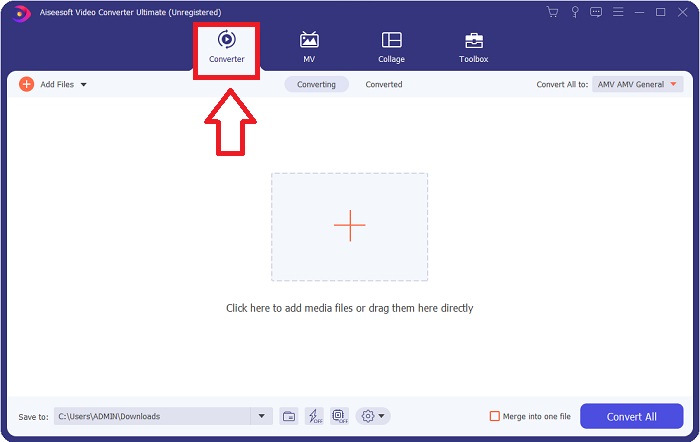
Step 2. Launch the downloaded application. When you first start the program, a window will appear with the Converter interface. This is where you'll enter your video file and begin converting.
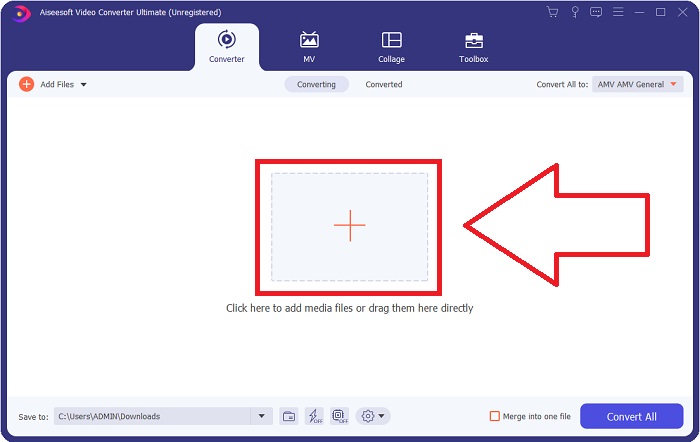
Step 3. Import your files into the software by dragging the video file or by clicking the + icon.
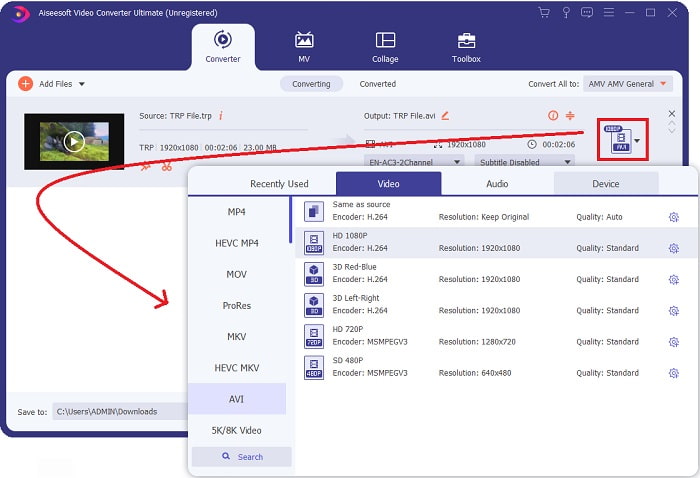
Step 4: In the upper-right corner, click the arrow-down icon next to the Convert All to option to open a panel. Then, go to the category list of Video, and select the AVI video format. However, if your preferred video output isn't listed, you can change the quality settings to suit your needs. You can alter the display's resolution, frame rate, and even audio quality by clicking the gear icon. To keep your changes, click the Create New button.
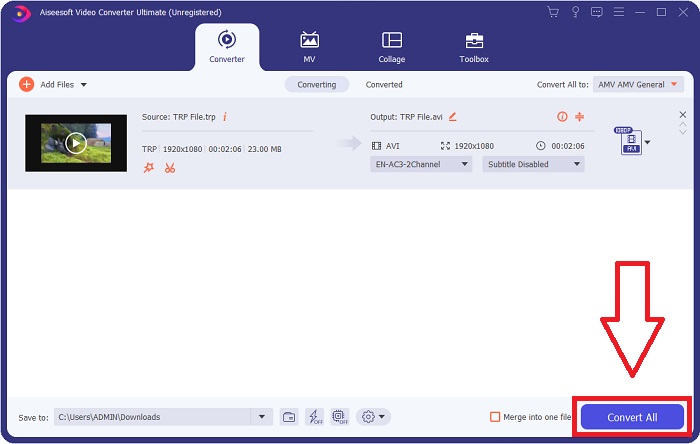
Step 5. Once you've finished editing the video and it's ready to be converted, click Convert All to start the process of transferring it to your computer.
Parte 3. Como Converter TRP para AVI Online
If you don't have time to download the Video Converter Ultimate, you can also use this online version of the software. Free Video Converter Online is the best online web tool you can access on the internet that can convert a variety of formats in a fast manner. Other than an online converter, this converter doesn't limit formats it can support; that's why it is recommended for some beginner users. To know more about this online web tool, here are the procedures are given below.
Step 1. Navigate to the main website of the FVC converter by clicking on this link.
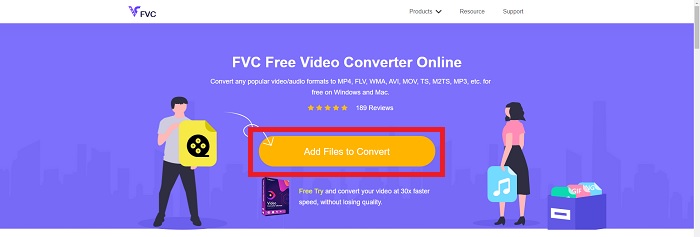
Step 2. If this is your first time using it, click the Add Files to Convert button to download the launcher for your computer. It will automatically launch when it has been downloaded once more. Select the file from your folder and click Open after it has been downloaded once again.
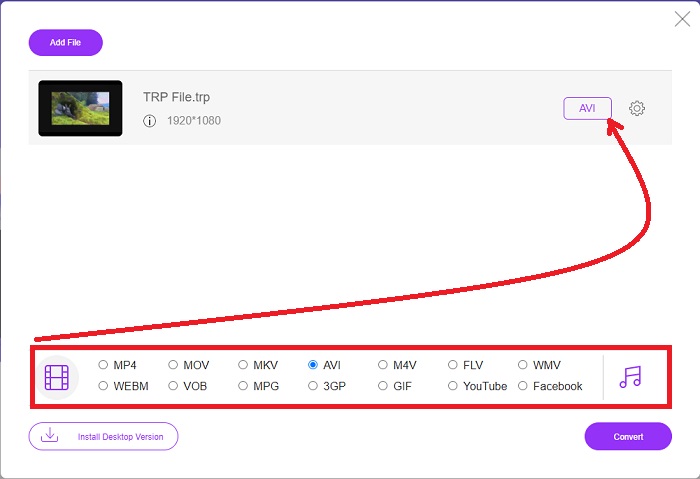
Step 3. Before the conversion process begins, select the AVI format from the drop-down menu below by clicking on it.
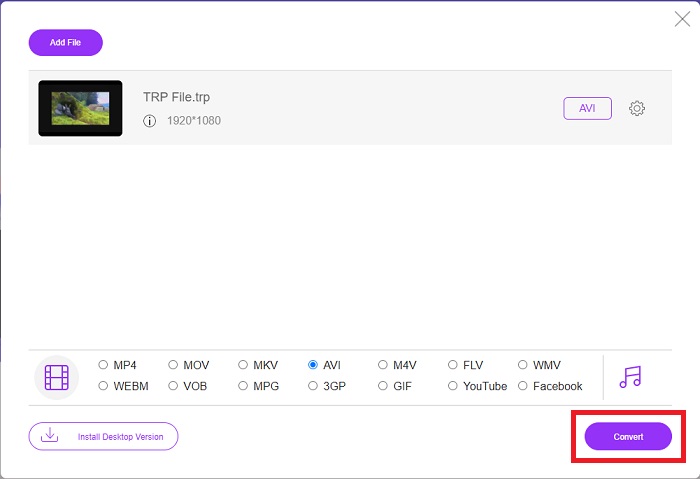
Step 4. After selecting a format, click Convert to begin the process of converting the format to another.
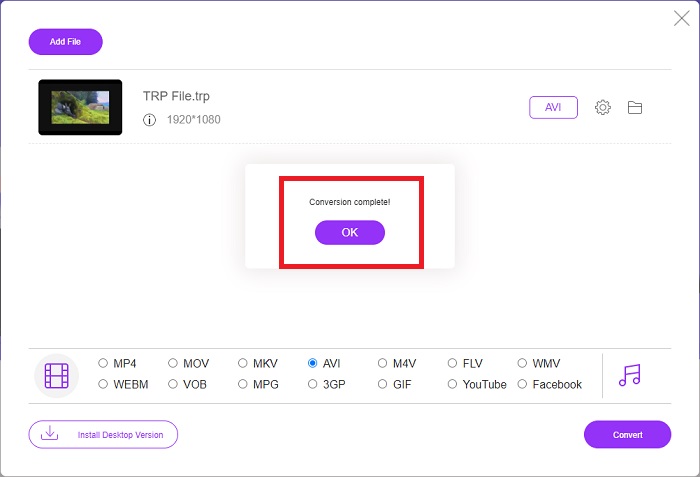
Step 5. After a few minutes, a file folder containing the converted file will appear; simply click on it to begin watching it.
Parte 4. Comparação entre TRP e AVI
| Características de | FVC Video Converter Ultimate | FVC Free Video Converter |
| Conversão em lote |  |  |
| Hardware e aceleração de conversão | | |
| Conectividade com a Internet | | |
| Aprimoramento ou edição de vídeo | | |
| Suportado pelo programa | Ferramenta baseada na Web | Ferramenta baseada em desktop |
Parte 5. Perguntas frequentes sobre conversão de TRP para AVI
Para que serve o AVI?
AVI is an acronym that stands for Audio Video Interleaved. AVI is a video and audio file format used to store audio and video information digitally for playback. It is also used to store video information. The AVI format is supported by default in all versions of Microsoft's Windows operating system. The file extension for AVI files is .avi.
Quais são as desvantagens do AVI?
Poor compression and the loss of aspect ratios when the media player window is enlarged are the most common concerns faced by AVI file format users. It's possible to convert an AVI file to an MP4 file. Therefore if you're working with AVI files, you should know the importance of doing so.
Qual é o benefício do TRP?
A popularidade do TRP de um canal permite que as empresas direcionem o público-alvo com base em sua popularidade e meçam o retorno do investimento. Usando esse método, as empresas de radiodifusão podem cobrar dos anunciantes taxas mais excelentes quando os programas mais populares estão no ar.
Conclusão
Given these points, we learned that Video Converter Ultimate is the best converter you should consider using among these other online tools. Since it has a fast converted process and various supported formats, it is considered a recommended tool or software to convert unfamiliar video formats like TRP.
-
 Como converter TS para AVI / MKV / MOV / WMV online e gratuitamente no Win / Mac
 Quer converter arquivos TS para AVI / MKV / MOV / WMV rapidamente? Este artigo mostra conversores de vídeo online e offline com guia completo. Talvez você possa obter o melhor conversor TS grátis aqui.
-
 [Free & Online] 7 maneiras de converter MTS para AVI no computador Mac/Windows
 Como converter MTS para AVI com facilidade? Neste guia, você encontrará 7 maneiras fáceis e gratuitas de converter arquivos MTS para AVI no Windows ou Mac sem perda de qualidade.
-
 Tutorial para converter arquivos MP4 em AVI com 7 conversores de vídeo grátis
 Deseja obter todas as maneiras gratuitas de converter vídeo AVI para MP4? Você não deve perder este artigo. Aqui estão 7 maneiras de converter arquivos AVI para MP4 gratuitamente no Windows, Mac, iPhone, Android e online.
