


 Video Converter Ultimate
 Gravador de ecrã
 Reparo de vídeo
Domine a arte de converter arquivos OGV para o formato AVI via online e offline
OGV files is an open-source made by Xiph.org that has the same structure as OGG Vorbis. Also, this format can contain one or more codecs to suppress the video streams. However, playing the .ogv file on Windows Media Player or Quicktime doesn't support the codecs like Theorec, Daala, or Diarac. In this case, you aren't able to play the video because of compatibility reasons. The solution to solve this problem is to convert the file into a much-supported format like AVI. This article states the converters you can use and how to convert OGV files to AVI.
Parte 1. OGV e AVI - Uma Visão Geral
Como as informações afirmam anteriormente, o OGV é um arquivo de código aberto que armazena fluxos de vídeo de alta qualidade. Mas se você deseja sincronizar a reprodução de arquivos de mídia, o AVI deve ser a escolha. Embora esses dois contêineres ainda sejam ótimos de usar, eles têm seu propósito. Vamos determinar seu propósito procurando mais informações sobre os dois formatos.
OGV
Outro objetivo do OGV é reproduzir vídeos em HTML 5 porque é um dos melhores formatos não patenteados que você pode inserir na web. Com o HTML 5 atualizado, você não precisará de um plug-in para reproduzir os vídeos na web. Além disso, este formato oferece ao web designer que suporta multimídia e conveniência também. Embora os arquivos OGV suportem streaming de vídeo em HTML 5, o formato ainda não suporta outros players de mídia para reproduzir esse formato.
AVI
Enquanto isso, o formato AVI já recebe amplo suporte de todos os players e editores de mídia em comparação com o OGV. E por causa de seu formato não compactado, o tamanho do arquivo salvo neste formato é muito maior do que o outro formato de mídia. Embora os arquivos sejam mais extensos, você ainda pode usar diferentes tipos de codec para compactar esse formato e salvá-los em tamanho menor. No entanto, se você compactar o arquivo nesse formato, espere que a qualidade do vídeo mude.
E agora que temos um histórico sobre os dois formatos, agora é o momento certo para converter OGV para AVI no Linux, PC e Mac. Para reproduzi-lo em seu reprodutor de mídia local ou editar o vídeo, é necessário converter o arquivo em AVI.
Parte 2. Melhor Conversor Offline de Escolha para Converter OGV para AVI
FVC Video Converter Ultimate
Do you want to know which is the best OGV to AVI converter that provides the fastest and secured conversion process? If so, FVC Video Converter Ultimate is a choice. For all of the converters we searched and tried over the internet, this tool is incomparable and does provide phenomenal output. This software offers many advanced features on the toolbox like the editor, merging, compressing, and more. Also, the conversion process is 30x faster because this software uses hardware acceleration and faster conversion than the other converters available online or offline don't have.
Além disso, se você deseja fazer a conversão em lote, pode fazê-lo facilmente aqui sem suar a camisa. Além disso, a interface e os recursos avançados estão disponíveis para usuários de Windows e Mac. Então agora, vamos prosseguir para as etapas para converter seu arquivo OGV em um novo formato AVI em alguns segundos, seguindo as etapas abaixo.
Step 1. Before you can convert OGV to AVI on Windows or Mac, you must download the software first. Install the software on your computer drive and click Start Now to run the software on the system.
Free DownloadFor Windows 7 or laterSecure Download
Free DownloadFor MacOS 10.7 or laterSecure Download
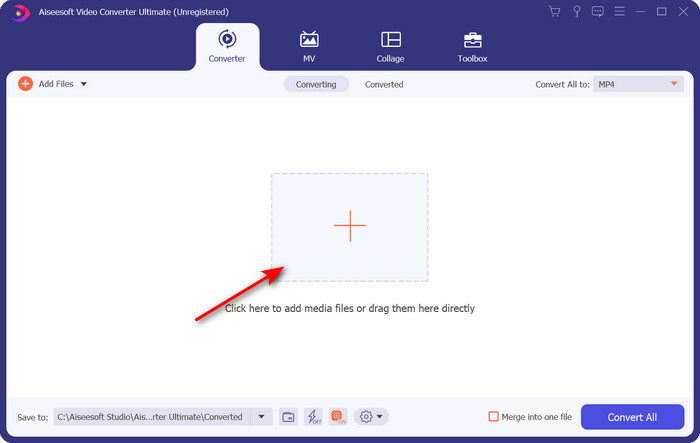
Step 2. Upload the .ogv file by clicking the + button; a file folder will show where you can locate the file, and then click Open.
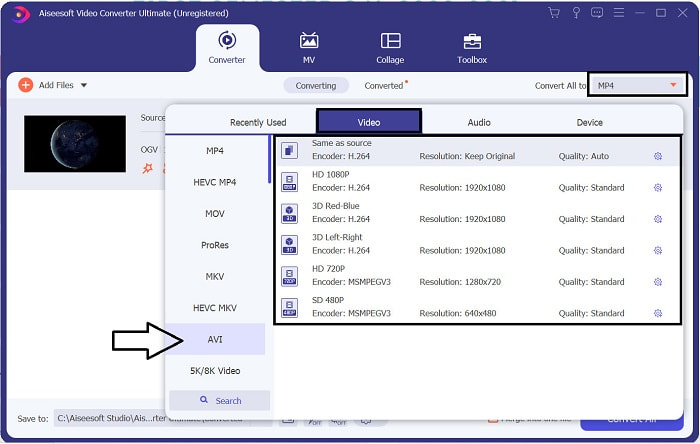
Step 3. Once the file is uploaded, click Convert All to, choose the AVI format or the other format you want the final output would you want it to turn.
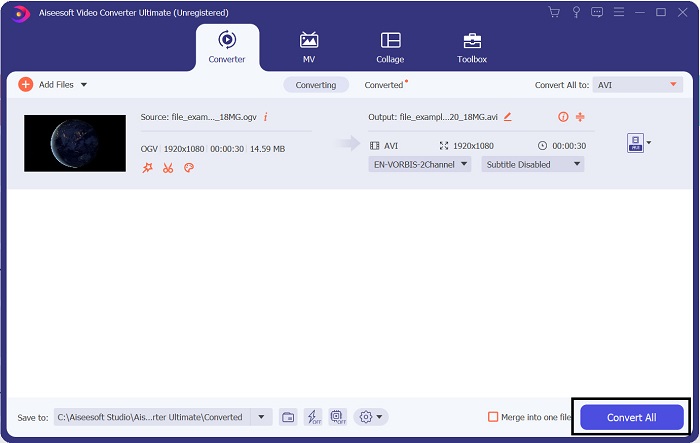
Step 4. Click Convert All to start the conversion process; this process will only take a few seconds because of the fast conversion this tool supports.
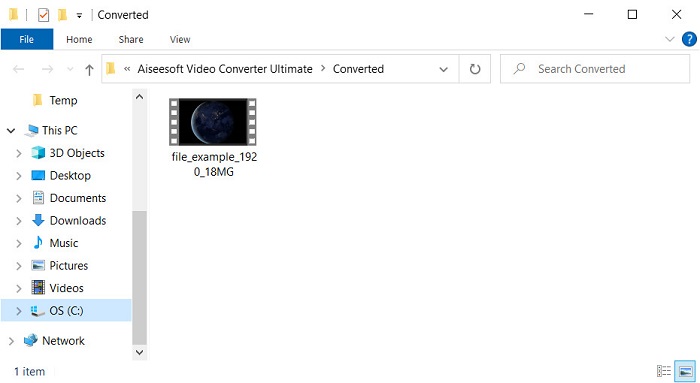
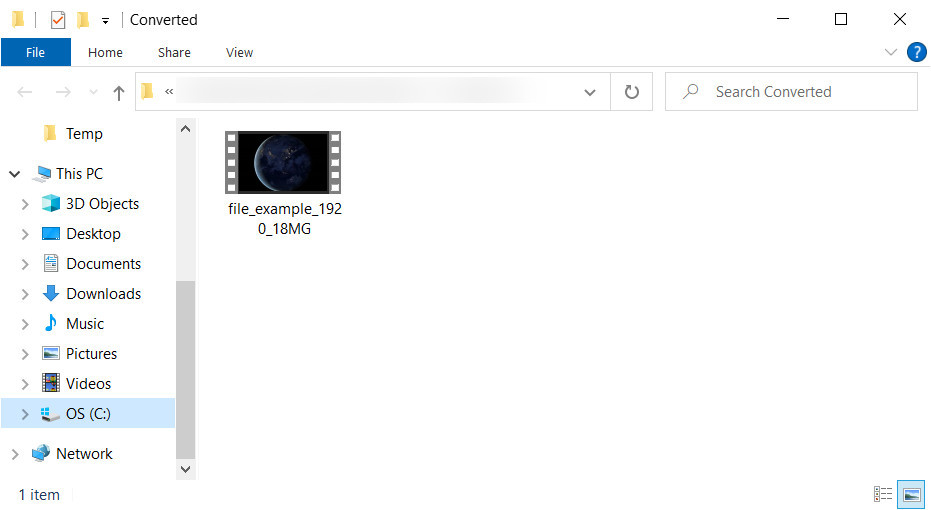
Step 5. After the conversion, a file folder will show on your screen containing the .avi file; click the file to watch it on your media player.
Parte 3. Melhor conversor gratuito de OGV para AVI disponível online
FVC Free Video Converter Online
Don't want to download a converter on your drive; instead, convert OGV to AVI online for free? Then FVC Free Video Converter Online is the best pick-up. Nowadays, converting can be done online and by searching for a web tool that will help you. However, not all of the web tools support format like the .ogv file. Although there are some trusted converters, this online converter is the safest, has no ads, and is everyone's favorite. To proceed, if you want to convert your OGV files without downloading any converter and with no limitation, then follow these steps.
Step 1. Go to the official website of FVC Free Video Converter Online by clicking this link.
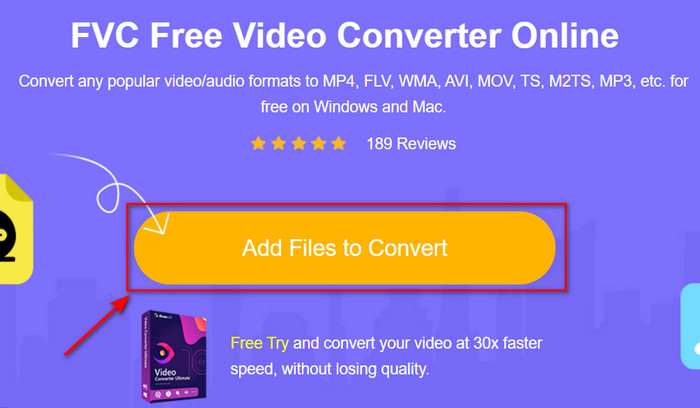
Step 2. Once the website is open, click the Add Files to Convert to download the launcher. Press it again to open a folder to see the .ogv files, then click Open to upload. Additional information, although you can convert without limit here, you still can't do batch conversion.
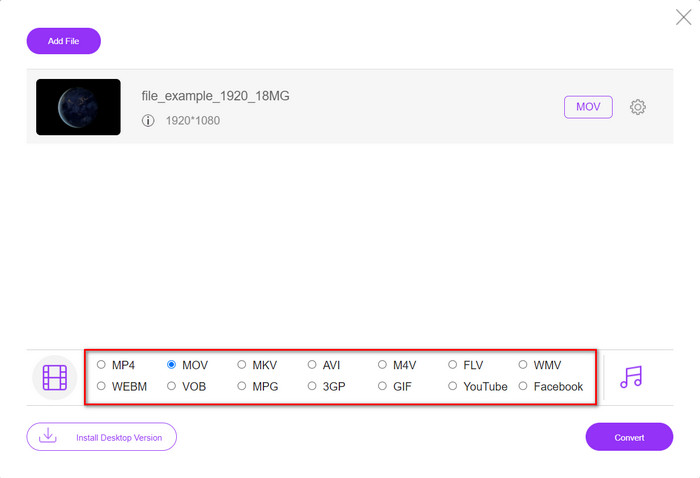
Step 3. Choose the AVI format on the submenu and click it.
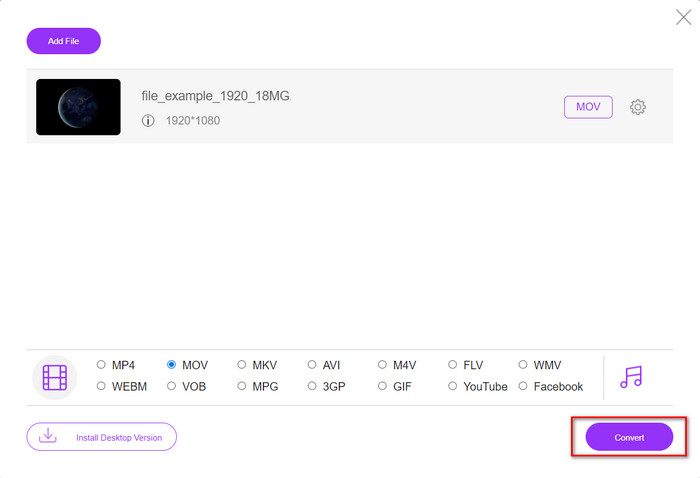
Step 4. Let's start now converting the OGV format to AVI by clicking the Convert button.
Step 5. Converting the file will end shortly; a folder will show with the .avil file.
Parte 4. Perguntas frequentes sobre conversão de OGV para AVI
Posso jogar .ogv no VLC?
Yes, you can play the .ogv video file on your VLC Player as quickly as that, and it is one of the most prominent media players you can download for free. But if you want to know the 5 best alternatives for VLC, click this link to have an idea about the other media player you can use on PC and Mac.
O OGG e o OGV são iguais?
Xiph.org fundou OGG e OGV para ser um dos melhores formatos que você pode usar que usa codecs como Vorbis e Theora. Embora .ogg possa conter vídeo e áudio, ele ainda se encaixa melhor em áudio em comparação com um vídeo. Por outro lado, .ogv é o melhor formato para ter arquivos de vídeo e áudio.
Depois de converter .ogv, a qualidade diminui?
It depends on what converters you will use because some OGV converters don't provide high-quality output. Unlike FVC Video Converter Ultimate, this tool lets you manipulate the quality into low, middle, or high to make your output better in quality and smaller in size.
Conclusão
All of the mentioned converters in this article convert the OGV to AVI format without losing its quality. It is best to choose the perfect converter that provides the most efficient way of converting the format. If you want to convert a single file without spending a penny, use the FVC Free Video Converter Online. But suppose you're going to do batch conversion easily and without any trouble looking for an internet connection; you must download the FVC Video Converter Ultimate.
-
 2 da melhor escolha de conversor de arquivo RMVB para AVI [online e offline]
 Não sei como converter RMVB para AVI? Este artigo enfoca os conversores que você pode usar para converter RMVB em AVI, seja online ou offline.
-
 Como converter XviD para AVI sem perder a qualidade do vídeo [2025]
 Deseja converter seu arquivo XviD em AVI? Se for assim, leia este artigo enquanto falamos mais sobre XviD e como converter seu arquivo XviD em um formato AVI.
-
 Melhor estratégia para converter arquivo DV em formato AVI com etapas detalhadas
 Deseja converter seu arquivo DV em AVI? Então leia este artigo para conhecer a ferramenta exclusiva que você pode usar para converter e um media player para reproduzir seu DV no seu PC ou Mac.
