


 Video Converter Ultimate
 Gravador de ecrã
 Reparo de vídeo
Dois dos melhores conversores DivX: Como converter DivX em FLV no Windows e no PC
DivX is one of the first proprietary movie containers in DVDs. This compression format helps to store high-quality video without needing high storage capacity. Even though DivX files are space-friendly, you will still need to install a specific encoder to play it. However, we can avoid this by converting the file into FLV or the other supported formats. Do you want to know how to convert DivX to FLV? Then read the full details below and determine which converter you can use that suits you the best.

Parte 1. Converta DivX em FLV com o FVC Video Converter Ultimate
This phenomenal DivX converter has the best interface and rendering process amongst the other converters. FVC Video Converter Ultimate became the dominant converter you can download on your Windows or Mac. Converting files has become easier and quicker with this converter's aid and its hardware acceleration and fast conversion. Unlike the tools you can download or use online, this is the most lightweight but powerful. Also, you can convert your DivX to FLV, MP4, MOV, AVI, MKV, and 200+ more formats. So now, do you desire to learn how to use this tool? Then, follow the steps below.
Steps on How to Convert DivX to FLV with the help of FVC Video Converter Ultimate:
Step 1. Download the FVC Video Converter Ultimate on your desktop by clicking the download button below. Once you've downloaded the file, click it to install and quickly set it up.
Free DownloadFor Windows 7 or laterSecure Download
Free DownloadFor MacOS 10.7 or laterSecure Download
Step 2. Hit the + button to insert the file, or if the file you want to convert is more than two, we suggest you drag-drop it to the interface.
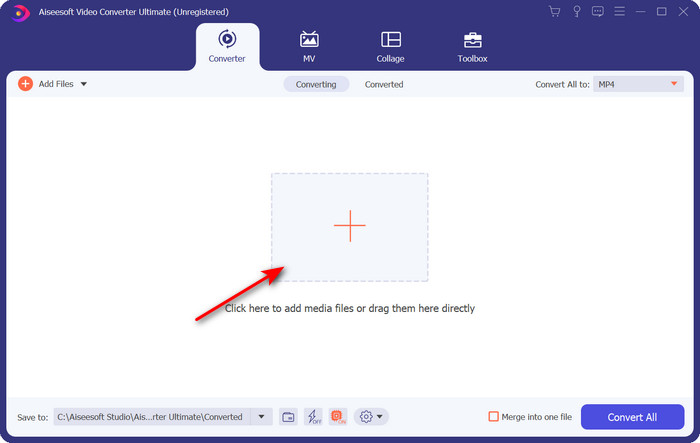
Step 3. Change your DivX to FLV by clicking the drop-down button.
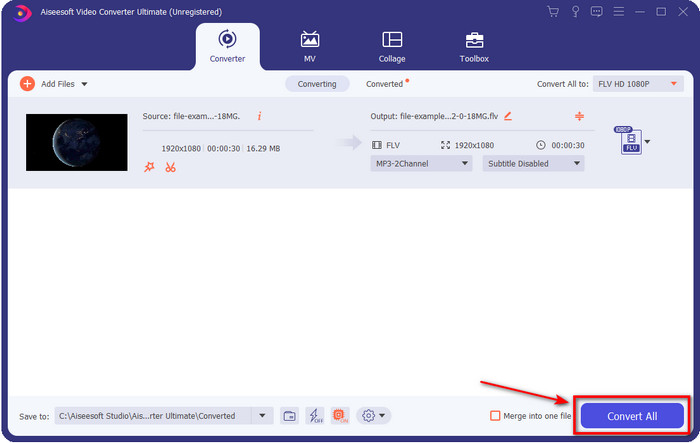
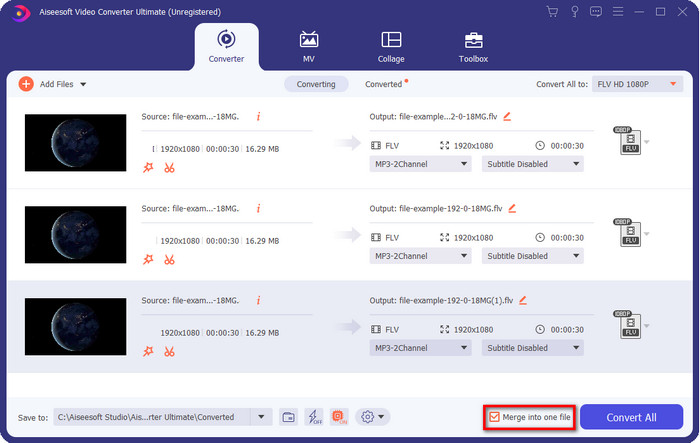
Suppose you want to combine your DivX file and merge it into one, then tick the box to connect all the DivX files after conversion.
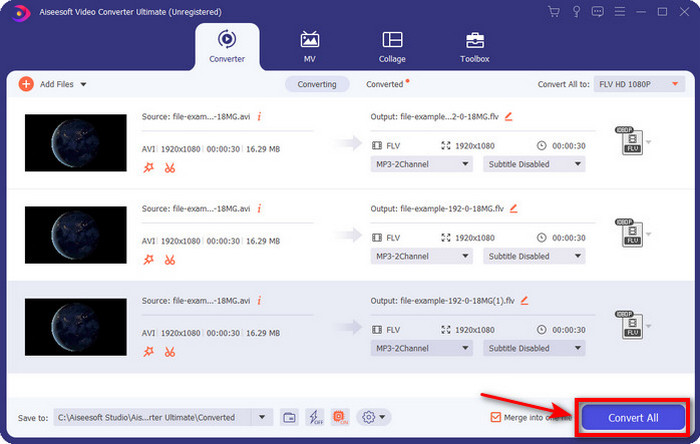
Step 4. To start conversion, click Convert All. No need to wait because the process will take less than a minute. After the process, the folder will show on your screen with the converted .flv file.
Prós
- Converta DivX em FLV com 30x mais rápido em comparação com outros conversores online e offline.
- Disponível em todos os sistemas operacionais como Windows e Mac.
- Recursos avançados de edição de vídeo estão disponíveis.
- Converta quantos quiser em um arquivo com a ajuda da conversão em lote.
Contras
- Precisa ser comprado e instalado no seu computador.
Parte 2. Converta DivX em FLV com o FVC Free Video Converter Online
Suppose you are looking for an online solution to solve your DivX converting problem? Then use the FVC Free Video Converter Online. This web tool supports a medium-range format, is compatible with all search engines, and is free to use. Although this converter is available online, you will not need to worry about the pesky ads on its website's interface. If you feel this online solution is the best aid, follow the detailed steps below.
Steps on How to Convert DivX to FLV with the help of FVC Free Video Converter Online:
Step 1. First, hit this link to open the website of the online converter.
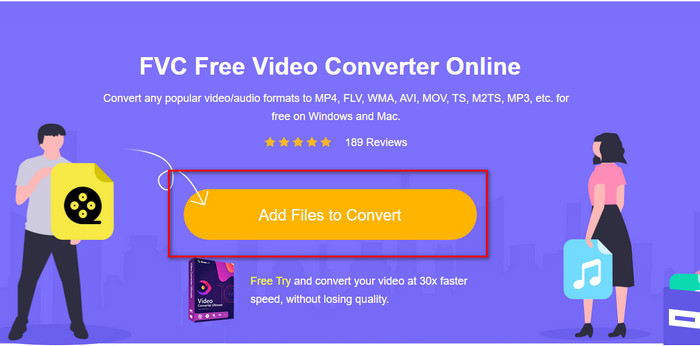
Step 2. Hit next the Add Files to Convert button and allow the tool to open. Select the file on the folder and press Open.
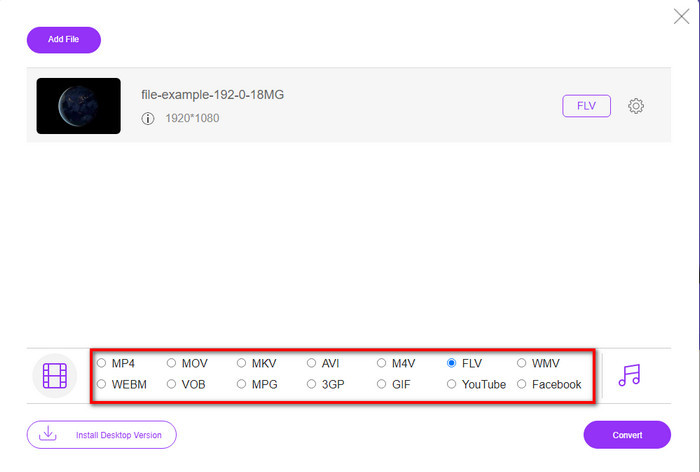
Step 3. Choose the FLV format or the other format available below.
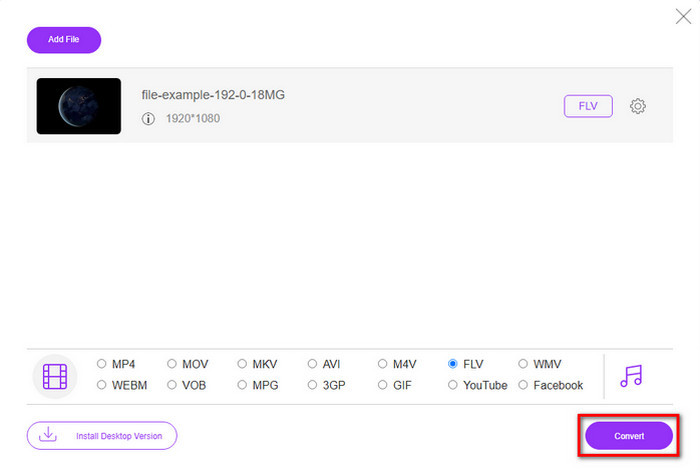
Step 4. Once done, click Convert to start the changing process.
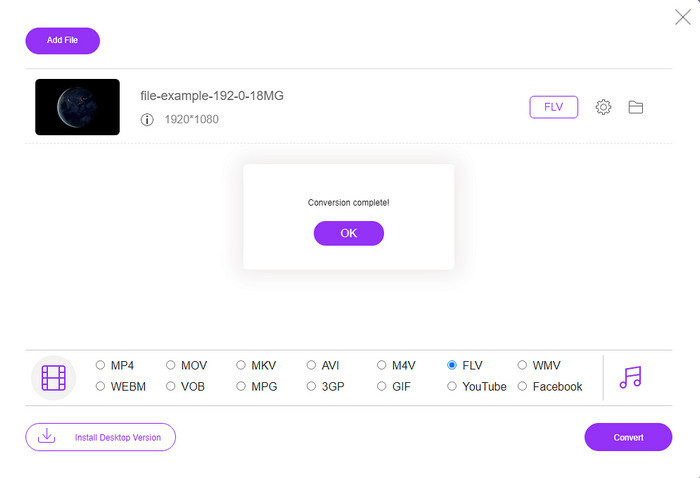
Step 5. Conversion is complete and will show on your screen with the folder and the file as well.
Prós
- Não há necessidade de baixar o software em sua unidade.
- Livre de malware e sem anúncios irritantes na interface.
- Acesso irrestrito a conversores online para qualquer pessoa.
Contras
- Suporta formatos e codificadores limitados para conversão.
- Não possui recursos avançados como o FVC Video Converter Ultimate.
Parte 3. DivX vs. FLV
DivX
Digital Video Express, abreviação de DivX, é o melhor formato para fluxos de vídeo de alta compactação e DVDs com alterações mínimas de qualidade. Este codec funciona quase como o MPEG-4, mas a principal diferença é que ele é proprietário. Além disso, você não pode reproduzir um vídeo. Divx sem a ajuda adequada de um software adequado. Em vez de reproduzi-lo corretamente no Windows ou Mac, mesmo em smartphones, você só receberá alertas de que este formato não é compatível. Embora o formato seja um pouco chato de usar, ele ainda ajuda a economizar largura de banda e espaço em seu disco.
FLV
No entanto, FLV ou Flash Video é o formato de escolha mais usado em HTML 5. Esse formato funciona de maneira diferente do DivX porque usa o suporte do Adobe Air e do Flash Player para distribuir com eficiência o arquivo de mídia na web. Além disso, este tem sido o longo formato padrão para incorporar vídeos em plataformas de compartilhamento de vídeo que contêm arquivos de mídia. Embora o FLV seja melhor do que o DivX, se falarmos em compactar o arquivo, o DivX é menor em tamanho do que o FLV. Mas se você deseja distribuir seu arquivo online com mais rapidez, a extensão do arquivo deve ser .flv.
Parte 4. Perguntas frequentes sobre conversão de DivX em FLV
Depois de converter o DivX, a qualidade dele muda?
Embora os arquivos DivX estejam no formato da versão antiga, ele ainda pode armazenar vídeos de alta qualidade compactados em tamanhos pequenos. Portanto, depois de converter seu DivX para FLV, MP4, MOV, AVI ou qualquer outro formato, a qualidade do vídeo DivX não deve mudar. No entanto, se você usar a ferramenta errada que não oferece suporte a uma saída de alta qualidade, espere perder qualidade. Mas podemos evitá-lo usando as ferramentas disponíveis acima.
Por que não consigo reproduzir arquivos DivX no Windows Media Player?
Although DivX files became popular over the internet, playing it on your Windows Media Player is possible if you download the correct codec. But if you don't want to go into this trouble, read this article and know the 5 DivX players you can use to play this file.
A conversão de arquivos DivX é demorada?
Bem, isso depende do tamanho do seu arquivo DivX. Em todos os casos, quanto maior o arquivo DivX, mais tempo você vai esperar para terminar de convertê-lo. Suponha que você esteja usando uma ferramenta com aceleração de hardware e conversão rápida. Nesse caso, você tem sorte porque não precisará esperar ou perder muito tempo esperando para converter o arquivo.
Conclusão
All in all, the detailed information mentioned above helps us understand why we need to convert DivX to FLV. Using the best tool to produce the best output is a must to avoid any inconvenience. As we searched over the internet, we found out the best converter you can use online or offline. Moreover, suppose you want to use the FVC Free Video Converter Online as your solution online, then you must click the link. However, suppose you want to have the most exceptional final output that supports more than 200+ formats and has special features. In that case, you must download the FVC Video Converter Ultimate.
-
 4 maneiras de converter DivX em MOV gratuitamente [online e offline]
 Você luta contra as limitações de um DivX ou não tem reprodutores de mídia para acessar vídeos neste formato? Se você deseja convertê-lo para o formato MOV, continue lendo este artigo para preencher as lacunas.
-
 Abordagem excepcional para converter M2TS em FLV online e offline
 Você já tentou converter M2TS para FLV em uma plataforma diferente? Leia este artigo para saber mais sobre a melhor ferramenta e software online fácil de usar que você deve considerar converter M2TS em FLV.
-
 Melhor conversor 3GP para FLV a ser usado na conversão de 3GP para FLV [2022]
 Você já tentou converter 3GP para FLV, mas não sabe que tipo de conversor usará? Leia este artigo para saber todos os detalhes sobre a conversão de 3GP em FLV.
