


 Video Converter Ultimate
 Gravador de ecrã
 Reparo de vídeo
Entenda o software de conversão que você pode usar para converter MPEG para FLV
MPEG is the standard format for transferring data over the internet or in DVD distributions. Well, it is because the format has been there since 1988. But did you know that this file is an asymmetrical system? Because it takes more time compressing a video than decompressing it. Also, while squeezing the file, some of the frames are getting rid-off. So the quality of this format is lesser than the other quality like FLV. Want to know how to convert your MPEG to FLV and compress the data without losing the quality frame of your video? Then read this article to have an idea of what MPEG converters you can use.

Parte 1. Converta MPEG para MOV no Mac e Windows usando o FVC Video Converter Ultimate
FVC Video Converter Ultimate is more capable of handling this converting problem. It is more than a MPEG to FLV converter because this tool can single-handle the 200+ formats conversion instantly. Isn't it amazing? Also, suppose you want to insert many files and convert them to different formats here. In that case, you can easily do it with very effective batch conversion. Do you want to know what's more in this tool? Well, read the key features below.

FVC Video Converter Ultimate
Mais de 5.689.200 downloads- Ele suporta todos os formatos e codificadores em MP4, MOV, MPEG, FLV, AVI e muito mais.
- Ele é conhecido como o conversor mais rápido e seguro que você pode baixar na sua área de trabalho.
- Conversão em lote com aceleração de hardware e conversão rápida.
- Este conversor suporta os principais recursos extensivos, como aprimorador de vídeo, compressor de vídeo, etc.
- Suporta ambos os sistemas operacionais com a mesma funcionalidade no Windows e Mac.
Free DownloadFor Windows 7 or laterSecure Download
Free DownloadFor MacOS 10.7 or laterSecure Download
Então agora que você tem uma ideia sobre a função da ferramenta, é hora de aprender como converter MPEG para FLV com os passos detalhados abaixo.
Step 1. To have access to the tool, you must download it first on your PC or Mac. Install it next and do the quick set-up; the tool will automatically launch after all of it.
Free DownloadFor Windows 7 or laterSecure Download
Free DownloadFor MacOS 10.7 or laterSecure Download
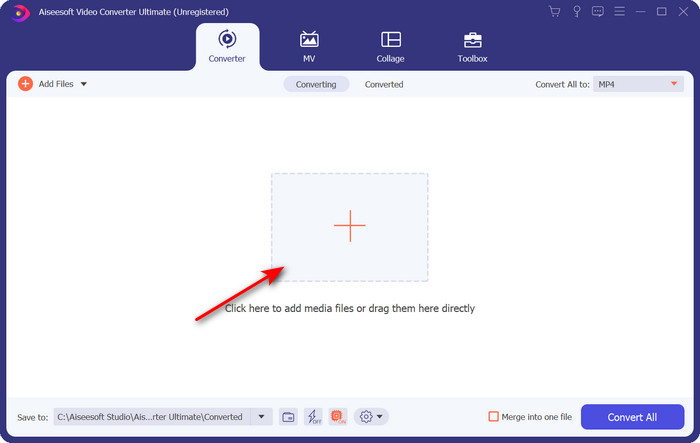
Step 2. Let's insert your .mpeg file here by clicking + sign in the middle interface. After clicking it, a folder on your desktop will show, select the file and click Open.
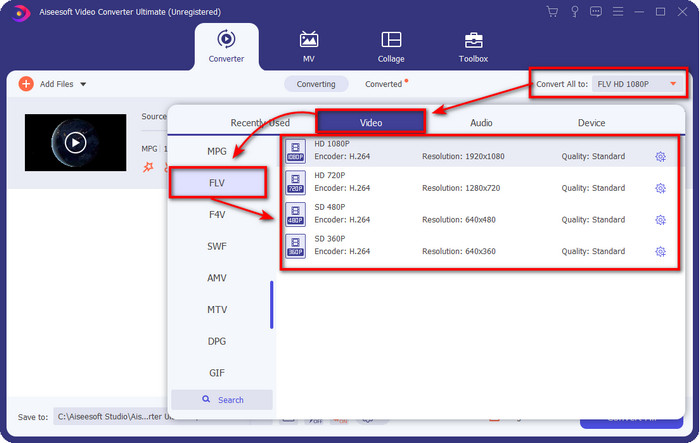
Step 3. Change the format to FLV by clicking and unfolding the Convert All to menu at the upper right side of the converter's interface.
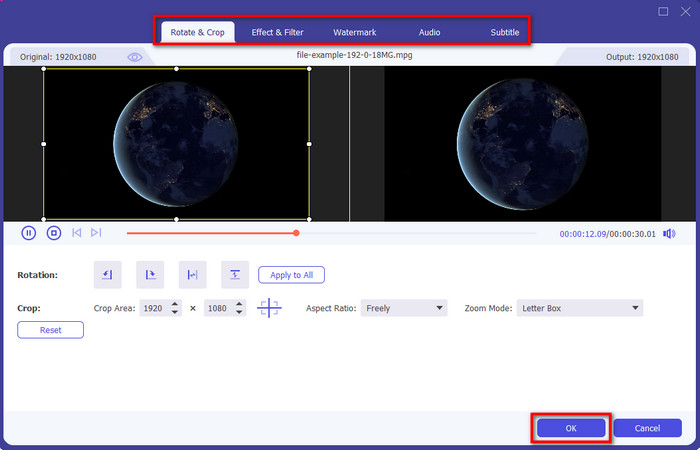
Step 4. Before we convert your file, you can edit the video here first by clicking the wand button. Under its editing, you can rotate & crop video, add effects & filters, apply the watermark, adjust audio, and add subtitles. Once you edit and are ready to save, click OK.
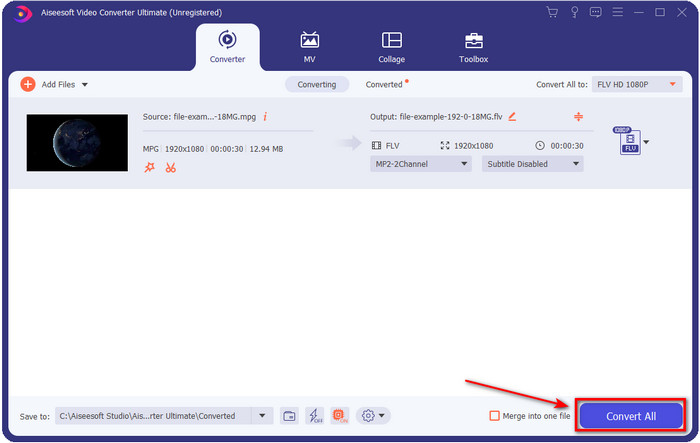
Step 5. Press Convert All to start to convert MPEG to FLV. This process will take less than a minute because of the Hardware Acceleration, and Fast Conversion activated. After the conversion folder will show on your screen.
Parte 2. Converter MPG para MOV usando FFmpeg
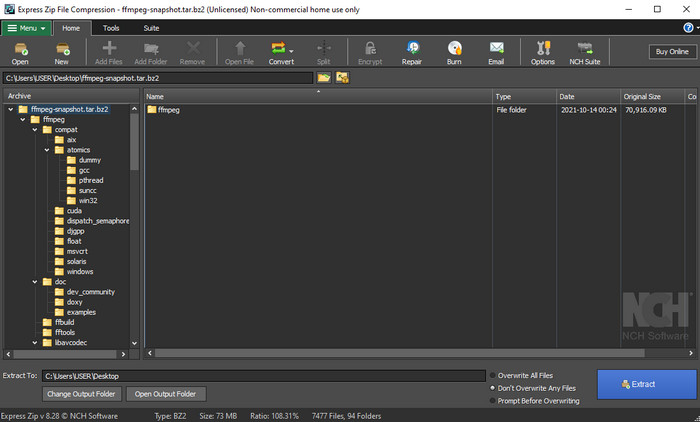
One of the famous editors that you have already encountered is FFmpeg. If this converter sounds new to you, then let's have a brief introduction to the software. This converter is known as one of the most complicated converters you can use. Because before you perform converting here, you will need to communicate via text on the CMD. Although the tool is complex, the performance is outstanding, especially in converting. Instead of searching over the internet how to use FFmpeg MPEG to FLV, the steps below will help you to use this tool.
Step 1. Download the FFmpeg on your desktop.
Step 2. Open the CMD on your desktop to open the command prompt.
Step 3. Search the location of your .mpeg file by using the CMD. Then insert this on the command prompt ffmpeg -i input.mpeg -vn -ar 44100 -ac 2 -b:a 192k output.flv, press Enter key on your keyboard to start the process.
Prós
- O download é gratuito.
- Executa bem na conversão do formato em uma nova versão.
- Disponível em Windows e Mac.
Contras
- Não é amigável.
- Não é o seu conversor típico.
Parte 3. Converta MPG para MOV usando o conversor online gratuito de MPEG para MOV
If you want to convert MPEG to FLV for free, use the FVC Free Video Converter Online. This online tool is available in all search engines to help you with your converting problem. Although the online converter is free, the functions and features here are not as broad as the FVC Video Converter Ultimate. But you can perform converting .mpeg or .mpg files here easier and better than the FFmpeg. Another good thing about this web tool is that you wouldn't need to download it on your desktop. You save some space on your storage if you use this tool. Want to know how to use this tool? If so, let's proceed with the steps.
Step 1. To open the MPEG to FLV converter online, you must click this link.
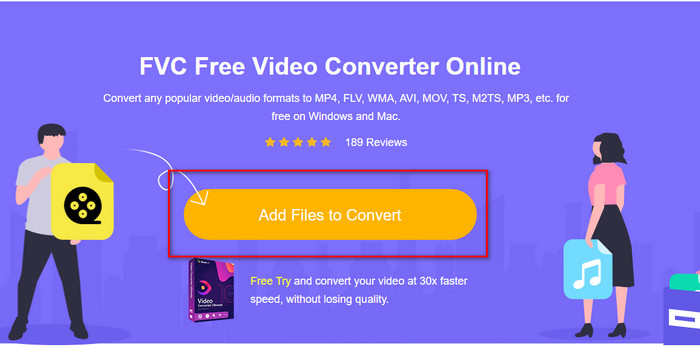
Step 2. Once the website is open, click Add Files to Convert to open the web tool. A folder will show on your screen; under it, you can find the .mpeg file you want to convert, then press Open.
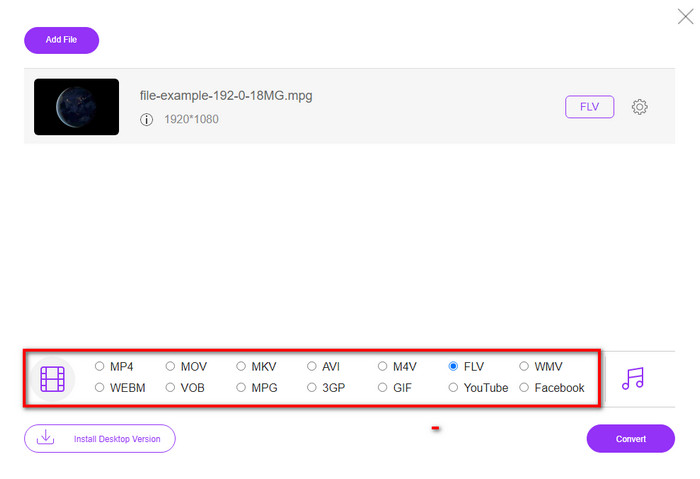
Step 3. A new interface will show; choose the FLV format below.
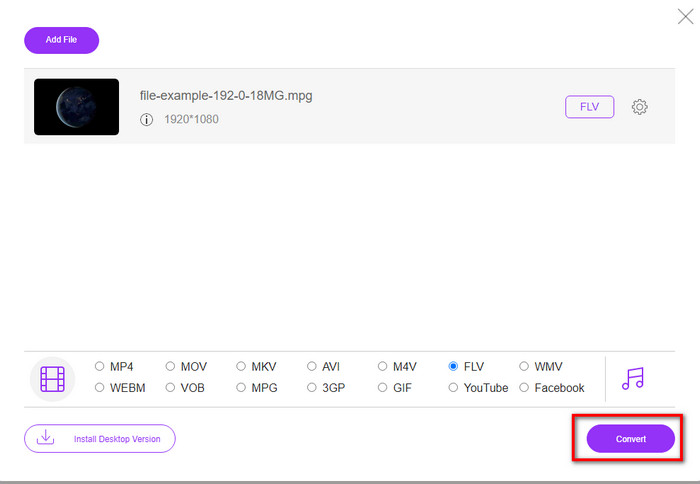
Step 4. If you've done selecting the format, click Convert to start the process.
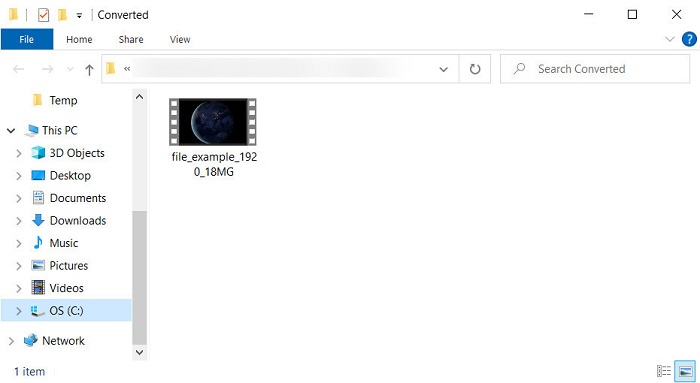
Step 5. The file folder will show after the conversion.
Parte 4. Conhecimento estendido de MPEG e MOV
Moving Pictures Experts Group ou MPEG é um dos formatos padrão que surgiram no final de 1988. Esse formato comprime significativamente o arquivo em MPEG-1 ou MPEG-2 e os distribui na Internet ou em DVDs. Embora o MPEG use uma compactação específica, a extensão desse formato ainda pode ser .mpg ou o .mpeg original, mas os arquivos e a qualidade armazenados não serão afetados. Mesmo que a qualidade não seja afetada, ele ainda não pode armazenar vídeos e metadados de alta definição.
Acima mencionado, Flash Video ou FLV é como MPEG, mas de uma perspectiva diferente. Esses dois formatos são os melhores para transferir o arquivo de vídeo pela internet. No entanto, os arquivos FLV são muito compactados e têm qualidade muito melhor em comparação com o MPEG. Agora é o formato de vídeo padrão em conteúdo HTML 5 na World Wide Web para streaming.
Como o formato MPEG tem menor qualidade e menor compactação, você deve reconsiderar a conversão do arquivo para o formato FLV se desejar melhor qualidade e compactação. Portanto, escolher o conversor online ou offline certo de MPEG para FLV é essencial para obter uma versão melhor do FLV.
Parte 5. Perguntas frequentes sobre conversão de MPEG para FLV
Como mesclar vários arquivos MPEG em um?
Combining or merging two or more files into one is easy if you use the right tool. Doesn't have any idea what to use on merging the video files into one? Or on how to connect the files? If so, read this article to know what and how to combine MPEG files into one.
Onde posso reproduzir arquivos MPEG?
Although MPEG format is the most known format for movies and the support this format gain is enormous. But some of the media players don't play the video smoothly with the file extension of .mpeg. If you are looking for an effective media player, hit this link immediately and read the detailed information about the MPEG players.
Posso compactar arquivos MPEG?
Yes, you can compress your MPEG files if the size is too heavy to load. In fact, you can read this article and know how to compress your MPEG files into smaller sizes without destroying the quality of the video.
Conclusão
In the end, we have a firm knowledge of how to convert MPEG to FLV with the helpful tools above. If you want to convert your MPEG for free, then use the FVC Free Video Converter Online. But if you have and want to use FFmpeg, then read the details above. Either of the two, the performance of the phenomenal converter is the best, FVC Video Converter Ultimate. So now, choose the best tool you think suits your needs for converting the file and have effective conversion.
-
 [2021] Melhores ferramentas e maneiras fáceis de converter MPEG para MP3
 Este artigo fala principalmente sobre como você pode converter seus vídeos MPEG em MP3 com o uso das ferramentas mais confiáveis da lista.
-
 As 5 melhores opções para converter MPEG para formato AVI [Online e Offline]
 Você tem dificuldade em procurar um conversor para MPEG? Então tente ler este artigo enquanto aprendemos como alterar o formato MPEG para AVI com etapas detalhadas.
-
 3 métodos eficientes na conversão de MPEG para MOV [Offline e Online]
 Você está cansado de encontrar um reprodutor de mídia para reproduzir seu formato de vídeo MPEG? Tente convertê-lo para outros formatos que possam ser reproduzidos, especialmente no Mac, por exemplo, um formato de vídeo MOV. Leia este artigo para saber mais.
