


 Video Converter Ultimate
 Gravador de ecrã
 Reparo de vídeo
5 editores de tags de vídeo AVI mais escolhidos no sistema Windows e Mac [Fácil de usar]
The AVI tag can help you determine what's inside that file by checking it. However, not all the tags on your AVI files are correct, so you will need a device to correct them on your own. But the market for tag editors is too broad on the web, isn't it sad? We know what it feels like to search for the perfect tool you should use. Providentially, we pick the best metadata editor you should use to edit, add, or remove the tags on your AVI. In today's discussion, we will make sure that you will see the perfect AVI Video Tag Editor you can have on your desktop.

Parte 1. Os 5 principais editores de tags AVI disponíveis no Windows e Mac
Video Converter Ultimate [Melhor editor de metadados AVI para 2023]
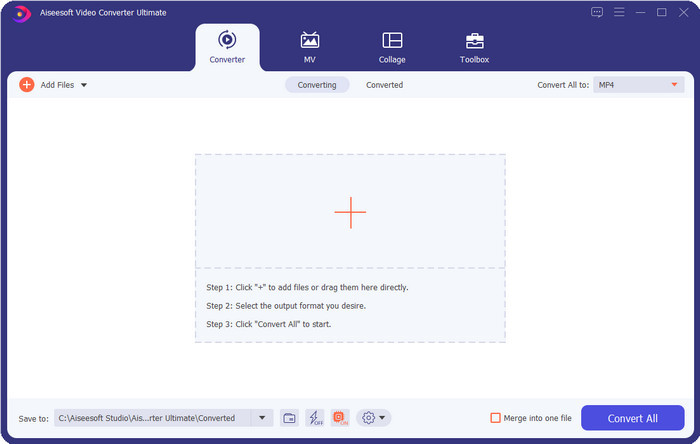
It is the best AVI video tag editor you can use to change or remove the tags on your AVI files easily. If you want the most advanced but straightforward software features that fascinate you, then the Video Converter Ultimate is the choice. In addition to that, you can use multiple metadata editing features here to arrange, correct, or update your tag correctly. Before you download and try out the other desktop editor, we would highly recommend this tool for you to use because you can have an all-in-one tool if you download it. Want to know why you need to use this tool? We list below the 5 reasons you can read to help you decide why you should download it.

FVC Video Converter Ultimate
Mais de 5.689.200 downloads- É o melhor software que você pode usar que suporta vários formatos, como MP4, MOV.
- Para o processo rápido de edição de metadados, esta ferramenta está funcionando perfeitamente bem.
- Aprenda a adicionar as tags essenciais em seus arquivos ou removê-las com apenas alguns cliques.
- Ele suporta todas as plataformas de desktop, como Windows e Mac.
Free DownloadFor Windows 7 or laterSecure Download
Free DownloadFor MacOS 10.7 or laterSecure Download
MetaEditar AVI
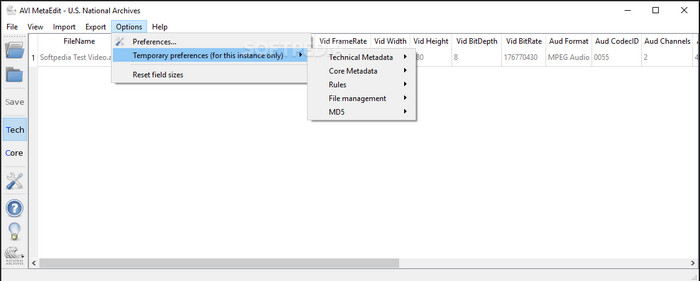
If you're looking for an AVI metadata editor on Mac and Windows, then AVI Meta Edit might be your tool. This tool offers its users to edit the tags or information inside the media file, specifically AVI. With this tool, you can edit the Technical Metadata and the Core Metadata of your files separately, which both include different pieces of information about the file. Although the tool has in-depth editing features that can be provided to you, it is still confusing to use with the short-cut terms included on the tool.
Editor de Vídeo Machete Lite
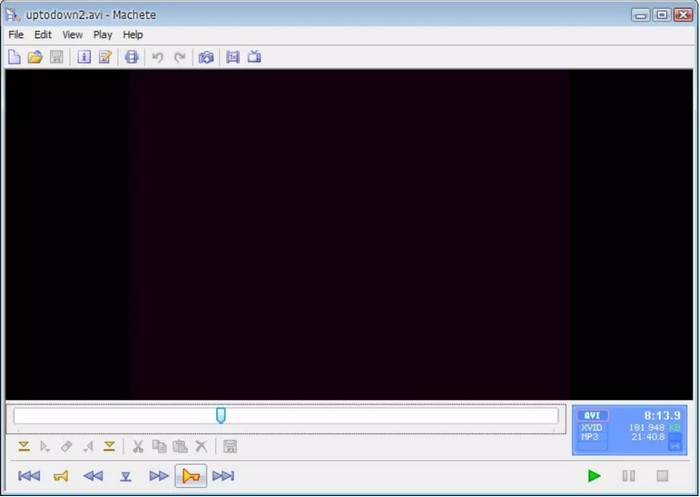
Suppose you want to edit AVI metadata on your Windows 10, then you must try to use the Machete Video Editor Lite. You can easily edit the tags on your AVI and WMV files with this tool. Also, it provides a simple generated interface to help the users know what the features that are available on this tool are. Because of its simple interface, few users see this as an option if there is no choice to edit their metadata. In addition to that, the metadata information you can fill in this tool is limited, same as the supported formats.
Editor de tags abcAVI
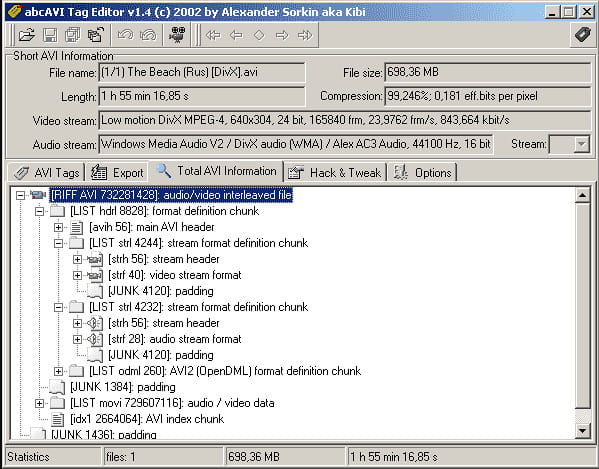
You can download another open-source AVI tag editor on Windows, the abcAVI Tag Editor. With this tool, you can easily adjust the metadata on your AVI files, and it only supports AVI format. Moreover, you can add or update the tags you will need on your AVI files with just a few clicks. Even though the tool performs well, we can see that it's GUI is really bad; its arrangement is very far from what the other tools offer. Plus, it doesn't support other upload formats, except on AVI format only.
FFmpeg
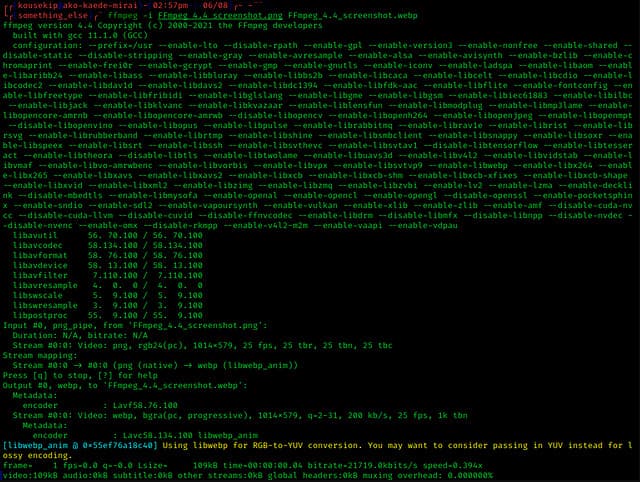
Last on the list is FFmpeg, the command-based software you can use to edit AVI file properties on Windows and Mac. This tool is for converting, editing, viewing the media files, but today you can also perform editing on the metadata of any media files. Unlike the other tool, this tool doesn't have any button to use and command it, but it uses a computer language to perform the task. And to communicate to the tool, you will need to open the command prompt and input a specific code to complete the editing you will need. It is tough to use the tool, but it is a professional tool you can download on your computer.
Related:
Parte 2. Gráfico de Comparação no Top 5 Editor de Metadados AVI
| Recursos | Video Converter Ultimate [Melhor Editor de Metadados AVI para 2022] | MetaEditar AVI | Editor de Vídeo Machete Lite | Editor de tags abcAVI | FFmpeg |
| Amigo do usuário |  | | | |  |
| Seguro de usar | | | | | |
| Disponível em ambos os sistemas operacionais | | | | | |
| Interface intuitiva | | | | | |
| Formatos suportados | Começa a partir de AVI, MP4, MKV, FLV, MOV e outros mais de 1000 formatos de arquivo | AVI | AVI e WMV | AVI | AVI, MOV, MP4, FLV e muito mais |
Parte 3. Perguntas frequentes sobre o AVI Metadata Editor
É seguro usar um Editor de Metadados AVI online?
Suponha que você não tenha espaço suficiente na área de trabalho que está usando no momento; recomendamos o uso de uma ferramenta online para realizar a tarefa. No entanto, nem todas as ferramentas que você pode acessar gratuitamente na internet são confiáveis ou confiáveis. Mas se você quiser usar uma ferramenta online, precisa manter as três diretrizes que sempre buscamos no site que visitamos. Em primeiro lugar, é altamente recomendável que você olhe para o topo próximo à sua barra de pesquisa; há um ícone de cadeado, o que significa que é seguro usar, portanto, se esse cadeado estiver quebrado, significa que sua conexão não está protegida. Verifique a atividade de anúncios dos anúncios; às vezes, os anúncios podem carregar malware em sua área de trabalho, levando à corrupção de seus arquivos em sua unidade. Não permita cookies; às vezes, os cookies são uma ótima maneira de saber quantos usuários visitam o site, mas sua localização geralmente é visível com cookies. Mantenha isso em mente para evitar escolher o editor errado online.
Qual ferramenta tem o melhor desempenho na edição de tags AVI?
De acordo com nossa pesquisa, podemos ver que o Video Converter Ultimate funciona muito bem em todos os aspectos sem suar a camisa ao usá-lo. Se precisar de mais informações sobre o editor, você pode ler as informações a seguir acima para saber mais e fazer o download.
Existe alguma limitação na adição de metadados em AVI?
Até agora, não podemos ver nenhuma limitação nas informações que você pode adicionar aos seus arquivos AVI ou em qualquer arquivo de mídia. No entanto, alguns editores de metadados não podem inserir as informações necessárias no arquivo. Adicionar metadados em seu AVI não tem limitações, mas é a ferramenta que limita as informações que você pode adicionar a um único arquivo.
Conclusão
Isn't it amazing that we have different options regarding editing the metadata of our AVI? Indeed, the five AVI metadata editors we list in this article can be the perfect tool that you'll need to edit your AVI files' tags or metadata. Even though we list five choices, we can easily determine which tool has the advantage of editing your AVI's metadata, which is the Video Converter Ultimate. With this editor, you can do more than edit, add, or remove metadata on your AVI. Want to know what other things you can do here? In that case, click the download button and see it for yourself.
-
 5 maneiras mais fáceis de remover metadados em qualquer arquivo de mídia
 Como remover metadados? É difícil fazê-lo? Preciso comprar ou usar uma ferramenta gratuita para remover tags? Todas essas perguntas têm respostas neste artigo.
-
 Os 5 principais extratores de metadados disponíveis online e offline [2025]
 Você pode encontrar vários extratores de metadados no mercado, mas hoje, escolhemos apenas os cinco extratores de tags mais escolhidos de acordo com o público.
-
 Os 5 melhores editores de metadados de vídeo para 2025 [análise imparcial]
 Deseja visualizar os metadados do seu vídeo? Em caso afirmativo, leia os detalhes abaixo para entender completamente o tópico e saber qual ferramenta se adapta melhor a você.
