


 Video Converter Ultimate
 Gravador de ecrã
 Reparo de vídeo
 Secure Download
Melhores truques sobre como remover o texto do Snapchat da captura de tela
Do you want to know how to remove Snapchat text from the screenshot? You are in the right place. This post will give you the easiest methods you can do to remove Snapchat text from your photos and videos. These methods are straightforward to follow, perfect, and suitable for non-professional users. If you are interested in these easy methods, you must stop what you are doing right now and focus on reading this informative article.

Parte 1: Como remover texto e legendas do Snapchat de imagens
The best thing you must do to remove a Snapchat text from a photo is to use a watermark remover. This way, you can remove any elements from your photos, such as texts, logos, watermarks, etc. If you are looking for an excellent and reliable tool, then you can use the FVC Free Watermark Remover. It can help you delete Snapchat text from pictures online instantly. You can understand this application easily with a friendly user interface, detailed guide, and simple buttons.
Além disso, o FVC Free Watermark Remover suporta formatos de arquivo de imagem de entrada e saída comumente usados, como PNG, JPG, JPEG, BMP e muito mais. Além disso, esta ferramenta está disponível no Windows 7,8,10,11 e macOS 10.7 acima. Por fim, este aplicativo promete garantir a privacidade de cada usuário, para que você não precise se preocupar com suas fotos ou informações. Se você deseja remover um texto do Snapchat de suas fotos, siga o guia simples abaixo.
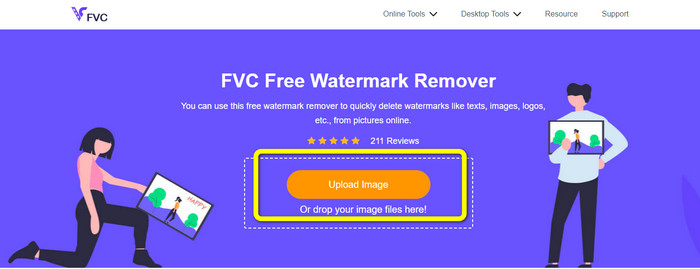
Step 1: You must go to the FVC Free Watermark Remover Website. Click the Upload Image button and add your photo with a Snapchat text you want to remove.
Step 2: After you attach your photo, you can use the watermark remover options: the polygonal tools, the lasso tool, and the brush tool.
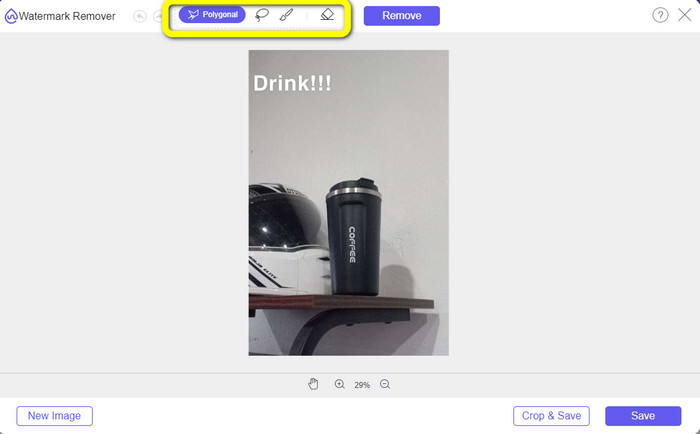
Step 3: Using these tools, you can highlight the text you want to remove.
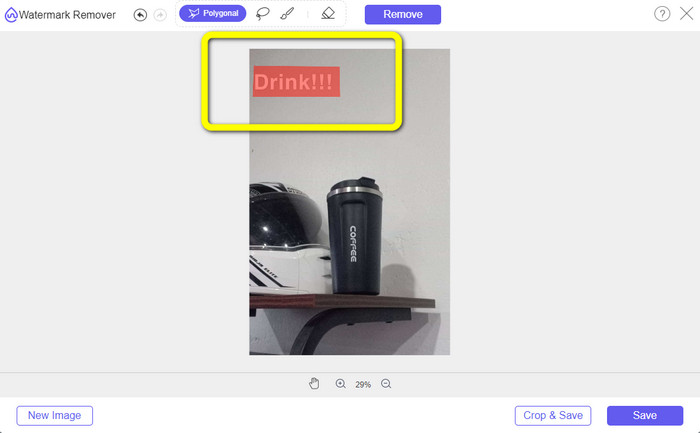
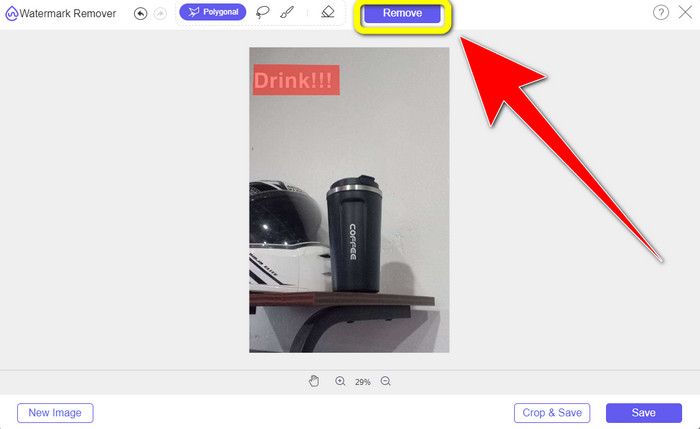
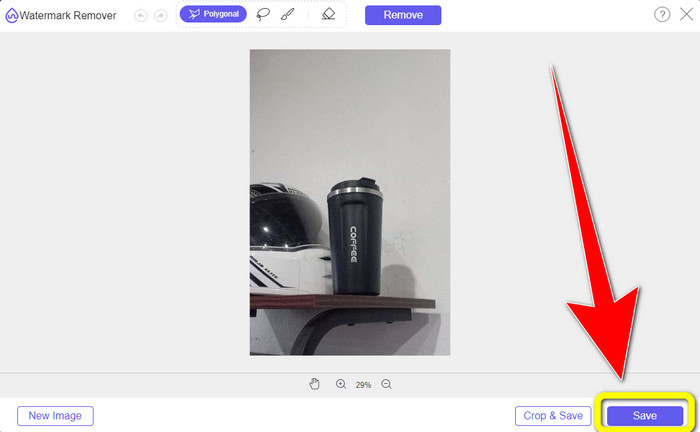
Step 4: When you are done highlighting the text from your photo, you can click the Remove button to eliminate the text from your photo. After that, wait for the removal process.
Step 5: After removing the text from your photo, you can now click the Save button to download your photo without text.
Parte 2: Como remover o texto do Snapchat do vídeo
After removing a Snapchat text from your photo, we can also help you to learn how to remove a Snapchat text from your video. In this part, the best application you must use is the Video Converter Ultimate. This application can help remove unnecessary objects from your videos, such as text, watermarks, logos, etc. You can also use it to remove the text in two easy ways: using the video watermark remover tool and using the video cropper tool. If the Snapchat text is on the corner or edge of your video, then you can use the video cropper tool. And if the text is in the middle part of the video, then you can use the video watermark remover tool.
Além disso, este aplicativo possui várias ferramentas de edição que você pode desfrutar, como um aprimorador de vídeo, compressor de vídeo, reversor de vídeo, adição e remoção de marca d'água, aparador de vídeo, cortador, rotador, criador de GIF e muito mais. Ele também suporta vários formatos de arquivo de vídeo, como MP4, FLV, MKV, MOV, etc. Além disso, você pode usar este aplicativo em seu Mac e Windows, o que é conveniente para os usuários. Se você deseja remover o texto do Snapchat de seus vídeos usando as duas maneiras fáceis, siga as etapas simples abaixo.
Usando a função de remoção de marca d'água de vídeo
Step 1: Download the Video Converter Ultimate on your Windows or Mac computer. Run the application after the installation process.
Free DownloadFor Windows 7 or laterSecure Download
Free DownloadFor MacOS 10.7 or laterSecure Download
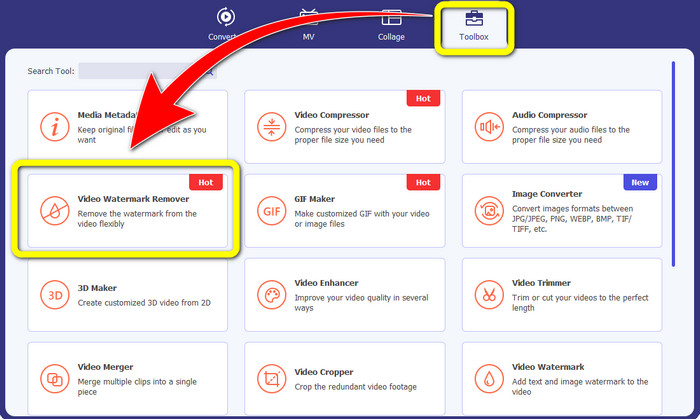
Step 2: After that, there are four options on the upper part of the interface. Click the Toolbox panel and select the Video Watermark Remover tool.
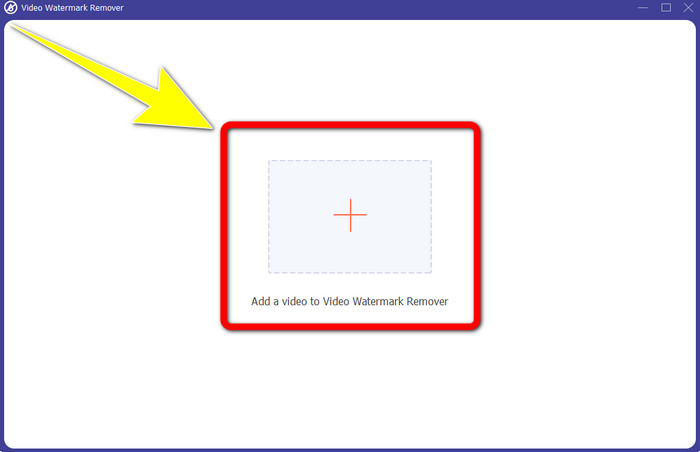
Step 3: After that, another window will pop up on your screen. Click the + icon and insert your video with Snapchat text..
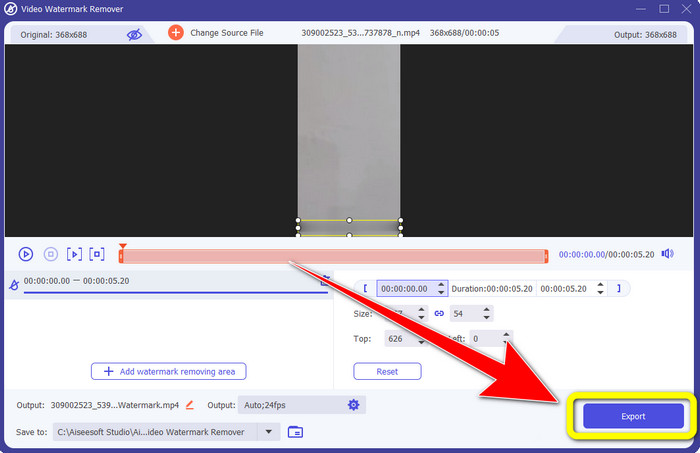
Step 4: When you are done inserting your video, click the Add Watermark Removing Area function. A mini box will appear on your video, then drag it to cover the Snapchat text.
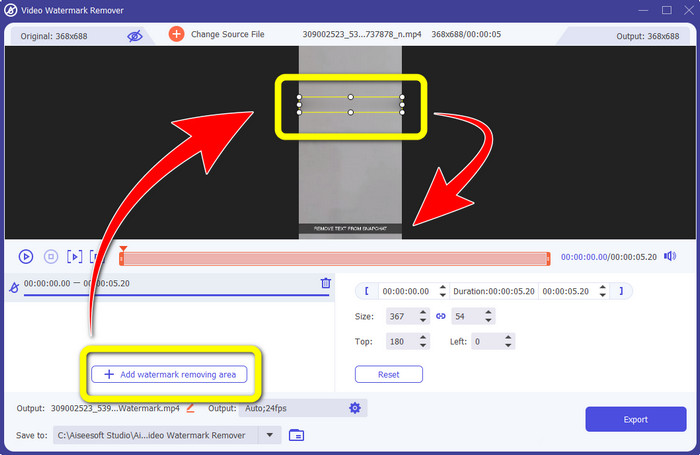
Step 5: After dragging the mini box into the Snapchat text, you can see that the text is already gone. Click the Export button to save your video entirely.
Usando a função de corte de vídeo
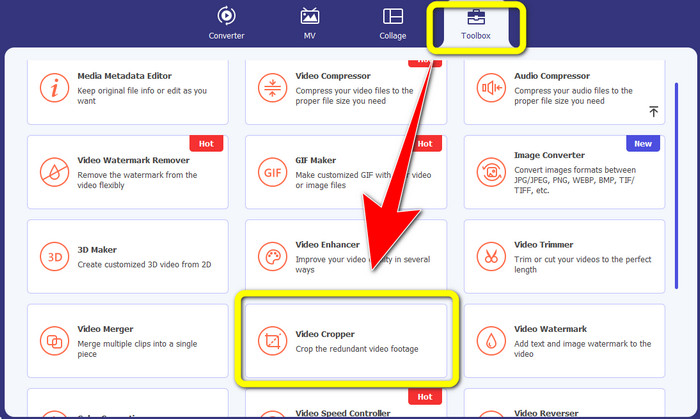
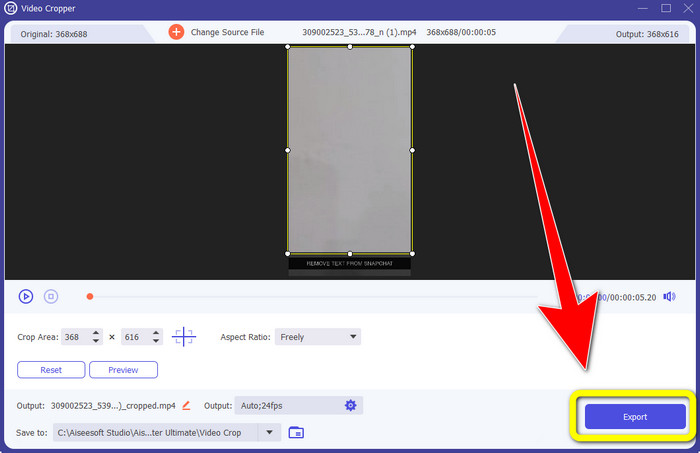
Step 1: Launch the Video Converter Ultimate on your computer. Select the Toolbox panel and go to the Video Cropper tool.
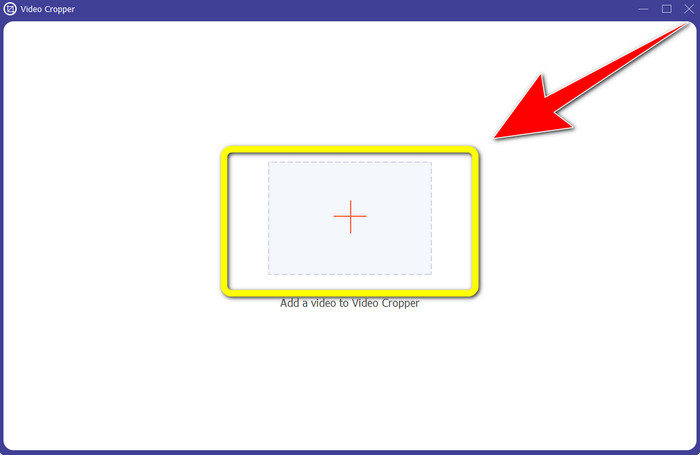
Step 2: After clicking the Video Cropper tool, expect another interface to appear on your screen. Click the + button to import your video with a Snapchat text you want to remove.
Step 3: In this part, you can crop your video to remove the Snapchat text by using your mouse to drag the border line. You can cut the edges of your video.
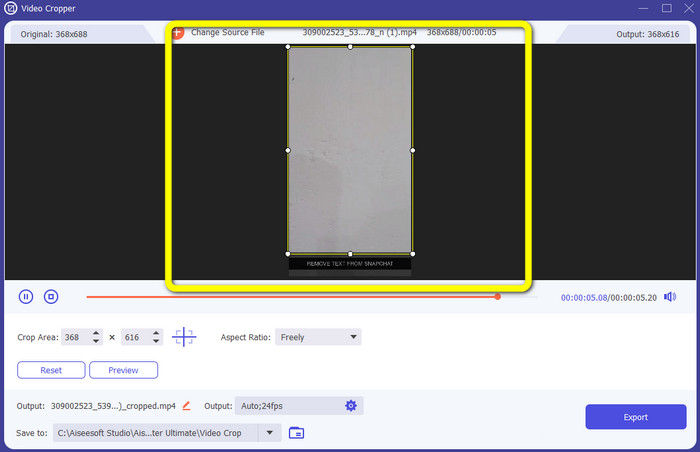
Step 4: You can already click the Export button to save your video without a Snapchat text for your last and final step.
Parte 3: Perguntas frequentes sobre como remover o texto do Snapchat de fotos e vídeos
Também posso remover o texto do Snapchat de fotos usando meu telefone?
Sim você pode. Você pode usar muitos aplicativos com removedor de marca d'água, como PicLab, Photo Retouch-Object Removal, Airbrush e muito mais.
Posso remover um texto do Snapchat da minha foto sem perder a qualidade da minha imagem?
If you don’t want to lose the quality of your photo after removing the Snapchat text, then you must use the FVC Free Watermark Remover. After the removal process, you can still get the original quality of your images.
Como desativo as legendas do Snapchat?
As legendas do Snapchat são carregadas manualmente pelo editor, permitindo maior precisão das legendas. A alternância do balão de fala na parte inferior da tela pode ser usada para ativar ou desativar as legendas.
Qual é o melhor aplicativo com removedor de marca d'água que posso usar na minha área de trabalho?
If you are looking for an application, you can use the Video Converter Ultimate. This application lets you remove watermarks from your videos effortlessly. In addition, it has many features you can enjoy.
Qual é a marca d'água na foto ou no vídeo?
As marcas d'água são as assinaturas, logotipos e textos que você pode ver na foto ou no vídeo. Ele apenas informa a outras pessoas quem é o proprietário real das imagens ou vídeos. A marca d'água é uma das melhores maneiras de proteger a foto e promover algum nome de produto.
Conclusão
As you can see, the best way to remove the Snapchat text from your photos and videos is to use an excellent application with a watermark remover. This article shows you how to remove Snapchat text from photos by utilizing the FVC Free Watermark Remover. Also, it shows how to remove Snapchat text from videos using the Video Converter Ultimate, which has two remarkable ways, such as using a video watermark remover tool and a video cropper tool.
-
 Como remover o logotipo do vídeo usando o Windows Movie Maker
 Se você quiser saber como remover logotipos de vídeos usando o Windows Movie Maker e outras formas alternativas, leia este artigo. Temos maneiras fáceis para você.
-
 Como remover o logotipo VideoScribe do vídeo sem esforço
 Você não precisa mais se preocupar em remover o logotipo VideoScribe de seus vídeos. Este artigo fornecerá métodos sem problemas. Leia este post para saber mais
-
 Maneira mais rápida de remover o logotipo do vídeo no Adobe Premiere Pro
 Experimente estas maneiras fáceis e rápidas de remover logotipos de um vídeo no Adobe Premiere Pro. Este artigo oferecerá as melhores maneiras de tentar usar seu dispositivo.
