


 Video Converter Ultimate
 Gravador de ecrã
 Reparo de vídeo
 Secure Download
Maneiras perfeitas de como converter imagens para PNG
To display high-quality images, people use the PNG file format. PNGs, developed to outperform GIF files, provide lossless compression and a brighter color spectrum. PNG image conversion is essential, especially if you want high-quality images. You're lucky since this post will show you various file conversion methods. You can convert files using online and offline programs. This way, you can then determine which application is best for you. Before anything else, let's read this article to learn the best procedures on how to convert images to PNG.

Parte 1: Métodos mais fáceis para converter imagens para PNG online
Converta imagens para PNG usando o FVC Free Image Converter
FVC Free Image Converter is one of the top online tools to convert images to PNG. This image converter online converts any image file format to PNG. It also provides a straightforward UI and clear options. Both experts and amateurs can use this tool to convert photographs in this way. The input format that this tool can handle includes JPG, PNG, JPEG, TIFF, BMP, ICO, and more. Additionally, it is easy to use. This image to PNG converter only requires a few steps to convert photos. It also guarantees the high quality of the photo. This image converter also enables the batch conversion process. It enables you to convert a large number of photos at once. Follow the steps below to convert the image to a JPG.
Step 1: Visit the official website of FVC Free Image Converter. Select the PNG file format as your output format on the Convert to options.
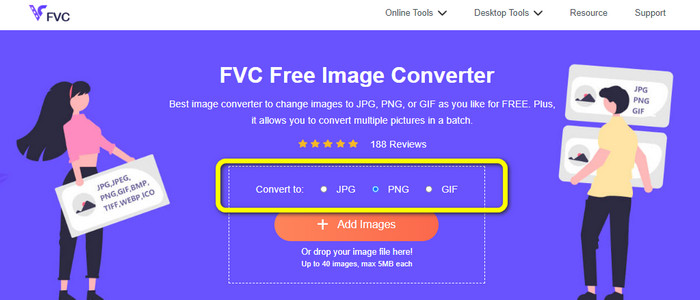
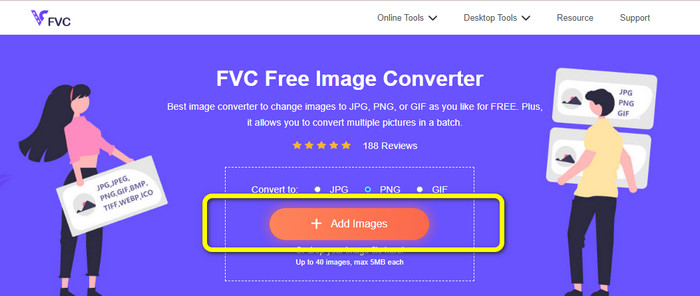
Step 2: The next step is to select the Add Images button. Your computer folder will pop up on your screen, and click the image you need to convert, then click Open. Wait for the conversion process.
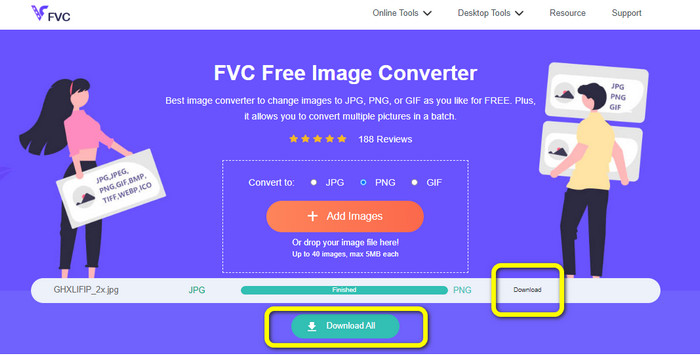
Step 3: For the last step, click the Download or Download all button to save your converted images. You can open your downloaded image on your assigned file location.
Converter imagens em PNG usando o Image Candy
Image Candy is another online tool to convert images to PNG. It supports a wide range of image formats like PNG, JPG, GIF, and more. Also, it can convert photos up to 2 GB in size. This converter's use is straightforward. It is also accessible in all browsers. Moreover, your privacy is also protected by this app. This application will delete your photo after 24 hours.
Porém, ele permite apenas uploads baseados em dispositivos. Você não pode carregar uma imagem da nuvem ou URL. Além disso, o formato de saída suportado é pequeno.
Step 1: Go to the website of Image Candy and click the Add Files button to upload the image.

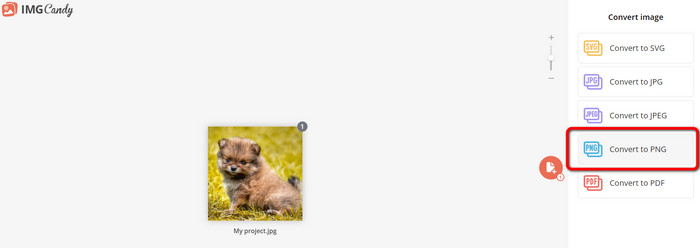
Step 2: Select the Convert to PNG option on the right part of the interface. Then wait for the conversion process.
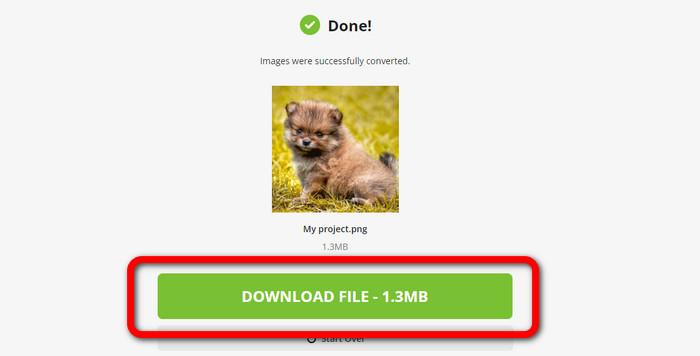
Step 3: Finally, select the Download File button to save the image on your computer.
Converter imagens para PNG usando o Convertio
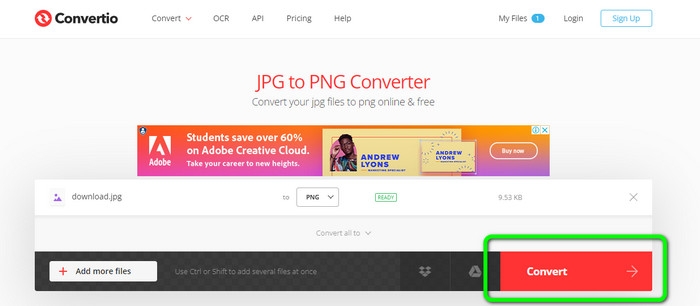
Outra ferramenta online para converter imagens é o Convertio. Usar esta ferramenta é fácil. Possui uma interface de fácil compreensão. Além disso, possui um processo de conversão simples, adequado para todos os usuários. Além disso, o processo de conversão é rápido o suficiente. Dessa forma, você pode converter muitos arquivos de imagem. Além disso, suporta quase todos os formatos populares, incluindo JPG, PNG, BMP, TIFF e muito mais. Este aplicativo também protege sua privacidade. Ele exclui suas imagens após 24 horas. Mas, quando você está usando a versão gratuita, existem algumas limitações. Você só pode fazer upload com o maior tamanho de arquivo de 100 MB. Você precisa comprar um plano de assinatura para fazer upload de um tamanho de arquivo ilimitado.
Step 1: Visit the website of Convertio. Click the Choose Files button to upload the image.
Step 2: After uploading the image you want to convert, go to the format options and choose the PNG format.
Step 3: Click the Convert button. Wait for the conversion process and save the converted image.
Converta imagens para PNG usando o FreeConvert
FreeConvert is an image converter online you can rely on if you want to convert your image to PNG. It has an easy process, and the interface is understandable. Professional and non-professional users can use this app. Also, it can convert more than 500 different image formats like JPG, PNG, WebP, and others. RAW image files from cameras are also possible to convert. Any web browser can access this image converter, like Chrome, Firefox, Edge, Safari, etc. It provides file privacy and security. But, it has some restrictions, especially when using the free version. The largest file size is 1GB. Purchasing the tool is the best thing to do if you want to upload more images. Also, this image converter shows some ads on the web page, which is disturbing for users.
Step 1: Go to the FreeConvert website. Select the Choose Files option to attach the photo you want to convert to PNG format.
Step 2: Go to the Output option to select your desired output format, the PNG format.
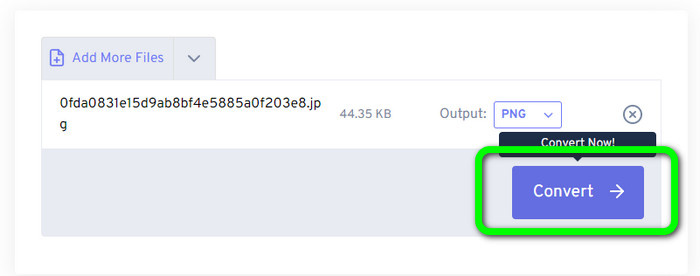
Step 3: For the final step, click the Convert button and wait for the conversion process. Then, save the image with a PNG file.
Parte 2: Melhor maneira de converter imagens em PNG usando um programa offline
Video Converter Ultimate is the best tool to convert images to PNG format. This image converter offers an understandable interface, making it perfect for all users. Besides, it also has easy procedures you can follow. This way, converting images to PNG is a piece of cake. Aside from PNG, it also supports various image file formats. It supports WEBP, BMP, TIF, TIFF, JPG, and more, which is convenient. You can also access this application on both Windows and Mac.
Além disso, além de converter imagens, Video Converter Ultimate oferece mais recursos. Você pode converter vídeos, remover marcas d'água, aprimorar o vídeo e criar um videoclipe. Além disso, você pode fazer uma colagem, cortar um vídeo e muito mais. Com esses recursos, há muitas coisas que você pode fazer. Dessa forma, você pode tornar seus vídeos e imagens perfeitos e atraentes.
Step 1: Download the Video Converter Ultimate on your Mac or Windows. Launch the software after the installation process.
Free DownloadFor Windows 7 or laterSecure Download
Free DownloadFor MacOS 10.7 or laterSecure Download
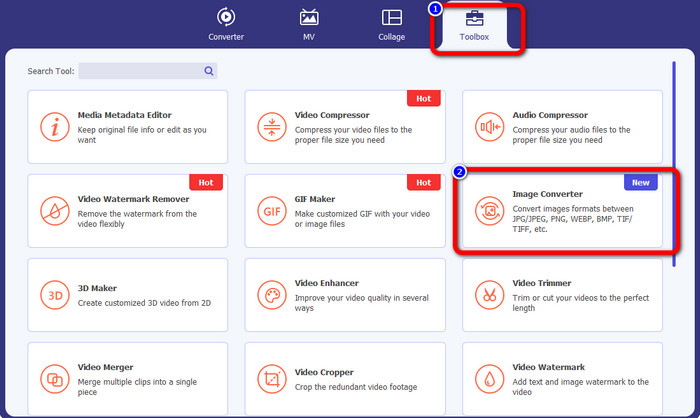
Step 2: After opening the application, navigate to the Toolbox panel. Next is to select the Image Converter feature.
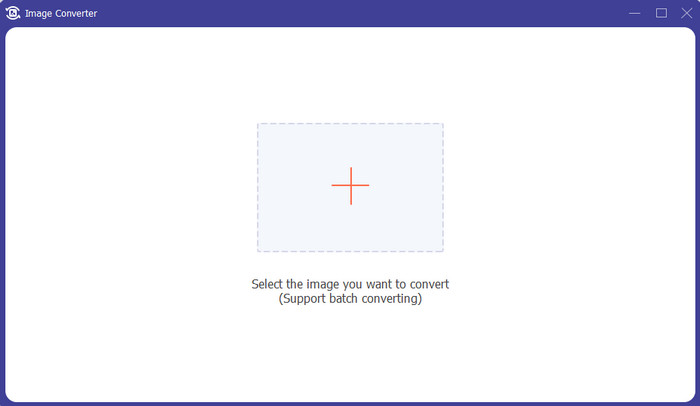
Step 3: Another interface will show up on your screen. Click the + sign button to add the image.
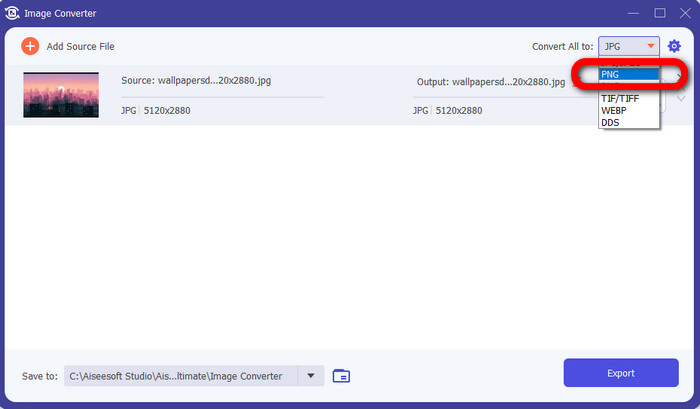
Step 4: After adding the photo, select the format option and click the PNG file format.
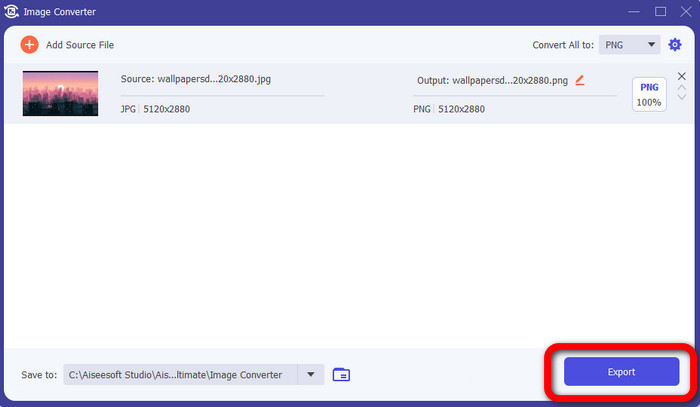
Step 5: Click the Export button on the lower left corner of the interface to save the image. You also can use this software to convert images to JPG.
Parte 3: Perguntas frequentes sobre como converter imagens para PNG
1. O que é um arquivo PNG?
Devido à sua capacidade de permitir transparência nos navegadores, o PNG é um formato de imagem padrão usado na internet. O PNG é um substituto para o GIF, que usava um método de compactação proprietário na década de 1990. PNG é um formato acessível. Assim como o GIF e o JPG, o PNG suporta cores de 8 e 24 bits. Eles também são considerados arquivos sem perdas, o que significa que a qualidade não tem efeito. Não importa quantas vezes você abra e salve o arquivo.
2. Qual é o benefício do PNG?
O fato de o PNG ser um formato sem perdas com capacidade de cores de 24 bits é uma das principais vantagens. Se estiver convertendo de um JPG, lembre-se de que esses arquivos apresentam perdas. Sua compressão inicial pode ter resultado em alguma perda de qualidade. No entanto, o PNG não tem perdas. Assim, mais aberturas ou salvamentos da imagem não resultarão em maior perda de qualidade.
3. Por que o PNG é melhor?
Fica claro pelos benefícios mencionados acima que o formato de arquivo PNG é superior. É melhor para os outros formatos de fotos usados significativos. A compactação sem perdas é o melhor recurso. Se você salvar as imagens no formato de arquivo PNG, isso não prejudicará o formato do arquivo se você salvá-las, abri-las ou salvá-las novamente. Aqui, o algoritmo de compressão funciona. Você pode usar muitos métodos para diminuir a visibilidade do desperdício de dados excelentes. Os arquivos PNG têm compactação superior aos arquivos JPG e GIF.
Conclusão
This guidepost shows you many online and offline ways to convert images to PNG. But, if you want a top-notching web-based tool, use FVC Free Image Converter.
-
 Como converter em lote HEIC para PNG no Mac, iPhone e online
 Procurando maneiras de converter HEIC para PNG? Este artigo oferece as melhores maneiras de alterar facilmente HEIC para PNG online e offline
-
 Melhores 9 Conversores HEIC para PNG para PC e Mac [Online e Offline]
 Descubra os melhores conversores online e offline aqui. Apresentamos os melhores e gratuitos conversores HEIC para PNG para Windows e Mac.
-
 Os 5 melhores conversores PNG para HEIC que você não deve perder
 Se você quiser conhecer os conversores de PNG para HEIC mais usados, fornecemos os melhores conversores de PNG para HEIC online. Leia este artigo para mais informações.
