


 Video Converter Ultimate
 Gravador de ecrã
 Reparo de vídeo
 Secure Download
Obtenha os procedimentos finais sobre como converter NEF para JPG
In capturing photos, we always want to keep the memorable moments of our lives in the best quality images. That is the reason why people buy excellent cameras that offer great results. However, you can achieve the best quality image by saving the raw image. But, it can give many problems. NEF stands for Nikon Electronic Format. Nikon, one of the most popular camera manufacturers, uses raw image formats. There are times when you cannot view the files on a computer. It needs a professional program, which is often expensive and hard to work with. In this situation, the best solution is to convert the NEF files to a universal image format, like JPG. The flexibility of this format will enable you to view photos on almost any device. And at the same time, it can save space on your storage. If you want to convert your files into a JPG file, read this guide and learn the best NEF to JPG converters you can use.

Parte 1. NEF vs. JPG
| Formato de arquivo | NEF | JPG / JPEG |
| Extensão de nome de arquivo | .nef | .jpg / .jpeg |
| Nome completo | Formato Eletrônico Nikon | Grupo Conjunto de Especialistas em Fotografia |
| Desenvolvido por | Nikon | Grupo Conjunto de Especialistas em Fotografia |
| Descrição | Os arquivos Nikon Raw Image são conhecidos como NEF arquivos. Como outros arquivos de imagem RAW, os arquivos NEF salvam todas as informações que a câmera gravou antes do processamento. Inclui metadados como os modelos de câmera e lente. As fotos NEF oferecem uma qualidade de imagem incrivelmente alta. | O Joint Photographic Experts Group criou o JPG formato no final de 1980. Também inclui o armazenamento de fotos em câmeras digitais e outras ferramentas de reprodução. O método de compactação com perdas que os arquivos JPEG usam para cores de até 24 bits e mais armazenamento de imagens. |
| Compressão | Com perdas | Com perdas |
| Programas / Navegadores Associados | Visualizador gráfico Adobe Lightroom IrfanView Adobe Photoshop ViewNX 2 Pics.io | IrfanView Graphic Viewer Photos Program Paint Adobe Photoshop Google Chrome Internet Explorer Microsoft Edge Mozilla Firefox |
Parte 2. Como converter NEF para JPG na Web
Como converter NEF para JPG no Safeimageconverter
Use Safeimageconverter to convert online from JPF to NEF image format quickly. With this simple online tool, you may easily change the file format. The picture converter is free, online, and does not require installation, so you may use it as frequently as you like without spending anything. You only need to upload the original file to this tool to obtain a transformed image file in NEF format. Also, the tool is quite helpful and allows us to save important time. We can quickly and easily convert from jpg to NEF format. You can convert the files directly in the browser. However, when converting the image files, many disturbing advertisements appear on the screen. Also, there are some instances when the online tool shows errors after the conversion process. An internet connection is also recommended when using this online tool.
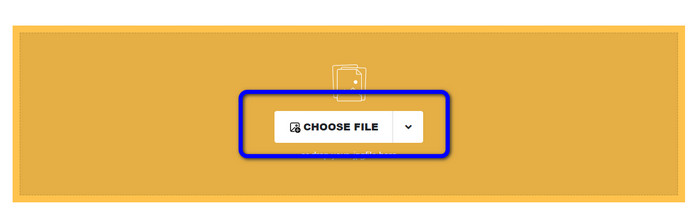
Step 1. Go to the website of Safeimageconverter website. Then, click the Choose File button to upload the NEF file you desire to convert.
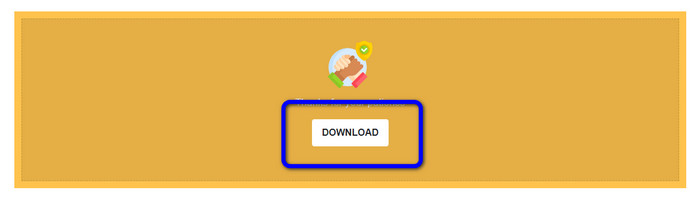
Step 2. After uploading, the image converter will convert the image file automatically. After the conversion process, click the Download button. This way, you can save the converted image on your computer.
Parte 3. Método prático para converter NEF para JPG no Mac e Windows
If you prefer using Windows or Mac for converting NEF to JPG, use Photoshop. Adobe Photoshop is not only good for editing images. It is also reliable in terms of converting various files, including NEF. In addition, you can do a batch convert NEF to JPG in Photoshop. It also has a fast conversion process, making it perfect for all users. Moreover, the offline program can keep the quality of your images. This way, after converting the files, it will ensure that the photo will still get a satisfying quality. However, Adobe Photoshop is not 100% free. You need to purchase a subscription plan to utilize the program. It only offers a 7–day free trial version. In addition, the installation process is too complicated.
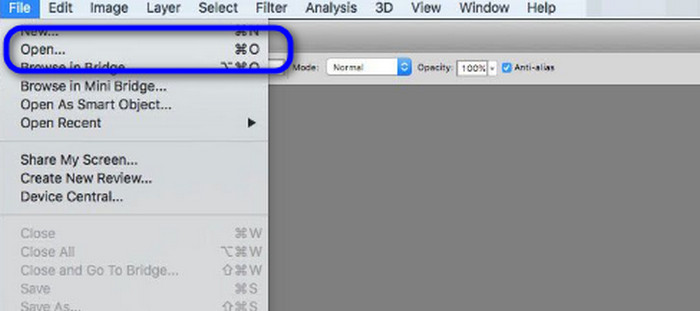
Step 1. Download Adobe Photoshop on your computer. Then, after installing the program, launch it to see the interface. Afterward, go to the File menu and select Open to insert the NEF image file.
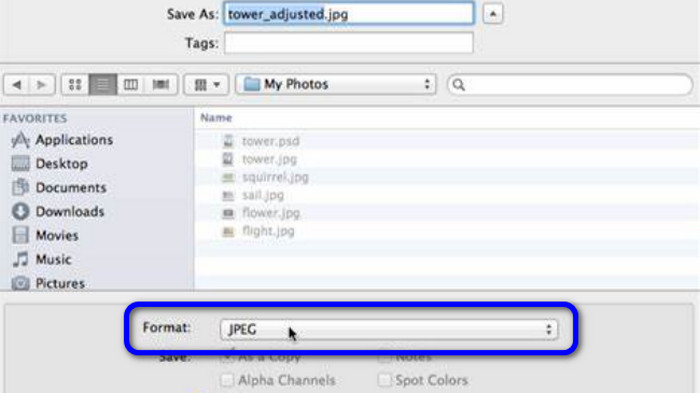
Step 2. After you insert the NEF image on the interface, go again to the File menu and select the Save as option.
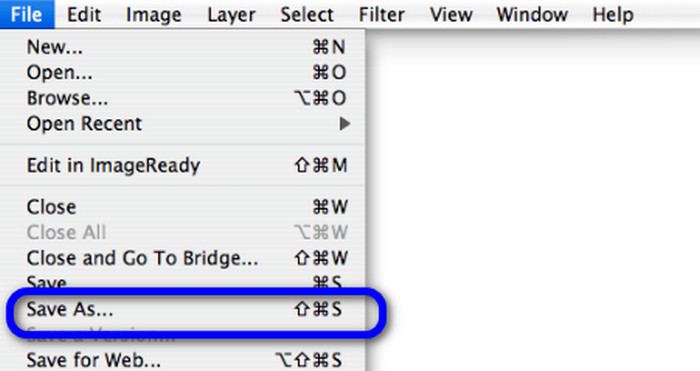
Step 3. Then, select the JPG from the format option and click Save.
Parte 4. Conversor de imagens recomendado
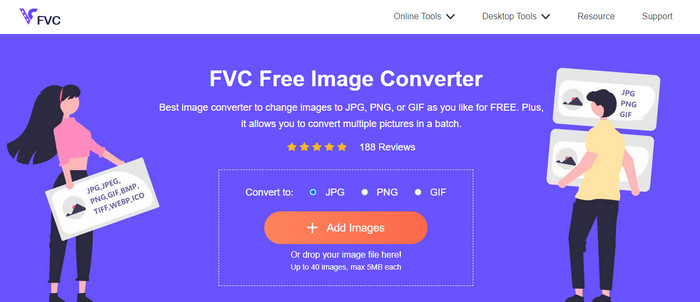
In this part, if you are looking for another image converter to convert other image formats online, using FVC Free Image Converter has the best solution for you. This online image converter can convert various formats easily. FVC Free Image Converter supports JPG, PNG, GIF, BMP, TIFF, and more. Also, you can access the image converter on different browsers, such as Google, Explorer, Edge, Firefox, and more. In addition, you can finish the conversion process in just a few seconds, making it convenient for all users. Also, you can upload multiple images in this online tool. With its batch conversion feature, you can upload up to 40 images simultaneously. Additionally, when downloading the converted images, you can download them with a single click.
Parte 5. Perguntas frequentes sobre a conversão de NEF para JPG
1. É possível converter JPG para NEF?
Infelizmente, você não pode converter um arquivo JPG para NEF. Isso ocorre porque o NEF é uma foto real tirada em uma câmera Nikon. O formato NEF é usado sempre que um fotógrafo usa uma câmera Nikon e carrega arquivos digitais.
2. Como abrir um arquivo NEF?
Você pode abrir facilmente o arquivo NEF se tiver o codec correto no Windows. No entanto, se você não conseguir abrir o arquivo NEF, precisará da ajuda de programas para download. Você pode usar o Microsoft Camera Codec Pack, Adobe Photoshop, Irfan View, GIMP e muito mais.
3. Por que você deve converter de NEF para JPG?
É essencial converter NEF para JPG porque alguns programas e editores de imagem não suportam arquivos NEF. Além disso, o NEF possui um tamanho de arquivo grande que consome muito espaço de armazenamento no dispositivo. Portanto, a melhor opção é transformar o arquivo NEF em JPG.
Conclusão
The NEF files can offer you high-quality images. However, some browsers and programs do not support the file, which is frustrating. Thankfully, the post provided an excellent solution to convert NEF to JPG. In addition, the post introduced you to another online image converter you can use to convert other image formats, which is FVC Free Image Converter. You can use this online converter to convert various image formats.
-
 4 abordagens confiáveis para converter JFIF para JPG com facilidade
 Este guia contará tudo sobre a conversão de JFIF para JPG online e offline. Se você quer aprender os métodos mais eficazes, leia este post imediatamente!
-
 Como converter GIF para JPG sem perder qualidade
 Leia e obtenha os métodos mais eficazes para converter GIF em JPG profissionalmente. Você aprenderá a converter arquivos de imagem com o guia de conversores de imagem perfeitos
-
 Procedimentos fáceis de seguir para converter imagens em vetores
 Aqui estão algumas das maneiras notáveis de como vetorizar uma imagem. Além disso, você obterá conhecimento suficiente sobre o conversor de imagens que pode utilizar.
