


 Video Converter Ultimate
 Gravador de ecrã
 Reparo de vídeo
 Secure Download
Procedimentos notáveis sobre como converter JPG para ICO
Do you want to customize your computer icon but have no idea what methods you can try? Then you can find the best solution in this article. If you belong to those users who want to make their folder icon unique, we have an answer for you. You can change the folder icon by converting your JPG images to ICO format. This way, your desired image can instantly turn into an icon. So, if you are interested, we will give you the best procedures on how to convert JPG to ICO using offline and online methods. Read this post to see the conversion process you can try.

Parte 1. JPG vs. ICO
| Formato de arquivo | JPG / JPEG | ICO |
| Extensão de nome de arquivo | .jpg / .jpeg | .ico |
| Nome completo | Grupo Conjunto de Especialistas em Fotografia | Ícone |
| Desenvolvido por | Grupo Conjunto de Especialistas em Fotografia | Microsoft |
| Descrição | Os arquivos de imagem receberam o JPG extensão. Muitos bitmaps são salvos como arquivos.jpg para diminuir seu tamanho, tornando mais simples enviar e baixar essas imagens pela Internet. Quanto maior o nível de compactação usado para criar o arquivo JPG, que usa uma paleta de cores de 24 bits, maior o efeito de descompactação na qualidade da imagem. | Pequenos ícones de imagem com dimensões variadas (16×16, 32×32 e 64×64 pixels) e profundidades de cor podem ser encontrados em ICO arquivos (16 cores, 32, 64, 128, 256, 16 bits e assim por diante). usado por sistemas operacionais de interface gráfica do usuário (GUI) para exibir arquivos e diretórios. |
| Compressão | Com perdas | Sem perdas |
| Programas / Navegadores Associados | Paint Adobe Photoshop Microsoft Photos GIMP Google Chrome Mozilla Firefox Internet Explorer | CorelDRAW Microsoft Fotos Microsoft Pain Google Chrome Microsoft Edge Safari Internet Explorer |
Parte 2. Converta JPG para ICO na Web de forma eficaz
Free Convert is one of the reputable online image converters you can use to convert JPG to ICO. It can effortlessly convert your image file to a JPG format. Users may find Free Convert a simple way to convert image files. Also, the layouts of this online picture converter are easy to understand. Also, Free Convert is available on a variety of platforms. , among other options, among other options, among other options, among other options, among other options, among other options, among other options, However, even though it provides a lot, there are still drawbacks to using the online tool. You can only upload up to 1GB of file. Ads are also showing up on the screen, which is annoying and disturbing when converting image files. You must purchase a subscription plan to encounter more great features from this online tool.
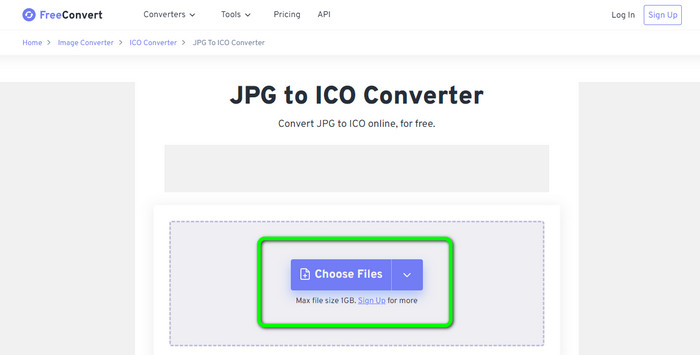
Step 1. Go to the website of Free Convert. Then, click the Choose Files option on the center screen to upload the JPG image. You can also drag and drop the image file directly into the box.
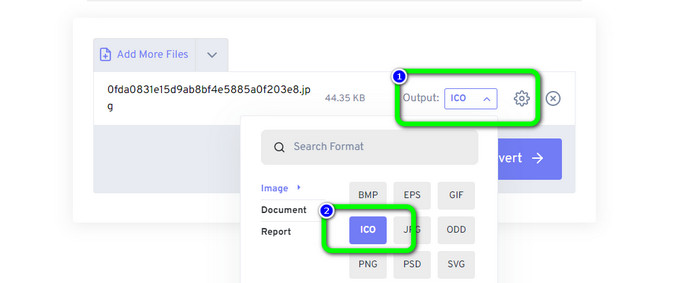
Step 2. Select the ICO format from the format option. It will become your output format.
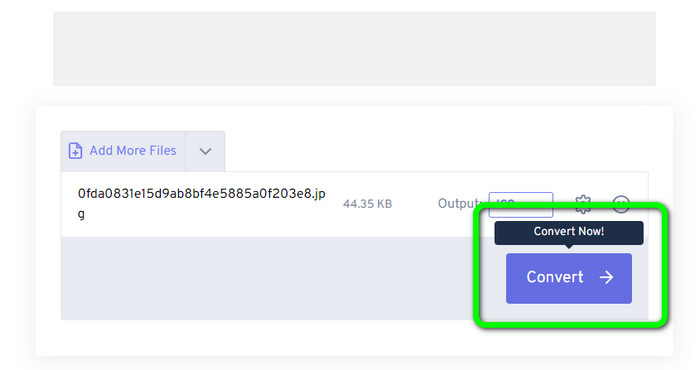
Step 3. Then, click the Convert option. When the conversion process is done, click the Download button to download the converted image on your computer.
Parte 3. Como converter JPG para ICO no Windows e Mac
Converter JPG para ICO no Windows
Use Converticon Desktop to convert JPG to ICO. This offline program is free to download. You can convert your JPG to ICO without encountering a problem. In addition, ConvertIcon Desktop is simple to use. Skilled and professional users are capable of utilizing this offline converter. Also, it supports various image formats. It includes PNG, JPG, SVG, and more. However, the offline converter is only accessible on Windows. If you are a Mac user, using this tool for converting image formats is impossible.
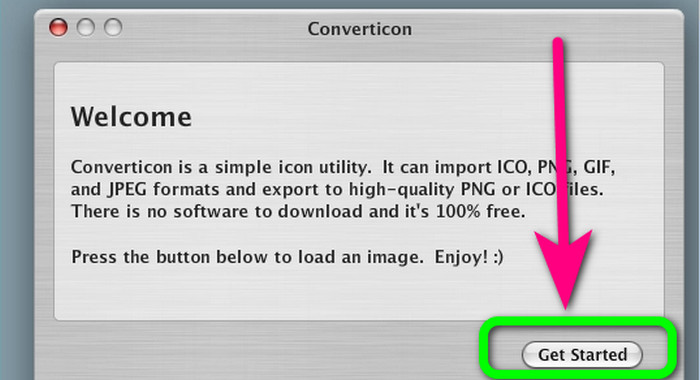
Step 1. Download ConvertIcon Desktop on your Windows. Then, launch the program. After that, click the Get started option.
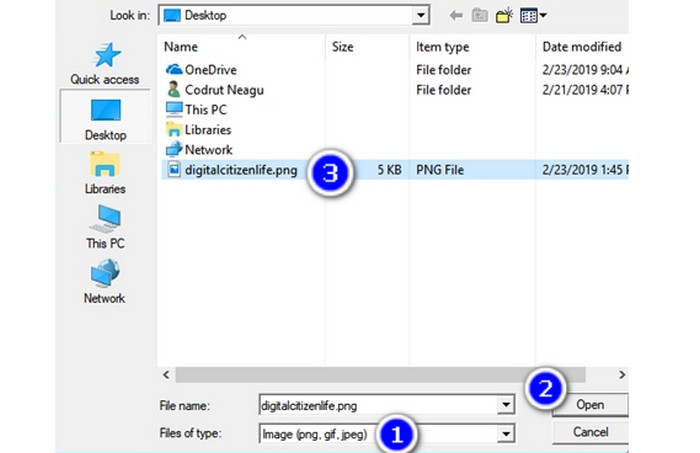
Step 2. Under the Files of type list of the Choose file to upload via localhost dialog window, choose Image (png, gif, jpg). Finally, open the image file you wish to convert to the ICO file format by navigating to it on your PC.
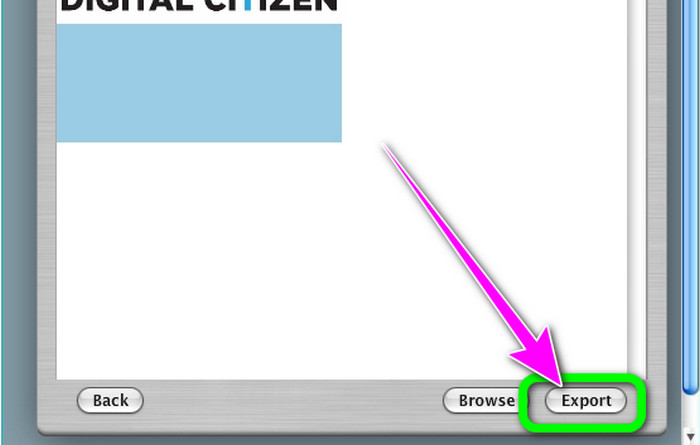
Step 3. After that, the program will show the selected image. Click the Export option on the bottom-right corner of the interface.
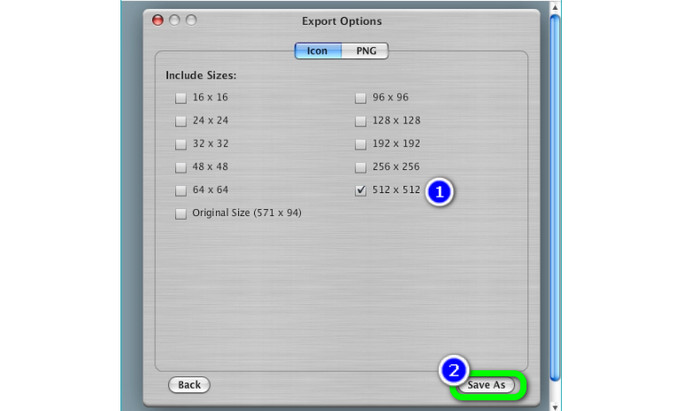
Step 4. Choose the resolutions to include in the final ICO file in the Export Options box. 512 × 512 resolution should be noticed, especially if running Windows 11/10. When finished, click Save as and choose a location on your Windows PC to save the ICO file from this image converter.
Converter JPG para ICO no Mac
You can use the Preview app as the default way to convert JPG to ICO on Mac. This way, you don’t need to download any offline program on your device. Also, you can convert image formats effectively. However, converting the files is time-consuming. It takes a lot of time to convert images. The process is confusing, making it challenging for users like beginners.
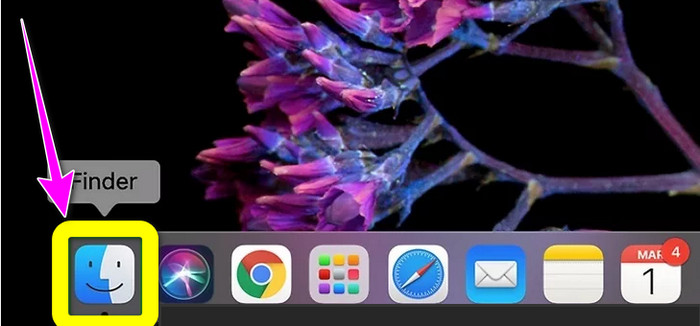
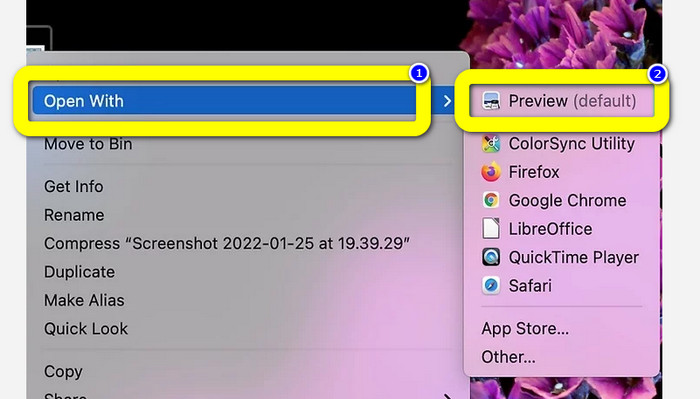
Step 1. Open your Mac and use Finder to navigate the JPG image file you want to convert.
Step 2. On a Mac, the default image viewer is called Preview. Generally, double-clicking a file will open an image in Preview.
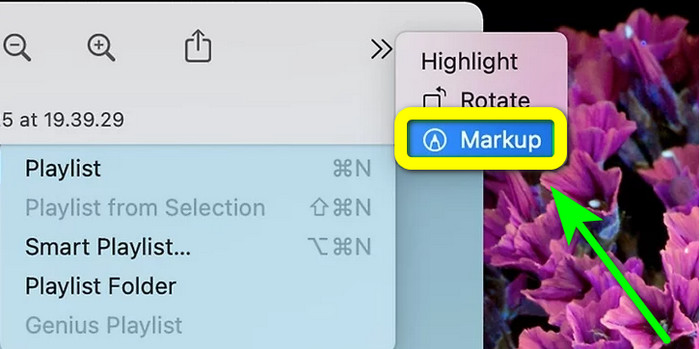
Step 3. The Markup icon is at the top, which looks like a circle with a marker tip. Select the Resize button in the form of a square with two arrows pointing to the corners. Input the picture resolution in the boxes next to Height and Width in the Images Dimensions window's drop-down menu, choose Pixels, and click Ok.
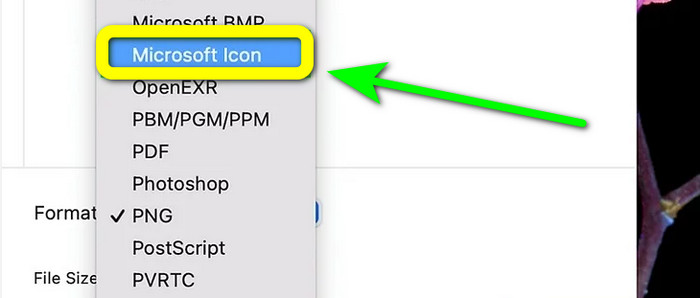
Step 4. Navigate to the File menu. Choose Export from the option. Then, type a filename. Click the Format drop-down menu while holding down the Option key. Select the Microsoft Icon from the format option and click Save. Click here to learn how to convert ICO to PNG.
Parte 4. Bônus: Melhor Conversor JPG Gratuito
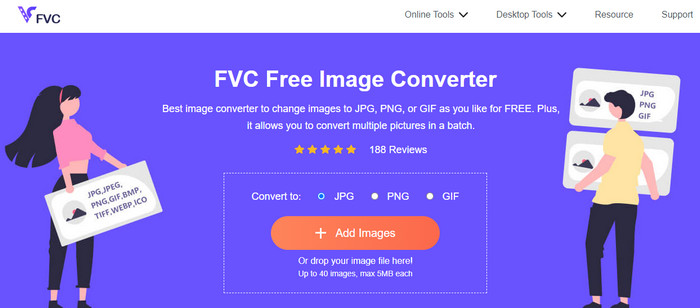
When it talks about converting images, the ultimate converter you can use is FVC Free Image Converter. This online tool supports various image formats, making it convenient for all users. Also, the conversion process is simple. You can convert your image formats in simple steps. The interface of this online tool is also easy to understand. So, users, especially beginners, can operate it easily and quickly. Moreover, it offers a batch conversion feature. You can upload up to 40 images in a single go. FVC Free Image Converter is accessible in all browsers. You can use this online converter on Chrome, Edge, Mozilla, and more. It also doesn’t put watermarks on your photos after the conversion process.
Parte 5. Perguntas frequentes sobre a conversão de JPG para ICO
1. Qual é a diferença entre ICO e ICNS?
Eles diferem em vários tamanhos, suporte a cores e resoluções para atender às necessidades do monitor. Os arquivos ICO e os tipos de arquivo ICNS têm funções equivalentes no MacOS.
2. Qual o tamanho ideal para um arquivo ICO?
16 por 16 pixels é um tamanho perfeito. Você pode oferecer imagens 16x16, 32x32, 48x48 e 64x64 em um único arquivo.ico, e o sistema escolherá a melhor para exibir. Os arquivos .ico podem incluir muitas imagens em profundidades de cores variadas.
3. Quais são os benefícios de usar um arquivo JPEG?
O principal benefício dos arquivos JPG é que eles são muito menores em tamanho do que os formatos de arquivo de imagem mais antigos. Eles liberam armazenamento em seu computador, tornando-os perfeitos para armazenar e compartilhar imagens digitais.
Conclusão
How to convert JPG to ICO? Then it would be helpful to see all the most effective methods mentioned above. This way, you can convert your image files easily and instantly. If you are looking for the best image converter, we highly recommend you use FVC Free Image Converter. This image converter has an understandable procedure, making it perfect for all users.
-
 Principais maneiras de converter JPG para SVG [resolvido]
 Nesta postagem, você obterá os dados que não pode perder sobre as melhores maneiras de converter JPG em SVG. Leia a postagem para usar os conversores de JPG para SVG.
-
 Maneiras completas de converter JPG para PNG online e offline
 Procurando métodos úteis para converter o formato de arquivo JPG para PNG? Este guia tem a resposta que você precisa. Para descobrir esses métodos, leia o artigo.
-
 Métodos sobre como converter imagens para JPG online e offline
 Deseja converter o arquivo para o formato JPG por algum motivo? Então esse artigo é para você. Ensinaremos o melhor método para converter sua imagem para JPG
