


 Video Converter Ultimate
 Gravador de ecrã
 Reparo de vídeo
 Secure Download
Revisão de Ezgif: a ferramenta online definitiva para edição e criação de GIF
In the world of online content, GIFs have become an integral part of communication, entertainment, and social media engagement. From sharing humorous snippets to expressing complex emotions, GIFs offer a unique and engaging way to convey messages. One platform that has gained significant attention for its GIF editing and creation capabilities is Ezgif. In this review, we'll explore the features, usability, and overall performance of Ezgif maker.

Parte 1. Visão geral do Ezgif e sua utilidade na edição de GIF
Ezgif é uma plataforma online que oferece uma ampla gama de ferramentas para trabalhar com GIFs. Se você deseja criar um GIF a partir de um vídeo, editar um GIF existente, otimizar seu tamanho, adicionar efeitos ou realizar outras tarefas relacionadas ao GIF, o Ezgif tem o que você precisa. A plataforma é totalmente baseada na web, o que significa que você não precisa baixar ou instalar nenhum software para utilizar seus recursos. Isso o torna uma escolha conveniente para usuários casuais e profissionais que procuram soluções rápidas de edição de GIF. Portanto, se você deseja usar isso como um vídeo Ezgif para criador de GIF, ele pode ajudá-lo com essa necessidade.
Parte 2. Recursos do Ezgif
GIF Creation: One of the standout features of Ezgif is its GIF creation tool. You can easily convert videos from various formats, including MP4, AVI, and more, into GIFs. Conversion from MP4 to GIF with Ezgif is a breeze. The platform allows you to customize the size, frame rate, and quality of the output GIF, giving you control over the final product.
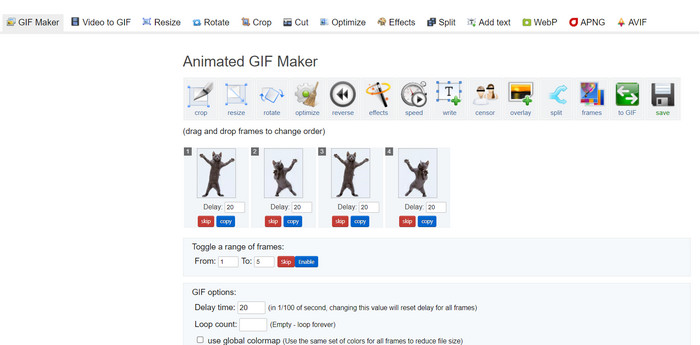
Editing Capabilities: Ezgif provides a plethora of editing options for your GIFs. You can crop, resize, and optimize GIFs to reduce file size without compromising too much on quality. Additionally, the platform enables you to add text, images, overlays, and effects to enhance your GIFs' visual appeal.
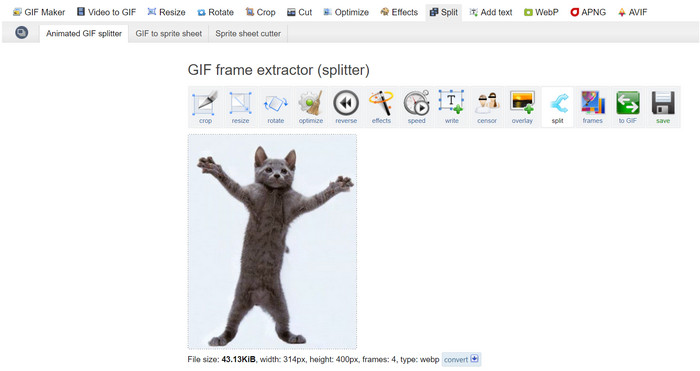
Split, Merge, and Combine GIFs: If you need to split a GIF into separate frames or merge multiple GIFs into one, Ezgif Maker makes the process simple. This is particularly useful when you want to create a longer GIF from shorter segments or combine GIFs to tell a more extended visual story. Such a relief to Ezgif to combine GIFs.
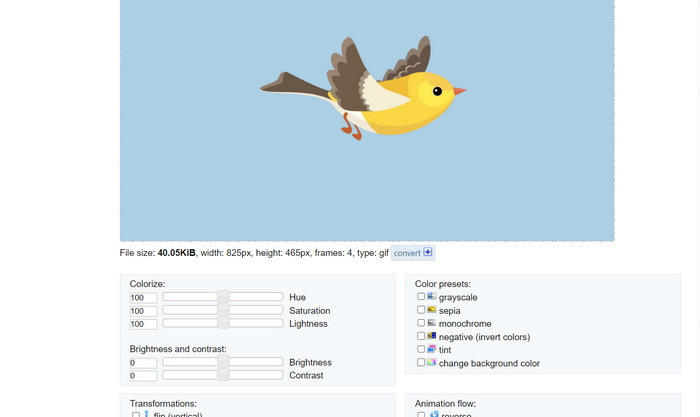
Effects and Filters: Ezgif offers a variety of effects and filters that can be applied to GIFs. From color adjustments to blurs, overlays, and more, these effects can transform your GIFs and add an artistic touch to them.
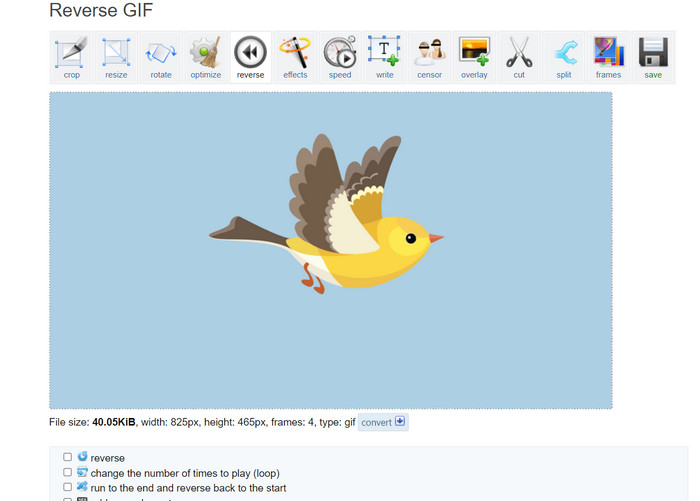
GIF Speed and Reverse: The platform allows you to adjust the speed of your GIF, making it play faster or slower. Additionally, you can reverse the playback of your GIF, creating amusing and captivating visual effects.
Optimization: Uploading large GIFs to websites or social media platforms can sometimes result in slow loading times. Ezgif GIF optimizer tools help you reduce the file size of your GIFs while maintaining acceptable image quality, ensuring a smoother user experience for your audience.
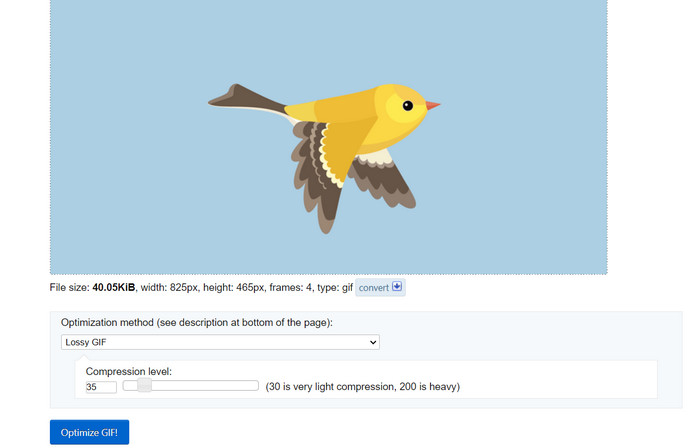
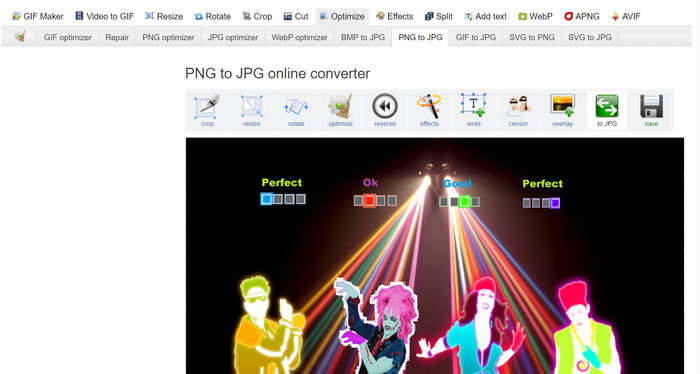
Image Conversion: Ezgif also works as an image converter, allowing users to convert a PNG to GIF and vice versa. That said, you may also convert your GIFs to PNG with Ezgif. It does not limit the format because the tool supports JPG. Ezgif GIF to JPG conversion is also possible.
Prós
- Redimensione arquivos GIF para atender às suas preferências.
- Corte a parte indesejada do arquivo GIF.
- Aplique vários efeitos em GIFs de alta resolução.
Contras
- Existem alguns atrasos perceptíveis ao usar a ferramenta.
Parte 3. Como usar EZGIF
Usar o Ezgif é relativamente simples, graças à sua interface amigável e ferramentas intuitivas. Aqui está um guia passo a passo sobre como usar alguns dos principais recursos do Ezgif:
Criação de GIFs:
Step 1. Go to the Ezgif website (https://ezgif.com/). Click on the Video to GIF tab in the navigation menu.
Step 2. Upload the video file you want to convert into a GIF.
Step 3. Choose the start and end time for your GIF, and adjust the frame size and frame rate if necessary. Next, click the Convert to GIF button.
Assim que a conversão for concluída, você poderá visualizar e baixar o GIF recém-criado.
Edição de GIFs:
Step 1. From the Ezgif homepage, choose the editing tool you want to use from the navigation menu (e.g., Crop GIF). Upload the GIF you want to edit.
Step 2. Use the tool's interface to adjust settings. For cropping, you can select the specific area you want to keep and adjust the dimensions.
Step 3. After making your edits, click the Crop It! button (or the appropriate button for the tool you're using). Preview the edited GIF and download it if you're satisfied.
Parte 4. Alternativa EZGIF
Existem várias alternativas excelentes ao Ezgif para usuários online e de desktop, cada uma oferecendo recursos e capacidades exclusivos para edição e criação de GIF. Aqui estão algumas das principais opções:
1. Video Converter Ultimate
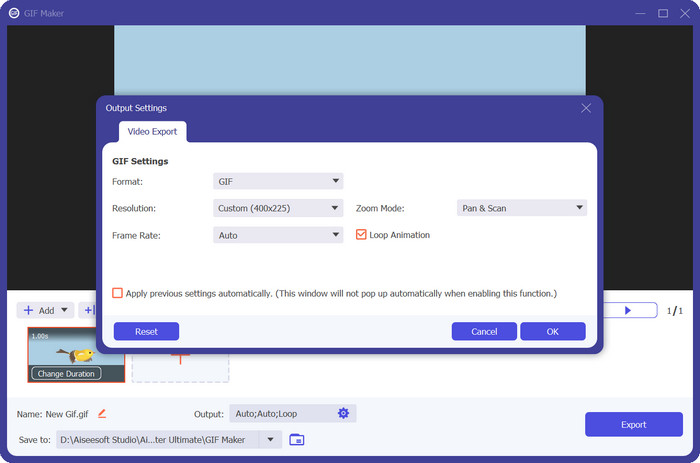
Video Converter Ultimate is not just designed for converting media files but also for creating and editing GIFs. The tool comes with essential capabilities such as photo to GIF conversion and video to GIF conversion. Adding filters and effects is just a tap away. If you are looking for an ez gif.com alternative, Video Converter Ultimate is the tool.
Free DownloadFor Windows 7 or laterSecure Download
Free DownloadFor MacOS 10.7 or laterSecure Download
2. Conversor de imagem gratuito FVC
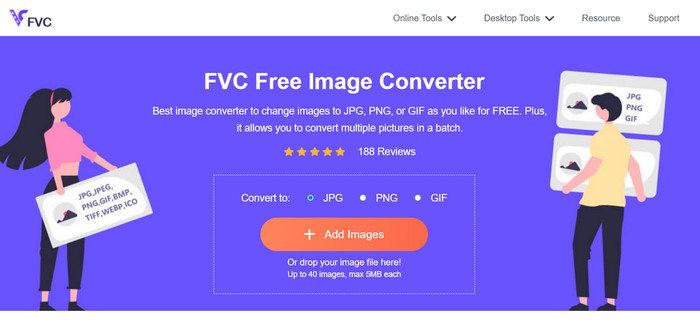
FVC Free Image Converter is a lightweight image converter that caters to your JPG to GIF, PNG to GIF, GIF to PNG conversion needs, and everything in between. In addition, the tool enables users to drop up to 40 images for conversion.
Further Reading:
Learn 4 Ways on How to Create GIFs from Images [Online & Offline]
Loop GIF with the Best Animated GIF Looper on Windows & Mac
Parte 5. Perguntas frequentes sobre EZGIF
Como faço para salvar meus GIFs editados no EZGIF?
Para salvar seus GIFs editados no Ezgif, primeiro use as ferramentas de edição para fazer as alterações desejadas no GIF. Visualize suas edições e procure o botão Salvar ou Baixar na interface da ferramenta. Clique no botão, escolha um local para salvar em seu computador e baixe o GIF editado nesse local.
O EZGIF consegue lidar com GIFs de alta resolução?
Sim, o Ezgif pode lidar com GIFs de alta resolução para diversas tarefas, como edição, redimensionamento e otimização. No entanto, o desempenho pode ser afetado dependendo da complexidade das edições e do tamanho do GIF. Os tempos de processamento podem variar e, para algumas operações com uso intensivo de recursos, pode haver um atraso. É recomendável visualizar as alterações antes de finalizar para garantir o resultado desejado.
O EZGIF oferece suporte ao processamento em lote de GIFs?
Não, o Ezgif não oferece suporte ao processamento em lote de GIFs; cada GIF deve ser carregado e editado individualmente.
O EZGIF suporta apenas edição de GIF?
Não, o Ezgif oferece uma variedade de ferramentas além da edição de GIF, incluindo criação de GIF a partir de vídeos, otimização de GIF para tamanhos de arquivo reduzidos, adição de efeitos, divisão e mesclagem de GIFs e muito mais. É uma plataforma online versátil para várias tarefas relacionadas a GIFs.
O EZGIF é seguro para uso?
Sim, o Ezgif é geralmente considerado seguro para uso. É uma plataforma online confiável que já existe há algum tempo e é amplamente usada para edição de GIFs e tarefas relacionadas.
Conclusão
Ezgif emerged as a versatile and powerful online tool for GIF editing and creation. Its array of features, from GIF conversion to editing, effects, and optimization, make it a go-to choice for anyone looking to enhance their GIF content. While its performance might vary based on the complexity of the task, Ezgif's user-friendly interface and comprehensive toolset make it a valuable resource for both casual GIF enthusiasts and professionals alike to learn how to make a GIF on Ezgif. If you're in need of a convenient online solution to all things GIF-related, Ezgif is certainly worth considering.
-
 Os 4 principais ampliadores de GIF offline e online que você não deve perder
 Este post é para você que está procurando os melhores ampliadores de GIF. Listamos os ampliadores de GIF online e offline de melhor desempenho para o seu computador.
-
 Melhor guia sobre como cortar GIFs para incrementar seu conteúdo
 Não perca este guia de leitura obrigatória. Aprenda a aparar e cortar GIFs para chamar a atenção do seu público com ótimos cortadores de GIF online e offline.
-
 Como transformar vídeo em GIF para criar GIFs atraentes
 Descubra como converter facilmente seus vídeos em GIFs envolventes com nossos conversores de vídeo para GIF escolhidos a dedo e processo de vídeo para GIF fácil de seguir.
