


 Gravador de ecrã
 Reparo de vídeo
 Secure Download
Como remover o fundo de GIFs usando programas eficazes
GIF is the short term for Graphics Interchange Format and is used widely in online communications, such as messaging someone or even commenting on a post. Removing background from GIFs or images can be hard unless you have software programs that are made to do that kind of task! Due to its popularity, more users are intrigued by how to edit and create their own GIFs. Luckily, we have gathered reliable and easy-to-use online software that could help users remove background from GIFs.

Recomendado: removedor de fundo gratuito FVC
FVC Free Background Remover is a useful utility when it comes to removing background from your pictures. It uses AI to trace out and recognize the person within the photo. Moreover, the tool is available on Windows/Mac. Overall, it is a convenient and reliable tool that you can use anytime and anywhere.
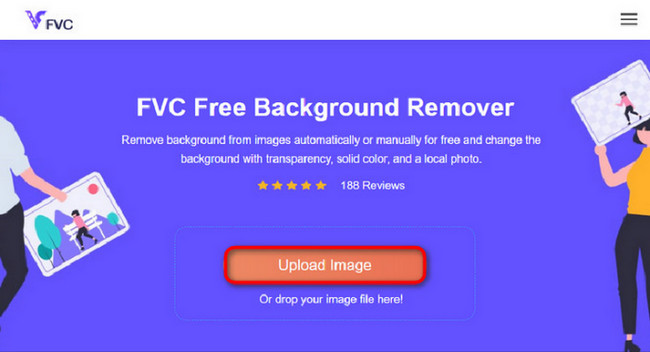
Step 1. Upload Image/GIF
The first step is to open the browser on your computer. Upon opening the online program, you are met with the option to upload your image. Click Upload Image to add the GIF you wish to remove the background from.
Step 2. Edit Image
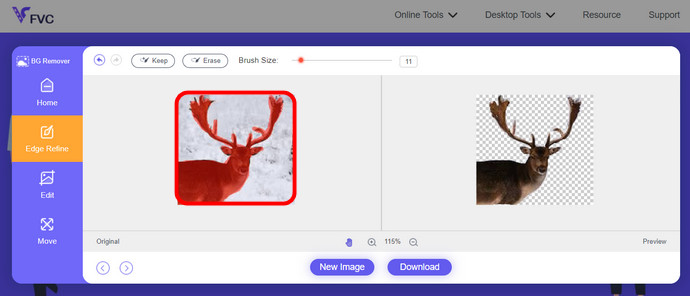
Após o upload, agora você tem permissão para remover qualquer remoção de destaques imprecisos do reconhecimento de IA. Basta clicar e arrastar o mouse e fazer ao seu gosto.
Step 3. Download Edited Image
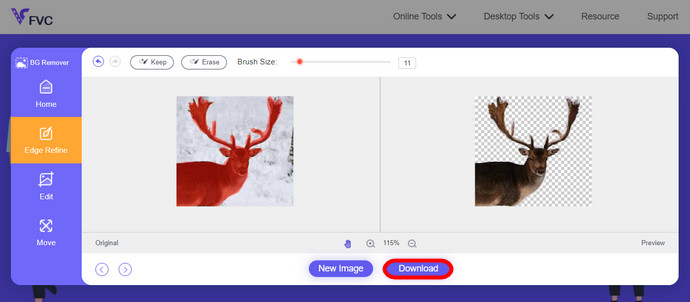
Then finally, click the Download button. You now have successfully removed the background from your picture.
Parte 1. Remova o fundo do GIF usando EZGIF.com
Este software online é um software de edição e conversão de fotos/gif. Ele pode editar e converter GIF, PNG, WEBP, IMG e muitos outros formatos. Aqui, você pode editar seu GIF com o software de edição que acompanha o software.
Step 1. Enter Site
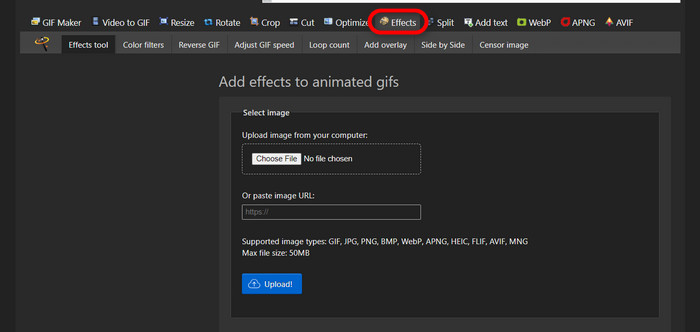
To use this online tool, launch your browser and enter the link. You are instantly given choices according to your needs. This site gives you the possibility of removing background from your GIF. Click Effects to start.
Step 2. Choose and Upload an Image/GIF
Now, choose your file of choice to upload. Click Choose Files, find it in your designated directory, and hit Upload to upload your chosen file.
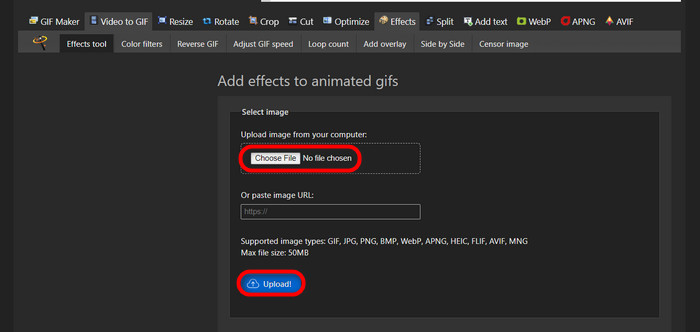
Step 3. Edit Image
After uploading, you are nearing the process of removing the background from your GIF or making the background from your GIF black. Now, click grayscale to make your background dark.
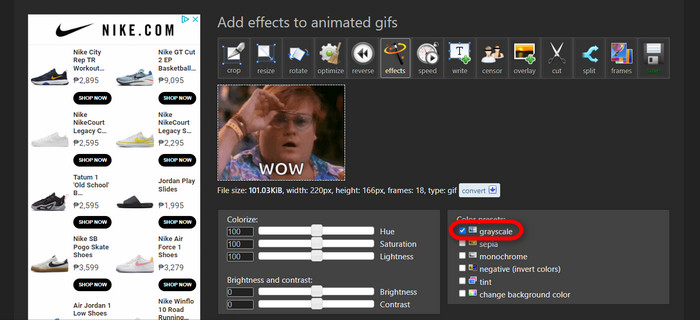
Step 4. Preview and Convert Image/GIF
After putting effect, resizing, and cropping your new GIF, click Apply Selected, and it will show you a preview of your edited GIF. Then, click the convert button to download your file.
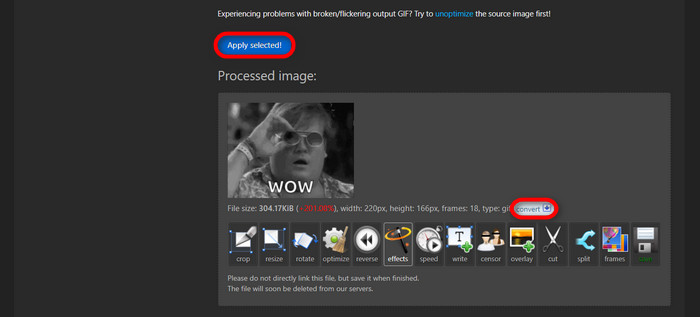
Parte 2. Faça um GIF sem fundo em Remove.bg
Este site também foi projetado para remover qualquer fundo de qualquer foto. Aqui, você ainda tem a opção de editar sua foto de fundo removida automaticamente. É alimentado por uma IA habilidosa que pode reconhecer o assunto principal e remover seu fundo perfeitamente.
Step 1. Upload Image/GIF
Let's start by uploading our image. Open the online software on your browser when you are on the page. Then, click Upload Image.
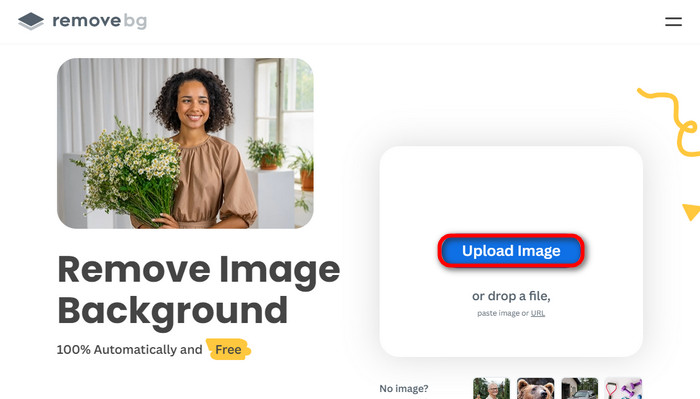
Step 2. Review and Edit Image
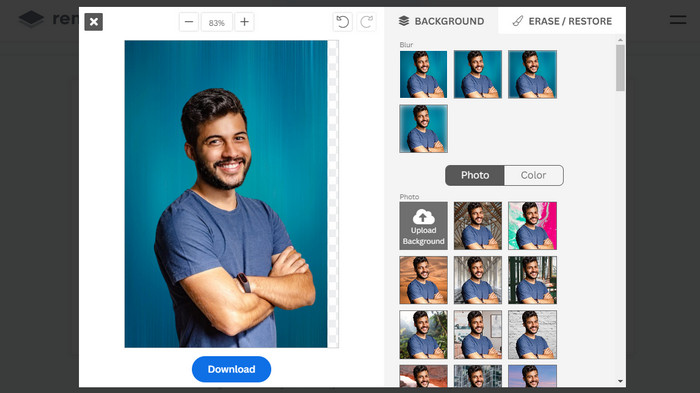
Once your image is uploaded, your photo should already have its background removed automatically, but you can still edit your photo. You can see the original photo by clicking the Original button next to the Removed Background button. Users can put a black background into their image seamlessly using this software.
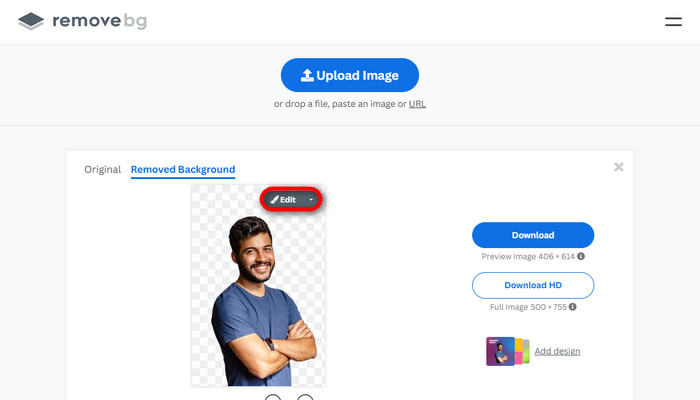
Step 3. Download Edited Image
In this part, you are now done with the editing, and you can now download your image photo. Just click the Download button below your photo.
Parte 3. Utilize GIFMagic na remoção de fundo de GIF
No GIFMagic, efeitos especiais, adição de texto, animação e muito mais! Tudo isso é possível usando este programa online. GIFs são fáceis de trabalhar quando se trata de edição neste software!
Step 1. Upload Image/GIF
Upon logging in, the site allows you to upload your chosen file into the software. You can upload .gif or .img files that are useful to other users. To choose your file, click Upload, and after you have chosen your file, click the OK button.
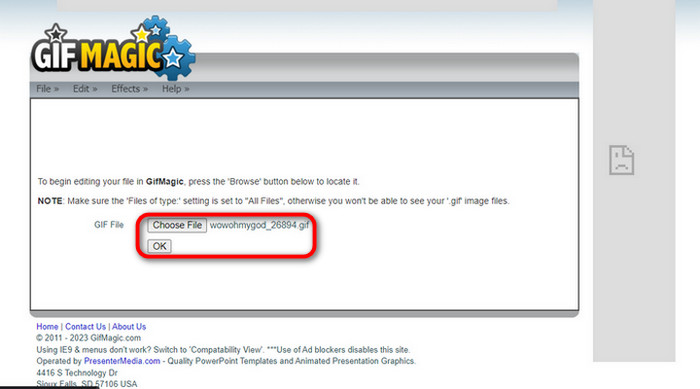
Step 2. Edit Image
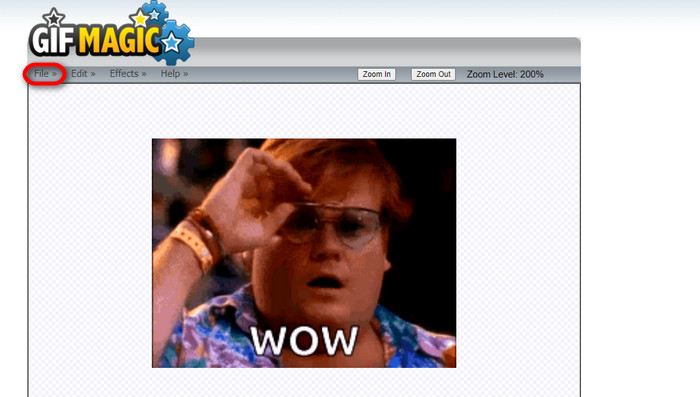
Once you land on the page, you will see the Edit and Effects buttons next to the File button. Your file can be edited in this section, so do your magic and enjoy editing.
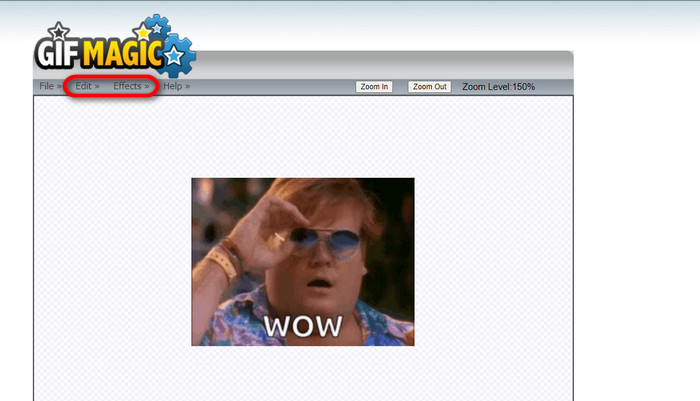
Step 3. Download Edited GIF
After you have made your GIF a transparent background, just click the File button and click Save. Voila! Done and downloaded.
Parte 4. Tornar o fundo do GIF transparente usando LunaPic
LunaPic é uma ferramenta online gratuita capaz de remover GIFs de fundo online. Ele pode avaliar e editar PNG, GIF, JPG, JPEG e muitos outros tipos de imagens. É um software bem fundamentado usado para edição em várias plataformas.
Step 1. Upload Image/GIF
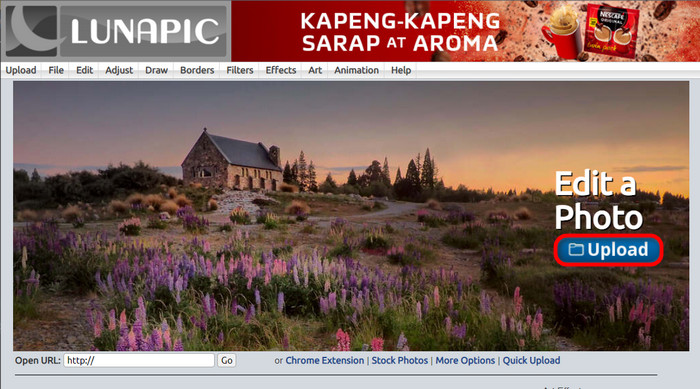
After entering the site in your default browser or any browser of your choice, upload your .img or .gif file to the site. Just click the Upload button.
Step 2. Edit Image/GIF
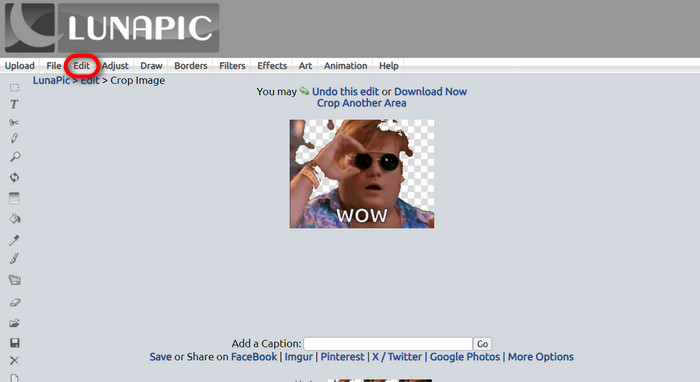
Then, you can edit your file and make the GIF background transparent by clicking the Edit then Crop Image tool button. Start cropping the background image.
Step 3. Download Edited GIF
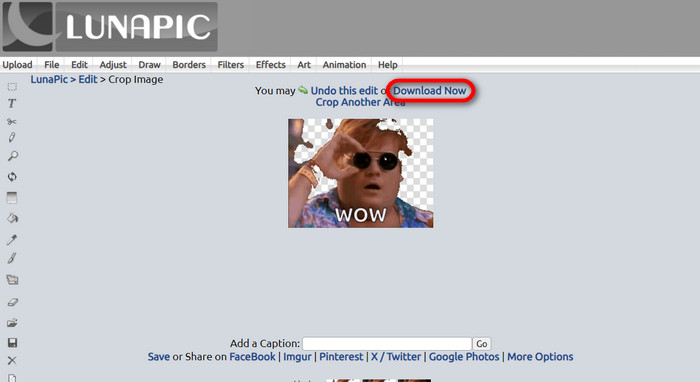
After cropping the background or if you tried to put a white background GIF, you can now click the Download now! button to save your edited file!
Further Reading:
4 Greatest Ways to Remove the Watermark from GIF [Online & Offline]
Unveiling Top Tools for Desktop, Online, and Mobile Delights

Video Converter Ultimate
Mais de 345 downloads- Divirta-se assistindo seus vídeos sem aquelas marcas d’água irritantes que bloqueiam seu conteúdo.
- Produza vídeos de boa qualidade e alta resolução para melhor visualização.
- Permite remover qualquer marca d'água de qualquer tipo de vídeo.
- Fornece inúmeros formatos para converter seu arquivo.
Free DownloadFor Windows 7 or laterSecure Download
Free DownloadFor MacOS 10.7 or laterSecure Download
Parte 5. Perguntas frequentes sobre remoção de plano de fundo
Posso converter um PNG animado em GIF?
Sim, é possível converter PNG em GIF. No entanto, existem vários tipos de dados que podem ser convertidos em diversos formatos, desde que você tenha o programa certo.
Posso alterar a cor do fundo do meu GIF após removê-lo?
Absolutely, there are a lot of programs that offer that kind of work. Try FVC Background Remover for easy background removal.
Posso tornar um fundo GIF transparente no Paint?
Não, a tinta não tem esse tipo de capacidade. Mas você pode procurar outros programas que ofereçam esse tipo de trabalho.
O que é um GIF animado com transparência?
Um GIF animado com transparência é uma imagem que exibe apenas uma determinada parte da imagem depois de colocada em um determinado site. Ele pode ter várias imagens exibidas se colocado em outro site.
O GIF permite transparência?
Sim, mas não totalmente transparente. Ele suporta apenas transparência de 1 bit.
Conclusão
There is now a big importance and demand for programs that can edit GIFs, such as the ones mentioned above. Cropping, editing, layering, and deleting are all possible with just a few clicks nowadays. Users are now innovating and thinking of things that nobody has ever done, like making a white background GIF. These kinds of users are why powerful programs such as these are created, like FVC Background Remover.
-
 Escolha o melhor cortador de GIF online e offline para cortar GIFs [2023]
 Escolher a melhor ferramenta de corte é fundamental enquanto esse recurso estiver disponível nos criadores de GIF. Então, qual é a sua melhor opção para cortar arquivos e como usá-la?
-
 Aprenda 4 maneiras de criar GIFs a partir de imagens [online e offline]
 Quer saber como criar GIFs a partir da compilação de suas imagens? Então clique neste link e leia os exemplos a seguir
-
 Loop GIF com o melhor Looper GIF animado no Windows e Mac
 Quer saber o segredo do melhor GIF em loop e fazer um? Se sim, você está no lugar certo. Aprenda como criar um loop com o melhor looper disponível.
