


 Video Converter Ultimate
 Gravador de ecrã
 Reparo de vídeo
Fotor remove recursos de fundo e revisão de aprimoramento
When engaging in photo editing, background removal, and photo enhancers are normal in the field, it can elevate the quality of your output, making it standout. That’s when the likes of Fotor came onto the scene of photo editing with an emphasis on removing background and photo enhancement. Common questions like is Fotor safe? In this review, we intricately examine the multifaceted features of Fotor, unraveling its capabilities. Simultaneously, we embark on a journey to discover a notable alternative that you might consider trying as well. Continue reading the Fotor review to find out the capabilities of Fotor in background removal and photo enhancement and decide if it is actually the right tool for your needs.

Parte 1. Revisão do Fotor - Removedor de fundo e intensificador de fotos
O acesso a ferramentas de edição versáteis e poderosas é crucial no mundo dinâmico da fotografia digital e do design criativo. Fotor, um programa abrangente de edição de fotos, se destaca por fornecer aos usuários as ferramentas necessárias para navegar neste reino em constante evolução. Explore seus recursos, especialmente os recursos de destaque, como o Removedor de Fundo e o Photo Enhancer, para aprimorar sua jornada criativa hoje mesmo!
Fotografar
Fotor, a versatile photo editing tool, has been known for its user-friendly interface and impressive features for enhancing and background remover. Its Background Remover allows users to eliminate backgrounds and elevate their images effortlessly. Partnering with their photo enhancer will get you the perfect high-quality result you are looking for. This tool is not only designed to cater to photo editing but also offers tons of templates for non-professionals to get started or work on their projects. If you are looking for software that is composed of almost all the basics plus the features on background remover and enhancing your photo, you might consider Fotor as one of your choices.
Melhor para
O Fotor é ideal para indivíduos e empresas que procuram uma plataforma intuitiva para aprimorar suas fotos, especialmente quando a remoção precisa do fundo é essencial para um resultado final sofisticado. Abaixo estão alguns dos recursos do Fotor e para os quais é melhor usado:
◆ Individuals and Businesses. This user-friendly software is designed for a professional or a novice person, making it a perfect solution that empowers individuals or businesses to create and enhance projects effortlessly with its straightforward interface and features.
◆ Image Enhancing Tools. Fotor is packed with templates and filters to make your pictures look in the best quality they can be. Additionally, Fotor unblurs the flaws when using its photo-enhancing features, making it an ideal tool when dealing with quality issues in photos.
◆ Background Remover. Fotor precision in removing background is undeniably commendable as it gives you accurate results compared to other software on the web.
◆ Photo Editing. It is composed of tools that are necessary when dealing with photo editing and such. As a result, this makes Fotor the software go-to to use when dealing with multiple tasks in photo editing.
Preços
Pricing Model: Basic and Pro
Fotor Basic: Free
Fotor Pro: $8.99/month
◆ Processamento de imagens em lote.
◆ Editor e intensificador de imagens.
◆ Disponibilidade em vários dispositivos.
◆ Modelos pré-construídos.
◆ Removedor de fundo.
◆ Ferramenta de colagem de fotos.
◆ Conversor de arquivos RAW.
◆ Filtros e efeitos avançados.
◆ Criador de design.
Passos para usar o Fotor Photo Enhancer
Step 1. Go to the Fotor Photo Enhancer website and upload the photo you want to enhance in the Enhance Photo Now field.
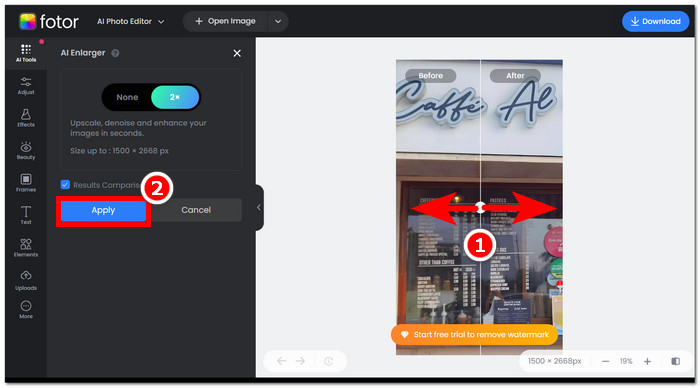
Step 2. Fotor will automatically process your image. All that is left for you is to compare the before and after preview by dragging the arrow cursor from left to right.
Step 3. When satisfied, click Apply to save the progress of your photo.
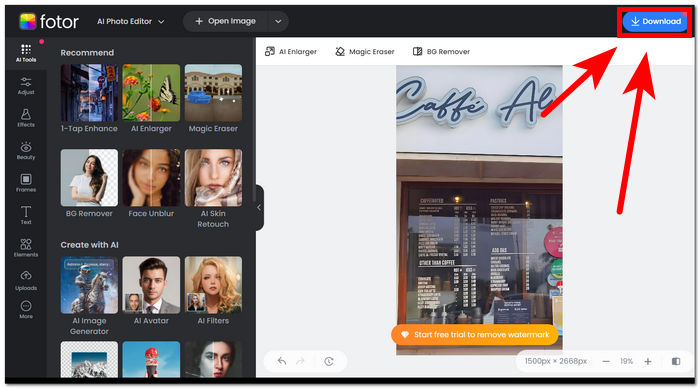
Step 4. When saving your now enhanced image, click on Download, located in the upper-right corner of the screen,
Passos para usar o removedor de fundo Fotor
Step 1. Go to the Fotor Background Remover website and upload the photo you want to remove their background in the Upload Image field.
Step 2. Once your photo is loaded in the software, it will automatically remove the background of your uploaded photo.
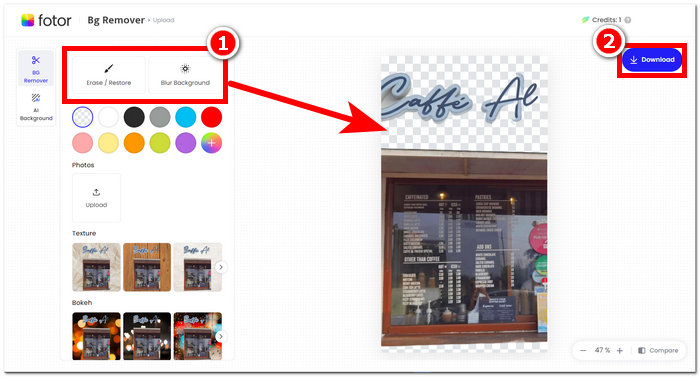
Step 3. You can manually erase/restore the background by experimenting with the Erase/Restore Tool to your desire, located in your upper-left navigation.
Step 4. When satisfied with the result, click on Download, located in your upper-right screen, to have it saved on your desktop.
Para resumir a análise do Fotor, seus recursos são significativamente excelentes no campo da edição de fotos. Conseqüentemente, isso permitirá que você crie projetos maravilhosos com facilidade. Além de ser composto por todas as ferramentas básicas para lidar com a manipulação de fotos, a ênfase no aprimoramento de fotos e na remoção de fundo é perfeita, pois é convenientemente fácil de navegar em sua interface. No entanto, de todos os recursos oferecidos, você só poderá aproveitar ao máximo os recursos e funcionalidades do Fotor ao assinar seu plano mensal.
Parte 2. Alternativa Fotor para remover fundo e fotos sofisticadas
FVC has expanded to create tools and software that cater to the needs of creators in the visual editing industry. Two of those created tools are the FVC Free Background Remover and FVC Free Image Upscaler; these two have their web-based domain to separate and not confuse users on their purpose. In contrast, software-based tools put every tool for different tasks in one software which makes the task quite time-consuming to familiarize the software. Additionally, these FVC tools help creators use their features freely and with less hassle in the downloading and installation process. Listed below are the steps for using FVC background remover and image upscaler tools.
Steps to Use FVC Free Background Remover:
Step 1. Visit the FVC Free Background Remover website and Upload the photo you want to remove their backgrounds on them.
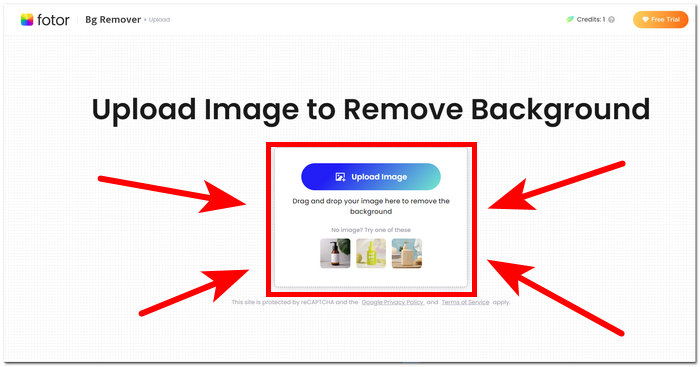
Step 2. FVC AI automatically detects and removes the background from your photo.
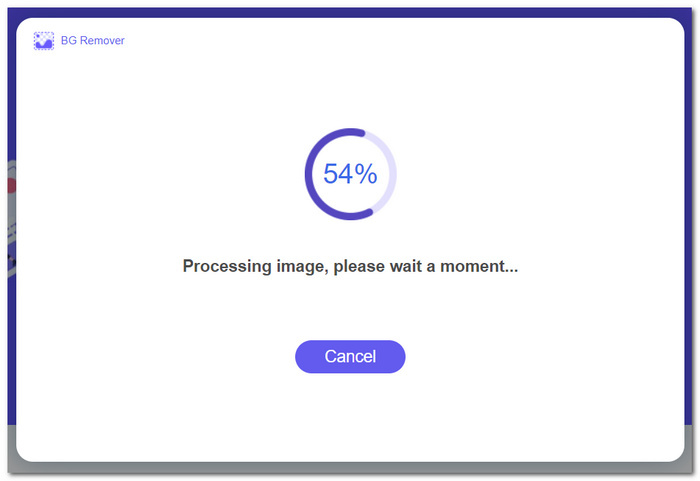
Step 3. Once the process is complete, you can now Download your photo.
Steps to Use the Features of FVC Free Image Upscaler:
Step 1. Upload your photo to the FVC Image Upscaler website.
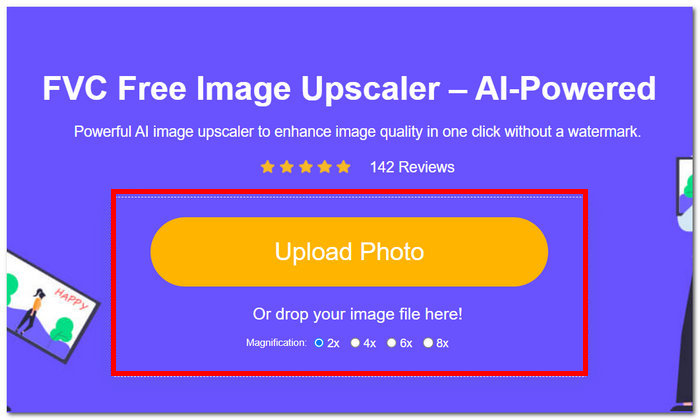
Step 2. Select your desired Magnification and just click on it.
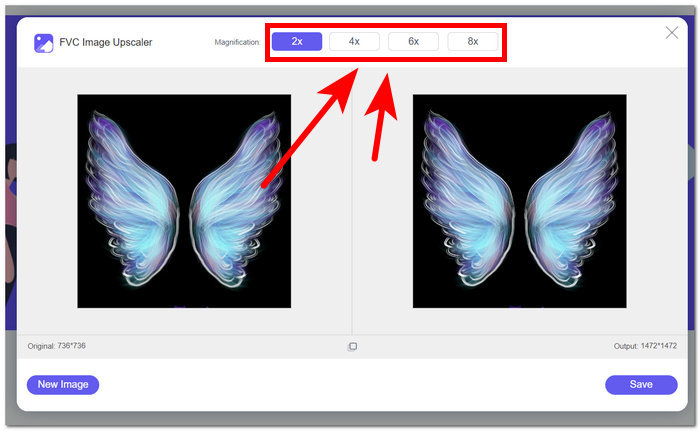
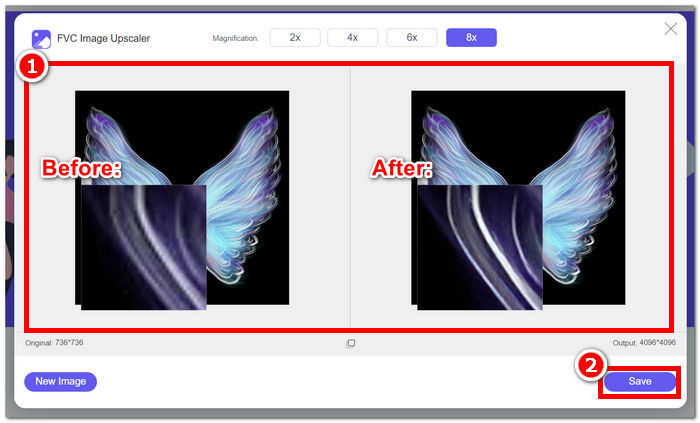
Step 3. The tool will automatically process the photo, and you can see the difference based on your selected magnification.
Step 4. Your now upscaled photo is ready to be saved. Just click on Download.
As ferramentas Fotor e FVC podem produzir os mesmos resultados de qualidade e precisão quando se trata de lidar com a remoção de fundo e aumento de imagem. No entanto, eles diferem em sua disponibilidade quando as ferramentas FVC são gratuitas para uso em qualquer navegador local, enquanto o Fotor pode ter recursos básicos gratuitos, mas são limitados. Certifique-se de verificar primeiro a funcionalidade e a conveniência que eles trazem para você e mergulhe no uso de ferramentas online rápidas, eficientes e seguras. A FVC está ao seu lado para economizar tempo e voltar a finalizar seus projetos pendentes no prazo.
Parte 3. Perguntas frequentes sobre o Fotor
O uso do Fotor é gratuito?
Sim, o Fotor oferece uma versão gratuita de sua plataforma de edição de fotos, garantindo aos usuários acesso a ferramentas fundamentais sem nenhum custo. Isso permite que os indivíduos utilizem recursos essenciais sem incorrer em quaisquer encargos.
Quanto custa o Fotor por mês?
A Fotor oferece diversos planos de preços, abrangendo assinaturas mensais e anuais, com variações de custo dependendo dos recursos incluídos. Para ver informações de preços atualizadas e precisas, os usuários são incentivados a consultar o site oficial da Fotor para obter detalhes sobre suas ofertas atuais.
Quanto tempo dura o teste gratuito do Fotor?
A Fotor pode fornecer uma avaliação gratuita de seus recursos premium, embora a duração da avaliação esteja sujeita a alterações. Para obter as informações mais atualizadas sobre a duração do teste gratuito, é aconselhável consultar o site oficial do Fotor.
Fotor não funciona?
Se você estiver enfrentando problemas com o Fotor não funcionando, considere verificar sua conexão com a Internet, limpar o cache do navegador ou atualizar o aplicativo se estiver usando uma versão para desktop. Se os problemas persistirem, é recomendável entrar em contato com o suporte ao cliente da Fotor para obter assistência. Eles podem orientá-lo na resolução de problemas técnicos ou oferecer informações sobre possíveis atualizações do sistema.
Fotor é um bom programa?
Sim, o Fotor é considerado um bom programa para edição de fotos, oferecendo uma interface amigável, adequada tanto para iniciantes quanto para usuários mais experientes. Seus diversos recursos, incluindo o Removedor de Fundo, o tornam versátil para diversas necessidades de edição. No entanto, a adequação do Fotor depende das preferências individuais e dos requisitos específicos para aprimoramento de fotos.
Conclusão
Fotor stands as a noteworthy contender, particularly for its background-removing and image-enhancement features. It has become one of the standard tools when editing photos for its diversity of features and interface that has almost all the basic tools necessary in the field. However, recognizing the diverse needs of users, exploring alternatives like FVC offers a broader perspective. Whether you choose Fotor or its alternatives, the key is to empower your creative journey with tools that align with your vision. Be sure to try and maximize each tool in finding the best tool for your background removal and photo enhancing projects.
-
 Como remover o fundo da imagem usando o GIMP
 Comece a usar o GIMP e o processo passo a passo de remoção de fundos de imagens. Descubra maneiras eficientes de criar imagens transparentes usando o GIMP hoje mesmo!
-
 Como aumentar o tamanho da imagem online e offline
 Descubra a maneira mais fácil de aumentar o tamanho da imagem sem perder qualidade. Consulte nossas ferramentas e software de redimensionamento para garantir a qualidade ideal para suas fotos.
-
 Como redimensionar uma imagem no Photoshop: guia obrigatório
 Aprenda o processo passo a passo de como redimensionar uma imagem no Photoshop. Siga este guia para alterar com eficiência o tamanho de suas imagens com facilidade e qualidade!
