


 Video Converter Ultimate
 Gravador de ecrã
 Reparo de vídeo
 Secure Download
Os 5 principais reprodutores de DVD gratuitos para Windows 10
Does Windows 10 come with a DVD player?
As a Windows PC user, you may have upgraded system to the latest Windows 10. However, Microsoft has neutered Windows Media Player in Windows 10. So, it can’t play DVDs for you anymore. You have to buy the Windows DVD Player app to for the DVD playing in Windows 10.

Surely you prefer to play DVDs on your Windows 10 PC free. So, is there any free DVD player for Windows 10? Here in this post, we make a list of 5 best free DVD players for Windows 10 PC. If you are using the Windows 8, Windows 7 or an early version, you can still rely on them to watch DVDs.
Parte 1. Reprodutor de DVD grátis para Windows 10/8/7 PC e Mac
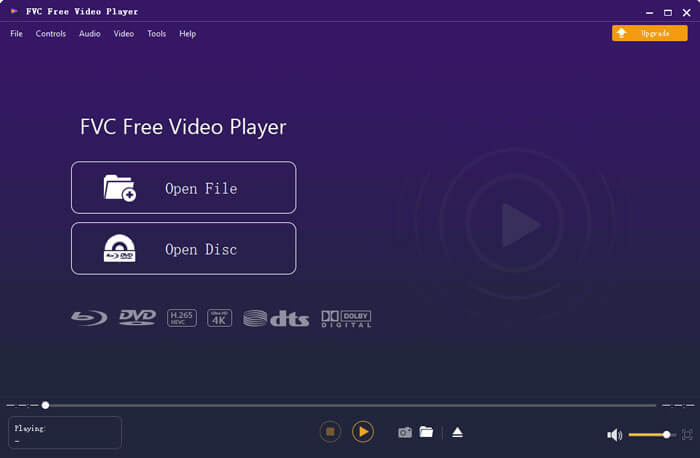
FVC Free DVD Player is a totally free and online DVD playing tool which allows you to watch DVD discs, DVD folders, and DVD ISO image files with high quality. You don’t need to install a large media player app on your computer for the DVD playback. Instead, you can directly play your DVD on a web browser.
Este reprodutor de DVD gratuito regional é compatível com Windows 10, Windows 8, Windows 7 e macOS. Portanto, não é apenas um reprodutor de DVD gratuito para Windows 10. Você pode abrir seu navegador e usá-lo em qualquer computador.

Este software reprodutor de DVD gratuito foi desenvolvido com a tecnologia de codificação de vídeo avançada. Para a parte de reprodução de áudio, ele suporta DTS-HD e Dolby TrueHD. Ele permite que você desfrute de qualquer filme em DVD com alta qualidade de imagem e efeito de som sem perdas.
As a free DVD player for windows 10, it carries all DVD playing features you need. Moreover, it allows you to take snapshots, adjust and select subtitles and audio tracks. When you want to play a DVD disc, you can navigate to this Free DVD Player page and click on the Play Now button. You can follow the instructions to quickly install a small launcher file for the DVD playing. After that, you can handily enjoy DVD movies and common videos with it.
Parte 2. DVD Player de código aberto para Windows 10 e Mac - VLC Media Player
VLC media player is one of the most popular video and audio playing software. This cross-platform media player is compatible with Windows 10/8/7, macOS and Linux. As an open source and all-featured player, VLC can also work as a free DVD player for Windows. It has the capability to play DVDs, VCDs and Audio CDs.
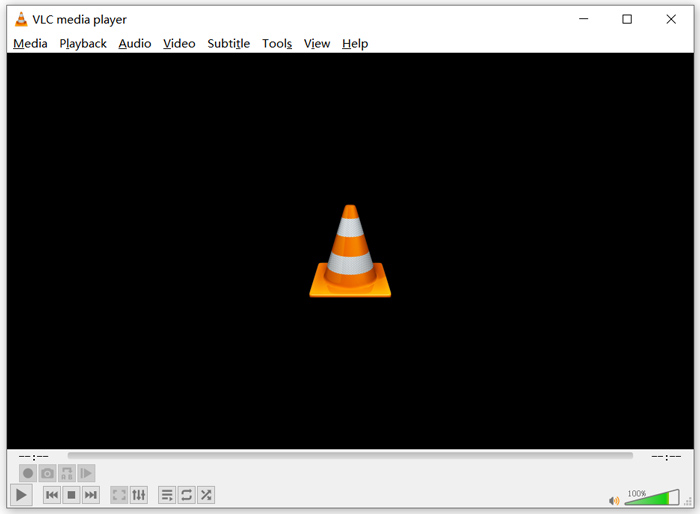
As a free DVD player, VLC is able to access DVD menu, chapters, and other related contents. Its hardware decoding feature allows you to enjoy DVD movies smoothly. In addition, you are given advanced control options of the DVD playback. You can take snapshots while the DVD playing. Besides DVD movies, VLC also supports the Blu-ray discs.
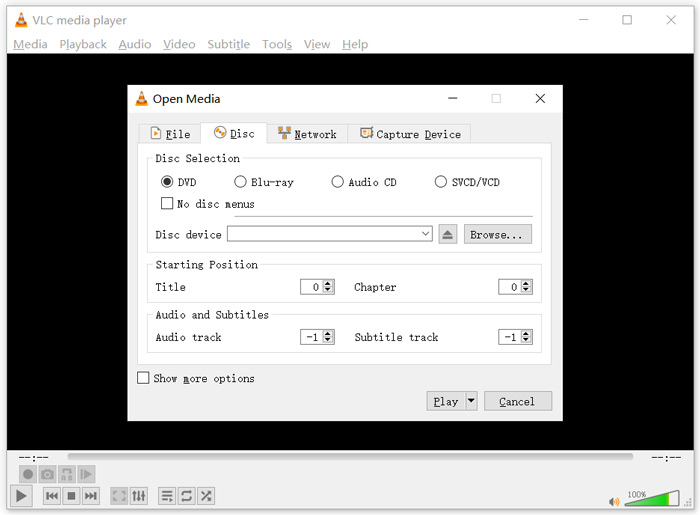
To play DVD with VLC media player, you can insert your DVD disc into the computer disc drive, launch VLC and then choose Media on the top menu bar. Choose the Open Disc option, DVD and then Browse button to select your DVD file. After that, you can click the Play button to watch your DVD.
Parte 3. Reprodutor de DVD gratuito de região para Windows 10 - PotPlayer
PotPlayer is a feature-rich media player which carries the DVD playing function. It can work as a region free DVD player for your Windows 10/8/7 PC. It is designed with all features you need for the DVD, Blu-ray and regular media files playback. What’s more, it supports the OpenCodec. So, you can easily add whatever codecs you want.
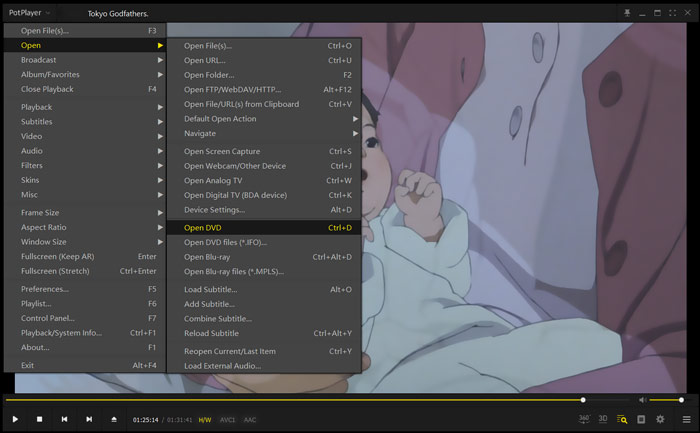
To play DVD movies with PotPlayer, you can open it and then right click PotPlayer in the top-left corner. From the drop-down list, choose Open, Open DVD and then select the specific DVD file you want to play. You can handily control the playing speed, video effects, adjust subtitle and audio track, and custom other settings.
Parte 4. Software grátis de DVD Player para Windows 10/8/7 e Mac - KMPlayer
KMPlayer is a popular video playing tool which can help you play DVDs on Windows 10/8/7 PC and Mac. It highly supports any popular video and audio formats including MP4, MKV, FLV, MOV, MPG, VOB, MP3, AAC, WAV, and more. KMPlayer also has the DVD playback feature.
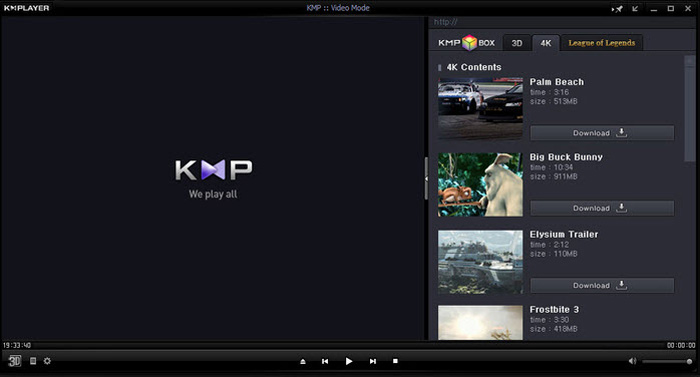
For the DVD playing, KMPlayer gives you the full controls over DVD selection, DVD menus, audio tracks and subtitles, and effects adjusting like brightness, contrast and more. When you want to enjoy a DVD movie, you can open KMplayer, right click on any blank in the window, and choose menu Open and then Open Folder to watch the DVD.
Parte 5. DVD Player grátis para Windows 10/8/7 PC e Mac - 5KPlayer
5KPlayer is the last recommendation in the list of 5 best free DVD players. It is a powerful media player which carries the DVD playing feature. More than just a free DVD player for Windows 10, it also supports other Windows versions and macOS. Besides DVD and common videos playing, 5KPlayer also allows you to play videos through AirPlay protocol and DLNA wirelessly.
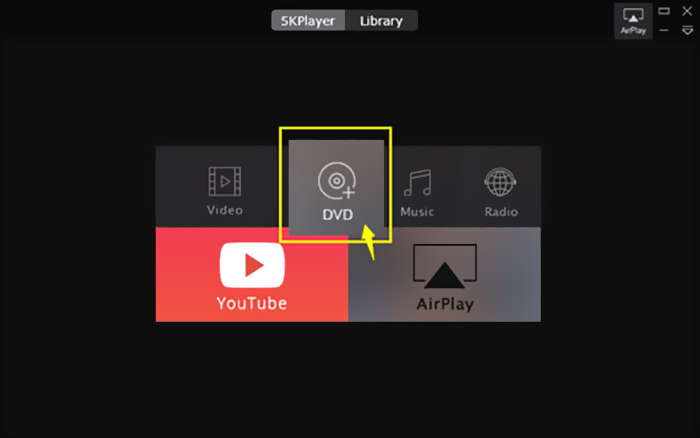
This free DVD player has a built-in AirPlay function which allows you to connect DVD to TV. So you can directly view DVD movies on your TV with high quality. To play DVDs with 5KPlayer, you can open it and choose the DVD option.
Parte 6. FAQs do Free DVD Player para Windows 10
Pergunta 1. Como reproduzir arquivos de DVD no Windows Media Player?
Para os arquivos de DVD copiados, você pode reproduzi-los com o Windows Media Player. Em muitos casos, você precisa instalar o filtro AC3 e o plug-in denominado decodificador MPEG-2 para a reprodução do DVD.
Pergunta 2. Por que não consigo reproduzir DVDs no Windows 10?
Como mencionado acima, a Microsoft removeu o suporte embutido para reprodução de DVD no Windows 10. Portanto, a reprodução de DVD é mais problemática em um PC com Windows 10. Você deve obter um DVD player de terceiros ou pagar $14.99 pelo Windows DVD Player.
Pergunta 3. Como copiar um DVD para MP4?
For different reasons, you want to rip DVD to digital video like MP4, MOV or AVI. You can download DVD converter to rip DVD to MP4 without quality loss.
Questão 4. Quais formatos de vídeo podem ser suportados por um DVD player?
Em geral, a maioria dos aparelhos de DVD no mercado pode reproduzir vídeos em MPEG-4, MPEG-2, MOV, DivX e outros formatos de arquivo usados com frequência.
Conclusão
Looking for a free DVD player for Windows 10? After reading this page, you can get 5 best free DVD players for both Windows 10/8/7 PC and Mac. You can learn key features of each DVD player software and then make your choice. Leave us a message if you still have any questions about the DVD playing.
-
 VOB Player - 5 melhores reprodutores de VOB para Windows 10/8/7 PC e Mac 2025
 Como reproduzir arquivos VOB no Windows 10? Qual é o melhor jogador VOB? Esta postagem faz uma revisão dos 5 melhores jogadores VOB para computadores com Windows 10 e Mac.
-
 Como gravar arquivo de vídeo _TS em DVD no Mac / Windows 10
 Como faço para converter e gravar arquivos TS em um disco DVD? Este guia passo a passo mostrará como copiar arquivos e pastas TS para DVD no Windows / Mac para que você possa assistir arquivos TS no DVD player ou TV.
-
 10 maneiras gratuitas de converter arquivos TS em MP3, AIFF, ALAC, FLAC e muito mais
 Como converter arquivos TS para MP3 de graça? Neste guia, você encontrará 11 maneiras fáceis de extrair áudio de arquivo TS com TS para freeware de áudio e ferramentas de conversão online.
