


 Video Converter Ultimate
 Gravador de ecrã
 Reparo de vídeo
 Secure Download
Como mesclar arquivos MPG no computador
When you try to rip a movie from DVD to computer, usually it will be saved in MPG format. Since the ripped movie are always separated into several short MPG clips, you may want to join several movie clips with MPG format into one to get the complete movie file. In this article, we will show you how to join MPG files in 2 ways.

Parte 1. Como juntar arquivos MPG com Video Converter Ultimate
Para mesclar filmes MPG e editá-los, você pode precisar de um software profissional de junção de vídeo. Video Converter Ultimate é a melhor forma de resolver o seu problema. Com poderosos recursos de mesclagem, conversão e edição de vídeo, você pode se sentir à vontade para juntar muitos arquivos MPG e ajustá-los em seu computador.
- 1. Junte e converta vários tipos de formatos de vídeo, incluindo arquivos MPG com um clique.
- 2. Vários recursos de edição de vídeo MPG, incluindo corte, divisão, rotação e adição de marca d'água e legendas.
- 3. Caixa de ferramentas especial que fornece aprimorador de vídeo MPG para atualizar a qualidade do vídeo.
- 4. Adicione tema e filtros para decorar seus clipes de filme mpg
Free DownloadFor Windows 7 or laterSecure Download
Free DownloadFor MacOS 10.7 or laterSecure Download
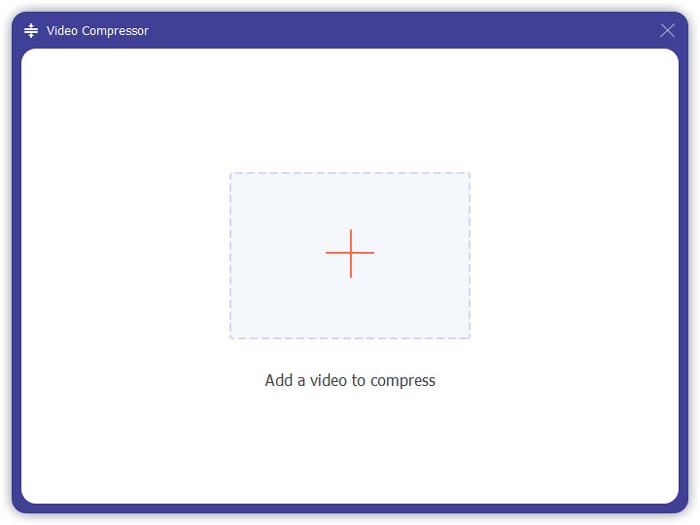
Step 1. Download and set up Video Converter Ultimate. Choose the Converter interface. Then you can add the MPG files you want to join by clicking the Add Files square at the center of the interface. You can also drag several MPG files into the square to add them. It supports you to add multiple MPG files and merge them into one.
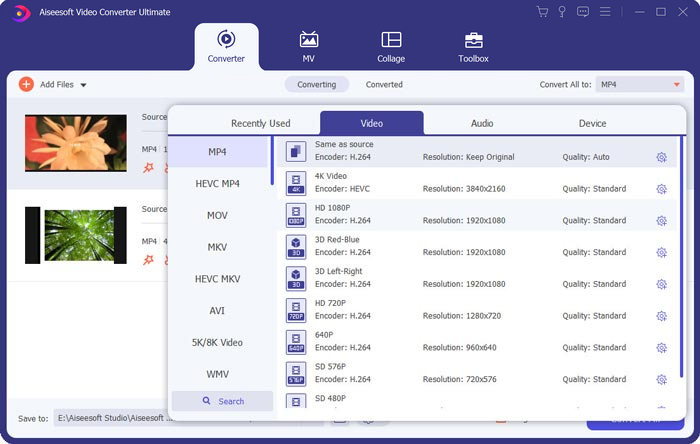
Step 2. Then choose the video format you want to output by clicking the Convert All to field on the right side. You can choose various types of formats in the menu including MP4, MOV, MKV, etc. You can manually adjust the parameters of the format by clicking the gear icon.
Step 3. To edit your videos, you can click the scissor icon to launch the editing interface. You can set the start and end times of your videos to trim them. The MPG videos on the left bar are listed in chronological order. If you want to change the sequence of the videos, you can drag them and put them in a different sequence. The video above will be played before the video below in the final merged video.
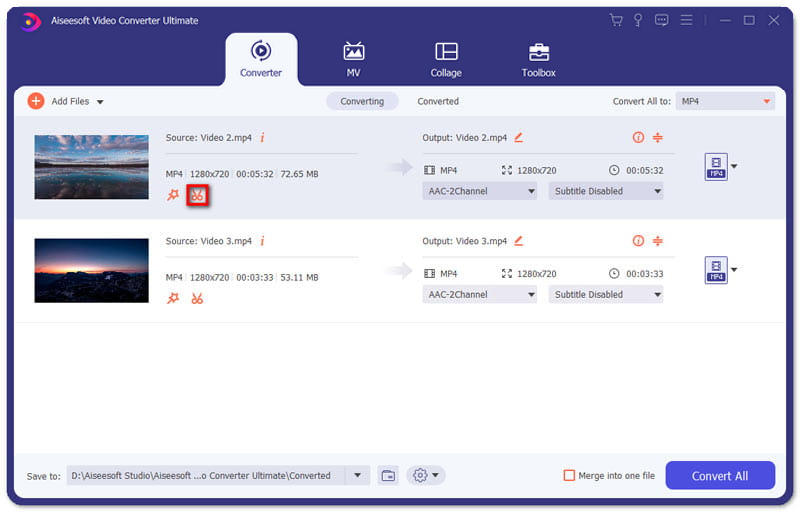
Step 4. When you finish the editing, you can merge them and export the final project. You should know that the videos will be merged in chronological order according to the sequence in the editing interface. To start merging, you should click the Merge into One File box and click the Convert All button. After finishing, you can find the joined video in the folder.
Then you can play the MPG files with the MPG MPEG player directly.
Parte 2. Como ingressar em arquivos MPG online gratuitamente
If you want to merge MPG files online for free, you can use Free Online Video Merger. The simple and well-designed interface is friendly to all the users.
Step 1. Download the launcher and set up the merger. Then you can add MPG files by clicking the + in the interface. At the bottom of the screen, you can adjust the resolution and the format of the merged video in the menu. The sequence of the videos is in chronological order from left to right on the screen.
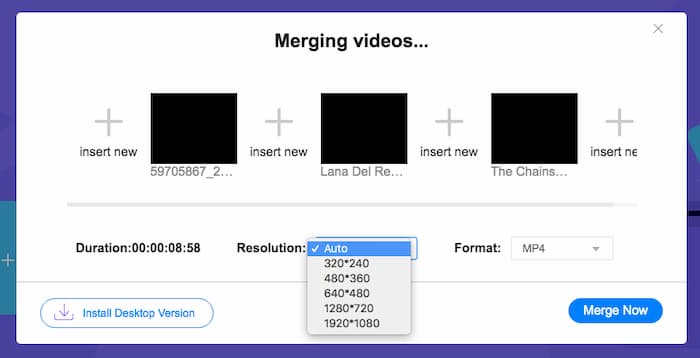
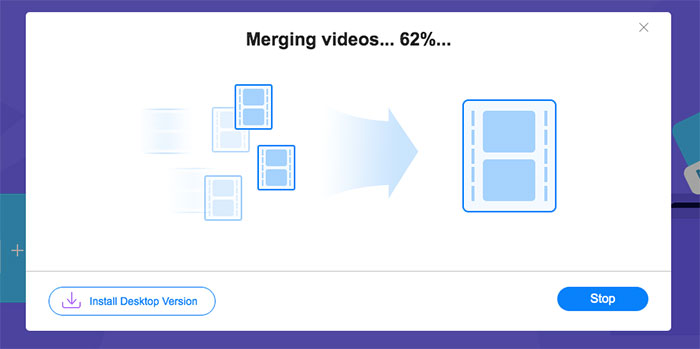
Step 2. To start the joining, you should click the Merge Now button. When the merging is finished, you can find the video in the default folder Download on your computer.
Parte 3. Perguntas frequentes sobre arquivos MPG do Join
1. Como posso abrir um arquivo de vídeo MPG?
Normalmente, o arquivo de vídeo MPG é das versões MPEG-1 e MPEG-2. MPEG-1 é compatível com a maioria dos reprodutores de mídia convencionais, como o Windows Media Player e o VLC Media Player. MPEG-2 é projetado para vídeos em DVD. Você pode baixar um decodificador de DVD de terceiros para abri-lo.
2. O que é um arquivo MPG?
O arquivo MPG é um arquivo de vídeo amplamente utilizado para salvar dados de vídeo e áudio. Ele pode salvar e compactar grandes dados de áudio e vídeo em tamanho pequeno sem perder qualidade. É padronizado pelo Moving Picture Experts Group (MPEG). MPG é usado para salvar e distribuir filmes na Internet. Os arquivos MPG são salvos como PS ou MPEG-PS em um formato de contêiner de fluxo de programa.
3. Como posso mesclar arquivos de vídeo MPG gratuitamente?
Existem muitas ferramentas gratuitas para juntar vídeos na Internet. O Free Online Video Merger mencionado acima é uma ferramenta gratuita com uma interface fácil e clara que pode atender sua demanda.
Conclusão
When you want to join several MPG files into one, you need a professional video joiner. In this article, you can learn about how to use video joiners to realize your demand. If you have any questions about the video merging tools or want to know more about joining MPG files together, please leave your comment below.
-
 2 métodos finais para juntar vídeos MXF da Sony X70
 Se você fez alguns vídeos MXF da Sony X70, quais são os melhores métodos para juntar arquivos MXF? Aqui estão os 2 métodos eficientes para combinar os vídeos com alta qualidade.
-
 2 maneiras de compactar vídeo para o YouTube
 Os vídeos do YouTube são grandes e demoram para carregar? Basta comprimir o tamanho do arquivo de vídeo em um tamanho menor para o YouTube de 2 maneiras online e no computador.
-
 GIF Player - 5 melhores reprodutores de GIF para Windows PC, Mac, Android e iPhone
 Qual programa abre arquivos GIF? Como faço para visualizar GIFs no Android? O iPhone tem um GIF player para abrir GIFs? Esta postagem compartilha 5 melhores jogadores de GIF para você.
