


 Video Converter Ultimate
 Gravador de ecrã
 Reparo de vídeo
 Secure Download
FLV to WMA Converter - Como extrair áudio WMA de vídeo FLV gratuitamente
Depois de baixar os arquivos de vídeo Flash do site do YouTube, você pode converter o FLV para áudio WMA sem perdas. WMA (Windows Media Audio) é uma série de codecs de áudio e formatos de codificação de áudio correspondentes desenvolvidos pela Microsoft. O áudio WMA oferece suporte a áudio multicanal e de alta resolução. Neste artigo, você aprenderá 2 métodos para converter vídeos FLV em áudio WMA no Windows e Mac.

Parte 1. Melhor maneira de extrair áudio WMA de FLV gratuitamente
FVC Free FLV Converter is a free, easy & fast FLV to WMA converter that supports batch convert FLV files to WMA on your Windows and Mac. Meanwhile, you can convert the FLV videos to other video and audio formats like HD MP4, AVI, WMV, MKV, 3GP, MP3, AAC, AC3, etc. With the built-in editing feature, you can edit the metadata data in WMA for free.

FVC Free FLV Converter
Mais de 145.000 downloads- Converta FLV em WMA no Windows 10/8/7 / Vista / XP e Mac OS X.
- Compactar, mesclar, adicionar temas e editar metadados do arquivo WMA.
- Adicione temas especiais aos seus arquivos FLV, como férias, família, aniversário.
- Conversão em lote de FLV para WMA, MP3, AAC, FLAC, M4R, OGG, WAV.
Free DownloadFor Windows 7 or laterSecure Download
Free DownloadFor MacOS 10.7 or laterSecure Download
Etapa 1. Adicionar arquivo FLV
After free downloading FVC Free FLV Converter, you can install and run the program on your computer. Click Add File(s) button to import the Flash video file. You can also drag and drop more FLV files into the program at one time.

Etapa 2. Editar o arquivo FLV
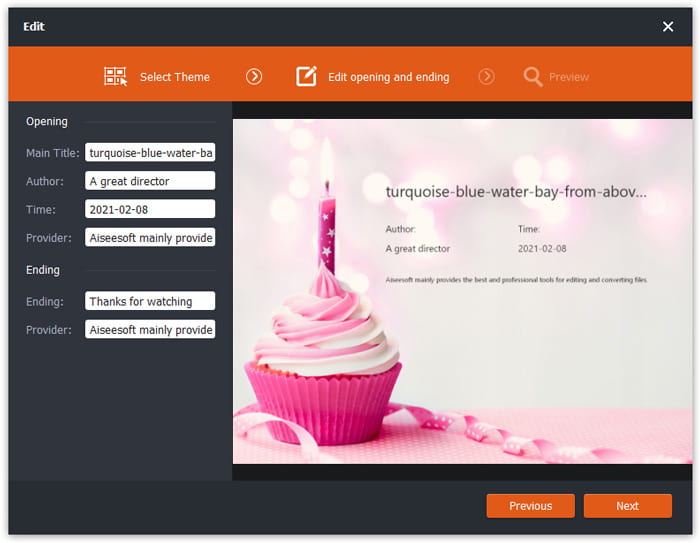
Click the Edit button to start editing your FLV file. You can select a certain theme, edit the data information like title, author, time at the opening and ending.
Etapa 3. Definir WMA como saída
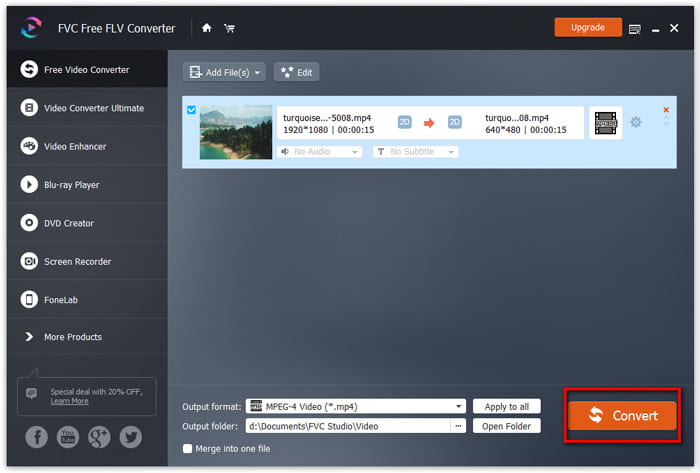
Then go to the Output format area and type WMA in the search box. Here you can select WMA - Windows Media Audio (*.wma) as the output format.

Etapa 4. Converter FLV em WMA
Go to the Output folder area and choose the destination where the WMA file will be saved. You can click the Convert button to start converting FLV to WMA audio file for free.
Parte 2. Como converter FLV para WMA online gratuitamente
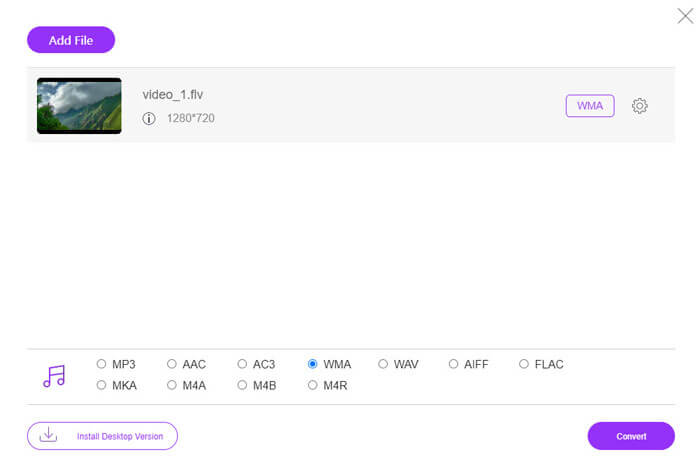
If you are tired of downloading any software package, you can try FVC Free Audio Converter. It is a powerful web-based FLV to WMA converter that helps convert any popular video/audio file to WMA, MP3, AAC, FLAC, WAV, etc. You can learn how to convert FLV to WMA in details with FVC Free Audio Converter.
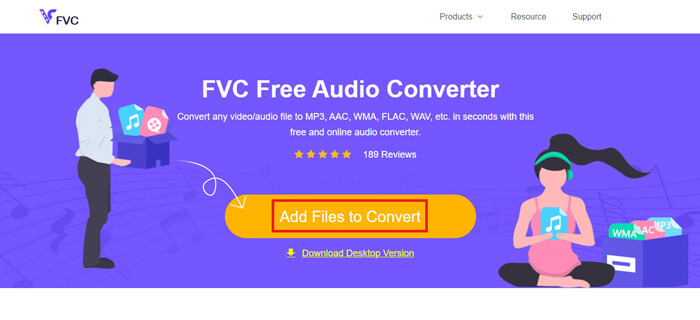
Step 1. Visit the official website of FVC Free Audio Converter (https://www.free-videoconverter.net/free-audio-converter/). Click Add Files to Convert button to download and install the launcher. You can upload the FLV files from local computer.
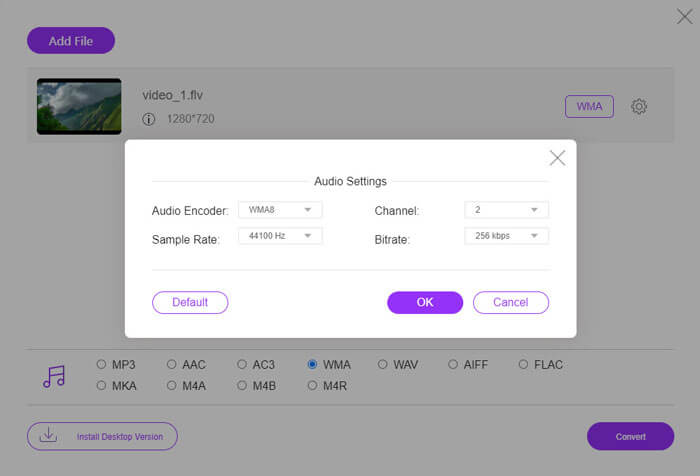
Step 2. Check WMA at the bottom and set it as the output format. If you want to adjust more settings, you can click the gear icon to audio encoder, channel, sample rate and bitrate. Click OK button to save the changes.
Step 3. At last, you can click the Convert button to start converting your FLV to WMA file online for free.
Parte 3. Perguntas frequentes sobre a conversão de FLV em WMA
O que é um arquivo FLV e como posso reproduzi-lo?
FLV é o formato de arquivo de vídeo em flash desenvolvido pela Adobe. Ele pode armazenar vídeo, áudio, texto, subscrito e muito mais. O Windows Media Player e o QuickTime não oferecem suporte a FLV, então você deve usar um reprodutor de mídia de terceiros para abrir o FLV, como o VLC.
Para que é usado o formato WMA?
WMA é um formato de áudio com perdas criado pela Microsoft para competir com o MP3. WMA é usado principalmente para streaming de música online. Um arquivo WMA com extensão .wma é o Windows Media Audio. Pode ser perfeitamente compatível com o Windows Media Player.
Existe algum reprodutor de música WMA?
Yes. There are WMA music players you can choose, like FVC Free Video Player, KMPlayer, Elmedia Video Player, Macgo Free Mac Media Player, VOX Music Player, VLC Media Player, GOM Media Player, foobar2000, AIMP, Samsung Music, etc.
Conclusão
Neste artigo, falamos principalmente sobre 2 maneiras gratuitas de converter vídeo FLV em WMA no Windows 10 PC e Mac. Espero que todas essas soluções ajudem você a resolver seu problema. Da próxima vez que você baixar vídeos em flash do site, pode tentar o FVC Free FLV Converter para converter o vídeo FLV para WMA, MP3, AAC, MP4, AVI, VOB, etc.
-
 FLV para WAV - Converta FLV para WAV online grátis e no Mac / PC
 Como faço para converter um arquivo FLV? O VLC pode converter o FLV do YouTube em WAV? Este post mostra três maneiras gratuitas de converter FLV em WAV sem perda de qualidade.
-
 2 maneiras fáceis de converter arquivos MOV para FLV no Windows / Mac
 Como converter MOV para FLV gratuitamente? Aqui estão os melhores conversores de vídeo para desktop e online para converter seu arquivo MOV para FLV em segundos, sem pagar um centavo.
-
 Como converter WMA em MP3 no Mac / Windows / Online
 É possível converter WMA em MP3 com o Windows Media Player? Como converter WMA para MP3 grátis? Este post compartilha 4 métodos simples para ajudá-lo a fazer a conversão de áudio de WMA para MP3 no Mac, Windows PC e online.
