


 Video Converter Ultimate
 Gravador de ecrã
 Reparo de vídeo
 Secure Download
Melhor gravador de fluxo ASF disponível em todas as plataformas para gravar vídeo ASF
Microsoft manipulates the content of ASF, also known as Advanced System Format. In addition, mac users can use this type of format also. Likewise, it is a sort of repository with multiple independent or dependent audio-video content for Windows media. You may utilize ASF format to stream video and audio files. And some users find it tricky to choose the qualified ASF streaming recorder that will meet the standard of the user's interest. As we go more into details below, you will notice different tools that support your platform. In the list below are the finest ASF recorders that support ASF file format. Also, read carefully about the details and let us walk through the software and its unique capability.

Parte 1. Melhor gravador ASF para Windows e Mac (limitado e gratuito)
FVC Free Screen Recorder
A completely free from charge tool used as a recorder for live broadcast is the FVC Free Screen Recorder. It's okay to be inexpensive if you have the internet and want to record streams, news, and any live broadcast happening for the later to watch at no cost. You may as well use a webcam, mic, and other hardware to use it for your recording. This tool allows the users to record any live screening in the format of MP4 or WMV. Another outstanding feature of this tool is that there is no download needed. Just open your browser, launch it, and let the tool do the work. As we continue with a more detailed explanation, here are some steps to record a live ASF Streamer Recorder.
Step 1. Open your browser and visit the official site of FVC Free Screen Recorder. You can click the link then launch the app. Floating bar and red dotted line will appear on your screen.

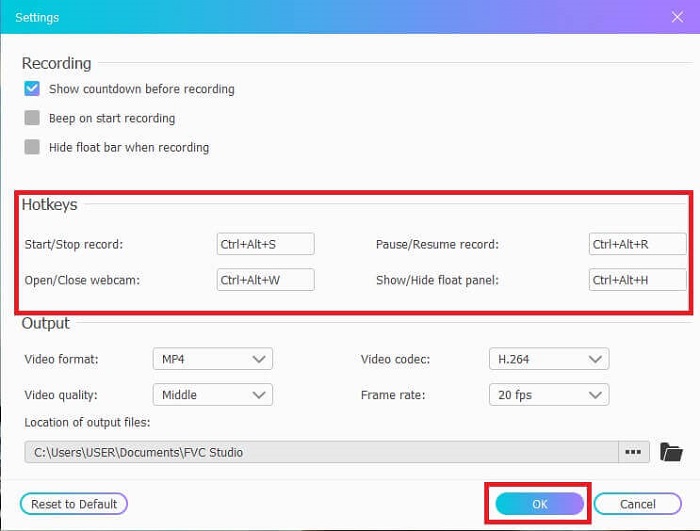
Step 2. Click the Settings icon below the REC. You may adjust the Hotkeys that will fit your needs. Click the OK below to save the changes.
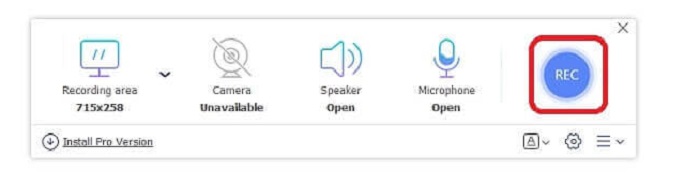
Step 3. Adjust the Frame size to change the aspect ratio if needed. Open the Speaker for the sound, Mic to add your voice, and Webcam to record yourself. Click the round REC button to start the ASF video recording.
Step 4. Wait for 3 seconds to start the record. Also, lists of the controls and hotkeys you set for your recording.
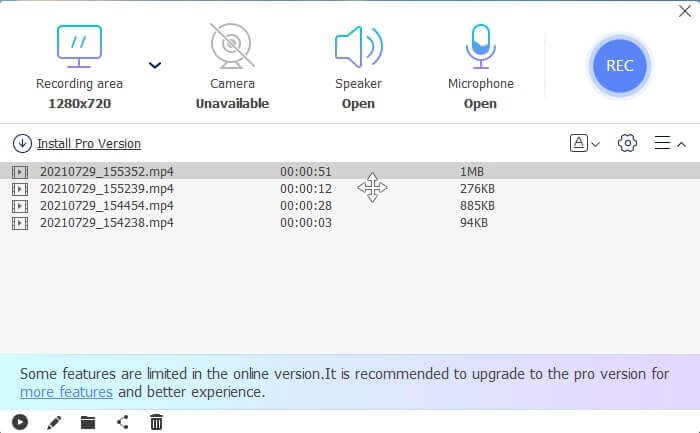
Step 5. Click the Square button to stop recording. Play the top video file for the latest record. After playing the video you may as well trim, draw or put it on a slow-mo by clicking the Pencil icon to edit. Save it and enjoy the recorded video.
Prós
- Gravador de tela grátis online. Não é necessário fazer download, basta iniciar o aplicativo.
- Interface amigável que permite ao usuário manipular a própria ferramenta de forma fácil.
- Fácil de armazenar devido aos dados compactados. Não há necessidade de se preocupar com seu armazenamento.
Contras
- Se você não tem internet, esta não é a melhor opção para filtrar os registros. Porque esta ferramenta depende da Internet.
Parte 2. Outros gravadores ASF populares para gravar vídeos ASF (especialista e ilimitado)
1. Gravador de tela FVC
This screencast recorder is popular because it fits the demand of the user. FVC Screen Recorder is chosen by many users because of its user-friendly interface. It is a downloadable pay-to-use tool that captures every action on your screen, even online or offline. It supports all the platforms the users use. Choosing this tool is the best choice for the asf stream recorder because it features the top-of-the-line that you need to see in a screencast. Moreover, if you are looking for a low-budget screencast plus the expert video output. To provide you details about the tool follow this step and say it is easy-peasy to screen record with this tool.
Step 1. Click the Free Download button based on whether your operating system is Windows or Mac and then install. Adjust the preference that will suit your needs. Start the tool and this floating toolbar will pop up.
Free DownloadFor Windows 7 or laterSecure Download
Free DownloadFor MacOS 10.7 or laterSecure Download
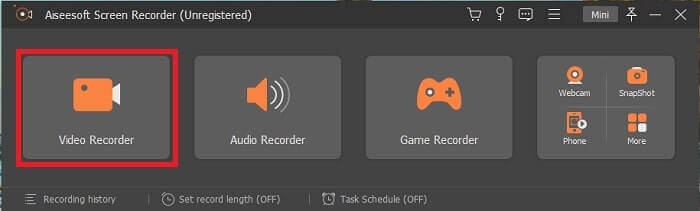
Step 2. Click the Video Recorder to record what is on your screen.
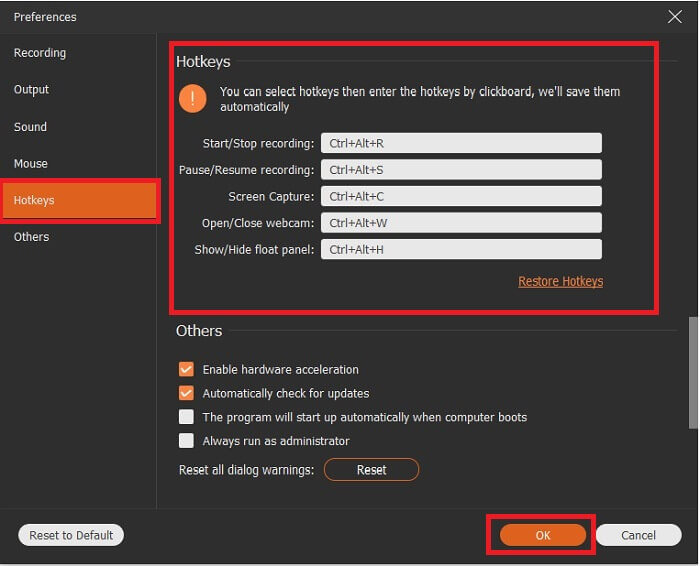
Step 3. Proceed by clicking the Record setting button then this will show up. On its interface click the Hotkeys. Set your preferred Hotkeys before starting. Don’t forget to click OK to save the adjustment.
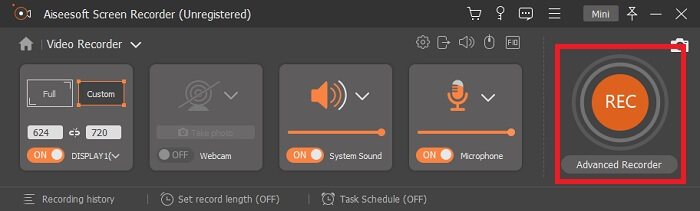
Step 4. Click the Custom under Display to record a certain region of your screen. Also, you may as well like to record the sound by turning on the Speaker. Take note this other tool will function if hardware is used. For recording your voice, open the Microphone or to record yourself on the screen you may also like to open the Webcam. After you are done, click the disk-shaped Rec button to start recording. After 3-seconds the video will start.
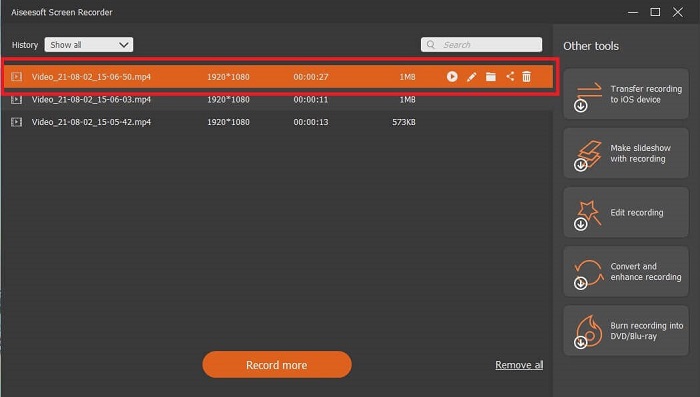
Step 5. If recording is finished, click the Red Square button to stop, click Save and Next to proceed. Click the Play button to watch the live stream you recorded.
Prós
- A característica única desta ferramenta é que ela possui um recurso de tela de bloqueio para não incomodar os usuários.
- Acessível e flexível. Ele está disponível em todas as plataformas diferentes, então não precisa se preocupar se você mudar de plataforma.
- A saída de vídeo em si é mais notável do que outros gravadores de tela.
Contras
- Custa dinheiro, mas não é caro.
- Precisa comer 2,4 MB de seu armazenamento para fazer o download.
2. OBS Studio
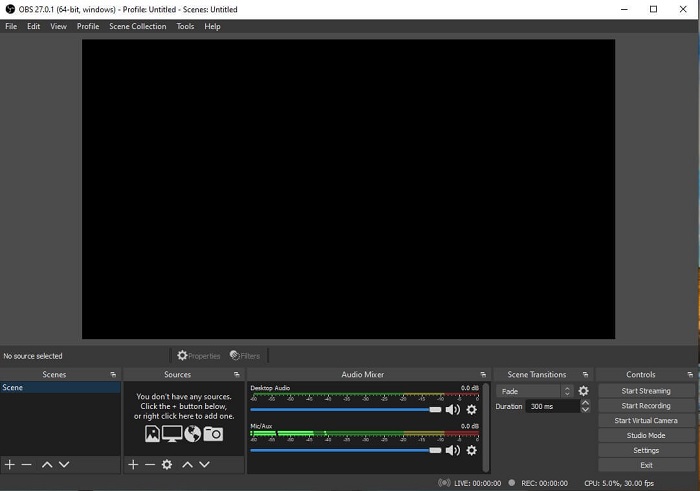
OBS Studio is a downloadable free file that makes your recording and streaming the best. Also, you may switch set up to an unlimited number of scenes via custom transition. But the file storage of the tool itself is kind of huge for an ASF recorder that functions the same as the other recorders. Too much display in the interface itself. Some details are kind of annoying because of the old setup. Not the best choice for a beginner because of the details.
Prós
- O download é gratuito.
- Mixer de áudio intuitivo com suporte VST.
- Monitore até 8 cenas diferentes e faça a transição facilmente apenas clicando duas vezes.
- Defina teclas de atalho para quase todas as ações.
Contras
- É necessário um arquivo enorme para ser baixado.
- Muitos detalhes em sua interface.
3. Fraps
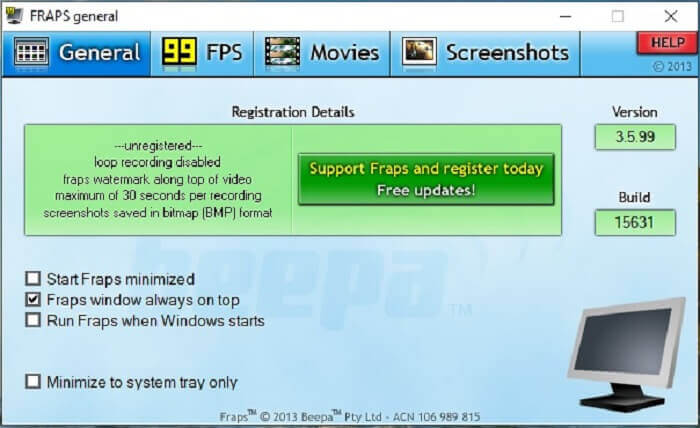
Share your most awesome montage and other videos with the help of Fraps. It provides high-quality output to its users. Also, because of the 120 fps, it became one of the best choices in ASF streaming. Regardless of that, the free version is only available to record 30 seconds.Next, fraps windows always on top will ensure that the program is still in progress. Lastly, run fraps when Windows starts to run the tool after you open your desktop.
Prós
- Vídeo de alta qualidade por causa dos 120 fps.
- O software de benchmarking fornece informações detalhadas sobre o fps no canto da tela.
- Não enfrenta nenhum problema do início ao fim do vídeo.
Contras
- A versão gratuita está disponível apenas para gravações de 30 segundos com marca d'água. As capturas de tela estarão disponíveis apenas no formato BMP.
- Armazenamento massivo para um vídeo devido ao seu formato de arquivo não compactado. Não é a melhor escolha para desktops de armazenamento pequeno.
4. ShareX
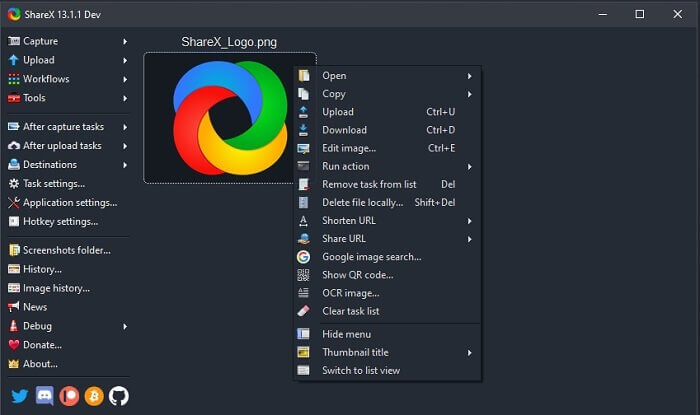
Another type of recorder is the ShareX. It performs very well in screen capturing, annotating, and uploading. The tool itself is hard to manage, it will take ample of your time to know the tool. You can choose from uploading images, text and other types of files to more than 80 supported destinations. Yet it is an unfriendly user. Instead of recording and streaming a video easily it will take your time to be able to use it.
Prós
- É open-source e gratuito.
- Permite personalizar o atalho de teclado para um melhor gravador de fluxo ASF.
- Você também pode capturar telas, fazer anotações e fazer uploads com facilidade.
Contras
- É muito complicado para os novos usuários e, mesmo se você for profissional, essa ferramenta é muito para aprender.
- Problemas de malware.
Parte 3. Gráfico de comparação
Se você não gosta de ler um artigo, este gráfico o ajudará a decidir.
| Recursos | FVC Free Screen Recorder | Gravador de tela FVC | OBS Studio | Fraps | ShareX |
| Gravação de tela de vídeo / áudio |  | | | | |
| Disponibilidade de teclas de atalho | | | | | |
| Recurso de tela de bloqueio |  | | | | |
| Ferramentas de edição durante a gravação | | | | | |
| Malware seguro | | | | | Possui um arquivo executável. Em alguns casos, isso pode danificar seu computador. Mas é seguro fazer o download. |
| Sistema operacional disponível | Em todas as plataformas | Em todas as plataformas | Em todas as plataformas | Windows XP, 2003, Vista e Windows 7 | janelas |
| Tamanho do arquivo | Poucos kb para o iniciador sem download online | 2,1 MB | 85,8 MB | 2,4 MB | 7,84 MB, o mais novo. |
| Complexidade da ferramenta | Fácil de usar e uma configuração muito simples. | Fácil de usar e de configuração direta. | Complicado, mas não tão difícil de aprender. | Simples na ferramenta pontual, mas há muita coisa acontecendo. | Fácil de operar, mas não muito preciso. |
| Formato de saída disponível | ASF e MP4 | WMV, MP4, MOV, F4V, TS, AVI, WMA, MP3, M4A, AAC, PNG, JPG / JPEG, BMP, GIF, TIFF | FLV e MKV | Formato AVI | MP4, WebM, MKV, AVI |
| Faixa de preço | Um código aberto gratuito online | Por 1 mês: $25,00 Por um ano: $31.20 Licença vitalícia: $55.20 | Uma ferramenta gratuita para download | É grátis e você também pode se cadastrar no $37 | PLANO PERPÉTUO $59,99 PLANO ANUAL $39,99 / ano PLANO MENSAL $7,99 / mês |
Parte 4. FAQs sobre ASF Recorder
O que há em um arquivo ASF?
Está dividido em 3 seções de um arquivo ASF: Cabeçalho, Dados e Índice Simples.
Quais são os outros dados de extensão armazenados em um arquivo ASF?
Extensões de arquivos como .WMA é um formato de arquivo com perda de áudio. No qual produz mais sons de qualidade do que o formato de áudio .mp3. O outro é o .WMV, comumente usado para armazenar um grande volume de saídas de vídeo no Windows. Ele também oferece vídeos de alta qualidade e economiza um pequeno espaço em disco para seus dados se você estiver usando Tablets com Windows, Lumia ou PC com Windows, então é melhor usar este tipo de formato.
O VLC é compatível com esse tipo de formato?
Yes, the VLC media player supports this type of format. Because it can encode and decode. Other media players are GOM Player, Media PlayerLite, and PotPlayer, for windows. Also, QuickTime for Mac.
Conclusão
Na análise final, escolha o melhor gravador ASF na lista acima que se adapte às suas necessidades. Embora alguns sejam gratuitos e alguns custem dinheiro. Mas eles fornecerão a melhor saída de áudio e vídeo que você deseja ver em um gravador de screencast.
If you're not sure about what to choose as your asf screencast recorder. Then, this piece of advice is for you, the tool that matches the work for a recorder will be the FVC Screen Recorder. Here are some reasons why you need to choose the FVC Screen Recorder over any other tools available in the list. Because it is user-friendly, has more features to offer, and is budget-friendly. No need to think twice, because FVC is the best among the rest.
-
 Gravador de tela de estreia - a crítica definitiva e a melhor alternativa
 O NCH Debut Video Capture and Screen Recorder é uma ótima ferramenta para capturar um vídeo de tudo o que você enviar para a tela do computador, incluindo os movimentos do mouse.
-
 4 melhores gravadores de lançamento da web gratuitos para capturar vídeo na tela
 Procurando a melhor maneira de registrar atividades na tela em sua área de trabalho sem pagar um centavo? Aqui estão os 4 gravadores gratuitos de lançamento na web usados com mais frequência.
-
 O gravador de áudio imparcial Cinch Review e a melhor alternativa
 Cinch Audio Recorder é a melhor maneira de baixar músicas de sites de streaming. Aprenda mais sobre a revisão imparcial e a melhor alternativa do artigo.
