


 Video Converter Ultimate
 Gravador de ecrã
 Reparo de vídeo
Como converter AVI para MP3 com tutoriais gratuitos abaixo
Como dito, os arquivos AVI armazenam a melhor qualidade de vídeo e áudio que você deseja. Infelizmente, a parte ruim disso é o tamanho do arquivo enorme. A cada 3-4 minutos do arquivo de mídia armazenado nele, o tamanho do arquivo pode chegar a 3-4 giga bits. O que é impressionante como usuário do formato AVI. Antes de você começar a se sentir triste ou frustrado, agora existe uma maneira de armazenar um áudio AVI de qualidade em seu computador. Sem perder a qualidade do mesmo e isso é converter. Se você quer saber como converter AVI para MP3, está no caminho certo. Porque abordaremos como converter e quais são os outros conversores disponíveis que você pode usar para produzir áudio MP3 de alta qualidade. Se você continuar lendo este artigo, entenderá o processo de conversão sobre o qual falamos.

Parte 1. Como Converter AVI para MP3 Online
1. Conversor MP3 Gratuito FVC
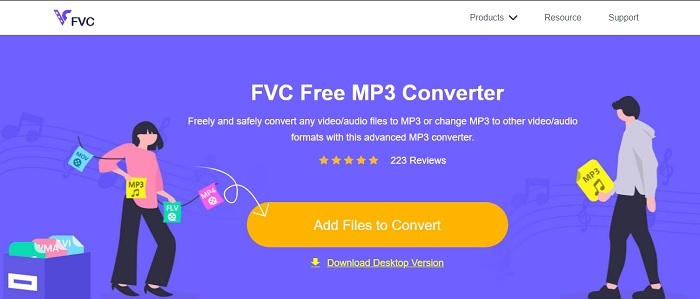
If you want to know which is the best free AVI to MP3 converter online then this must be it. Brought to you by the FVC the sample taste of the ultimate converter which is the FVC Free MP3 Converter. This online tool gives you the most advantage considering the fact that you're converting. If we are going to rank each tool here then this will remain first. Not only that, the fact that it provides a secure compression also provides fast conversion as well. Do you want to know how fast the conversion process is? Then follow the given steps below and test it for yourself to be amazed.
Step 1. Click the link to proceed to the main webpage of the tool.
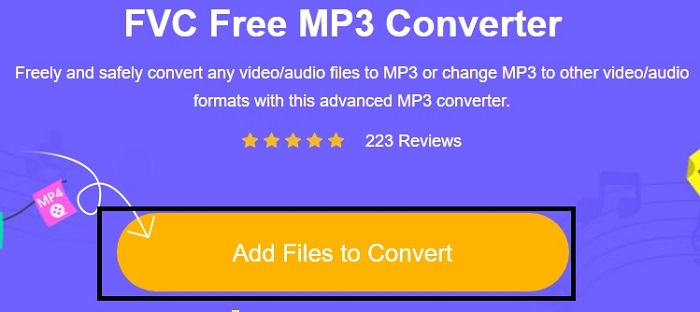
Step 2. Press the Add Files to Convert button and Allow to launch the tool.
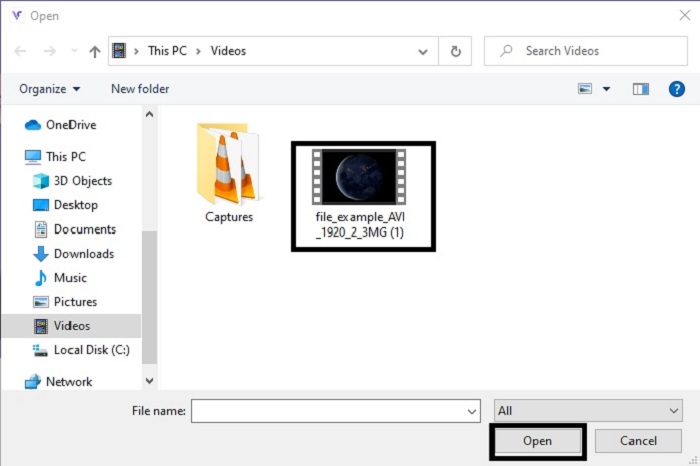
Step 3. Select which file you want to be converted. After the selection, click Open to proceed.
Step 4. Change the AVI file to MP3 audio format or in whatever format you want it to be.
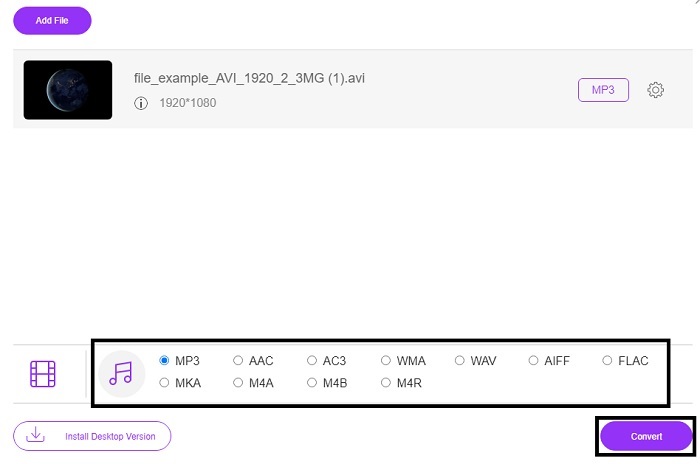
Step 5. To start the process, click the Convert and wait for a couple of minutes to be done. And if it is done you can check your folder later on.
2. Convertio
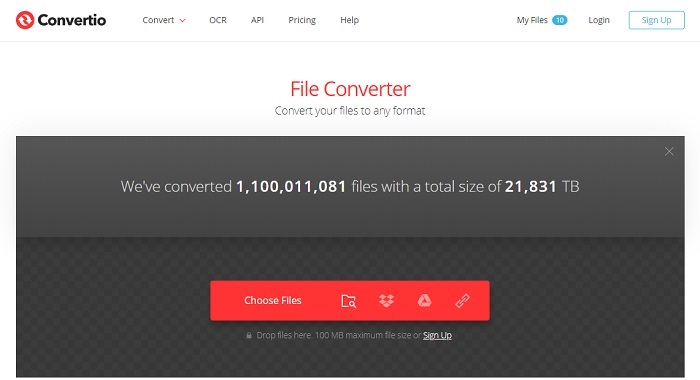
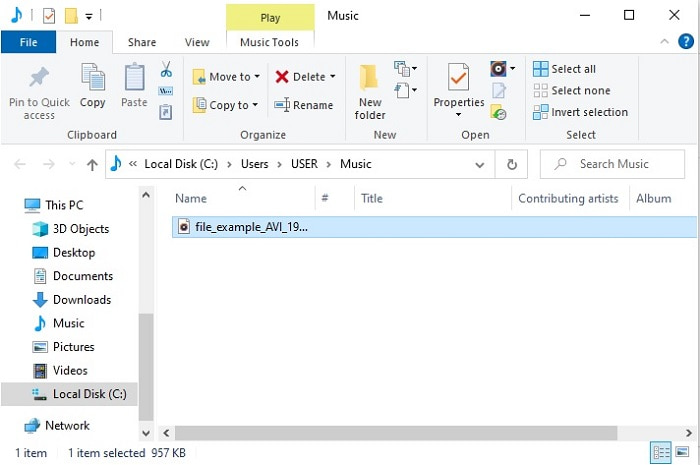
If we were talking about how to convert AVI to MP3 in Mac for free then Convertio is here to the rescue. This tool provides quality compression and conversion for Windows as well. Unlike the FVC Free MP3 Converter, this tool provides conversion on documents, eBooks, vector and more. But you can't change the bitrate, fps, and codecs like the first tool. Although the conversion process here is fast and efficient the first tool above still over throws this tool. But it is worth trying this tool as it is simple and very user friendly. So, it is okay to be used by beginners or even a pro.
Step 1. Go to the Convertio website.
Step 2. Choose the file you want to be converted and place it on.
Step 3. Select the MP3 format and click convert to start.
3. Zamzar
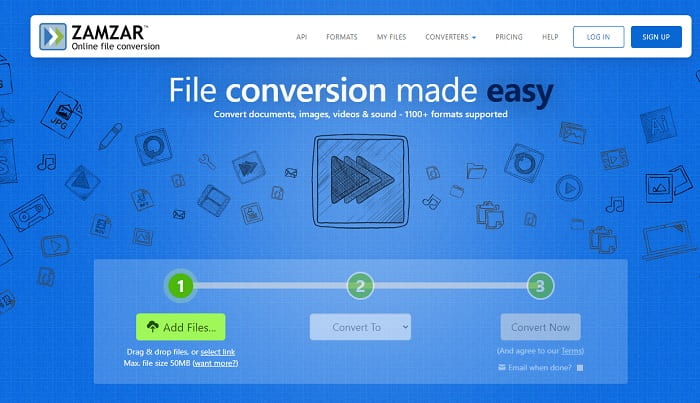
Use Zamzar if you want to convert AVI files into MP3 online. Moreover, this tool provides a simple and yet classic converter that you have already used or tried on. But the most unlikely part about this is that the formats like audio, images, video or whatever format are all in one drop-down button. So, locating the specific format you want is a bit of a hassle but still it is manageable. Remember that this tool only accepts 50 mb file size only and a single conversion process. Do you want to know how to use Zamzar? Then follow this step below.
Step 1. Search the official webpage of Zamzar. Click the add file to select the file you want to be converted.
Step 2. Choose the final format you want it to be on the submenu of convert to.
Step 3. Click convert now to start the process.
Parte 2. Melhor Conversor de AVI para MP3 no PC e Mac
With all being said about the fantastic features of the AVI to MP3 converter software online. Still, FVC Video Converter Ultimate is the king of conversion in the entire web. Did you ever wonder that converting a file can be taken up to the next level? To be more specific, by using this as your personal converter you can do more than just converting.
Em contraste com a ferramenta online acima, este software é especializado não apenas na conversão, mas também no corte, aprimoramento, aumento de volume, etc. Em vez de usar a primeira ferramenta acima, por que você não tenta usar essa ferramenta? Com isso vamos agora prosseguir em como fazer a conversão perfeita em seu arquivo AVI e dar vida ao formato MP3. Siga as etapas fornecidas abaixo para ter uma compreensão mais profunda sobre o processo de conversão dessa ferramenta.
Step 1. Download the official ultimate tool of the FVC by clicking the download button. Follow the process of setting it up and click finish to save the adjustment.
Free DownloadFor Windows 7 or laterSecure Download
Free DownloadFor MacOS 10.7 or laterSecure Download
Step 2. After all of that, the software will automatically be opened to your display. This is how it looks.
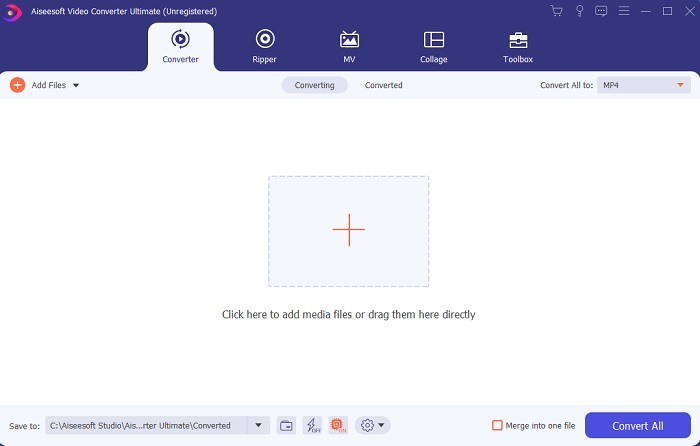
Step 3. In the main interface you must now select the AVI file you want to convert by clicking on the Add Files button. Additional information, if the file is plenty you can basically drag-and-drop it.
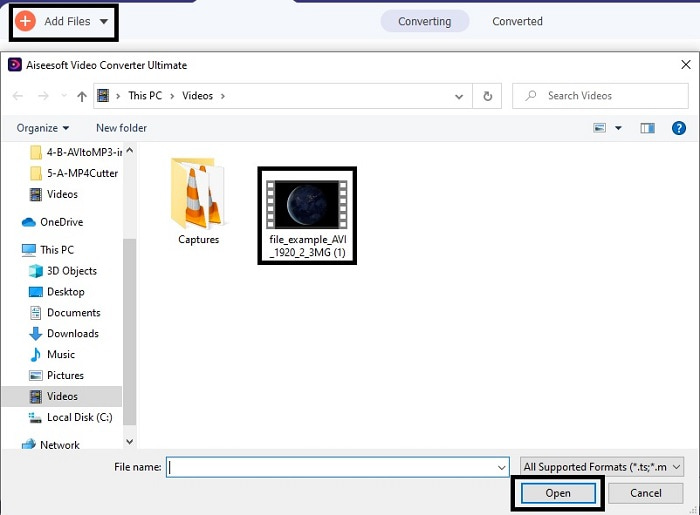
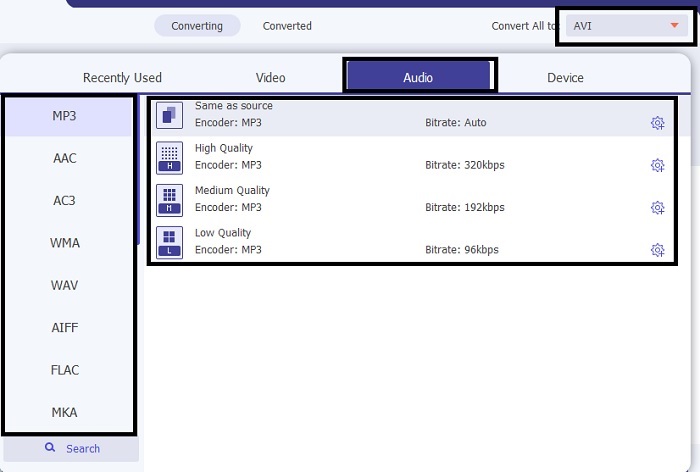
Step 4. In the upper right side, you can see the mini submenu and click it. Choose the MP3 format or any audio-video format you want it to be. After selecting, click the Convert All to start the process that will begin shortly.
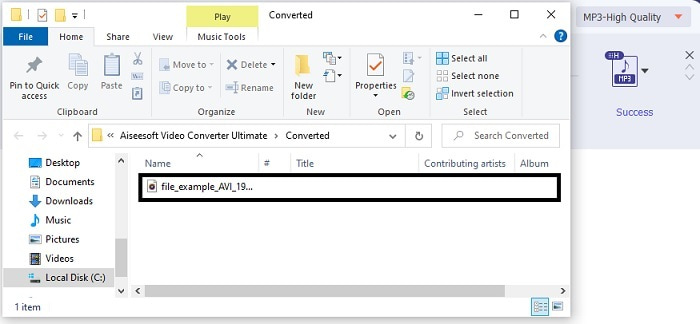
Step 5. It will take a second to be converted and after it is done. There will be a file manager open on your screen immediately. Click the converted file to listen and if you want to enhance the audio you can check the toolbar later.
Aside from that, this tool also allows you to convert WMV to MP3, or MOV to MP3.
Parte 3. Perguntas frequentes sobre o AVI para MP3
O que é MP3?
MP3 armazena um formato de áudio de alta qualidade. Tornou-se muito popular hoje em dia porque é o formato de áudio mais usado. Os melhores exemplos de MP3 são músicas, gravações e muito mais.
O MP3 é com perdas ou sem perdas?
MP3 é um exemplo de compressão de dados com perdas. O que é ótimo para armazenar dados de áudio em comparação com os outros descompactados como o AVI mencionado anteriormente.
O MP3 pode armazenar arquivos de vídeo?
A resposta é Não. O MP3 é dedicado apenas para armazenar arquivos de áudio. Mas você pode adicionar arquivos de vídeo na versão melhorada do MP3 que é o MP4 também conhecido como formato multimídia universal. Clique aqui para conhecer as diferenças entre MP3 e MP4.
Conclusão
Agora está mais claro, em vez de ter um formato de áudio AVI, é melhor convertê-lo para MP3. A lista acima fala sobre como converter e quais são as outras opções que atenderão às suas necessidades. Mas ainda assim o FVC Video Converter Ultimate tem o recurso entre os outros listados. Talvez você esteja pensando que deseja apenas um conversor simples sem recursos de edição, o que é bom. Mas, a longo prazo, você sentirá falta de algo que não consegue encontrar no conversor da lista. Em vez de esperar que isso aconteça, por que você não usa isso e se prepara para o futuro. Portanto, para garantir sua conversão futura, você deve adquirir a melhor ferramenta para estar preparado.
-
 4 Métodos de trabalho 100% para converter arquivos de vídeo FLV para o formato MP3
 Como converter um FLV para um arquivo MP3? Tudo que você precisa fazer é ler este artigo com atenção, encontrar seu método favorito e seguir nosso guia passo a passo para obter o que deseja.
-
 4 métodos principais para converter OGG em MP3 sem perder qualidade
 Como converter seus arquivos OGG em formato MP3 para ouvir no computador ou dispositivo móvel? Aqui nós compartilhamos 5 maneiras mais fáceis de fazer isso no desktop ou online.
-
 Como converter M4A para MP3 com 4 conversores de áudio grátis
 Não consegue reproduzir M4A e precisa convertê-lo para MP3? Existe alguma maneira gratuita de converter M4A para MP3 online? Esta postagem compartilha 4 maneiras gratuitas de ajudá-lo a converter M4A em MP3 com o iTunes, conversores de áudio online e profissionais.
