


 Video Converter Ultimate
 Gravador de ecrã
 Reparo de vídeo
Top 3 Conversores Ideais para Converter Arquivo VOB para Formato GIF
Os arquivos VOB são os arquivos mais comumente vistos nos DVDs, que podem conter quase todos os dados como navegação, menu, legenda, vídeo, áudio etc. sua área de trabalho. Compartilhar alguns dos destaques de vídeo no formato VOB para outras plataformas de mídia social de maneira fácil e eficaz. O melhor formato que você pode usar é o formato GIF, embora este formato não suporte um arquivo de áudio ainda é o melhor formato para compartilhar em todo o mundo. Então, para ter mais ideia do que estamos falando, vamos continuar com a ferramenta que você pode usar para converter um arquivo VOB em GIF para que você possa assisti-lo e compartilhá-lo com o mundo.

Parte 1. 3 Métodos Diferentes de Como Transformar Arquivo VOB em GIF
Método 1. Use o software de desktop - FVC Free Video Converter
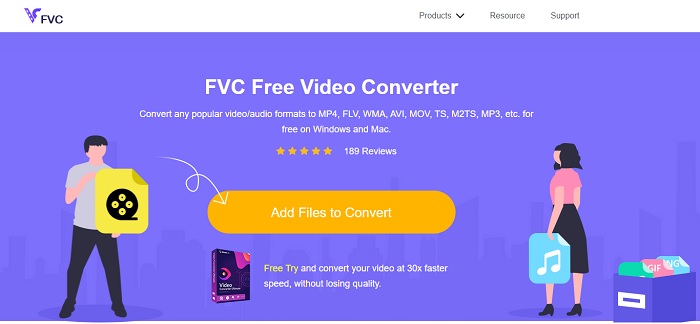
The best online converter developed to convert VOB file to GIF by the FVC, FVC Free Video Converter. Although this tool is free, still it lacks in some few formats but the basic formats are presented in here. Moreover, you can change the bitrate, fps and resolution of the video file in this web tool. But major editing features like enhancing the video and audio, creating GIFs, or boosting the audio aren't presented here. But the conversion is much faster than the fConvert also the webpage of this tool has no pesky ads. So, to know how this tool functions then you must follow the steps below and learn from the best online tool you can use for free.
Steps on How to use the FVC Free Video Convert to Convert Online
Step 1. Click the hyperlink above that addresses the main website of the FVC Free Video Converter
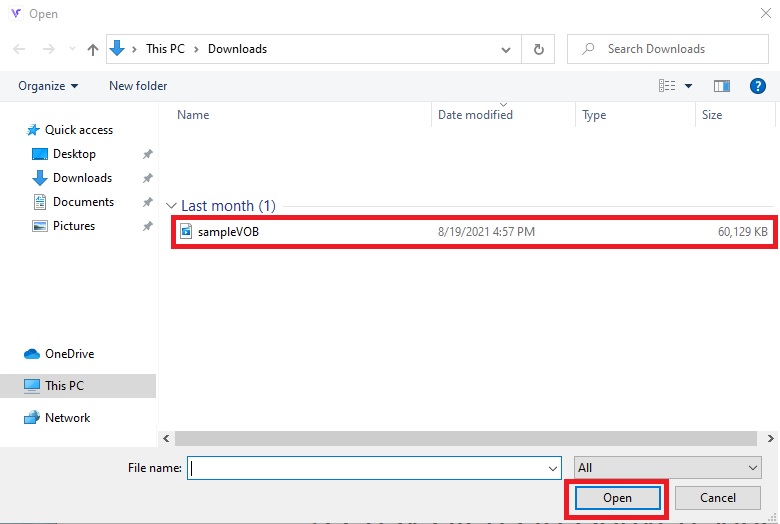
Step 2. Click the Add Files to Convert and find the VOB file and open it.
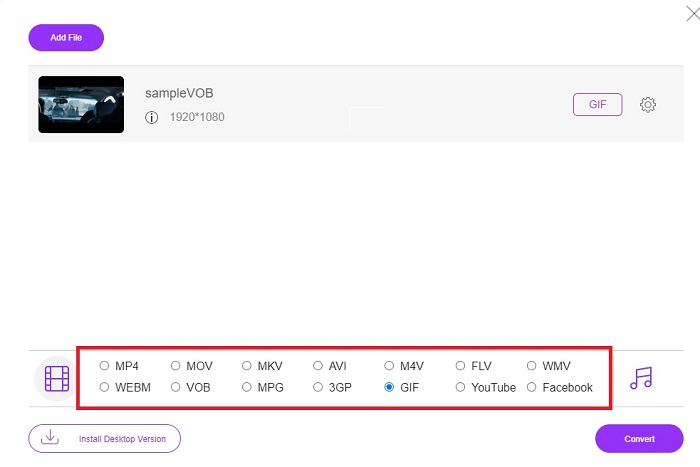
Step 3. Choose the format you want the final output to be at the lower-part then click it.
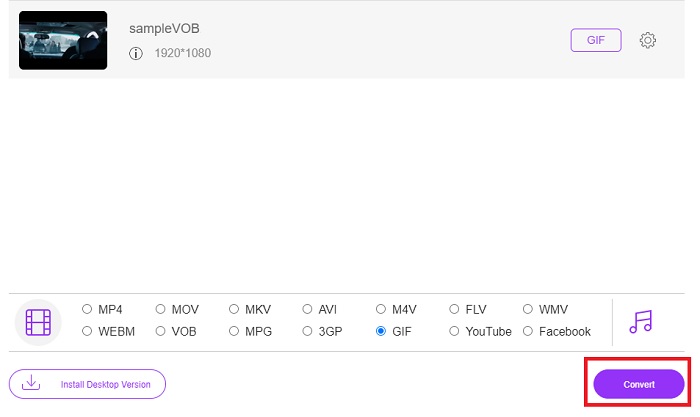
Step 4. To start the conversion, click the Convert.
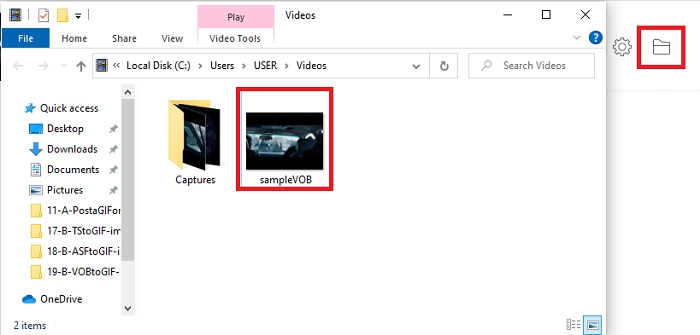
Step 5. To locate the converted VOB file you just did earlier, click the folder-like button to open the file folder where the converter file is.
Método 2. Use Freeware - FVC Free Video to GIF Maker
If the online tool is amazing then learn how to convert a .vob file to GIF with the aid of FVC Free Video to GIF Maker. If converting is your problem, then let's solve it with the help of this free downloadable tool. As it supports more formats than the free online tool and basic editing features as well. But this tool has no major editing features like the ultimate converter that the FVC can offer it to you. Beside the ultimate converter, you can still use this as it became one of the best tools to convert safely and efficiently. Also, it is much faster than any web-based tool you can access online. So, if you want a faster and effective conversion then follow the steps below indicated.
Passos sobre como usar o FVC Free Video to GIF Maker para converter offline
Step 1. Download the FVC Free Video to GIF Maker on your PC or Mac drive. Then change the set-up and click finish after the installation to save the changes.
Free DownloadFor Windows 7 or laterSecure Download
Free DownloadFor MacOS 10.7 or laterSecure Download
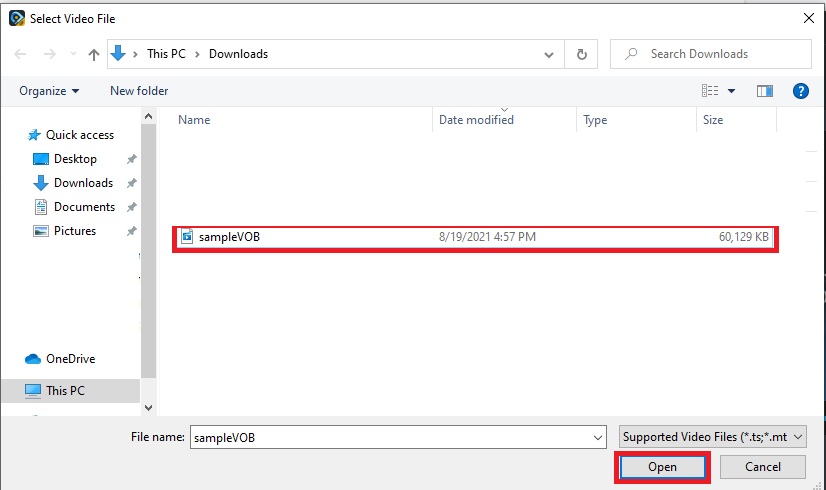
Step 2. To insert the files into the interface, click the Add File button on the upper left side of the interface. Then click open to paste the VOB file to the main interface.
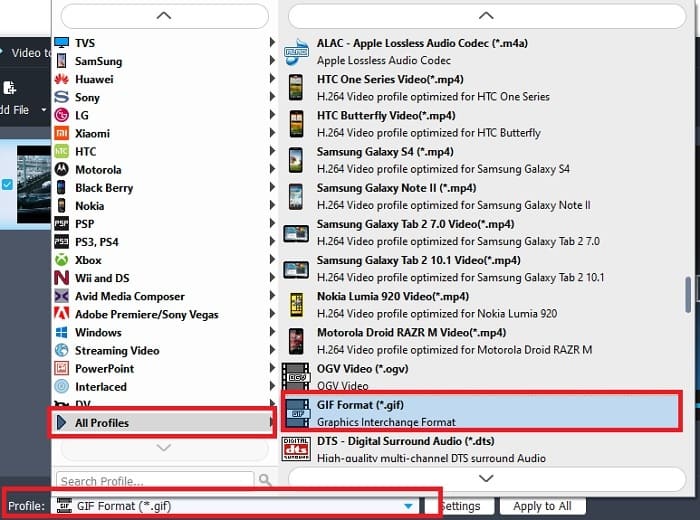
Step 3. Change the format by clicking the Profile and decide the final output you want it to be.
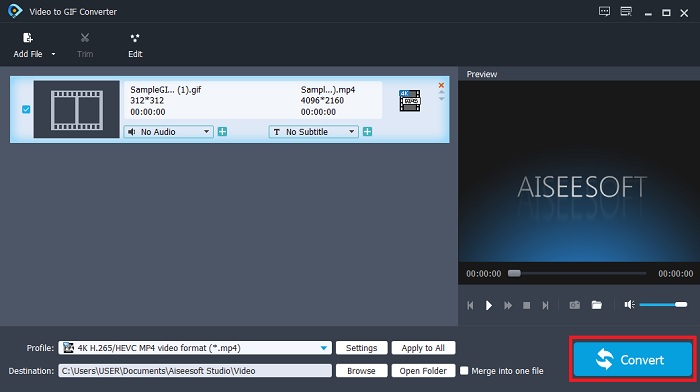
Step 4. To start the changing of VOB files by pressing the Convert button.
Step 5. Locate the file on your file manager and watch the converted VOB file you did earlier.
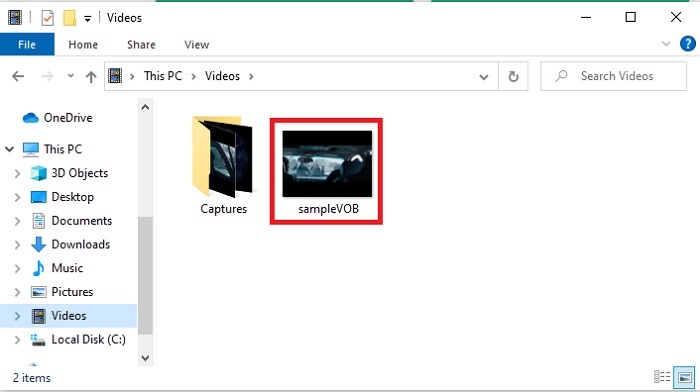
Método 3. Use uma ferramenta online – fConvert
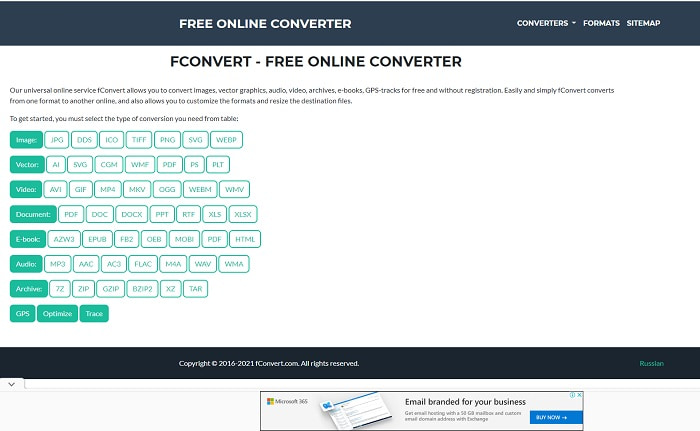
Another online tool you can use to convert VOB files is fConvert. This web tool allows the user to convert any media file format to a newer version to be used. But the website has some pesky ads around it. Although the ads are still manageable, the ads on its main website are annoying. Although the fConvert supports almost all of the converting you can do, still the format is lesser than the FVC Free Video Converter. Additional information, if you start the converter there are a lot of ads than the website so be careful to not be relocated to another website.
Step 1. Open your search engine and look for the main website of the tool.
Step 2. Choose the conversion process you want it to be performed.
Step 3. Then add the file to be converted and wait to be done.
Parte 2. Perguntas frequentes sobre a conversão de VOB para GIF
O que é um arquivo VOB?
VOB pode conter forma de dados de fluxo multiplex em DVD e na maioria das vezes este formato também é criptografado. Com isso dito, os arquivos VOB não podem ser facilmente copiados para os DVDs devido à restrição que esse formato oferece. Se você forçar a extração do arquivo .vob, há uma chance de que o resultado tenha muitos dados perdidos ou, se você tiver sorte, a chance de ser extraído corretamente é muito pequena. Mas você pode baixar arquivos VOB pela Internet, mas não pode reproduzi-los em seus telefones ou desktops se não tiver o arquivo adequado. Há uma chance de que uma notificação como este arquivo não seja compatível ou que este arquivo esteja criptografado seja exibido em sua tela.
Onde posso reproduzir meu arquivo VOB sem convertê-lo?
Converting it is an ideal solution to solve this problem. But if you don't want to be bothered by converting it you can play it here though. This media player is also brought to you by the FVC to play all the unplayable formats you already encounter. Blu-ray Player is one of the solutions to play the unplayable VOB file without using another software. So, to download this tool click the link below. Download Blu-ray Player on PC Download Blu-ray Player on Mac
Qual é melhor: VOB ou MP4?
Se formos armazenar o arquivo em DVDs ou CDs, é mais ideal usar arquivos VOB do que MP4. Porque este arquivo é muito menor o que significa que você pode armazenar mais sem perder a qualidade. Mas se você deseja armazená-lo em seu telefone ou desktop, o MP4 é muito melhor que o arquivo VOB. Para converter MP4 para VOB, ou vice-versa, você pode aproveitar a ferramenta de conversão de vídeo, como o FVC Free Video Converter, para obter a conversão do formato.
Após a conversão do VOB, a qualidade do mesmo será perdida?
This is only possible if you use the wrong converter. Although converting might look easy to do, choosing the converter is harder than you think. If you want to experience the phenomenal conversion then you must download the FVC Video Converter Ultimate and test it for yourself. Download FVC Video Converter Ultimate on PC Download FVC Video Converter Ultimate on Mac
Conclusão
Para encerrar a discussão, se você experimentar os arquivos VOB não reproduzíveis novamente, considere convertê-los em um formato reproduzível. Embora o FVC Video Converter Ultimate não seja mencionado aqui, o processo de conversão que esta ferramenta fornece é rápido, fácil, eficiente e eficaz ao contrário de outros. Para explorar a ferramenta, você deve baixá-la para o seu PC ou Mac agora mesmo.
-
 [2 Soluções] Como converter arquivos SWF em GIF de forma fácil e gratuita
 Se você não conseguir exportar o formato GIF por meio do software Flash, tente primeiro salvar os arquivos no formato SWF. Em seguida, você pode aprender duas maneiras fáceis de converter arquivos SWF em GIF neste artigo.
-
 [2 Soluções] Como converter vídeos WMV para arquivos GIF gratuitamente
 Se você quiser recortar as partes maravilhosas dos vídeos WMV e fazer GIFs deles, você pode aprender sobre 2 métodos fáceis para transferir vídeos WMV para GIFs neste artigo
-
 MOV para GIF - Como converter MOV para GIF animado no Mac, PC e online gratuitamente
 O que é um GIF? Como converter vídeo em GIF? Como mudar MOV para GIF animado online? Esta postagem mostra 3 maneiras de converter MOV em GIF online, no Mac / PC.
