


 Video Converter Ultimate
 Gravador de ecrã
 Reparo de vídeo
Melhores conversores de TS para GIF para transformar TS em GIF online e offline
TS files are known as MPEG transport streams or to make it simple it is transport stream. This type of file is most commonly seen on DVDs as they synchronize multiple playbacks. Although this TS file is a standard digital storage for MPEG still the TS is flatter than the other formats. Most of the clips on DVDs are stored in a format named .ts to transfer it globally easily. But some media players can't play the .ts file because of the multiplex video, audio, and other streaming playbacks and most of the time the file size is huge. So, to fix this problem and also to save storage to be able saved into your drive, is to convert it. Let's learn how to convert TS to GIF and become playable with the help of this tool and let's understand the difference between the two.

Parte 1. TS vs. GIF
TS e GIFs são contêineres de arquivos de mídia, mas têm grandes diferenças, especialmente no que diz respeito ao formato do arquivo.
Por exemplo, os arquivos TS geralmente estão disponíveis em DVDs, Blu-ray e outras transmissões e streaming online. Mas os dados de fluxo de transporte têm um elemento diferente que foi reunido para se tornar um dos formatos eficientes na reprodução.
These elements are
● VIDEO_TS.VOB - recipiente de dados para áudio e vídeo.
● VIDEO_TS.BUP - recipiente de dados para fazer backup das informações.
● VIDEO_TS.ISO - dados como menu, legendas, legendas e muito mais estão aqui.
● AUDIO_TS - dados mais comumente vazios.
Mas os GIFs não têm nenhum elemento como o arquivo TS. Mas os GIFs são mais fáceis de acessar do que este arquivo e é muito menor em tamanho em comparação com o outro formato. Mas a desvantagem dos arquivos GIF é que você não pode conter arquivos de áudio aqui. Porque GIF não contém arquivos de áudio e é menos em paletas de cores com menos fps.
Parte 2. Como converter TS para GIF no PC e Mac [Ferramentas baseadas na Web e programas]
1. FVC Free Video to GIF Maker
Crie e converta GIFs em FVC Free Video to GIF Maker. Essa ferramenta é muito melhor do que qualquer conversor online que você já encontra na web. Embora a ferramenta suporte formatos limitados, ainda é um dos melhores conversores listados aqui, ao lado do conversor final. O processo de conversão trazido a você por esta ferramenta é muito mais rápido e seguro do que o CloudConvert e o Convertio, mas se você quiser um processo muito mais rápido, prossiga para a próxima ferramenta abaixo. Porque é 30x mais rápido do que esta ferramenta e 100x do que qualquer ferramenta da web ou baseada em programa. Portanto, para testar a conversão deste conversor de TS para GIF você deve seguir os passos abaixo.
Step 1. Download the tool to your drive and install it.
Free DownloadFor Windows 7 or laterSecure Download
Free DownloadFor MacOS 10.7 or laterSecure Download
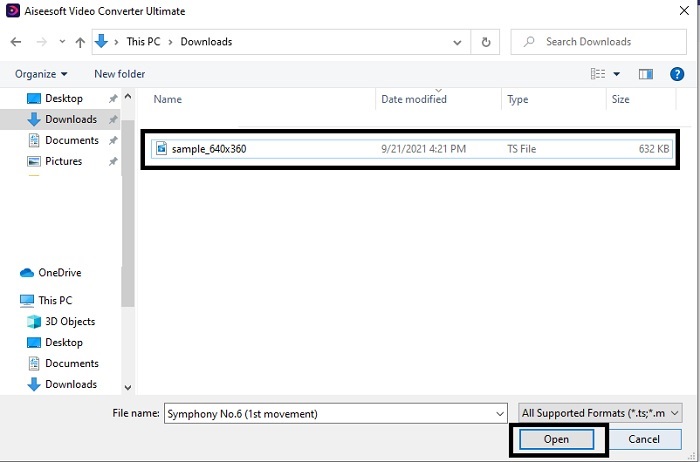
Step 2. After modifying the set-up and launching it. Click the Add File button on the upper left side of the interface and click open to insert the GIF file.
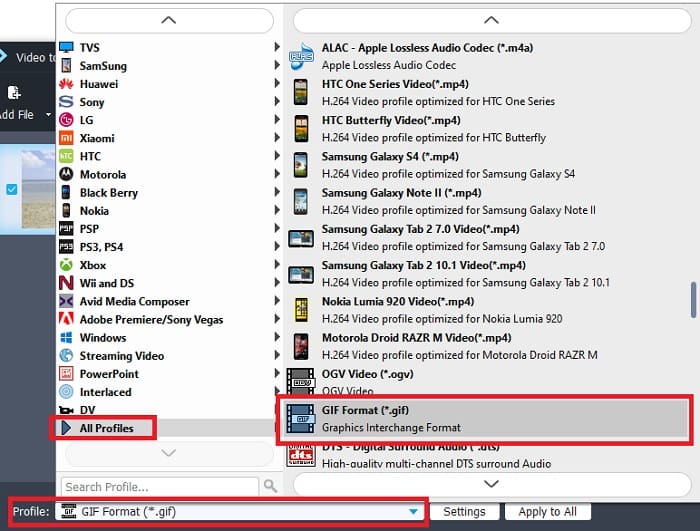
Step 3. In the main interface you will see below that there is Profile then click it. Now you can change the .ts file into your desired format.
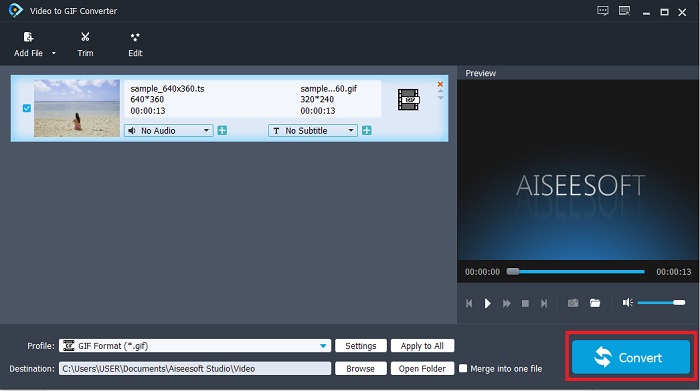
Step 4. To start the changing of the .ts file click the Convert button and proceed.
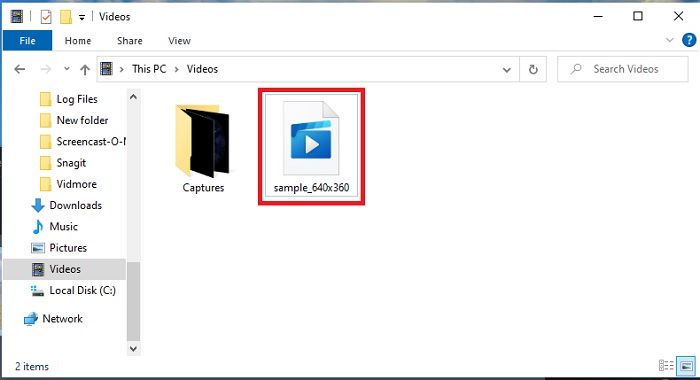
Step 5. Wait for a couple of minutes and let the conversion be finished. Then locate the .gif file now on the file explorer and enjoy it.
2. FVC Video Converter Ultimate
If converting is the problem, then FVC Video Converter Ultimate is the best solution. It always solves the different conversion problems you may encounter. As this tool can change the unplayable format to playable and later enhance it. The ultimate converter has been used by over a million users online and they already like it. But every tool that performs like this must be paid but if you are not into expensive things then this is it. Other than having an economical price, this tool also can make a video into the best GIF you've seen. So, without furthermore, let's proceed to the detailed steps on how to turn TS to GIF format by following the steps provided only for you.
Step 1. First step to having the ultimate converter is to download it to your PC or Mac drive. Install it and change the set-up of it if you want and click the finish to save the changes.
Free DownloadFor Windows 7 or laterSecure Download
Free DownloadFor MacOS 10.7 or laterSecure Download
Step 2. Click the plus sign in the middle of the interface. Locate the .ts file you want to be converted into GIF and click open to paste it to the tool interface. Additional information, you can add numerous .ts files or any other at the same time. Also, you can convert them with the same format or change them individually.
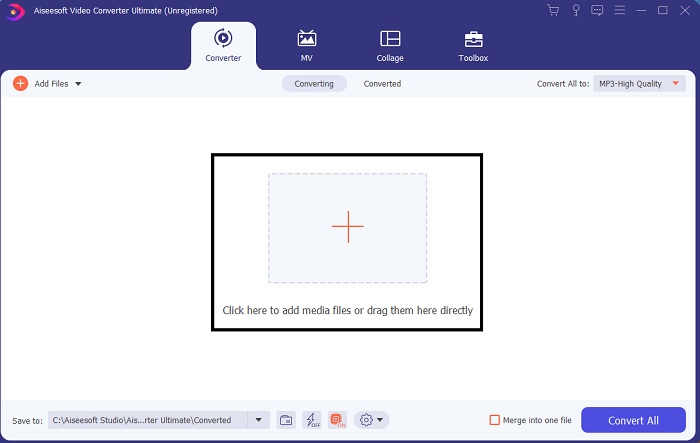
Step 3. On the main interface, click the drop-down button on the left side. Choose the GIF format or the other format you want it to be.
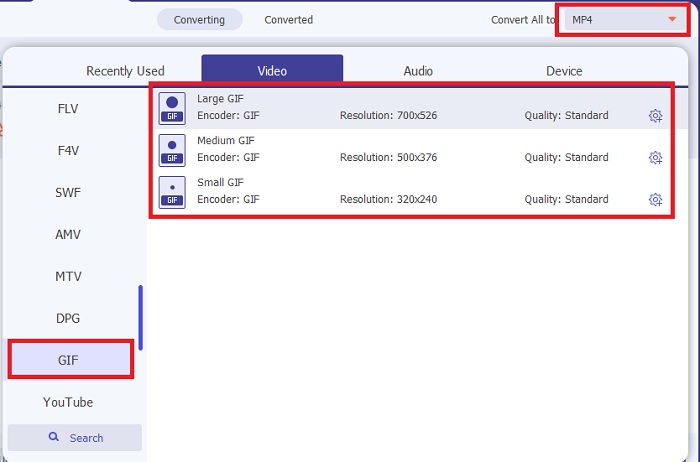
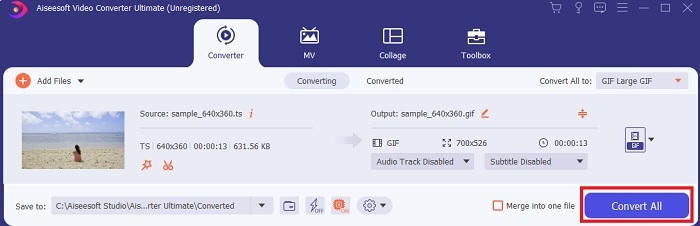
Step 4. After choosing the GIF format, click the Convert All button to start the conversion of the TS file.
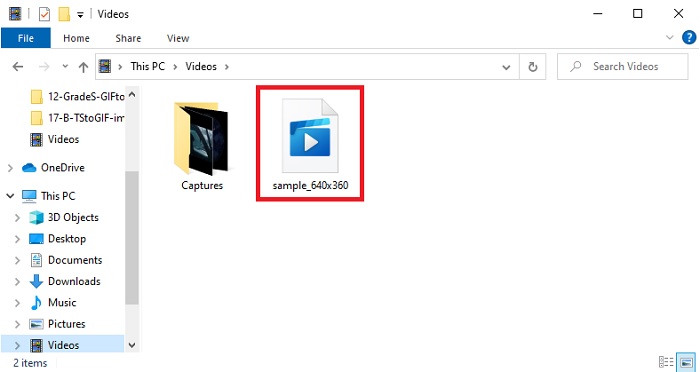
Step 5. After the conversion is done, there will be a folder going to pop up on your screen. Click the file you just converted and watch it now.
3. CloudConvert
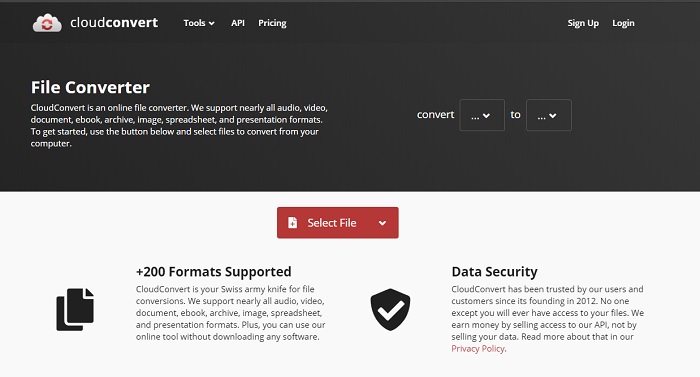
If you don't like to download the software tools above you can use this CloudConvert. Unlike the first two converters, this web tool is internet dependent. So, if you convert here, you must have a stable internet connection to avoid interruption or data loss like the next tool. But the CloudConvert supports basic conversion and format also. It has no editing features like the two tools above. But the advantage of this is that you won't need to download it to your storage.
4. Convertio
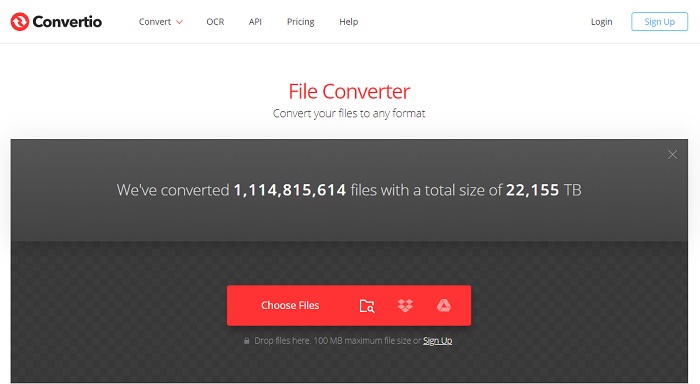
In this tool you can do multiple TS to GIF conversion if you want but you will need to sign-up first. Because the limitation that Convertio allows to be converted at the same time is only two. But remember that if you sign-up to this tool, you already leak your data of yourself. Although there is no news about the data leakage happening in this tool, still it is better to be safe than sorry. Moreover, this web tool provides great compression and conversion but it supports less formats than the ultimate tool.
Parte 3. Perguntas frequentes sobre TS para GIF
Os arquivos TS estão compactados?
Sim, são dados de vídeo compactados porque usam compactação .mpeg para proteger e ter uma transferência segura, caso você queira transferi-los posteriormente.
Onde posso reproduzir arquivos .ts?
Most of the time, you can't play .ts files into your native media player and some into third-party tools also. But there is a media player you can use to play the .ts file like watching a movie in the cinema. Blu-ray Player is one of the revolutionized media players that supports all of the format and watch their playback. Download the tool by clicking these links below ang watch the .ts files. Download Blu-ray Player on PC Download Blu-ray Player on Mac
Qual formato é o melhor para converter para um arquivo TS?
As we did our research, TS files synchronize audio and video playback just like the MP4. Although MP4 doesn't store synchronized files, still this is the best format you can use to convert .ts. After changing TS files to MP4, the file can be playable in all platforms and media players as well.
Conclusão
To end the discussion, the result is expected that the FVC Video Converter Ultimate is the winner in this converting battle. Although, all of the tools that are listed in here can convert TS to GIF still the ultimate converter is the phenomenal converter among all of the converters. So, if you want to have the perfect conversion then download this and enjoy the conversion.
-
 [Guia] Como converter vídeos M4V em GIFs animados no Windows / Mac
 Se você deseja fazer arquivos GIF animados de seus vídeos M4V favoritos, você pode aprender sobre 2 maneiras fáceis e eficientes de converter vídeos M4V em GIFs com configurações personalizadas.
-
 WebM para GIF - 3 conversores gratuitos de WebM para GIF para criar seus próprios GIFs
 O WebM é um GIF? Como transformar um vídeo em GIF? Existe algum conversor gratuito de WebM para GIF? Esta postagem compartilha 3 maneiras gratuitas de ajudá-lo a converter WebM em GIF.
-
 Como converter vídeos MKV em GIFs animados sem Photoshop / FFmpeg
 Depois de baixar e assistir a filmes MKV em seu computador, você pode querer compartilhar alguns momentos maravilhosos com amigos ou na Internet como GIFs. Neste artigo, você pode aprender sobre as 2 maneiras mais fáceis de converter MKV em GIF.
