


 Video Converter Ultimate
 Gravador de ecrã
 Reparo de vídeo
O mais novo software online e offline que você pode usar para reverter vídeos MP4 facilmente
Most of the times when we try to reverse our video, we create some funny reactions that make us think that it is us. Because it is played backwards the effect of it creates something new to our eyes. So, if you want to know effective ways to reverse MP4 videos then it is a must to read this article. As it showcases different software online and offline you can use it to make a lot of reverse videos in a simple way. So, without any more delays let us introduce them to you one-by-one.

Parte 1. Como reverter um vídeo MP4 (offline)
The phenomenal tool in the whole web is the Video Converter Ultimate. This tool has already helped millions of users who are having a hard time to reverse MP4. Unlike any tool in this list, you can access this software even if you don't have internet connectivity. Moreover, this tool can import and export immediately, it is like before you blink you didn't know it is already in reverse. Also, an amazing feature this tool can do like anybody is that it has all the advanced features you might like to use. So now, let's proceed to the steps on how to reverse the video effectively.
Passos sobre como reverter vídeos no Video Converter Ultimate
Step 1. Firstly, you will need to download the tool first on your drive. Then install it and follow the set-up of it.
Free DownloadFor Windows 7 or laterSecure Download
Free DownloadFor MacOS 10.7 or laterSecure Download
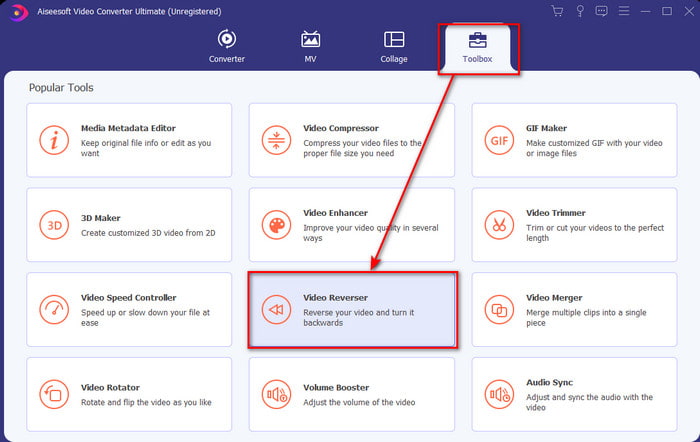
Step 2. Launch the software, click the Toolbox and select Video Reverser.
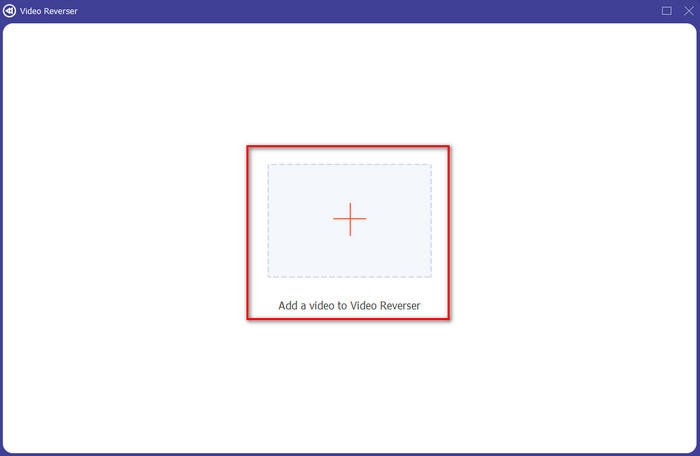
Step 3. Then add the MP4 file by clicking the + sign and choose from the computers folder. Then click Open to insert the .mp4 on the interface.
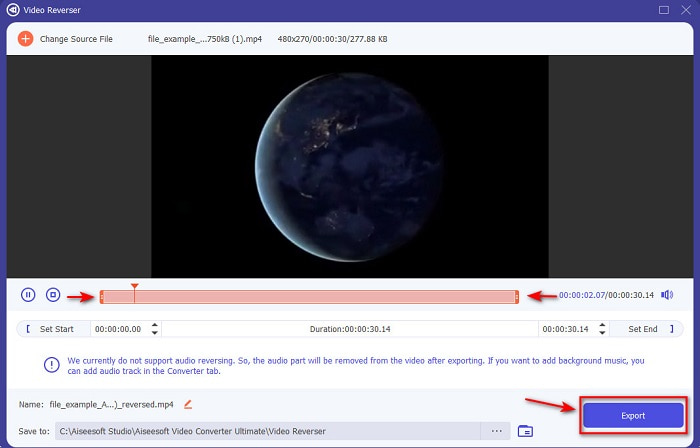
Step 4. And now adjust the playback in and out to change the duration of the video. Click Export to proceed.
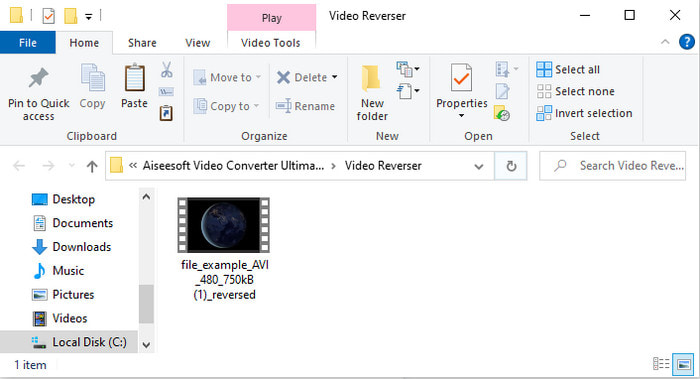
Step 5. After exporting is done, click the file on the folder to play the reverse file and to know where it is located.
Parte 2. Como reverter um vídeo MP4 (online)
1. Converter de arquivo
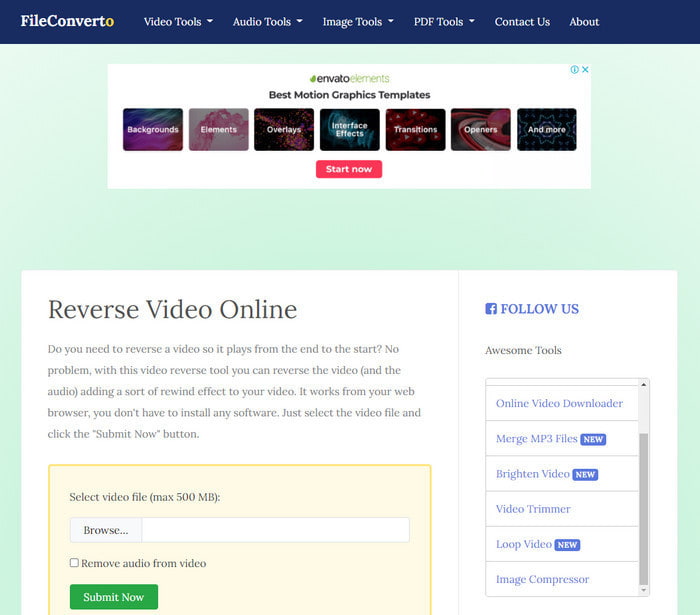
The reverse MP4 video online FileConverto has a lot of web tool features you can use to make your video extraordinary. The performance of this web tool is great for those who don't want to download any software. However, the web interface is a bit dull to look at, the uploading process will take a lot of your time, and it doesn't support all video formats. Also, you will encounter some bugs and pop-up web pages if you try to reverse. Although it has a lot of known problems still it is a great to use and.
Prós
- O software é fácil de acessar e possui muitos recursos básicos de edição que você precisará.
- Muito fácil de usar que mesmo um usuário que não experimenta a reversão pode fazê-lo aqui.
- Limita sua conversão a 500mb, o que é ótimo.
Contras
- Importar arquivos aqui e exportar é super mais lento do que o esperado.
- Tem muitos anúncios na webtool só que podem te incomodar. E depois que você clicar em um recurso de ferramenta da Web, um anúncio mostrará que você precisará clicar novamente nele.
- Não suporta todos os formatos de vídeo.
2. Escolha de
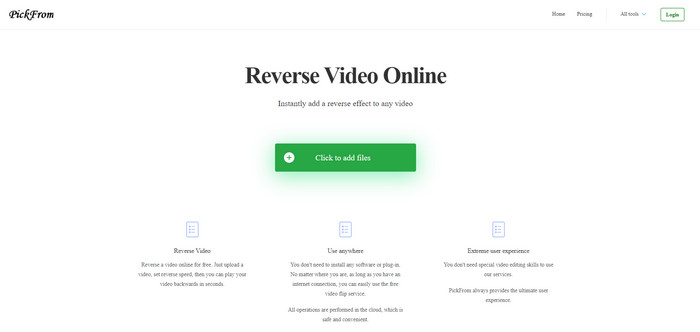
PickFrom has a better interface than FileConverto if we were about to compare. Because it showcases minimalist design and the color combination of white and cyan make it perfect. But the texts are a bit slim to read. Basically, if you don't have a 20-20 vision you might find the tool hard to read. Also, when you are about to do the reverse MP4 videos here the options are written in a simplified Chinese form. So, it is a bit hard to understand but the importing files here is faster than the FileConverto.
Prós
- Possui uma interface web muito melhor em comparação com o FileConverto.
- Não há anúncios na parte superior do site, mas se você rolar para baixo, há vários anúncios irritantes.
- Suporta muitos recursos básicos de edição.
Contras
- As configurações da ferramenta estão escritas em chinês, o que é difícil de entender se você não souber falar chinês.
- Depois de clicar no botão Iniciar, a ferramenta não responde e o processo de exportação leva muito tempo.
- Diminui a qualidade do vídeo exportado.
3. Media.io
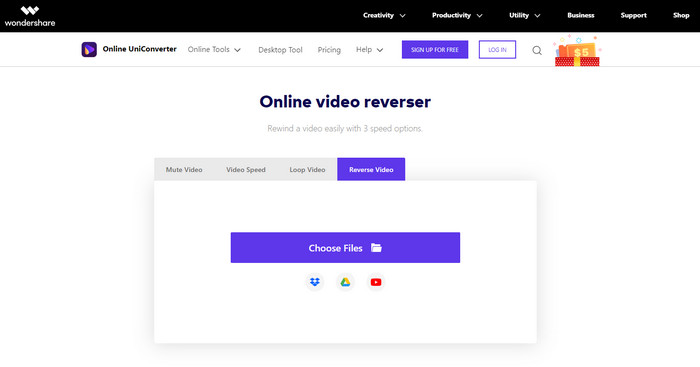
Media.io has 3 different types of reverse speed options: the x 0.5, x 1, x 2. You can basically reverse the video and play MP4 backwards with the help of its reverse feature. Although the tool looks great there are still some problems you will encounter while using Media.io. Like when you're about to export the file it will ask you to sign-in first before you can export the file. Also, you can only do 10 reverse videos here with limited file size.
Prós
- A interface da ferramenta é ótima e atraente.
- Você pode alterar o formato de saída final do vídeo reverso se desejar ou manter o formato original.
- Você pode ativar ou desativar o som do vídeo.
Contras
- O site solicitará que você se inscreva antes de exportar, o que significa que você permitirá que eles enviem notificações por e-mail.
- O reverso do x 2 é menos lento que o x 2 das outras ferramentas.
- A ferramenta limita a disponibilidade da ferramenta web. Por exemplo, você não pode reverter mais de 10 arquivos no dia e tem um limite máximo para o tamanho do arquivo.
Parte 3. Perguntas frequentes sobre a reversão de MP4
Depois de inverter o vídeo diminui a qualidade?
Reverter um vídeo na ferramenta não deve diminuir a qualidade do vídeo que você deseja reverter. No entanto, existem muitos softwares que diminuem a qualidade do vídeo. Mas há alguns casos em que você define a qualidade baixa e não alta.
Como adicionar áudio no meu arquivo reverso?
Most of the software listed in here doesn't support audio reversing as well but you can go to this link and learn how to add audio.
Como posso mesclar meu vídeo reverso no iPhone?
There are a lot of different ways you can merge videos on the iPhone effectively. Just by reading this article you will learn 4 different ways how to merge videos on iPhone.
Conclusão
To conclude, now that we know how to reverse an MP4 file with the help of these several tools you can choose one. Moreover, not all of the mentioned in this article produce an astonishing video final output like the Video Converter Ultimate. So, if you want to be amazed by this tool then it is a must to download it first. Because you won't need to read a big book to know how this tool functions as a whole.
Free DownloadFor Windows 7 or laterSecure Download
Free DownloadFor MacOS 10.7 or laterSecure Download
-
 [2021 Atualizado] 9 melhores editores de GIF para PC, Mac, iOS e Android
 Precisa adicionar um toque pessoal ao seu GIF para que ele se torne mais expressivo? Continue lendo este artigo para saber como editar e a melhor ferramenta para o trabalho.
-
 Guia sobre como reparar vídeos que não estão sendo reproduzidos em telefones Android
 Quer saber quais são as razões pelas quais os vídeos no seu dispositivo Android não podem ser reproduzidos? E em caso afirmativo, existem maneiras de resolver o problema por conta própria? Continue lendo para saber mais.
-
 Guia detalhado sobre como reproduzir arquivos MKV no PS4 [Atualizado em 2021]
 Ao ler este artigo você aprenderá algumas maneiras de como reproduzir MKV no PS4 e como converter o arquivo de vídeo caso o vídeo não ' Reproduzir.
