


 Video Converter Ultimate
 Gravador de ecrã
 Reparo de vídeo
 Secure Download
4 principais maneiras gratuitas de converter MTS em MOV
Eu capturei alguns vídeos com minha filmadora Sony que exportou arquivos MTS. Percebo que o MTS não pode ser compatível com meu reprodutor de mídia e iMovie. Estou usando um Mac e desejo editar esses vídeos MTS capturados. Qualquer ajuda? Existe alguma maneira simples, especialmente uma forma gratuita de converter MTS em MOV?
MTS is a high-definition video format which widely used by Sony and Panasonic camcorders, as the file extension of AVCHD (Advanced Video Coding High Definition). After recording video with your digital camera, you are more likely get a MTS file. It carries 720p/1080i HD and can provide a higher video quality. However, MTS is not a popular format which can be supported by most media players or editors.

When you have the need to edit MTS in iMovie or play it with media player, you should convert MTS to MOV or MP4 for the better compatibility. Here in this post, we will show you 4 free MTS converters to help you convert MTS to MOV with ease.
Parte 1. Melhor maneira gratuita de converter MTS em MOV sem perda de qualidade
There are a large number of MTS converting tools offered on the internet that can help you convert MTS to MOV with high quality. Here at the first part, we like to recommend the best free MTS to MOV converting software, Free MTS Converter for you.
É especialmente projetado para lidar com todos os tipos de conversões. É compatível com quase todos os formatos de vídeo e áudio como MP4, MOV, MKV, MTS, AVI, FLV, WMV, MP3, AAC, FLAC e muito mais. Você pode baixá-lo gratuitamente e seguir o guia a seguir para converter MTS para MOV gratuitamente.
Free DownloadFor Windows 7 or laterSecure Download
Free DownloadFor MacOS 10.7 or laterSecure Download
Etapa 1. Primeiro, você precisa instalar e executar este conversor MTS para MOV gratuito em seu computador. Oferece versões para Windows e Mac para download.
Step 2. Click Add File(s) to import the MTS file(s) you want to convert. You are allowed to convert one or more MTS files at a time.
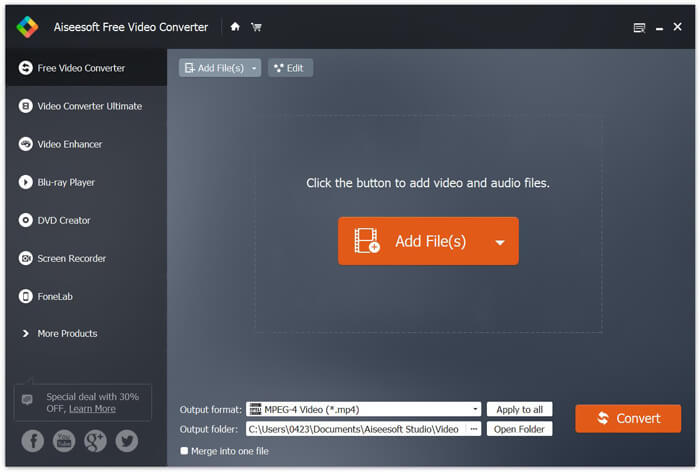
Step 3. Select MOV as your target format from the list of Output format. Then click on Convert button to start the conversion from MTS to MOV.
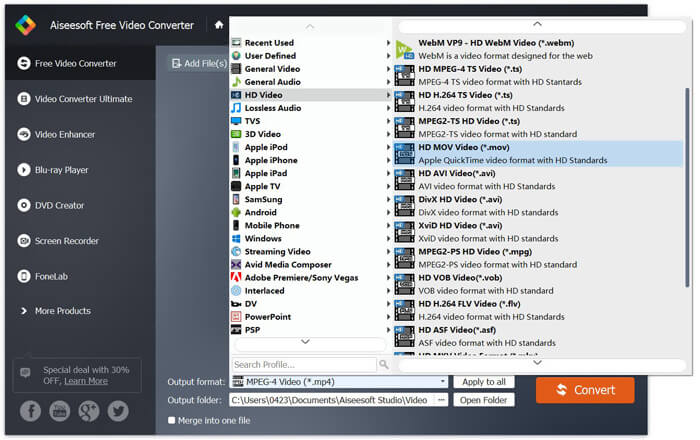
Como você pode ver acima, este conversor MTS para MOV gratuito também traz alguns recursos básicos de edição. Antes da conversão final, você pode usá-los para personalizar seu arquivo MTS. Comparado com os conversores online, este Free Video Converter pode fornecer a você uma velocidade de conversão mais rápida e uma qualidade de vídeo de saída superior. É por isso que a tornamos nossa primeira recomendação.
Parte 2. O conversor online gratuito ajuda você a converter vídeos facilmente
When you Google how to convert MTS to MOV, you can get many free online converter results. Here we introduce you with an easy-to-use free online MTS to MOV converter, FVC Free Online Video Converter. Without installing any softwares, you can convert any popular video formats to MP4, AVI, MOV, etc. for free. And you don’t need to worry anything because the conversion is safe and stable. No data will lose during the conversion process.
Step 1. Open the link above and click the Add Files to Convert button. Before converting, please download FVC launcher and install it. It only takes a few seconds.

Step 2. After installing and updating the launcher, just pick the video you want to convert. Then choose the format you need and press Convert.

Step 3. Open the link above and click the Add Files to Convert button. Before converting, please download FVC launcher and install it. It only takes a few seconds.
Parte 3. Como converter MTS em MOV Free Online com ZAMZAR
ZAMZAR é um dos mais populares softwares de conversão de vídeo online que pode ajudá-lo a converter gratuitamente MTS em MOV. Ele é projetado com interface concisa e recurso de conversão simples. Você pode seguir o seguinte guia para fazer a conversão de vídeo MTS.
Passo 1. Abra seu navegador e navegue até o site oficial da ZAMZAR. Aqui você pode ir diretamente para a página https://www.zamzar.com/convert/mts-to-mov/. Aqui você tem permissão para converter MTS para MOV diretamente sem fazer outras configurações.
Etapa 2. Clique no botão Adicionar arquivos para carregar o arquivo MTS que deseja converter. Você pode arrastar e soltar para o upload do arquivo MTS. Uma coisa que você deve saber é que, este conversor MTS online gratuito só permite converter um arquivo MTS com menos de 150 MB.
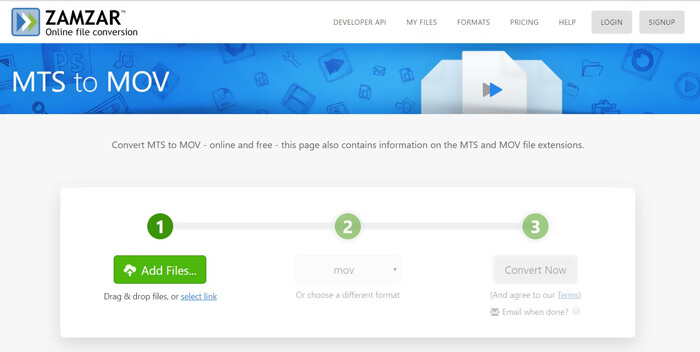
Step 3. After uploading, you can click the Convert Now button to start converting MTS to MOV free online.
Parte 4. Maneira online de converter MTS em MOV com FreeConvert
FreeConvert is another popular online video converter which has the capability to make the MTS to MOV video conversion free. This free MTS to MOV converter highly supports MTS and M2TS. It enables you to upload a MTS file up to 1GB. What’s more, it allows you to upload 20 MTS files at a time for converting. Now you can follow the steps below to convert your MTS to MOV.
Step 1. First, you need to go to FreeConvert.com on your browser. Here you can directly go to https://www.freeconvert.com/mts-to-mov for the conversion.
Step 2. Click the big blue Choose MTS Files to upload the MTS file you want to convert to MOV. At it mentioned above, here you are allowed to upload one or more MTS files for the conversion.
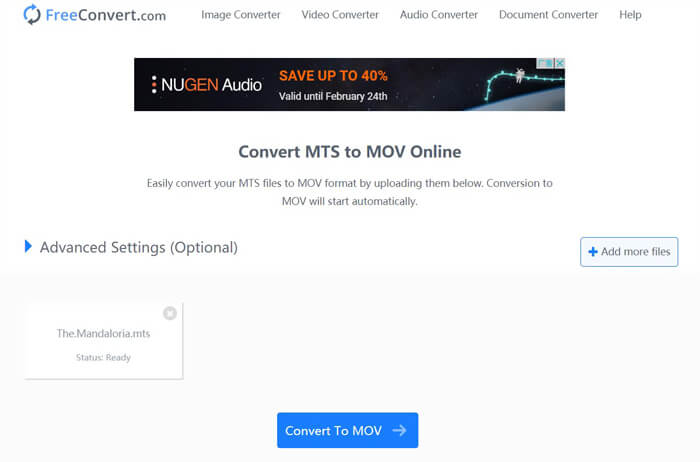
Step 3. Click Convert To MOV button to start the uploading and converting process. After that, you need to click the Download button to save the converted file on your computer.
When you choose free online converters to convert MTS to MOV, you need to take a relatively long time for the uploading and converting. So you’d better convert a small-size MTS file with online converting software. If you want to convert a large MTS or M2TS video, you should rely on the highly-recommended Free Video Converter.
-
 6 maneiras fáceis de converter TS para AVI / MKV / MOV / WMV no Windows / Mac
 Quer converter arquivos TS para AVI / MKV / MOV / WMV rapidamente? Este artigo mostra conversores de vídeo online e offline com guia completo. Talvez você possa obter o melhor conversor TS grátis aqui.
-
 MOV VS MP4 - Qual é o melhor
 MOV VS MP4, qual é o melhor? Este post mostra a diferença entre MP4 e MOV, para que você tenha a melhor escolha para usar em seus arquivos de vídeo.
-
 Como ingressar em arquivos MOV (QuickTime) gratuitamente
 Pode ser difícil para iniciantes juntar vários videoclipes MOV. Então, existe uma maneira simples e rápida de combinar arquivos MOV? Se houver, como usá-lo? Esta postagem ajudará você a obter essas respostas.
