


 Video Converter Ultimate
 Gravador de ecrã
 Reparo de vídeo
Guia detalhado sobre como converter GIF animado em FLV com etapas
Adding GIFs to your message to state a clear statement has become trendy nowadays. For now, it uses marketing tactics because of how they approach the audiences. Regardless of that, some platforms don't support GIFs to post on their sites. This problem is a pain in the butt, but it is a piece of cake to convert the GIF into a video format like the FLV and share it. Don't have any idea how to convert animated GIFs to FLV on PC, Mac, Online, Android, and on your iOS? Let's have a walkthrough of the tools you can use that will help you.

Parte 1. Como converter GIF animado em FLV com o FVC Video Converter Ultimate
Can't share GIFs because it is not supported? Then try to change your animated GIF to FLV with the FVC Video Converter Ultimate. This tool supports converting your GIFs and selects to the 200+ formats available with different resolutions. Also, this tool has hardware acceleration and fast conversion to avoid spending a lot of time converting your file. Moreover, the ultimate tool is available in all operating systems, whether it is Windows or Mac. Without a doubt, this is the best choice in the field of converting your media file. So let's keep up the pace and learn how to transform your GIF and share it later.
Step 1. Click the download button and install the tool later; click Start Now to proceed to the next step once done.
Free DownloadFor Windows 7 or laterSecure Download
Free DownloadFor MacOS 10.7 or laterSecure Download
Step 2. Then click Add Files or + button to upload the GIF file to the software, and click Open.
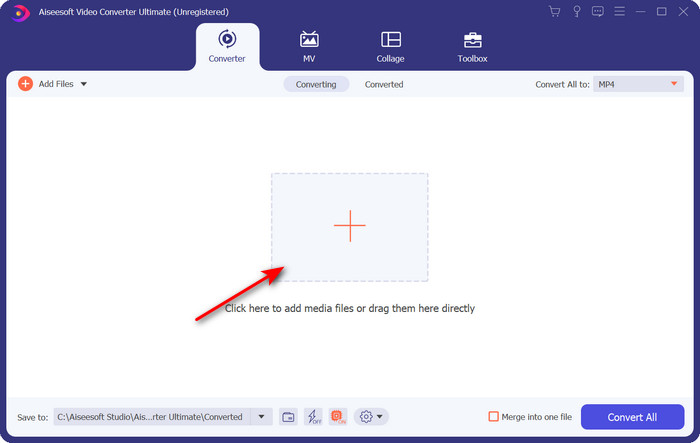
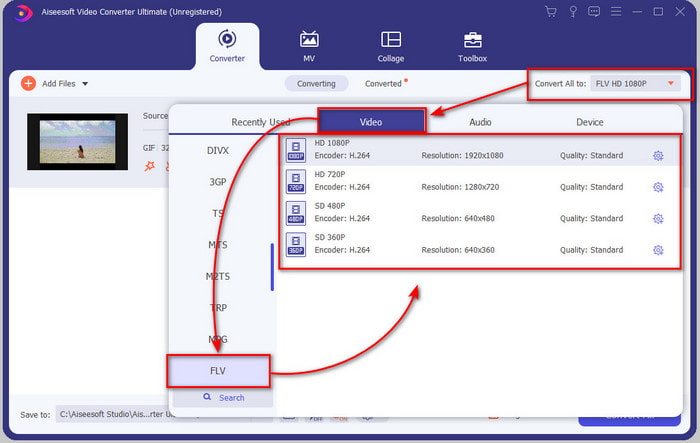
Step 3. On the left side of the converters interface, click Convert All to and then select FLV as a final output.
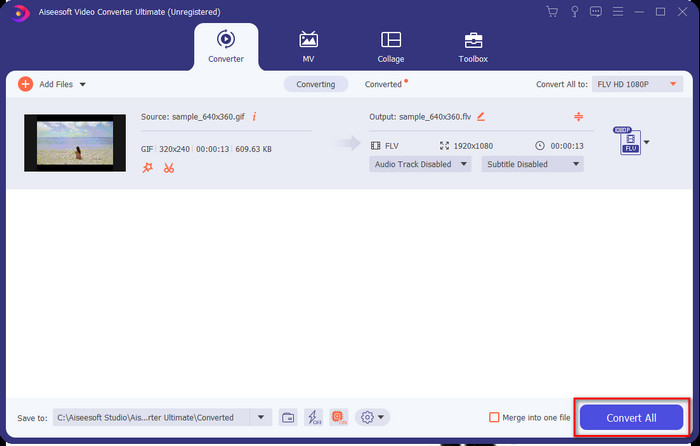
Step 4. If you are ready to convert GIF to FLV, then click Convert All.
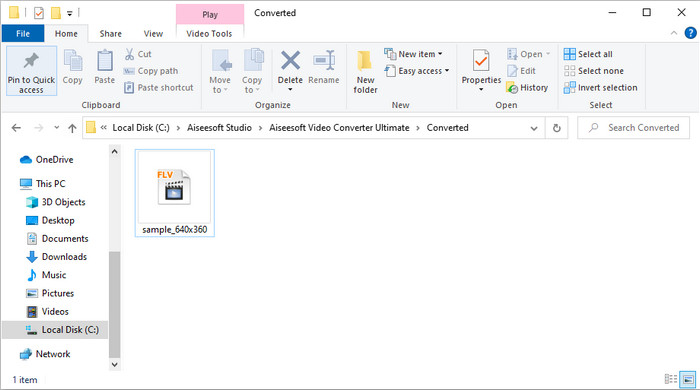
Step 5. A directory will show on screen with the converted file, and now it is ready to be sent to all.
Parte 2. Converter GIF em FLV Online
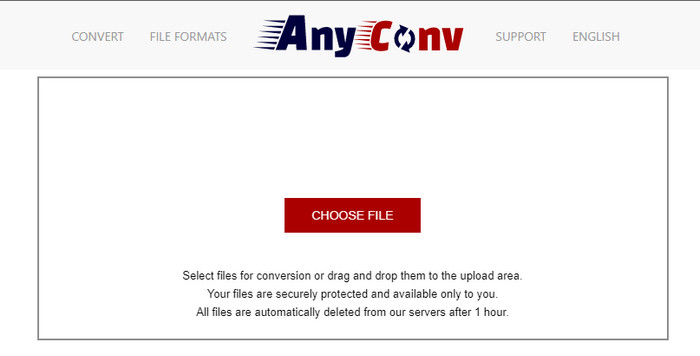
You can use AnyConv to convert GIF to FLV online for free; also, it supports a wide variety of file formats for images, ebooks, documents, and more. Furthermore, you can use this converter anytime and wherewith internet connection. But you can't do a batch conversion here to save time converting files individually. Also, you can't upload media files greater than 50 MB in size because it is unsupported. If you want to know how to use this web tool, follow the procedure.
Step 1. Locate the web tool on your browser by accessing it.
Step 2. Hit Choose File to upload the GIF, then change the format to FLV. Once done, click Convert to start the converting process.
Step 3. Click Download .FLV to save it on your drive.
Parte 3. Converter GIF em FLV no iPhone
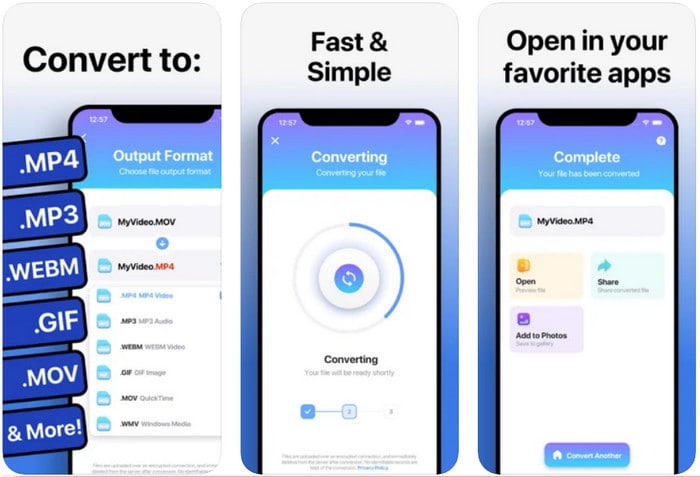
The Video Converter is the top-of-the-line converter you can download on your iOS device and change GIF to FLV. This iOS converter receives a 4.2 rating from all its users as it performs fanatical. Yet, some users regret buying the lifetime pass this tool provides because they receive a lot of crashes and bugs after purchasing it. But if you want to try it out, you can use the free version by downloading it and following the steps below.
Step 1. After downloading the tool, open it, click Photos, and locate GIF.
Step 2. The drop-down will automatically show, then look for the FLV format and click it.
Step 3. Click Convert Files to start the conversion.
Parte 4. Converter GIF em FLV no Android
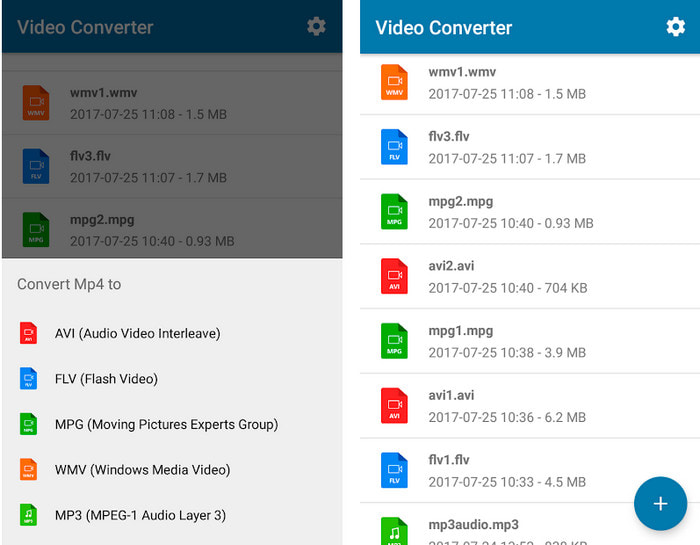
If you are an Android user, you can use Video Converter: MP3, AVI, MPEG, GIF, FLV, WMV, MP4 to convert GIF to FLV quickly. This tool is accessible in every Playstore of your phone if you love to convert the format into a new version. Unlike the first mentioned tool rating, this converter receives a low 2.3 stars based on the 1K reviews. Although this rate is very low, it can still convert your file into a new version. So if you want to find out how to do it, let's proceed to the steps.
Step 1. Download the app on your Android by searching it on your Play Store.
Step 2. Open it, click the plus button under GIF to find the file you want to convert. A new option will show click FLV (Flash Video).
Step 3. After converting the file, locate the video on the folder of your phone.
Parte 5. Breve discussão sobre GIF e FLV
O formato GIF é simples de entender porque os vemos e os usamos quase todos os dias. Este formato contém uma imagem em movimento; embora os arquivos de mídia sejam animados, ainda não é considerado um formato de vídeo. Vamos nos aprofundar um pouco sobre os GIFs; este formato suporta 8 bits por pixel para imagens com uma paleta de cores de até 256 cores em uma combinação de cores RGB de 24 bits. Embora as cores sejam muitas, isso ainda não é suficiente, considerando que o JPG e o PNG contêm mais combinações de cores. Mas se você não quiser ter uma imagem estática chata, você deve usar um GIF porque é pequeno e animado.
Por outro lado, FLV é o melhor formato para a transmissão de arquivos de vídeo e áudio pela internet. Considerando este arquivo como um formato de vídeo padrão em HTML 5, mesmo que você não use plug-ins de flash para reproduzir o vídeo. Até agora, esse formato ganhou muito suporte no compartilhamento online em comparação com o GIF.
Para prosseguir, se quiser adicionar ou compartilhar um GIF em todos os sites de mídia social, é necessário primeiro converter o arquivo em FLV sem perder a qualidade.
Parte 6. Perguntas frequentes sobre conversão de GIF em FLV
Como fazer um GIF?
Even though you can download or generate GIFs online, it is better to create one. If you want to know the secret of making personalized GIFs, click this link and read the details inside it.
Por quanto tempo um GIF pode ser reproduzido?
A duração máxima de um GIF não deve ser superior a 15 segundos, mas se o seu GIF estiver em um loop, não há limite de tempo. É o padrão para cada GIF enviar o arquivo mais rápido e com menos carga.
Posso reproduzir GIFs no VLC?
As said before, GIFs are image format and not a video format. So, if you upload GIF files on VLC, it will be viewed as a still image instead of a moving image. Here are the best GIF players you can use.
Conclusão
As a result of the evidence above, it is now easy for us to convert GIFs to FLV, AVI, MP4, MOV, and other formats without any hassle. However, if you want to do the conversion effectively, you must download the FVC Video Converter Ultimate. Because this tool is not the best in converting format but it is phenomenal in other things also. Want to know what are the functions of this tool? Then click this download button and explore all the features of this software.
-
 Qual é a melhor maneira de converter GIF em AVI [Open-source e Premium]
 Quer converter seu GIF para o formato AVI sem perder a qualidade do vídeo? Continue lendo para aprender como converter seu arquivo GIF para AVI.
-
 Melhor conversor de GIF para converter GIF animado em formato MOV [2021]
 Converta seu GIF para o formato MOV sem esforço, sem afetar a qualidade do arquivo de vídeo. Com etapas e ferramentas diferentes também.
-
 Os 10 principais conversores de GIF para MP4 para converter GIF animado em MP4 [2021]
 Descubra qual conversor é o melhor na conversão de GIF para MP4. Com a ajuda deste artigo, falaremos sobre as diferentes ferramentas que você pode usar e ficar ligado.
