- Ferramentas on-line
Vídeo
Áudio
Imagem
- Ferramentas da área de trabalho
produtos em destaque
- Recurso
- Apoio, suporte
Vídeo
Áudio
Imagem
produtos em destaque
Se você está procurando um conversor 4K gratuito, o conversor 4K produzido pela FVC é uma tentativa obrigatória. Você pode usá-lo para converter vídeos 4K para outros formatos digitais como desejar. Você também pode usá-lo para converter vídeos 1080p/720p em 4K UHD e desfrutar de uma melhor experiência visual.
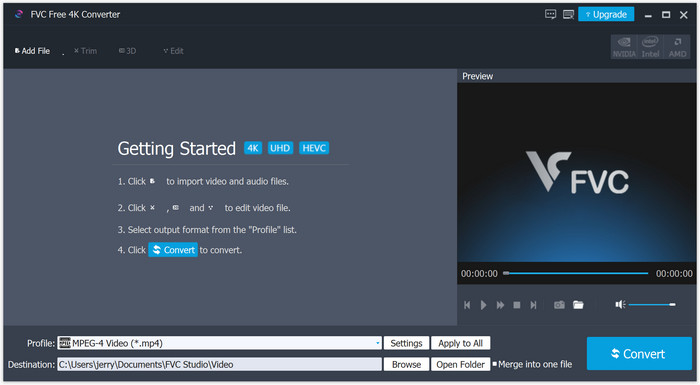
Você pode baixar o programa em seu PC com Windows. Após o download, abra o instalador e siga as instruções na tela para instalar o programa em seu computador.
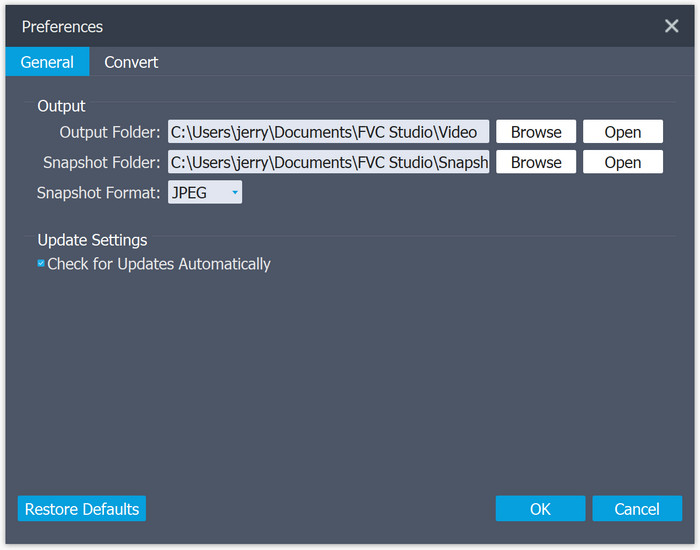
Você pode ajustar as preferências com base em sua necessidade. Basta abrir a lista de menus e encontrar Preferências. Você pode então alterar a pasta de saída. Você pode até verificar e ajustar as configurações de conversão.
Copyright © 2026 FVC Studio. Todos os direitos reservados.


 Video Converter Ultimate
 Gravador de ecrã
 Reparo de vídeo