Guia de usuario

Soluções de conversão de vídeo

Iniciar

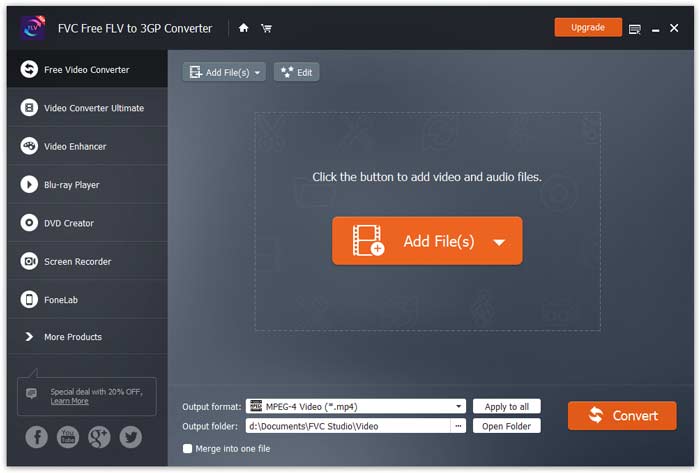
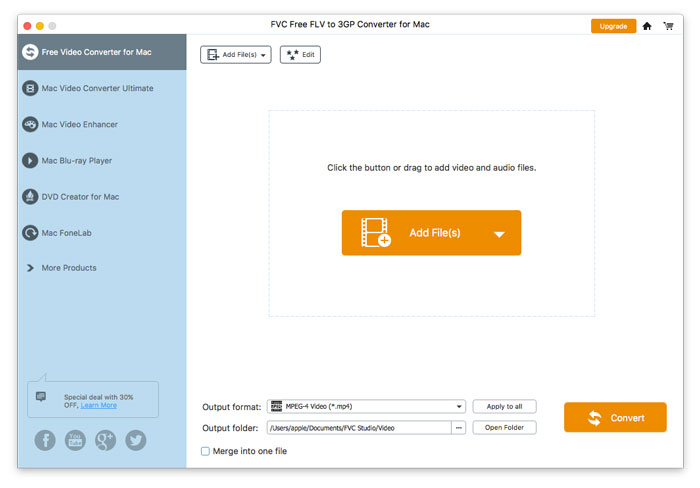
FVC Free FLV to 3GP Converter é um aplicativo de desktop simples, mas poderoso, que permite converter arquivos de vídeo Flash para 3GP com apenas alguns cliques. O programa permite a conversão em lote, então você pode converter vários arquivos de uma vez.

Interface Principal

Baixe e instale

Baixe a instalação para o seu computador. Clique duas vezes no arquivo baixado, siga as instruções de instalação e execute o aplicativo.

Preferências

Para definir as configurações para a conversão, vá em Preferências e então você pode escolher a pasta de saída, selecionar a afinidade da CPU, etc.
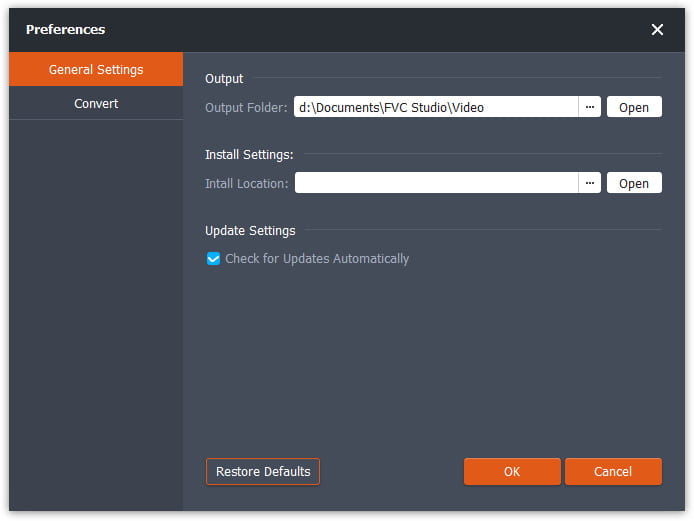
Preferências

Converter FLV para 3GP

Step 1. Add a FLV file you want to process

Launch the converter, click Add File(s) in the top-left corner of the window and find the files your want to convert, select them, and click Open.

Adicionar arquivos FLV

Step 2. Edit the Files

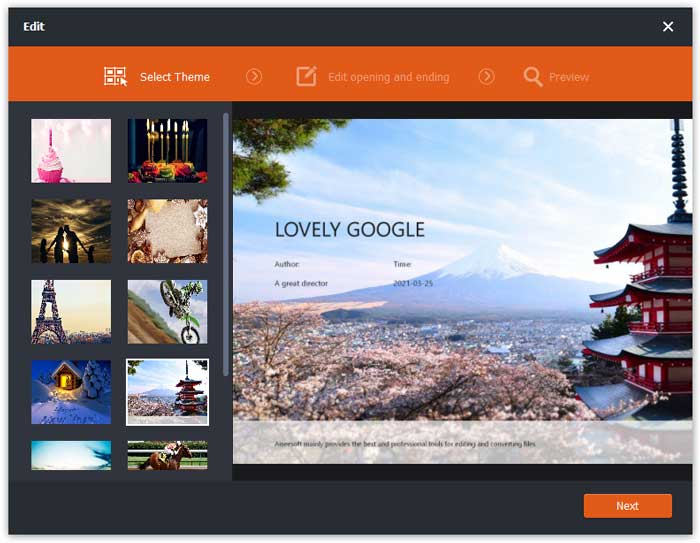
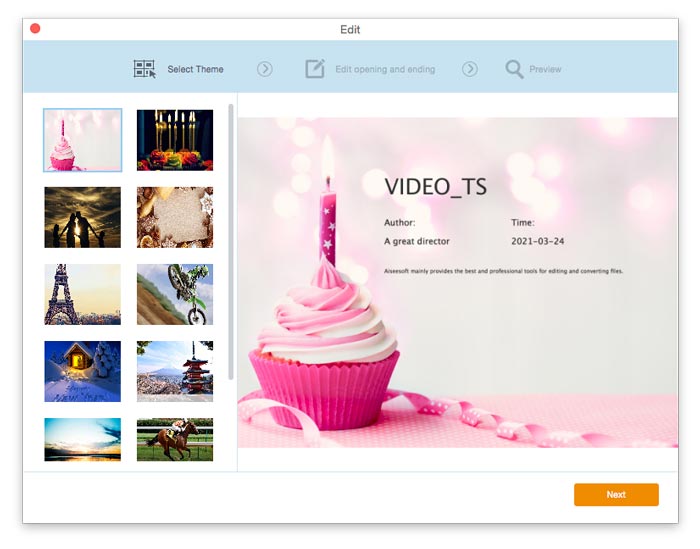
You can edit the files you’ve imported to the program by accessing the built-in editor via the Edit button on the top menu bar. Then, choose a theme to beautify your video.

Selecione o tema

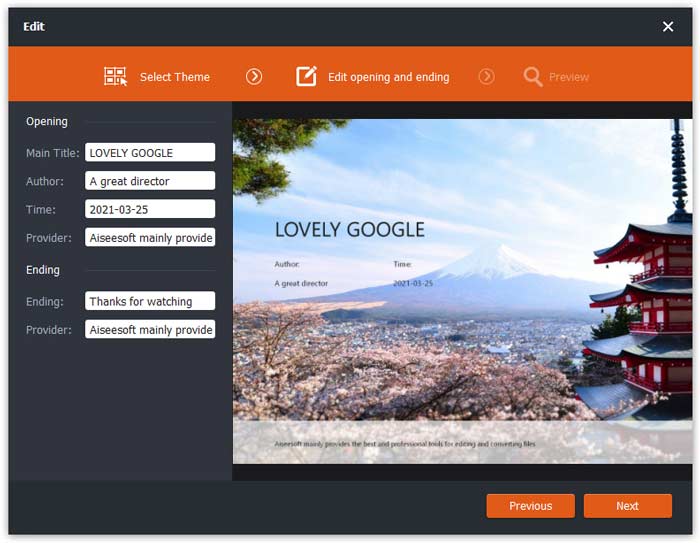
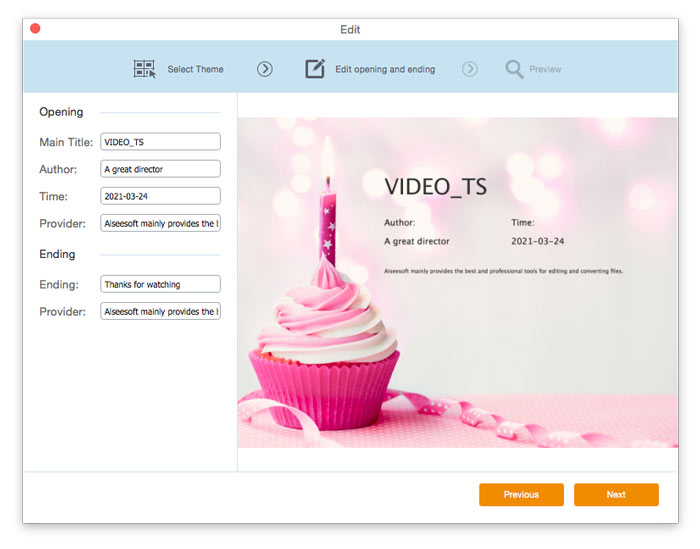
Then, click Next to move on. Here you can define the main title, author, time, and provider in the opening and ending of the video.

Alterar configurações de tema

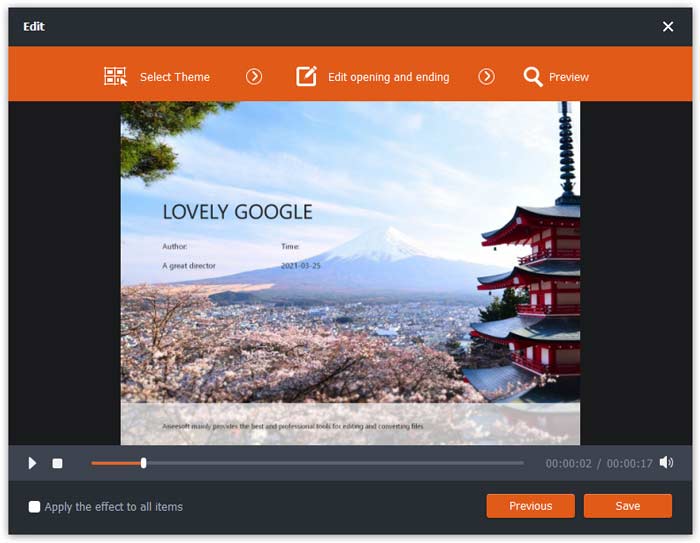
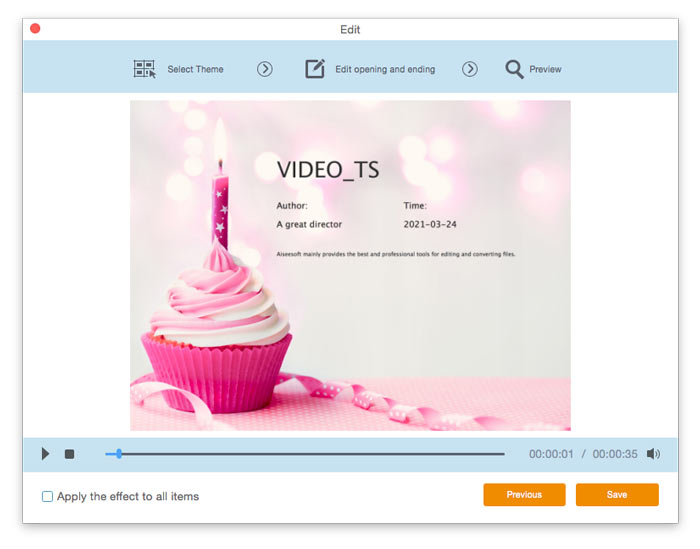
Click on Next to preview it in advance. After that, click the Save button to save the settings.

Salvar configurações de tema

Step 3. Set the target format

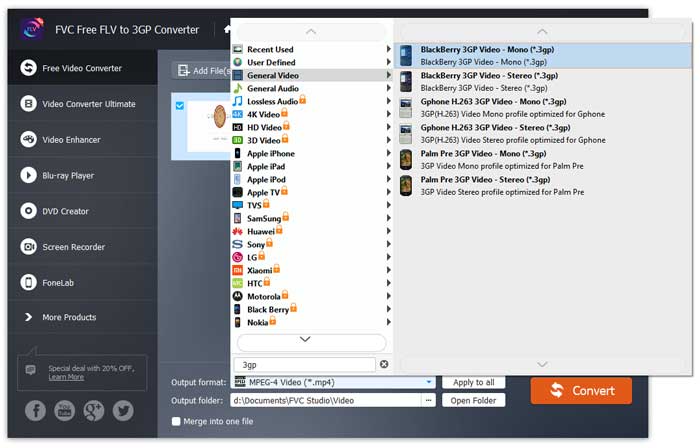
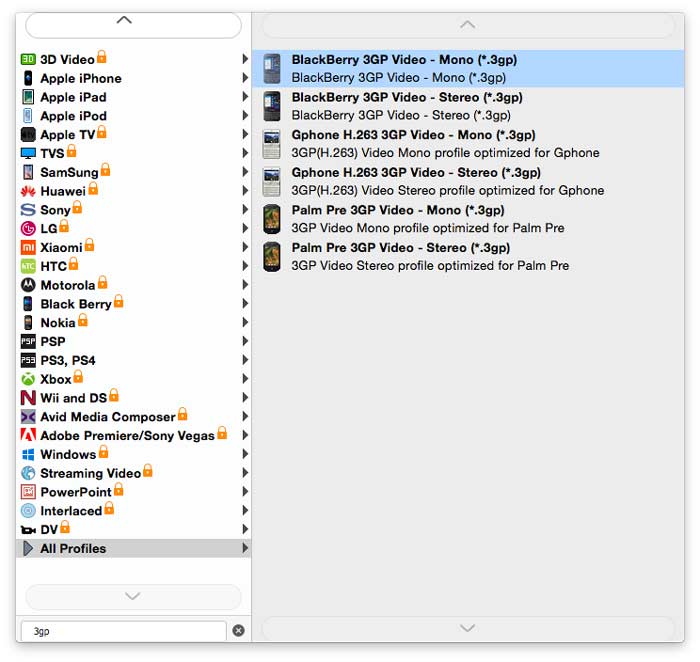
Navigate to the Output format field, and choose 3GP from the lists of presets that will appear on the screen.

Selecione 3GP

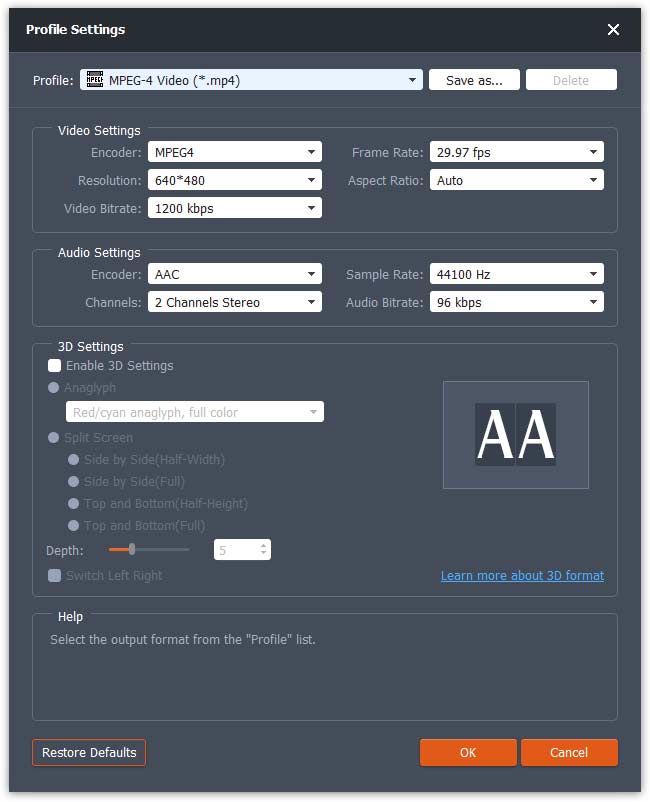
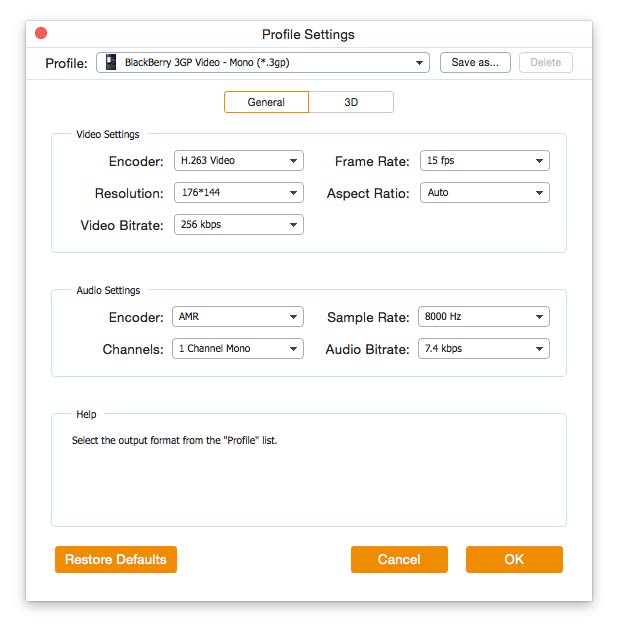
Hit the Cogwheel icon and adjust the video and audio parameters as needed. Then click OK.

Configurações de perfil

Step 4. Start converting FLV to 3GP

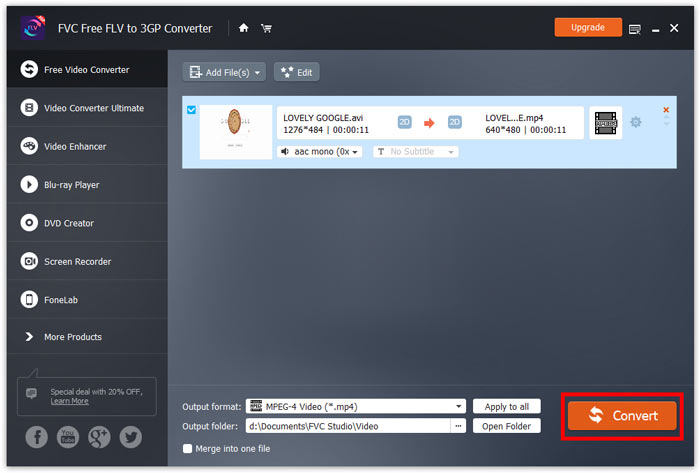
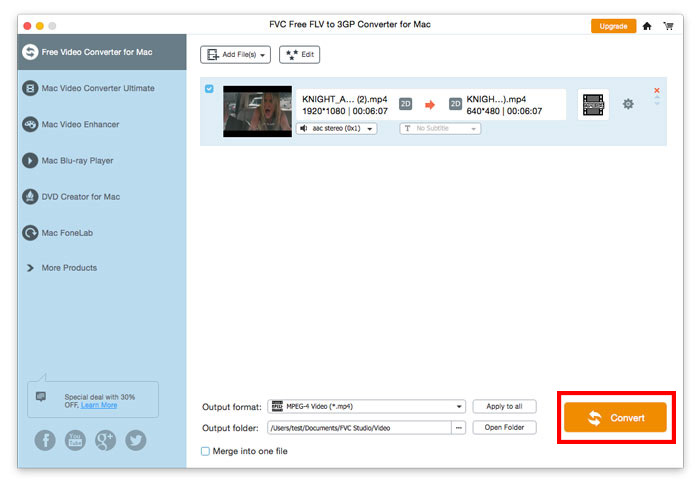
Go to the Output folder field and choose the folder for export. Next, click Convert and wait until the conversion is complete.

Iniciar conversão

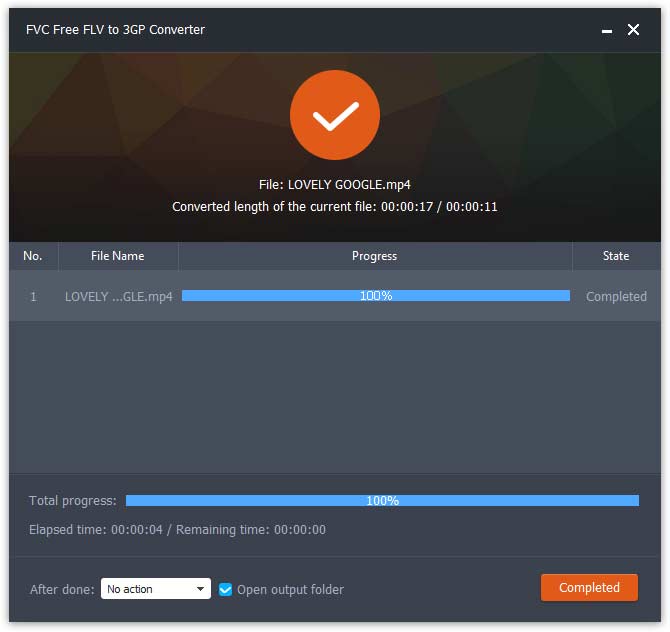
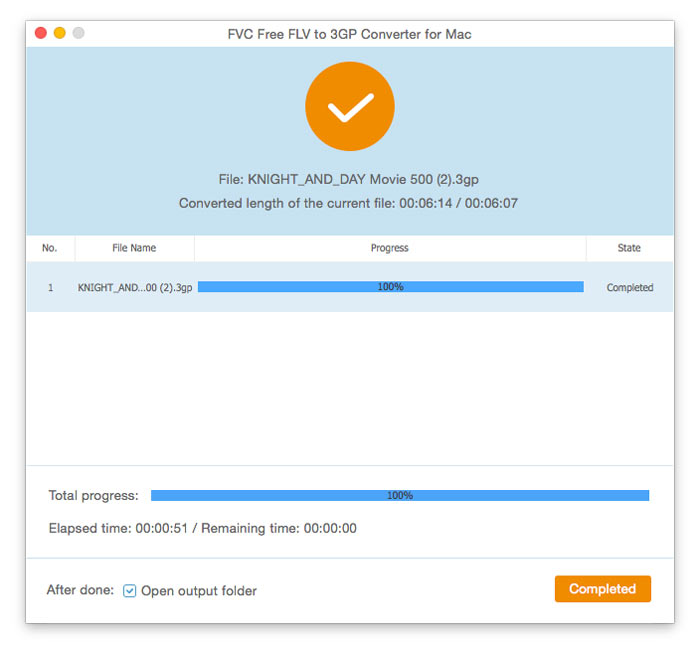
Assim que a conversão terminar, a pasta será aberta automaticamente e você poderá curtir seus vídeos.

Conversão Concluída

Guia de usuario

Soluções de conversão de vídeo

Iniciar

FVC Free FLV to 3GP Converter é um aplicativo de desktop simples, mas poderoso, que permite converter arquivos de vídeo Flash para 3GP com apenas alguns cliques. O programa permite a conversão em lote, então você pode converter vários arquivos de uma vez.
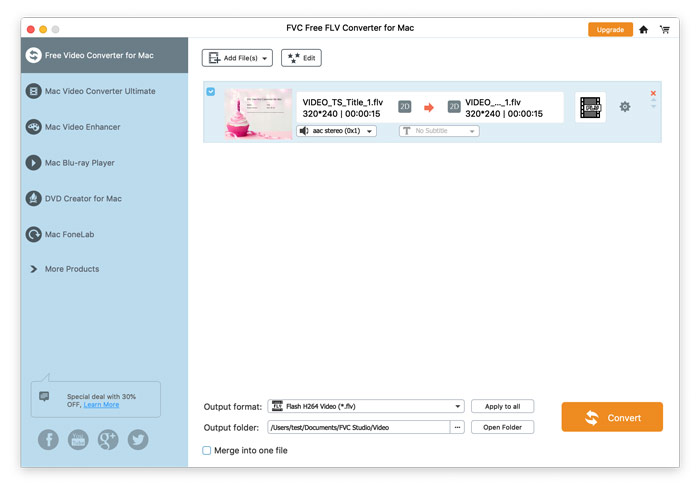
Interface Principal

Baixe e instale

Baixe a instalação para o seu computador. Clique duas vezes no arquivo baixado, siga as instruções de instalação e execute o aplicativo.

Preferências

Para definir as configurações para a conversão, vá em Preferências e então você pode escolher a pasta de saída, selecionar a afinidade da CPU, etc.
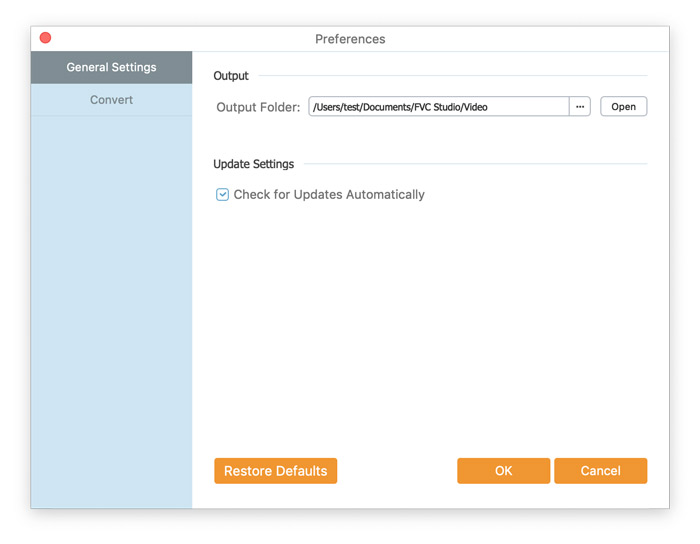
Preferências

Converter FLV para 3GP

Step 1. Add a FLV file you want to process

Launch the converter, click Add File(s) in the top-left corner of the window and find the files your want to convert, select them, and click Open.

Adicionar arquivos FLV

Step 2. Edit the Files

You can edit the files you’ve imported to the program by accessing the built-in editor via the Edit button on the top menu bar. Then, choose a theme to beautify your video.

Selecione o tema

Then, click Next to move on. Here you can define the main title, author, time, and provider in the opening and ending of the video.

Alterar configurações de tema

Click on Next to preview it in advance. After that, click the Save button to save the settings.

Salvar configurações de tema

Step 3. Set the target format

Navigate to the Output format field, and choose 3GP from the lists of presets that will appear on the screen.

Selecione 3GP

Hit the Cogwheel icon and adjust the video and audio parameters as needed. Then click OK.

Configurações de perfil

Step 4. Start converting FLV to 3GP

Go to the Output folder field and choose the folder for export. Next, click Convert and wait until the conversion is complete.

Iniciar conversão

Assim que a conversão terminar, a pasta será aberta automaticamente e você poderá curtir seus vídeos.

Conversão Concluída