Guia de usuario

Soluções de conversão de vídeo

Iniciar

FVC Free FLV to AVI Converter pode ajudá-lo a converter vídeos entre vídeos FLV e AVI e também oferece uma maneira fácil de editar seus vídeos. Neste tutorial, apresentaremos todos os recursos deste conversor de FLV para AVI para ajudá-lo a entender melhor este freeware.
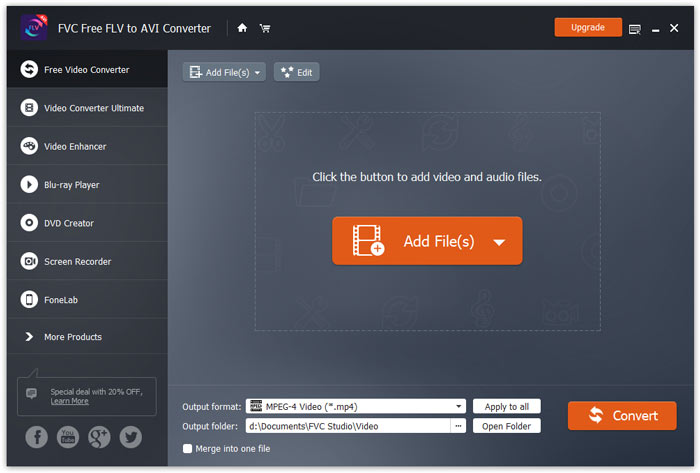
Interface Principal

Baixe e instale

Para começar, clique no botão Download grátis acima para baixar o programa diretamente. Depois de baixar o programa, clique duas vezes no arquivo baixado e siga as instruções na tela para instalar.

Baixe a instalação para o seu computador. Clique duas vezes no arquivo baixado, siga as instruções de instalação e execute o aplicativo.

Preferências

FVC Free FLV to AVI Converter oferece várias preferências personalizáveis para você. Você pode escolher a pasta de saída, a afinidade da CPU e muito mais.
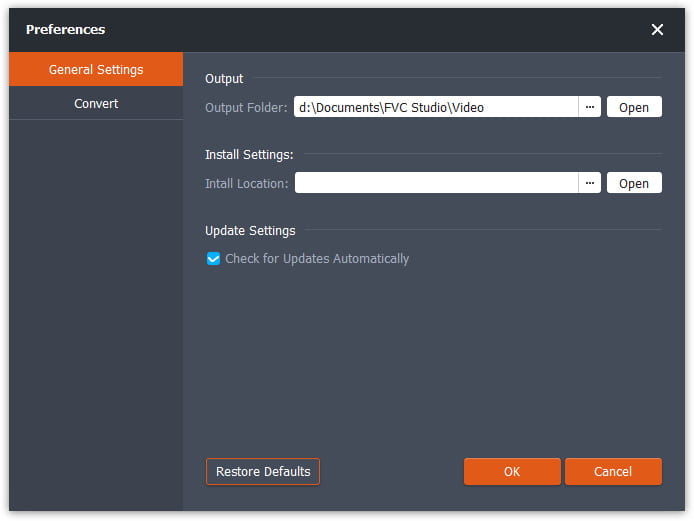
Preferências

Converter FLV para AVI

Step 1. Add a FLV file to the program

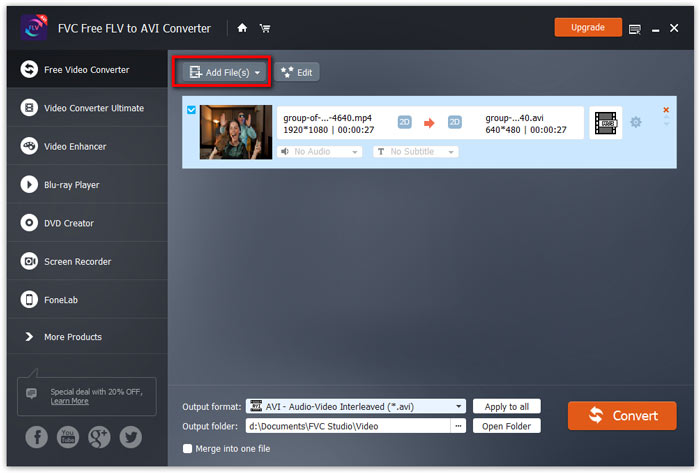
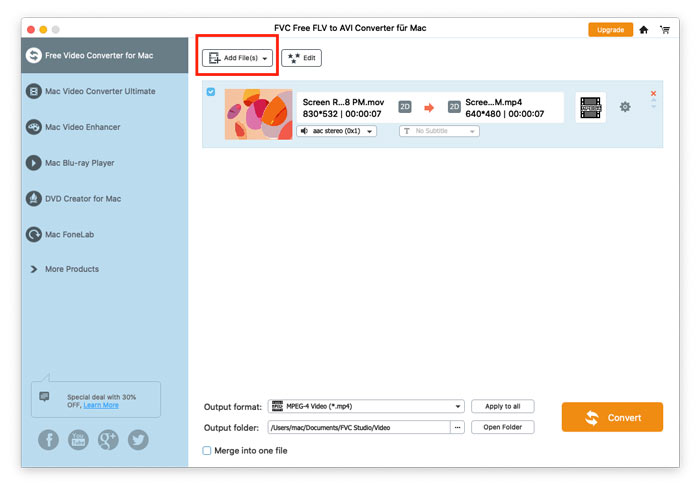
Run the converter, click Add File(s) in the top-left corner of the window to add one or multiple videos into the program.

Adicionar arquivos FLV

Step 2. Edit the video (optional)

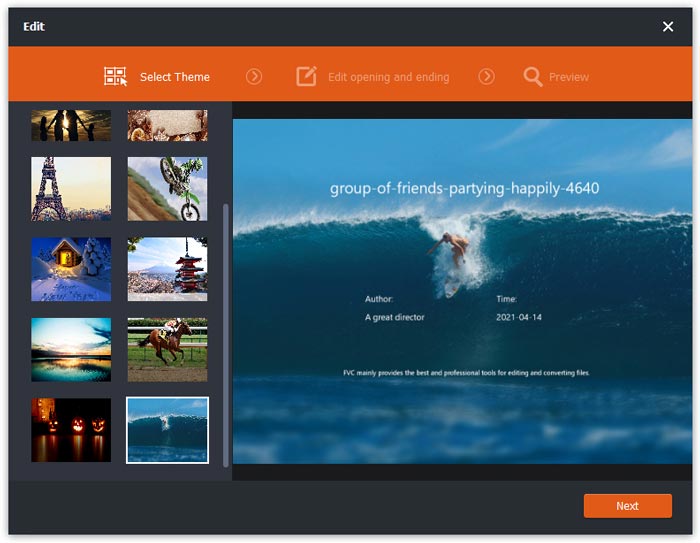
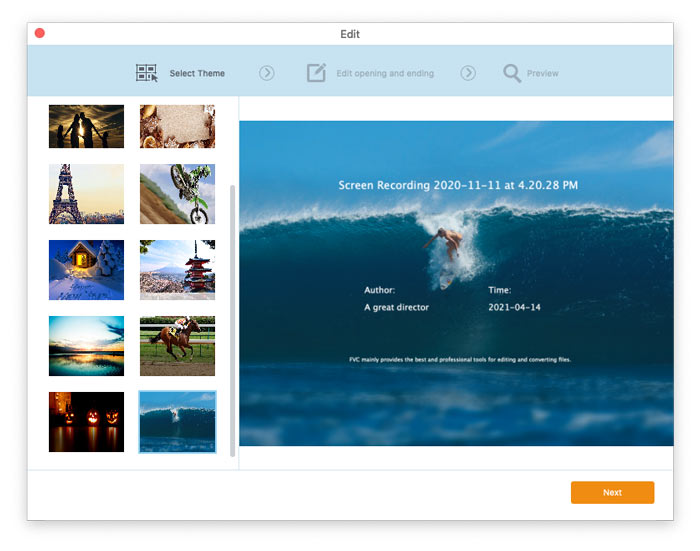
For editing your video file, click on the Edit button from the top menu bar. Then, you will be taken to the window where you need to select a theme for your video.

Selecione o tema

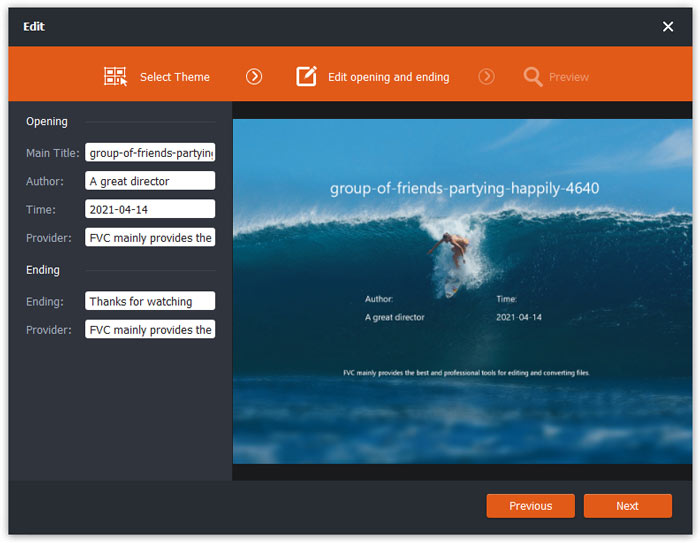
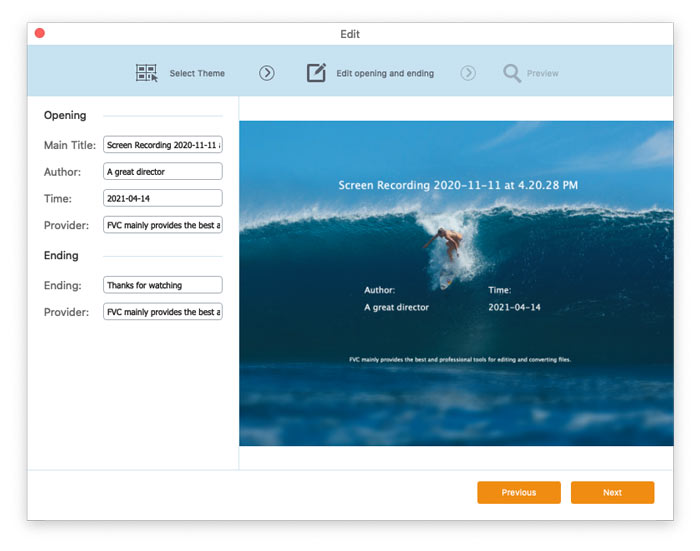
Then, click Next to proceed. Here you can customize the main title, author, time, and provider in the opening and ending of the video.

Alterar configurações de tema

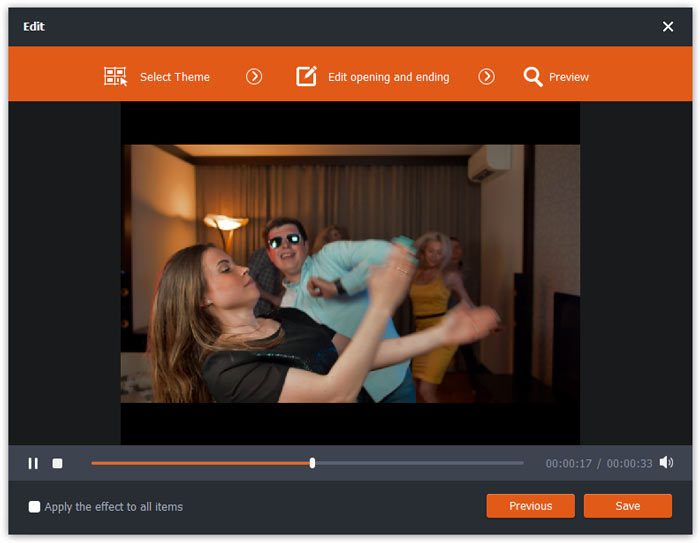
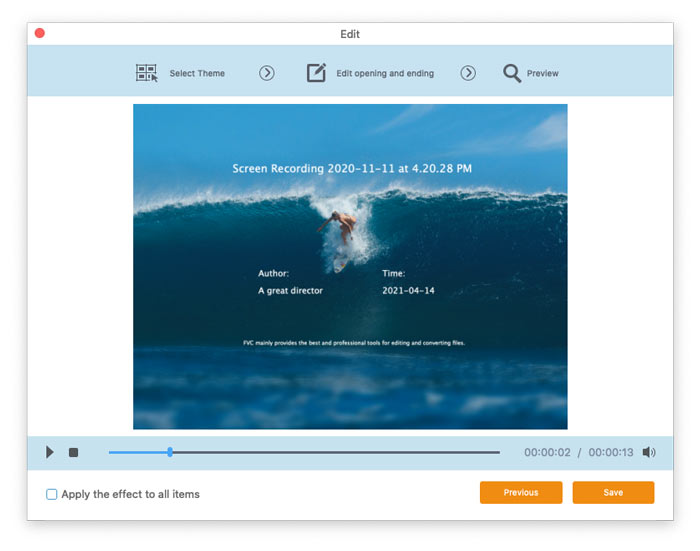
Click Next and then you can preview the video. If you are satisfied with the result, click the Save button to save the settings.

Salvar configurações de tema

Step 3. Set the target format

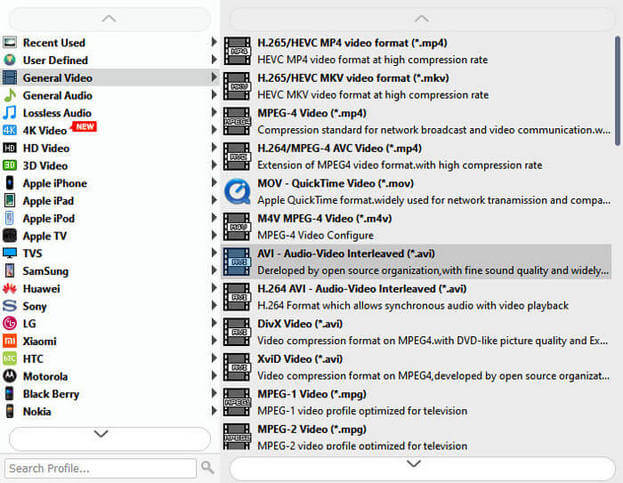
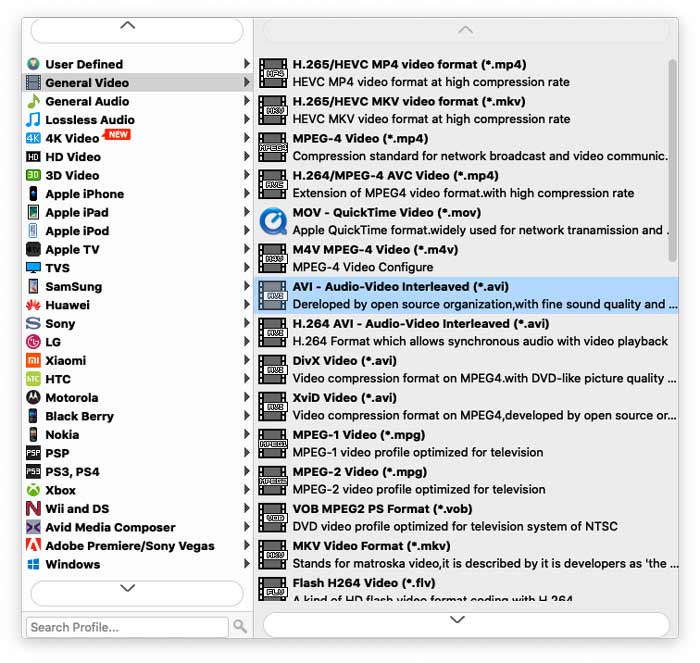
Then, go to the Output format field, and choose AVI you want to convert.

Selecione AVI

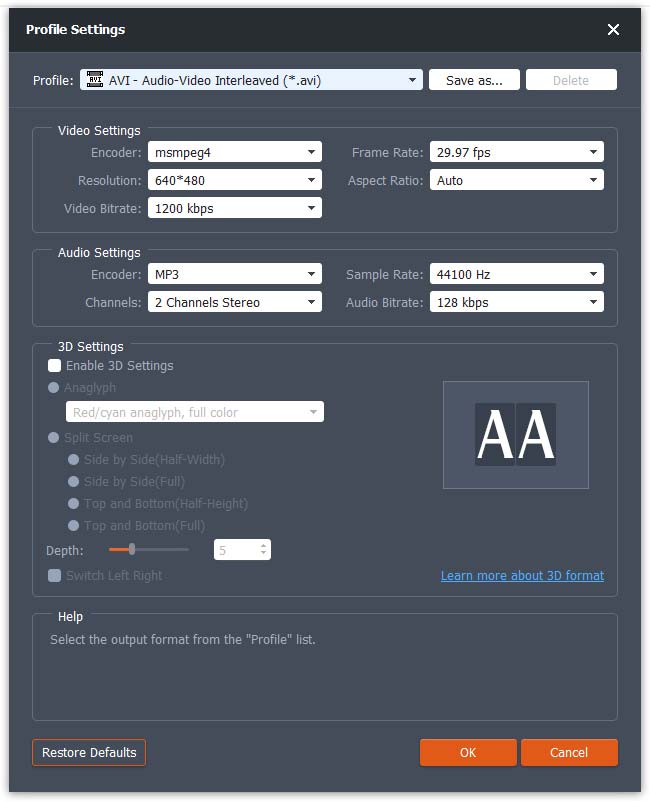
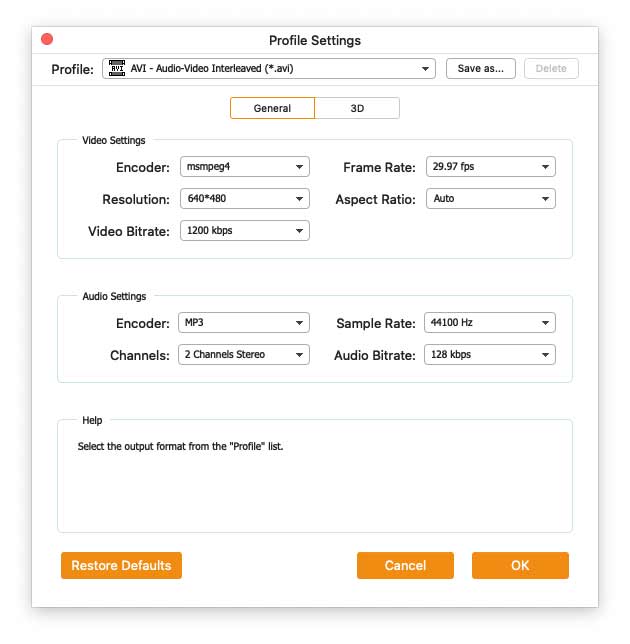
Hit the Cogwheel icon and adjust the video and audio parameters as needed. Then click OK.

Configurações de perfil

Step 4. Start converting FLV to AVI

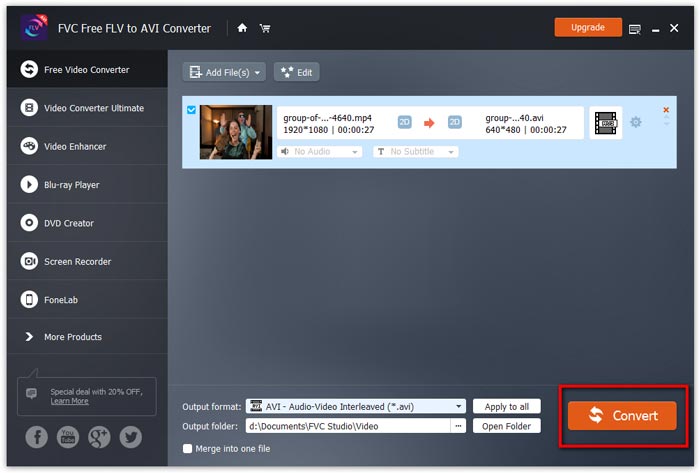
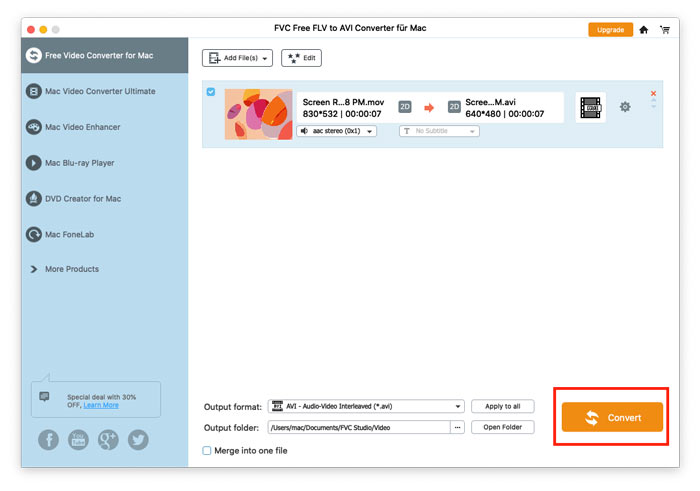
After selecting the format, go to the Output folder field to choose the destination folder and then click the Convert button at the lower right corner to convert FLV videos to AVI format.

Iniciar conversão

Guia de usuario

Soluções de conversão de vídeo

Iniciar

FVC Free FLV to AVI Converter pode ajudá-lo a converter vídeos entre vídeos FLV e AVI e também oferece uma maneira fácil de editar seus vídeos. Neste tutorial, apresentaremos todos os recursos deste conversor de FLV para AVI para ajudá-lo a entender melhor este freeware.
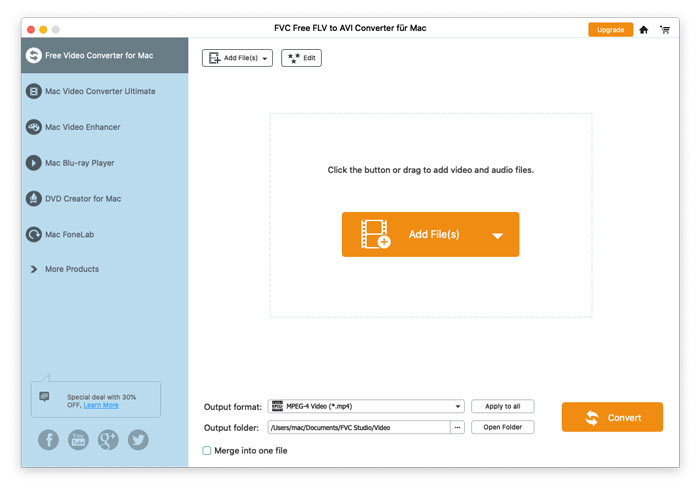
Interface Principal

Baixe e instale

Para começar, clique no botão Download grátis acima para baixar o programa diretamente. Depois de baixar o programa, clique duas vezes no arquivo baixado e siga as instruções na tela para instalar.

Baixe a instalação para o seu computador. Clique duas vezes no arquivo baixado, siga as instruções de instalação e execute o aplicativo.

Preferências

FVC Free FLV to AVI Converter oferece várias preferências personalizáveis para você. Você pode escolher a pasta de saída, a afinidade da CPU e muito mais.
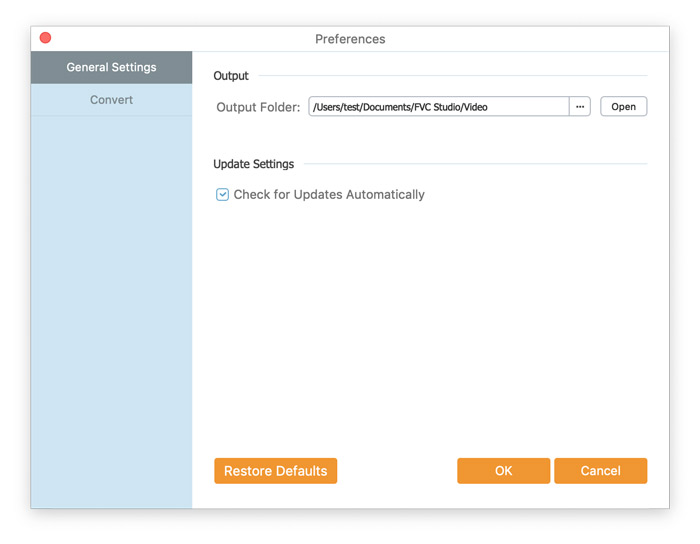
Preferências

Converter FLV para AVI

Step 1. Add a FLV file to the program

Run the converter, click Add File(s) in the top-left corner of the window to add one or multiple videos into the program.

Adicionar arquivos FLV

Step 2. Edit the video (optional)

For editing your video file, click on the Edit button from the top menu bar. Then, you will be taken to the window where you need to select a theme for your video.

Selecione o tema

Then, click Next to proceed. Here you can customize the main title, author, time, and provider in the opening and ending of the video.

Alterar configurações de tema

Click Next and then you can preview the video. If you are satisfied with the result, click the Save button to save the settings.

Salvar configurações de tema

Step 3. Set the target format

Then, go to the Output format field, and choose AVI you want to convert.

Selecione AVI

Hit the Cogwheel icon and adjust the video and audio parameters as needed. Then click OK.

Configurações de perfil

Step 4. Start converting FLV to AVI

After selecting the format, go to the Output folder field to choose the destination folder and then click the Convert button at the lower right corner to convert FLV videos to AVI format.

Iniciar conversão