


 Video Converter Ultimate
 Gravador de ecrã
 Reparo de vídeo
Escolha o melhor gravador de tela GIF para gravação de GIF [online e offline]
É o fato de que GIFs são formatos de arquivo simples, mas fáceis de acessar na web. O tamanho do arquivo de GIFs é tão pequeno que se tornou uma das formas mais eficazes de enviar vídeo ou imagens em movimento pela Internet. Enquanto assistia a um filme, você encontrou uma ótima cena sobre o filme que estava assistindo e deseja compartilhar com seus amigos, entes queridos ou familiares. Mas a maioria dos gravadores de tela estão no formato MP4 e MOV, que são um dos maiores formatos de tamanho de arquivo. Não é novidade para nós que a transferência deste tipo de formato de arquivo levará uma hora ou mais e na maioria das vezes eles falham devido à interrupção da Internet ou em outros casos o formato se torna indisponível porque nem todos os reprodutores de mídia locais suportam todos os formatos.
While scrolling from the web and looking for a solution you encounter GIFs. This file format is much smaller in size and easy to share. So, you are thinking what is the best GIF recorder you should use to record the scene in the movie you watch. The list below talks about some popular GIF recording tools you may already encounter or not on the web. Continue reading below to know what these tools are and how to use these tools to capture animated GIF format.

Parte 1. Melhores características que um gravador de GIF deve ter
Before anything else, choosing the best screen recorder is a must. But maybe you are wondering what you should prioritize on choosing a GIF Recorder? The list below gives you some idea what characteristics a great recorder should have.
● It should be user friendly – Choose a product that will not give you trouble on the recording.
● Budget friendly – this will only include if the tool is a pay-to-use tool. It is okay to be inexpensive rather than spending your money on something that a cheap premium version can provide. It is a fact that a premium tool provides the best output. This will matter only to the pay-to-use tool. So, free online or offline tools should not worry about this.
● Availability of the program – in this case if you change your PC to Mac or vice versa. You don't need to adapt to a new recorder. So, it is a must to choose the GIF screen recorder which is available on all platforms. Also, for less hassle and if they make changes, it will be more likely simple like the name but not the whole interface of it.
● No malware or virus – this may apply both online and offline. Every program should provide you the best recording with the best safety as well. To avoid data loss and leak of data.
Embora essas sejam as características simples que um gravador deve fornecer, a exclusividade da ferramenta que você pode escolher está na lista abaixo. Encontre a diferença entre cada ferramenta e escolha o melhor gravador GIF da lista para sua gravação.
Parte 2. Melhores gravadores de GIF na web
1. Gravador de tela livre FVC
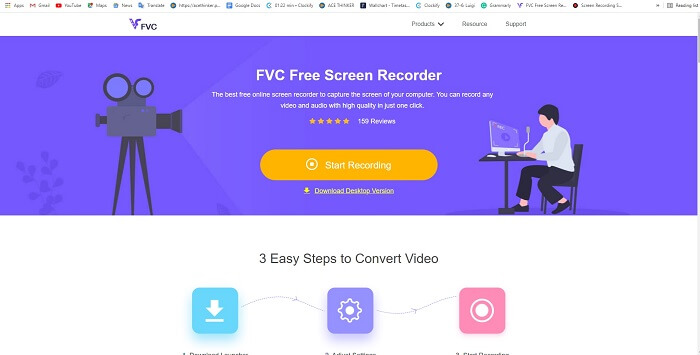
The best way to share the moment is to record it and the best way to record a scene or action on your screen is the FVC Free Screen Recorder. This open-source tool allows the user to record with the help of the internet. If there is an internet connection then you may use this tool. Also, it features the basic file format, codec, and etc. Though it is a lightweight GIF recorder online for PC and Mac it provides a great opportunity to you to do more recording without any limit and watermark. To present to you on how to use the tool you must follow this step.
Step 1. Click this link provided to go to the main webpage.
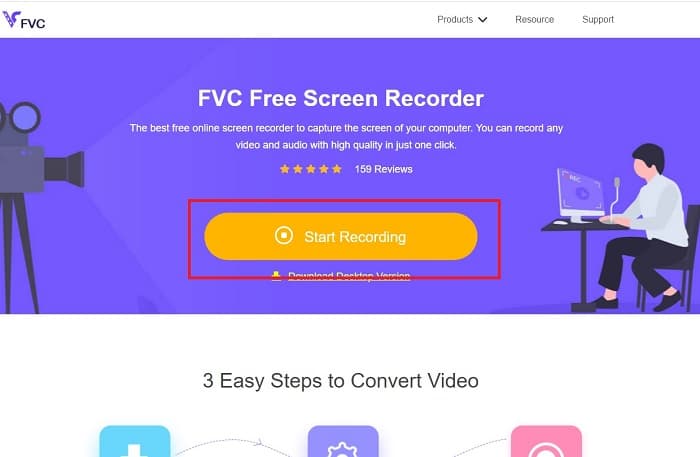
Step 2. A website like this will show on your screen. Click the Start Recording and Allow to launch the online tool.
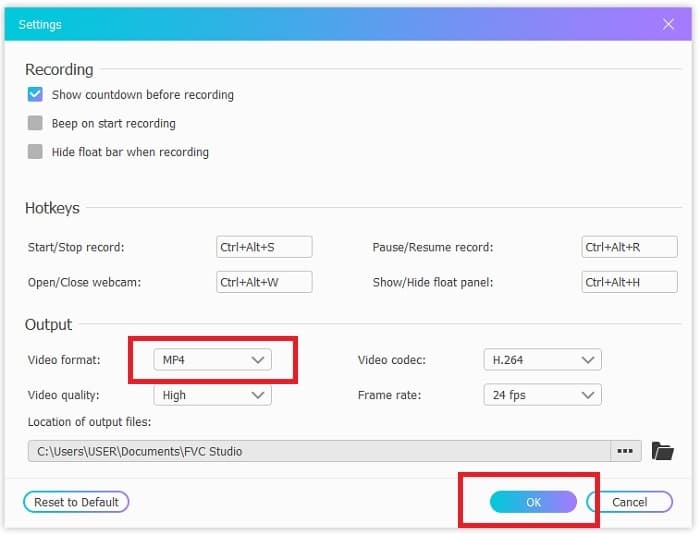
Step 3. A floating toolbar will show on your screen. Hit the cog icon to go to the settings, change the video format, and the other settings if it is needed. Click OK to save the adjustment.
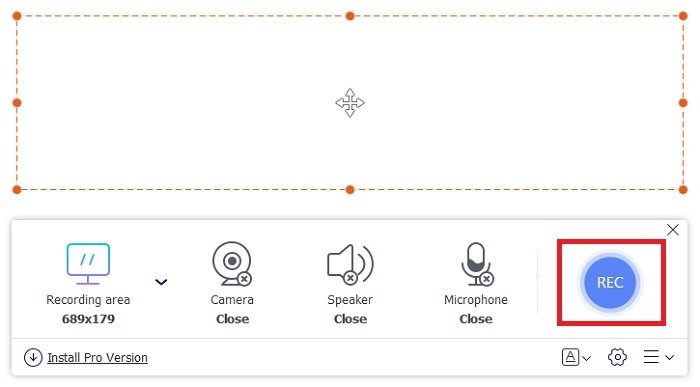
Step 4. Adjust the region of recording or click the Full screen for full display. Speaker and Mic are not included in making GIFs because no sounds are provided. But you may add your face by opening the Webcam. If you're ready to start the recording click the REC button to start.
Step 5. To end the recording click the square button to stop. Also, you can check the finished recording you've made in the history list.
2. Gravador de tela FVC
If the free online tool of the FVC provides you the goosebumps. Then just by installing this best GIF recorder - FVC Screen Recorder will give you the wow factor you always longing for. What does this tool provide that will give the wow factor? It is not only just for recording GIFs. It also provides video & audio recording and amazing gameplay recording. But that is the minor feature of this tool, it also produces different output formats like MP4, GIF, MOV, and many more.
Outro recurso é o recurso de tela de bloqueio, este é o recurso exclusivo desta ferramenta, mesmo um gravador pesado como o Bandicam não pode fornecer esse recurso. Grave e capture imagens em formato GIF sem mostrar a ferramenta em si. O gravador de tela FVC fornece o peso por peso na gravação. Portanto, não importa o que você esteja gravando, este gravador pode gravá-lo. Para saber como usar esta ferramenta siga estes passos simples no caminho para o sucesso da gravação de GIFs.
Step 1. Here provided to you the installer of the tool. Choose between the two operating systems available. Install the tool into your hard drive and change the preferences based on your needs and click finish to save.
Free DownloadFor Windows 7 or laterSecure Download
Free DownloadFor MacOS 10.7 or laterSecure Download
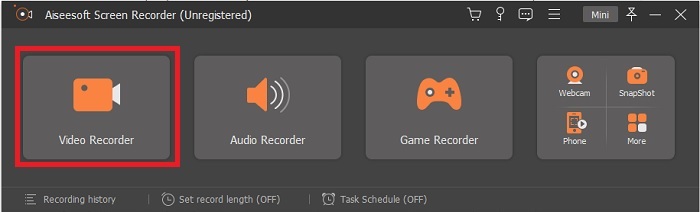
Step 2. Choose the Video Recorder to record what is on your screen. Available options like audio recorder and gameplay recorder are a must to use later.
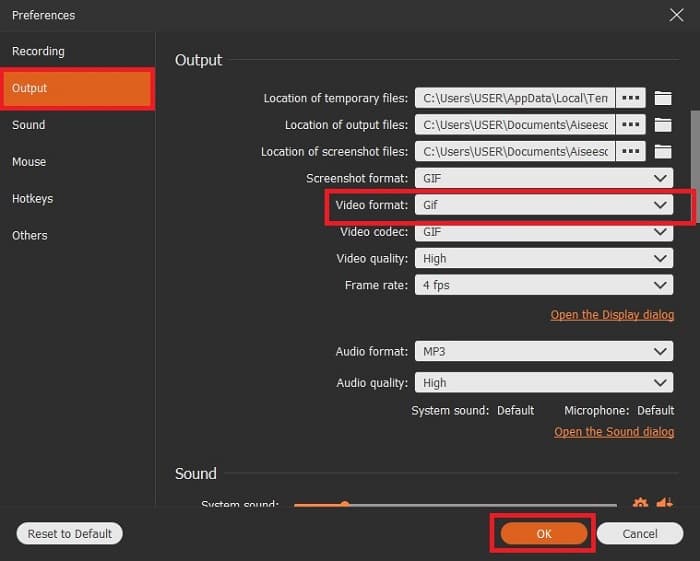
Step 3. The floating toolbar will show on your screen. Click the gear button to go to the setting and in the Output change the format into a GIF or whatever you want to use. To save the adaptation click OK to proceed.
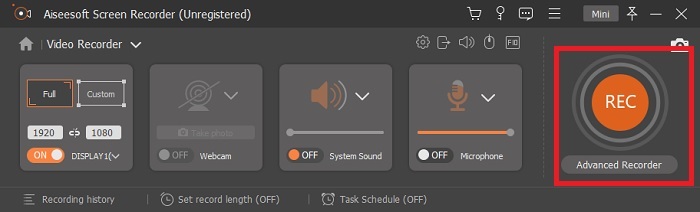
Step 4. In the main toolbar. Adjust the screen ratio or if you want a full display click the full screen. Recording GIF format sound and mic will not matter. But you may add Webcam to show your reaction. If already ready to go, click the round button to start recording.
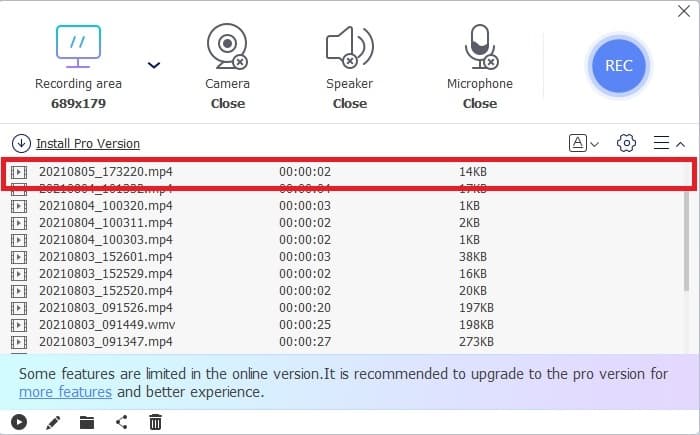
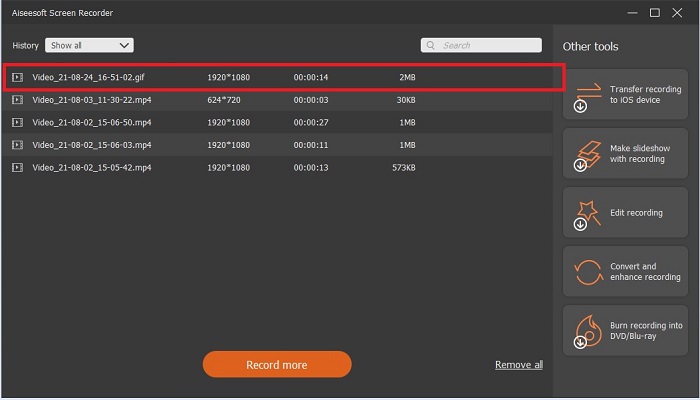
Step 5. If the recording is already done you can now click the cube button to stop. Click the Save and Next to save the progress. To review the GIF, you record it early, click the three-lined icon, and history of recording will go into your screen.
3. ScreenToGif
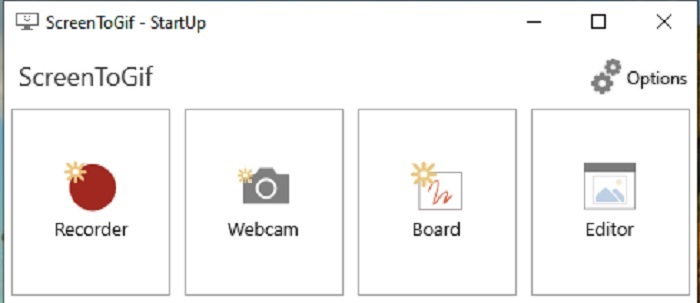
This tool is a downloadable GIF recorder for Mac and PC has two different versions: the Installer and the Portable. Choose between the two on what you like to download. But there are cases that while the tool is running you may encounter some minor bugs. And the only format available in this tool is .gif for the final output. So, if you wish for another format this tool can't provide it. But it is also free to use so if you want to record GIFs then you may use this tool. But the interface and tool of it are a bit lame because of the white background of it. Seems to be boring but can do the work.
4. Gyazo
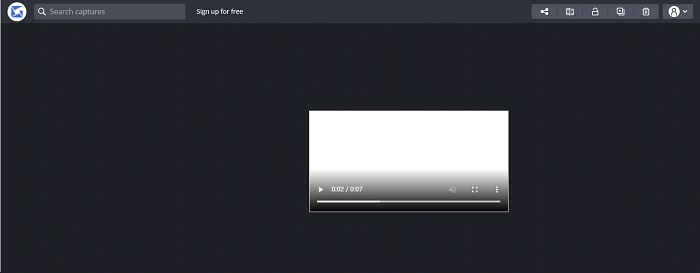
This is one of the best GIF recorders for windows. Gyazo is a software dedicated to recording GIFs. Although after your installation 3 tools will be automatically downloaded into your storage. They are part of the tool but they are different from one another and function also. These 3 tools are the Gyazo, Gyazo GIF, and Gyazo Replay. Recording a GIF into the Gyazo GIF is limited to 7 seconds. So, if your recording is more than 7 seconds then this is not the best. Also, the saved video will not automatically be downloaded into your storage. A new tab will be open in your search engine and you'll need to download it. Downloading the final output will be dependent on your internet connection so beware of it.
5. RecordIt!
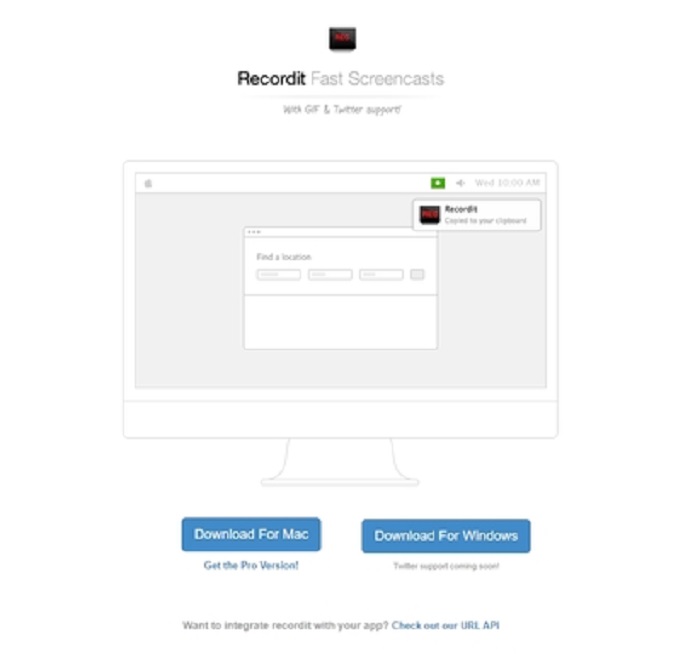
Another tool used to create GIFs is RecordIt!, the best GIF recorder for mac. This tool also has a Windows program. But the problem with this tool is its installation. After all the setup you may encounter some difficulties in installing it to your program. This is natural because if you don't update applications in your setup the tool will never be downloaded. But there is an option but it could bring harm to your desktop. You can click the ignore to download and ignore all the notices. So, download it at your own risk, though the tool has ads on it, and beware also of the ads because some of them are unrestricted. Moreover, it provides a pro version with removing the ads and adding other features as well.
Parte 3. Perguntas frequentes sobre o gravador GIF
Posso converter GIF em um formato MOV?
Sim, você pode converter GIF para o formato MOV com a ajuda de um conversor de vídeo online como o FVC Free Online Video Converter.
Quais são os diferentes tipos de GIFs?
Existem 5 GIFs: GIFs de repetição, GIF de reação, gráfico de cinema, loop perfeito e GIF técnico. Todos eles podem ser baseados em animação, baseados em vídeo e adesivos.
Quais são as outras alternativas para GIFs?
Apesar da criação de GIFs há mais de 30 anos. Existem alguns concorrentes na web que produzem filmes, bem como GIFs. Estas são as melhores alternativas para GIFs animados: APNG, WebP, AVIF, MNG e FLIF.
Conclusão
It's come to an end, is it said that every great story always ends with a great conclusion. To conclude the details above, GIFs showcase an expressive emotion towards the receiver. But not all of the videos you want are not in GIF format. Instead of waiting for a GIF to be created, why don't you create one? With the help of the best GIF recorder which is the FVC Screen Recorder. This tool allows the user to record a GIF and add your personal touch. If you're still wondering what you should use then it is a must to re-read the best characteristics and all of those characteristics belong to the chosen one which is the FVC Screen Recorder.
-
 [2 Soluções] Como converter arquivos SWF em GIF de forma fácil e gratuita
 Se você não conseguir exportar o formato GIF por meio do software Flash, tente primeiro salvar os arquivos no formato SWF. Em seguida, você pode aprender duas maneiras fáceis de converter arquivos SWF em GIF neste artigo.
-
 4 maneiras de mesclar vídeos gratuitamente no Windows / Mac / Online
 Aqui estão 4 maneiras rápidas de mesclar vídeos em um novo vídeo. Nenhum tamanho de arquivo de vídeo ou limite de formato. Você pode juntar 2, 3, 4 e até mais videoclipes em diferentes formatos e resoluções com sucesso.
-
 (2 soluções) Como converter vídeos WMV em arquivos GIF gratuitamente
 Se você deseja recortar as partes maravilhosas dos vídeos WMV e fazer GIFs a partir deles, você pode aprender sobre 2 métodos fáceis de transferir vídeos WMV para GIFs neste artigo.
