


 Video Converter Ultimate
 Gravador de ecrã
 Reparo de vídeo
Como converter GIF em WebM com etapas e ferramentas detalhadas [grátis e caro]
GIFs became popular because of the funny contents it provides to us. Instead of using still images to add excitement to our text messages. We use GIFs which provide us with the movements and to add exaggerated emotions to it. But not all platforms support GIFs because this format is more than 30 years old. And in some cases, when you add a GIF file to your web the quality of it is not supported. So, the best way to share GIFs is to convert it to a WebM format. This WebM format is much smaller in compression, size and produces a high quality which is ideal to everyone. This type of format is the best substitute for GIFs in the long run because same as GIFs it can store static images and animations as well. To know what are the best GIF to WebM converters, continue reading below and choose what fits you the best.

Parte 1. Como converter GIF em WebM para Web e desktop gratuitos
1. FVC Free Video to GIF Maker
To finish the job effectively you must consider choosing the right tool. And if the job is to convert GIF to WebM then you may like to try FVC Free Video to GIF Maker. Creating a GIF becomes easy if you use this software, as well as converting GIFs. Thus, the learning process on how to use this tool is simple. It is all thanks to the FVC on-point guide provided. So a new user or pro can easily manage to use it while having the best output. To know how to use the tool you must follow the steps below provided especially for you.
Step 1. Install this free tool to your drive. Choose the right operating system of your program.
Free DownloadFor Windows 7 or laterSecure Download
Free DownloadFor MacOS 10.7 or laterSecure Download
Step 2. Click the icon of the tool that has been downloaded to start launching. If the tool is already running in your background the interface should be exactly like this.
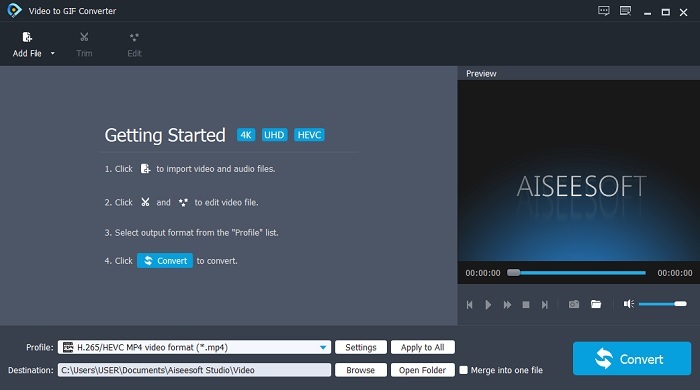
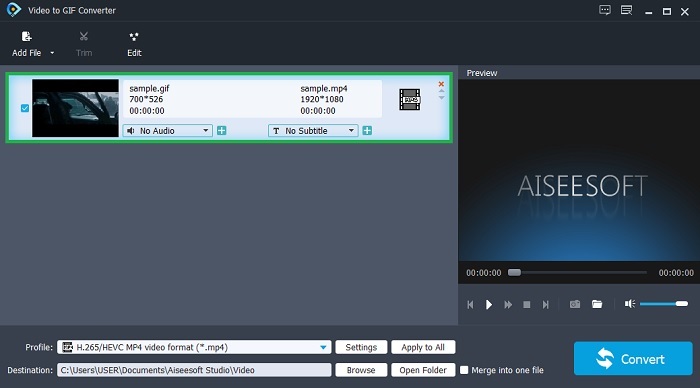
Step 3. Click the Add File and select the GIF you want to be converted. And in the interface, you can edit the video or trim it.
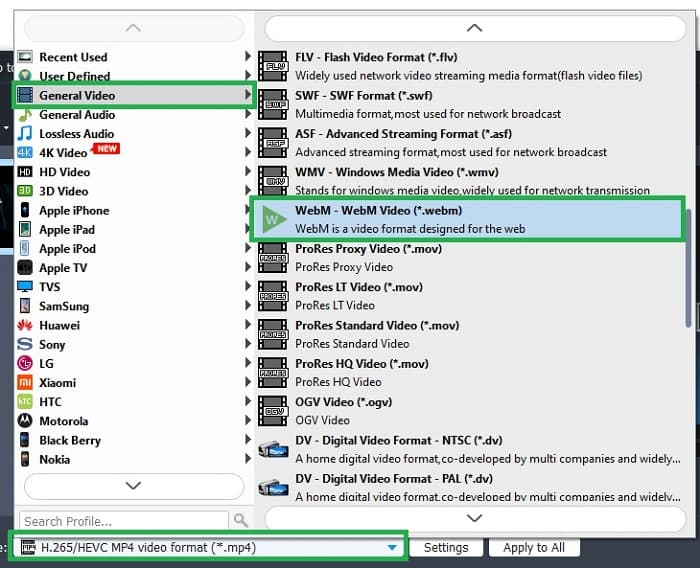
Step 4. In the drop-down button select the WebM file or any format you want to be converted. If you're ready to start the conversion process press the Convert.
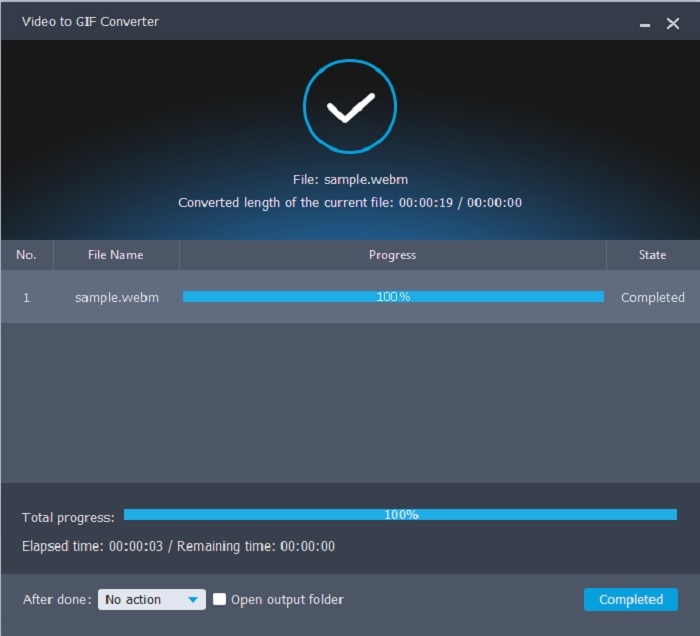
Step 5. Conversion process will only take less than a minute. If the conversion is finished you can check the final output on the file manager.
Prós
- É ótimo para fazer e converter GIFs.
- Ferramentas pontuais para que o processo de aprendizagem de como usar esta ferramenta seja muito fácil em todas as idades.
- Sem internet para usar a ferramenta.
Contras
- A maioria dos principais recursos da ferramenta final não está disponível aqui.
- Ele precisa ser instalado em sua área de trabalho.
2. OnlineConverter.com
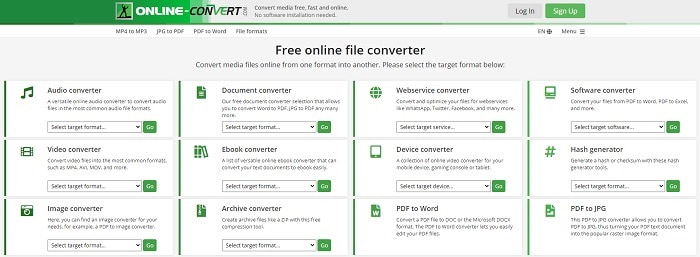
Turn your .webm to .gif with the help of OnlineConverter.com. If you want a tool that will do specifically on converting then you must try to use this tool. This tool supports different conversions like document, eBook, and archive. But the downside of this tool is that it doesn't support editing features, even the basic one. So, if you want to know how to use this tool follow the steps below.
Step 1. Search the main webpage of the tool. On your favorite search engine.
Step 2. Click the video converter and place the file.
Step 3. To start the conversion, click the start conversion and wait to finish the conversion.
Prós
- Acesso fácil que pode ser usado por qualquer pessoa online.
- Nenhum arquivo adicional necessário para usar.
- Ele também suporta conversões diferentes.
Contras
- O processo de conversão online leva mais tempo do que as ferramentas baseadas em desktop.
- Tem alguns anúncios e uma interface web enfadonha.
3. Convertio
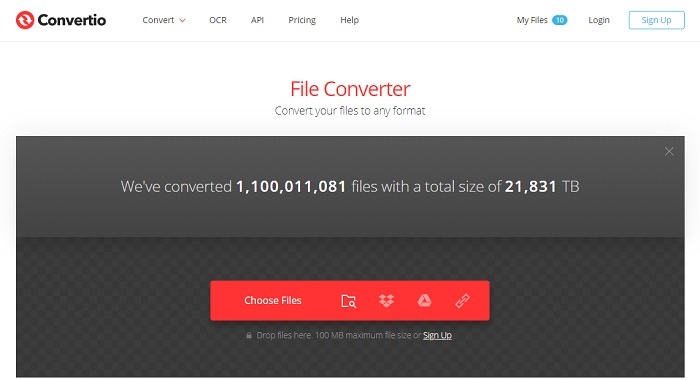
If you want to know how to turn WebM to GIF or vice versa? Just by using this online Convertio you can convert anything. If converting is a problem to you then this must be the solution to it. Though, the online tool has an ad and it doesn't provide editing features. It is still one of the best converters online you might find. If you want to try this tool then follow the steps below.
Step 1. Find the main webpage of Convertio online then click the link.
Step 2. If you're in the main interface select the Gif you want to be converted.
Step 3. To start the process, click the convert.
Prós
- Fácil de usar por causa da forma precisa.
- Ele também oferece suporte a diferentes plataformas.
- Pode ser facilmente acessado pela internet.
Contras
- Tem uma grande chance de perder dados durante a conversão se a internet for interrompida.
- Anúncios no próprio site, o que pode ser um pouco irritante.
Parte 2. Melhor maneira de transformar GIF em WebM com a ajuda da ferramenta Ultimate
Video Converter Ultimate
Mas você pode considerar o uso deste Video Converter Ultimate desenvolvido pela FVC. Se a versão gratuita desta ferramenta fornece o melhor resultado, ela é muito mais do que isso. Ele pode melhorar a qualidade do vídeo e também adicionar efeitos a ele. Se você gostaria de melhorar a qualidade do áudio, você também pode usar esta ferramenta para melhorá-la. Então, se você quiser levar sua conversão para o próximo nível, você deve usar esta ferramenta como sua escolha pessoal. Porque é a ferramenta certa que fornece um resultado final definitivo para impressionar seus amigos, família ou qualquer pessoa. Leia as etapas detalhadas abaixo para saber como usar esta ferramenta definitiva para criar uma saída definitiva.
Step 1. To start the tool, you must download the right program to your computer. Click the download button and follow the set-up of it and change if it is needed. Click the finish to start launching the tool.
Free DownloadFor Windows 7 or laterSecure Download
Free DownloadFor MacOS 10.7 or laterSecure Download
Step 2. A mini-interface like this will show into your display.
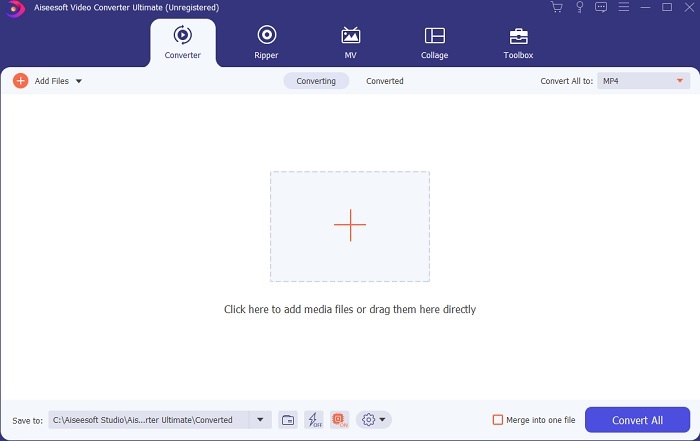
Step 3. Click the plus sign in the middle of the interface to add the file. If you want to convert a lot of GIF files it is much better to drag-and-drop the file to the interface.
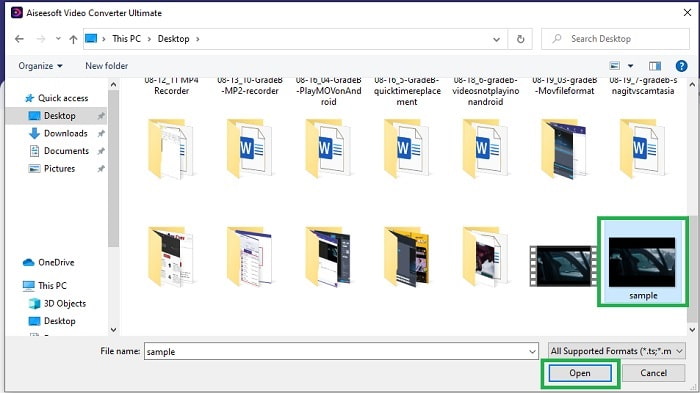
Step 4. Choose between the format you want after unfolding the Convert All to menu. If you're ready to go, click the Convert All to start the conversion process.
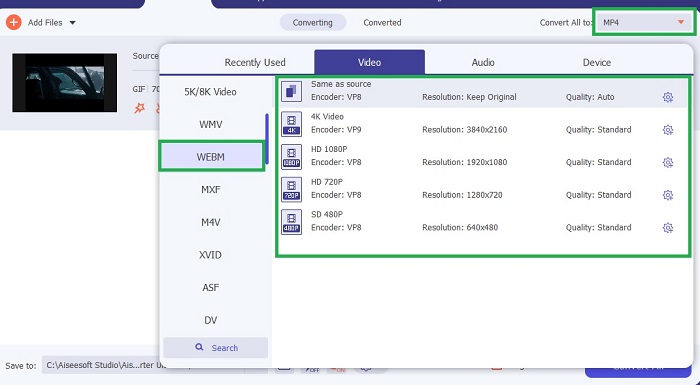
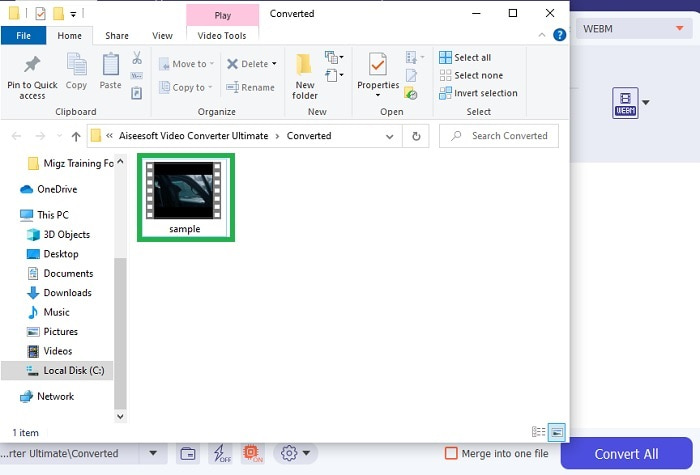
Step 5. The conversion process will not take a lot of your time. Because it is 30x faster than the free tool and 100x faster than the other tools. If the process is done a file manager will pop-up on your screen and click the video to watch it. You can also enhance the output later on the toolbar if you want.
Prós
- Oferece mais recursos para melhorar seu vídeo convertido.
- Ele fornece todos os formatos que você conhece ou não.
- O processo de conversão é super-rápido, em vez de qualquer ferramenta de conversão disponível aqui.
Contras
- Você precisa baixar arquivos adicionais antes de iniciar a ferramenta, caso contrário, ela não será iniciada.
- É pagar antes de usar a ferramenta.
Parte 3. Perguntas frequentes sobre GIF para WebM
Por que meu WebM não pode ser reproduzido na web?
It is very simple because your search engine is outdated. No WebM can be played over the old version of web for example is the Internet Explorer. Click here to learn more available WebM players.
O que é melhor, GIF ou WebM?
Se você deseja conter vídeos com áudio, o WebM é um formato muito melhor. Mas se o formato GIFs de imagens estáticas for a sua escolha.
Quem desenvolveu o formato WebM?
Os primeiros são On2, Xiph e Matroska e depois o Google os desenvolve.
Conclusão
It is much clearer to us that converting GIF to WebM is a must especially if you want to have a small file size and yet high-quality video. And the best tool for conversion is with the help of Video Converter Ultimate. More importantly, it also supports converting WebM to GIF easily and quickly. If you have a doubt on the free tool then it is better to use this premium tool. Aside from being safe, it can deliver 100x success on conversion and editing as well. This tool is your go-to as simple as that. Use the best converter that delivers a great conversion.
-
 Escolha o melhor GIF Cropper online e offline para cortar GIFs [2021]
 Escolher a melhor ferramenta de corte é uma obrigação e alguns dos criadores de GIFs não forneciam esse recurso. Mas qual é a melhor ferramenta de recorte GIF para usar e como usá-la?
-
 5 melhores opções para gravar formato GIF com gravadores GIF para PC e Mac
 Qual é o melhor gravador de GIF que você deve usar para gravar GIFs? A lista abaixo fornece evidências de qual é o melhor gravador de tela.
-
 Como converter MPG para formato GIF [online e offline]
 Quer expressar uma emoção muito melhor? Então você deve usar GIF. Este artigo irá ensiná-lo a converter um arquivo MPG em GIF para expressar melhor seus sentimentos.
