


 Video Converter Ultimate
 Gravador de ecrã
 Reparo de vídeo
Melhor conversor de MPG para GIF para converter MPG para GIF [versão gratuita e premium]
A melhor maneira de expressar seus sentimentos aos entes queridos é criar uma mensagem significativa. Mas você quer saber o que é melhor para se expressar de uma maneira diferente? Você pode usar um GIF. Também conhecido como Graphics Interchange Format, essas são as imagens que você envia, mas são atualizadas. Essas imagens em movimento são criadas para simplesmente expressar seus sentimentos em relação a alguém, direta ou indiretamente. Você sabia que a maioria dos aplicativos de mensagens oferece suporte a GIF e também ao nosso mensageiro integrado? Mas em algumas versões antigas do telefone, ele não oferece esse formato. Embora o GIF seja divertido, nem sempre proporcionará a você a emoção que você deseja expressar.
So, you're here to know what is the best way to change your MPG to GIF format. Isn't exciting to create your own GIF. Instead of searching for what you should use, why don't you try creating your own GIF by adding your personal touch to it. The best way to know how to do it is to read this article. Because it provides sufficient information, steps, and tools for the job. So, without any more beating around the bush let's proceed to the important details of this article. Continue reading to know more about these lists of converters.

Parte 1. 4 Melhor ferramenta para converter MPG para formato GIF PC ou Mac
1. FVC Video Converter Ultimate
If you want to share your humorous message without typing too many details then this tool will help you. This tool offers you to convert mpg to animated gif also it was developed by the FVC. FVC Video Converter Ultimate allows the user to convert any type of format into a playable format you may like to use. Maybe you're wondering why you chose this tool. Is there anything special about this tool? Yes, this tool is multi-purpose. It can be your most trusted ripper, mv maker, collage, and many more. It only means that this tool can do more than any other tool can offer. Another amazing feature of it is the Ultrafast conversion of it, converting your video in no time with the help of this tool. To know how to use this tool is to follow this step carefully so you can have a successful conversion to your format quality.
Step 1. Install the tool on your PC or Mac. Follow the instructions after installation and click finish to start the tool.
Free DownloadFor Windows 7 or laterSecure Download
Free DownloadFor MacOS 10.7 or laterSecure Download
Step 2. After all the process of installation. A mini-interface like this will show into your screen.
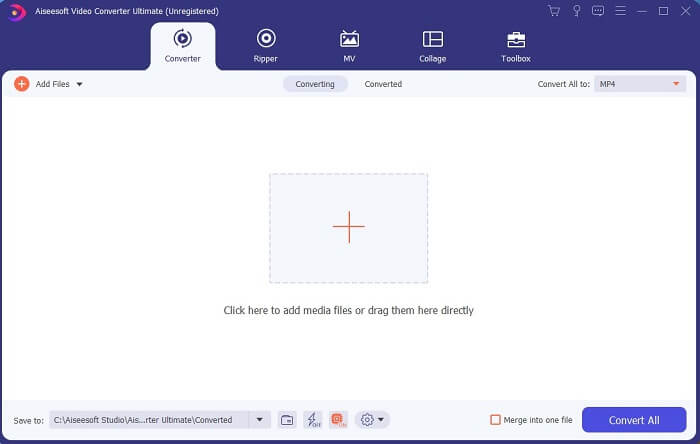
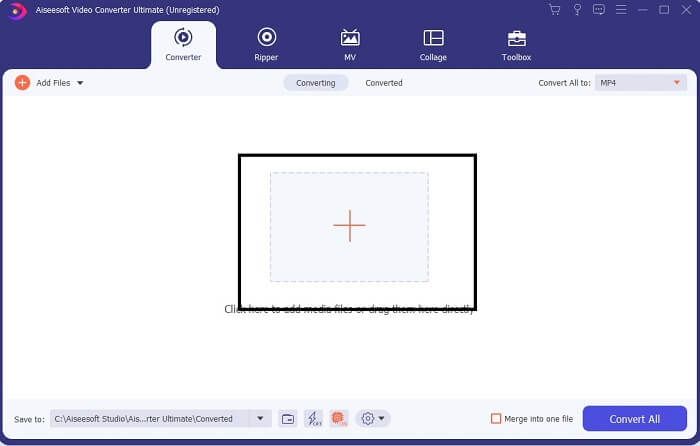
Step 3. Click the plus sign to add the file and click the open to start conversion or you can just basically drag-and-drop the video file into the tool. The amount of the video will never matter at all.
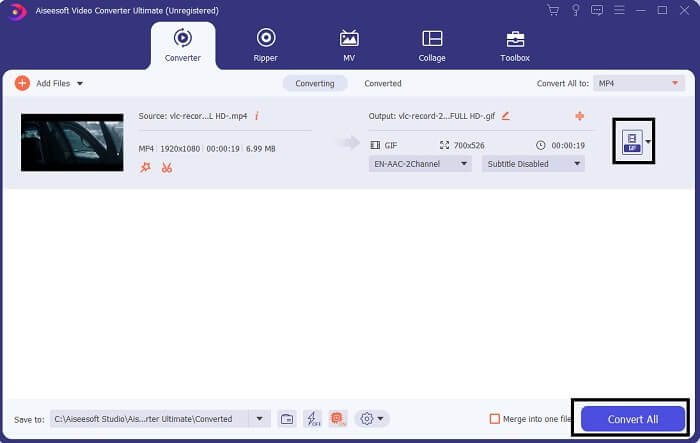
Step 4. Click the drop-down button on the upper right side of the interface and scroll it down and click the GIF format. Choose the resolution you want; it can be Large, Medium, and Small. If everything is ready to go, click the Convert All to start the conversion.
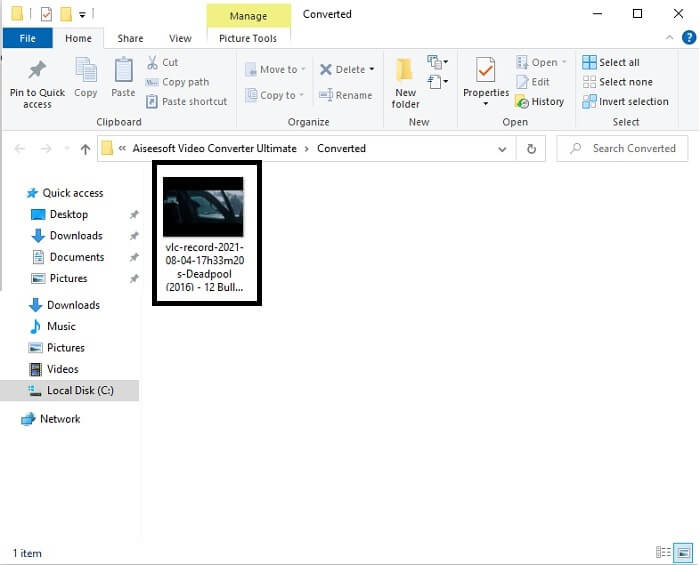
Step 5. After the conversion. A file manager will pop up to you and it will show your final output and now you can enjoy your GIF format. But you can also convert a .gif file to .mpg format in the same step but change the format.
2. FVC Free Online Video Converter
Talvez você esteja pensando: e se você não tiver dinheiro, ainda posso ter a mesma conversão da primeira vez? A resposta é um grande SIM. A FVC sempre oferece a melhor experiência para seus clientes que não têm dinheiro e também para aqueles que desejam experimentar sua ferramenta. Embora essa ferramenta faça apenas conversões simples, não espere tanto quanto a versão premium pode oferecer. E não pode converter vários formatos de vídeo e áudio de forma mais rápida.
But the conversion process it provides is much better than the other premium converter and free converter. FVC Free Online Video Converter here to save your day. As it says in its name it is a free online tool that allows you to convert into the max level. Unlike any other converter, this tool has no ads or malware, registration, log-in needed, and your personal information before you use it. If you're looking for a simple converter then this is the right tool for you. Follow these steps to know how this tool functions as a converter.
Step 1. Go to the official website by clicking this link.
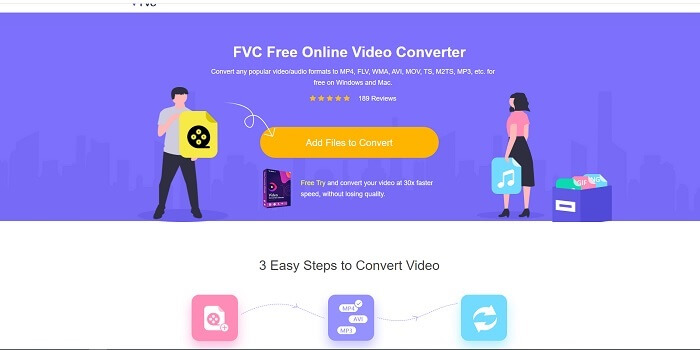
Step 2. The web page should look like this. Then click the Add Files to Convert to launch this online tool.
Download the Desktop Version to convert files in batch.
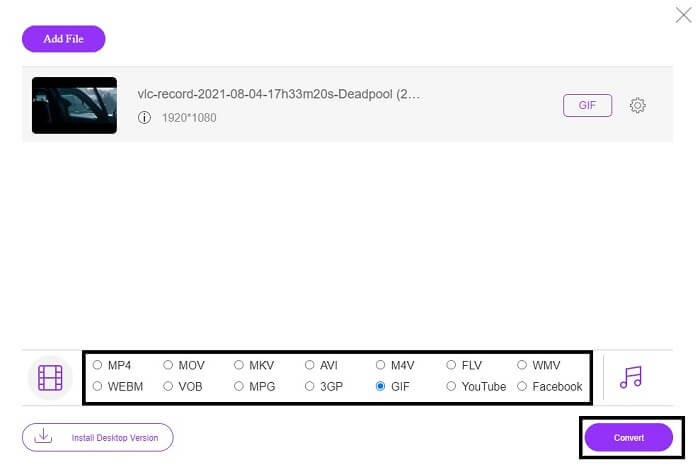
Step 3. Choose the video you want to be converted. After selecting the video, select the GIF file format. For additional information you can choose another video and audio format as well, you may check them out later if you want.
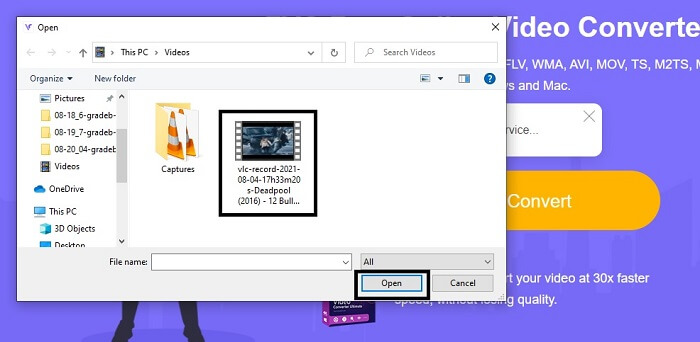
Step 4. Choose where you want to put the final output. Then if everything is already, click Convert to start conversion. This will take a few seconds to finish the conversion.
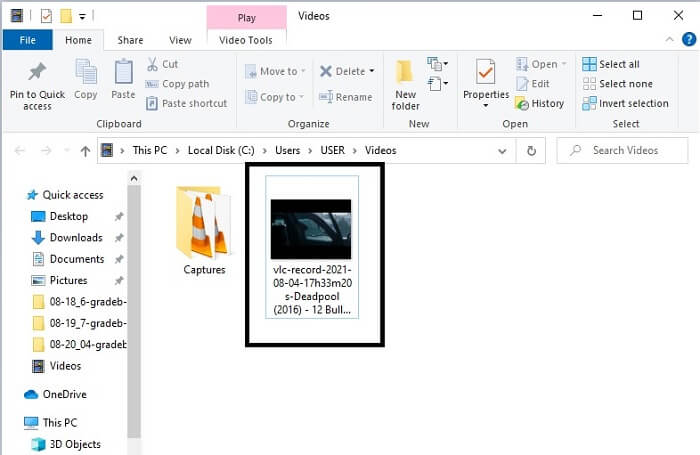
Step 5. To check your successful conversion. You can locate your converted GIF file into your file manager or explorer. Click it and enjoy.
3. VLC Media Player
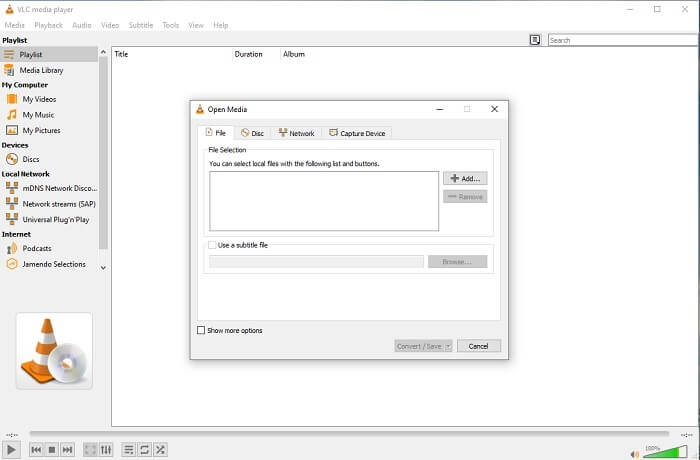
This tool is known for being one of the most powerful media players. But did you know that VLC players can also convert MPG to GIF? But the format it provides is very limited to only known formats. Despite being known as the best media player the converting feature of it is not the best choice for you. So, if you want a better converter, you must choose the online tool above rather than this tool. But if you want to watch the video then VLC Media player must be your choice because the other tool can't provide video player because their main purpose is conversion.
4. Zamzar
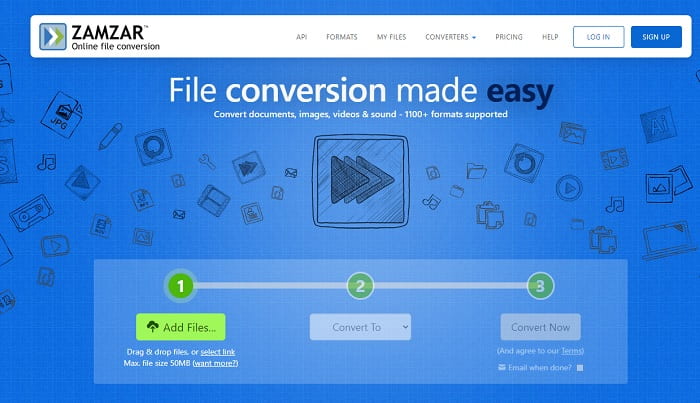
Outra ferramenta online que oferece uma ótima conversão é o Zamzar. Como qualquer outro conversor online, eles compartilham a mesma interface e também fornecem instruções imediatas sobre como convertê-lo. Mas o processo de conversão e download é diferente. Embora seja a versão gratuita, você só pode converter um tamanho de arquivo máximo de 50 MB. Porque depois de converter o vídeo, você deve ir para a fase de download. É muito incômodo para quem sai da conversão e apenas espera que o produto seja reproduzido.
Parte 2. Gráfico de comparação
| Recurso (s) da ferramenta | FVC Video Converter Ultimate | FVC Free Online Converter | VLC Media player | Zamzar |
| Conversor |  | | | |
| Ferramenta de edição | |  | | |
| Conversor poderoso | | | | |
| Necessário registro | | | | |
| Plataformas | Aplicativo baseado em desktop | Aplicativo baseado na web | Aplicativo baseado em desktop | Aplicativo baseado na web |
| Faixa de preço | $25,00 1 mês / 1 PC $55.20 Compra única para 1 PC $119.00 5 PC vitalícios | É uma ferramenta online grátis | É uma ferramenta online grátis | Ferramenta online grátis Mas também oferece um prêmio mensal. Para o básico: $9 Para o profissional: $16 Para negócios: $25 |
MPG vs. GIF
Feito pelo Moving Picture Experts Group (MPEG), o MPG é um formato de vídeo digital comum para armazenar informações de vídeo, áudio e metadados. É bastante útil ao criar filmes para compartilhar na Internet. Esses arquivos em MPG geralmente contêm compressão de vídeo/áudio MPEG-1 ou MPEG-2.
GIF é um formato de imagem comum para gráficos da web. Além de salvar pequenas imagens e imagens que contenham texto, o GIF também pode conter e exibir animações básicas em sites. É um formato sem perdas e a compactação GIF não degrada a clareza da imagem.
Parte 3. Perguntas frequentes sobre MPG para GIF
Existe uma maneira de usar o Photoshop e converter vídeo em GIF?
Yes, you can convert MPG to GIF with Photoshop. But not only just the MPG file format you can also choose another format and it can be converted into a GIF. Another special feature of it is that you can also enhance the GIF to be better. Click here to know how to convert MP4 to GIF.
Qual é a melhor ferramenta de gravador de tela para gravar GIFs?
The best screen recorder tool that you may use for that job is the FVC Screen Recorder. This tool is not only best for recording videos. It also has its own built-in audio recorder and gameplay recorder for a much better quality gaming experience. However, this tool needs payment first before using it. Don't be sad because it has an online tool that can do the recording.
Por que o GIF foi criado?
It was created to display an image while saving some storage. The creator of GIF is Steve Wilhite, an American computer scientist with the help of tech giant CompuServein in late 1987. Click here to learn more information about GIFs.
Conclusão
Enfim, agora que você sabe como fazer um GIF para você mesmo, é melhor experimentar e se divertir. Apenas usando essa ferramenta fácil, você pode fazer a diferença. Em vez de pesquisar na web, você agora é um fabricante de GIF certificado. Além disso, agora você pode expressar seus sentimentos à sua maneira, com seu toque pessoal e experiência desenvolvida apenas ao ler este artigo. Espero que você possa aproveitar a vida de um GIF melhor que você cria e compartilhe seu melhor GIF com o mundo.
-
 [Guia] Como converter vídeos M4V em GIFs animados no Windows / Mac
 Se você deseja fazer arquivos GIF animados de seus vídeos M4V favoritos, você pode aprender sobre 2 maneiras fáceis e eficientes de converter vídeos M4V em GIFs com configurações personalizadas.
-
 WebM para GIF - 3 conversores gratuitos de WebM para GIF para criar seus próprios GIFs
 O WebM é um GIF? Como transformar um vídeo em GIF? Existe algum conversor gratuito de WebM para GIF? Esta postagem compartilha 3 maneiras gratuitas de ajudá-lo a converter WebM em GIF.
-
 Como converter vídeos MKV em GIFs animados sem Photoshop / FFmpeg
 Depois de baixar e assistir a filmes MKV em seu computador, você pode querer compartilhar alguns momentos maravilhosos com amigos ou na Internet como GIFs. Neste artigo, você pode aprender sobre as 2 maneiras mais fáceis de converter MKV em GIF.

