


 Video Converter Ultimate
 Gravador de ecrã
 Reparo de vídeo
Converta seu GIF on-line com estes GIF on-line para conversor de vídeo
Enviar GIFs com mensagens tornou-se uma nova rotina para expressarmos uma mensagem muito melhor. Apesar disso, plataformas como o Instagram ainda não suportam o formato GIF. Suporta apenas o formato de imagens e vídeos e não imagens estáticas. Portanto, se você tentar adicionar um GIF em seu Instagram, há uma chance de que o arquivo não carregue ou não consiga carregar. Em segundo lugar, você só pode obter uma imagem estática se ela tiver sido postada. Mas há outra maneira, é baixar um aplicativo de terceiros ou acessá-lo online para converter GIF em formato de vídeo. Aprender como usar essas ferramentas é um grande conhecimento a ser lembrado. Portanto, se você está procurando um conversor de GIF para vídeo online, você está no lugar certo. Continue lendo para saber quais são as ferramentas disponíveis e como usá-las adequadamente.

Top 1. Ezgif
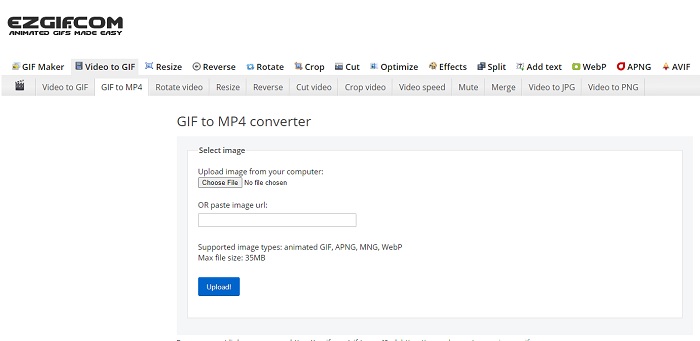
Having a hard time making a GIF and converting it? No need to worry because Ezgif is here to rescue you. This online tool is not only dedicated to doing one job. But it is also possible to do editing on your GIFs as well. Although the ability of this tool to edit is not that impressive, it is the standard it follows. And there is also a limit to making and converting a GIF file.
Prós
- É ideal para fazer um GIF.
- Todos os anúncios em seu site são restritos a PG-13.
- Recursos de edição simples para iniciantes.
Contras
- A interface da web é um pouco chata de se olhar.
- Apenas o formato MP4 disponível se você tentar converter GIFs.
Top 2. Cloudconvert
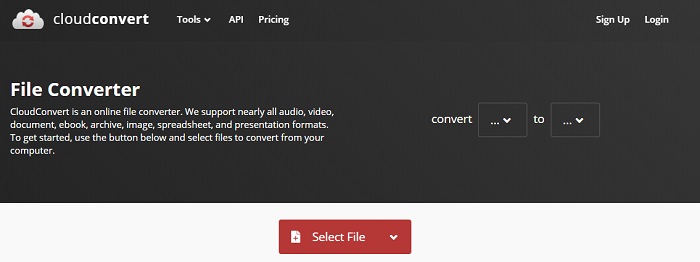
If we were going to talk about converting, Cloudconvert should be on the list. This online GIF to video converter is especially made to convert any video and audio to a playable format. But this tool has a limitation, it means that you can't upgrade the quality of the GIFs you convert. So, it is what it is with this tool.
Prós
- Um dos conversores online mais poderosos.
- Você pode acessá-lo sem baixar a ferramenta.
- Uma ótima combinação de cores em sua interface web.
Contras
- Não é possível editar o arquivo que você converte para se tornar um melhor.
- A chance de falha na conversão é grande. Especialmente se sua internet foi interrompida.
Top 3. Convertio
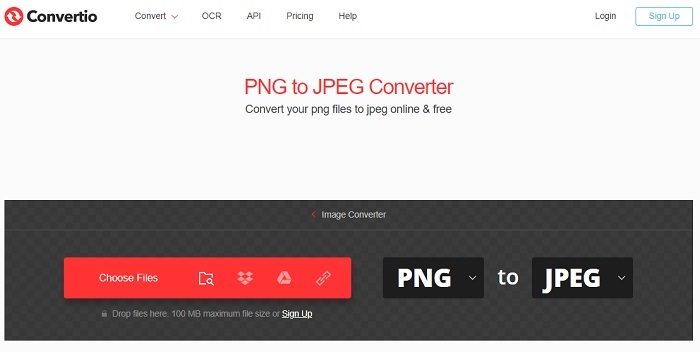
Just like Cloud convert, the Convertio is only created to convert only. It supports as many formats as the tool before this. But the downside of this tool is that it is pestered by the ads all over its web page. Although it has ads it is still a good converter tool to be used to practice converting files into a new format.
Prós
- Ferramenta de acesso aberto disponível na web.
- Não há necessidade de baixar um arquivo extra para iniciar a conversão.
- Escolha qual é a taxa de bits do arquivo.
Contras
- Não é possível criar GIFs com esta ferramenta e edição também.
- Os anúncios estão por toda parte, portanto, evite-os para não abrir um site desnecessário.
4. Zamzar
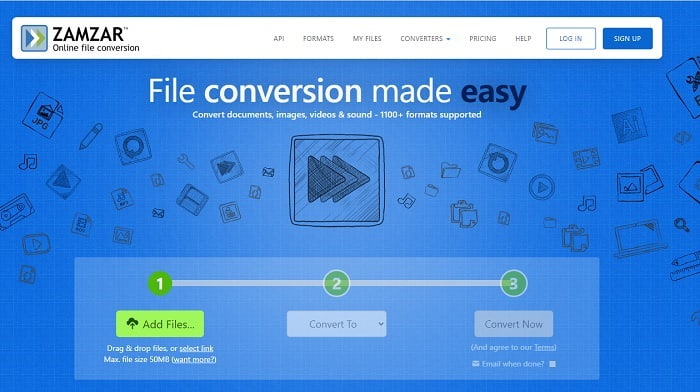
The user interface of Zamzar is amazing and using this tool is as easy as ever. But the max file size is limited to 50mb so if you want to exceed more than that you must buy the tool or log-in. Also, if the conversion is in the process, you can't stop the conversion even if you click the x button. So, make sure that you convert the right file because it can't be stopped.
Prós
- Converta todos os vídeos, imagens e áudio aqui.
- Todos os arquivos aqui são armazenados por mais de um dia.
- O tamanho máximo do arquivo é 50 MB para um único arquivo.
Contras
- O processo de conversão depende da velocidade da sua internet, portanto, se você tiver uma internet, a conversão levará muito tempo.
- Não é possível editar seu vídeo convertido em um melhor.
Recomendado: FVC Video ConverterUltimate - Melhor Conversor GIF
As they say, save the best for last and that best is the FVC Ultimate Video Converter. This premium tool is more than any other converter that is listed here or even not. If you're looking for a tool to enhance your conversion and doesn't require the internet then this is for you. Also, the amazing thing about this tool is that it can convert, enhance, create, and do more than just converting. It allows the user to explore all the things that this tool offers and make a better output than others. Read the steps carefully to know how to use this tool step by step. Later, you can check the toolbar to enhance the converted GIF.
Step 1. Install the right program tool to your hard drive. Follow the preferences and change according to your needs and click finish to launch the tool itself.
Free DownloadFor Windows 7 or laterSecure Download
Free DownloadFor MacOS 10.7 or laterSecure Download
Step 2. If the tool is running in the background, you will notice a small icon on your tab indicating that the tool is already launched. Also, an interface like this will show in your display.
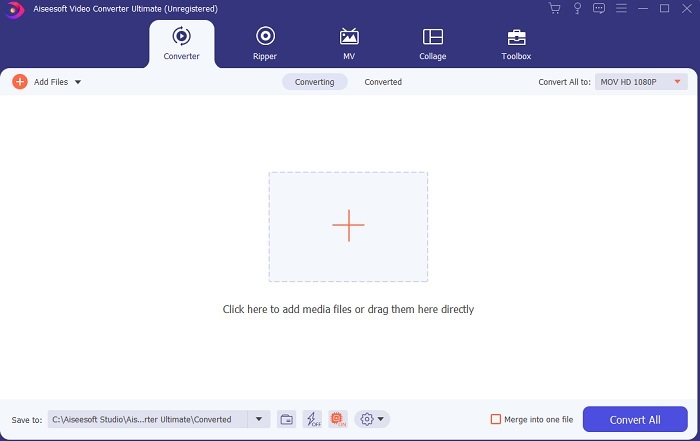
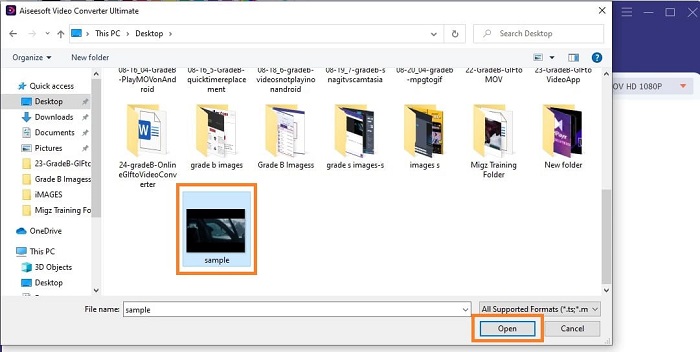
Step 3. To add files on the converter, press the Plus sign in the middle of the interface. Or you can drag and drop the file if it is more than 2 or 3.
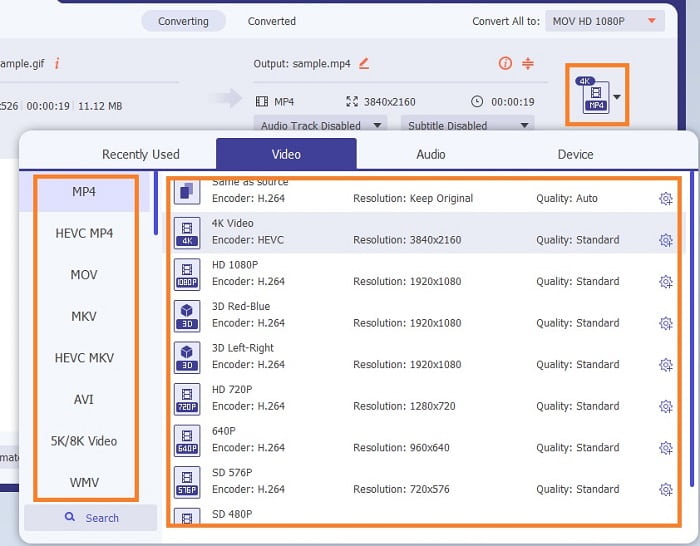
Step 4. If the GIF file is in the interface. Press the drop-down button and choose in its submenu what format you would like to convert. Click the Convert All to start the conversion process.
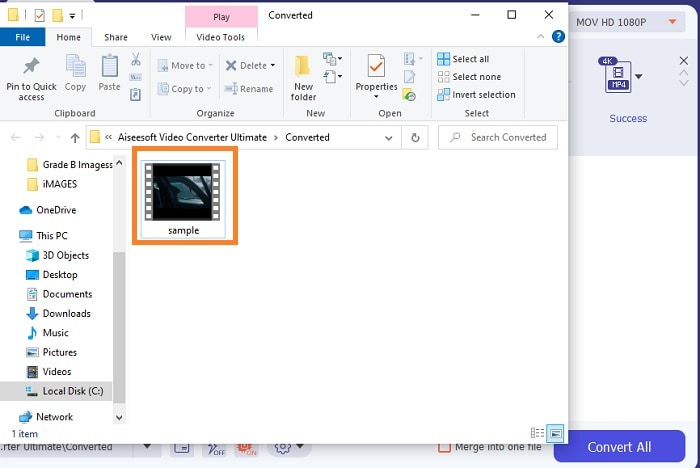
Step 5. If the process is done. A file manager will automatically open on the tab and you can now check the file. If you want to enhance the converted GIF you can check the toolbar later.
Prós
- É uma ferramenta multifuncional que pode ser utilizada por seus clientes.
- Nunca limite sua imaginação adicionando efeitos e muito mais à sua produção final para parecer muito melhor do que outros.
- O processo de conversão é muito mais rápido do que qualquer uma das ferramentas disponíveis online e offline.
Contras
- Ferramenta de pagamento por uso, o que significa que você não pode acessar a ferramenta gratuitamente, mas não é tão cara.
- Ferramenta para download, significa apenas que você precisa de um arquivo extra para iniciar a ferramenta. Mas apesar disso você pode usar esta ferramenta sem se preocupar se a internet foi interrompida.
Perguntas frequentes sobre o conversor de GIF para vídeo on-line
Posso fazer uma gravação no formato GIF?
Actually, it is a yes, you can record your own GIF. If you use this powerful yet lightweight GIF recorder or the other recorder that has the same GIF format as well. Read on Best GIF Recorder Review to learn how to make a recording in the format of GIF.
Qual é a melhor alternativa para GIFs? WebM ou APNG?
GIFs são o formato antigo que suporta imagens animadas e estáticas, mas com o passar do tempo. Agora existem concorrentes como WebM e APNG. Vamos comparar os dois, o WebM é o novo GIF que suporta imagens em movimento no site, mas se você tentar usar uma versão antiga do mecanismo de pesquisa, o WebM não será compatível. Por outro lado, o APNG é conhecido como visualmente mais atraente do que os dois porque suporta cores de 24 bits e transparência, mas algumas plataformas de mídia social não suportam APNG por enquanto.
Qual é a sigla de GIF?
GIF em texto significa Graphic Interchange Format.
Conclusão
Para terminar, agora é mais simples entender qual é o melhor GIF offline e online para conversores de vídeo que você pode usar. Saber usar esta ferramenta é uma grande habilidade a se desenvolver e talvez no futuro, você pode usar isso para ser pago também. Se você deseja o melhor desempenho, deve escolher exatamente a ferramenta definitiva. FVC Ultimate Video Converter é sempre a melhor ferramenta para converter qualquer vídeo e melhorá-lo para causar uma boa impressão a outras pessoas ou a quem entregá-lo. Como se costuma dizer, não espere menos porque esta ferramenta traz mais do que o seu nome indica.
-
 WebM para GIF - 3 conversores gratuitos de WebM para GIF para criar seus próprios GIFs
 O WebM é um GIF? Como transformar um vídeo em GIF? Existe algum conversor gratuito de WebM para GIF? Esta postagem compartilha 3 maneiras gratuitas de ajudá-lo a converter WebM em GIF.
-
 Como converter vídeos MKV em GIFs animados sem Photoshop / FFmpeg
 Depois de baixar e assistir a filmes MKV em seu computador, você pode querer compartilhar alguns momentos maravilhosos com amigos ou na Internet como GIFs. Neste artigo, você pode aprender sobre as 2 maneiras mais fáceis de converter MKV em GIF.
-
 Crie seu melhor GIF animado por meio do criador de GIF on-line [2021]
 Uma revisão informativa sobre como fazer um GIF usando esses simples criadores de GIF online que você já encontra ou não na web.
