


 Video Converter Ultimate
 Gravador de ecrã
 Reparo de vídeo
 Secure Download
Conversores JPG offline e online de primeira linha, perfeitos para todos os usuários
Since JPG/JPEG image file is one of the popular formats nowadays, we can’t ignore the fact that all users use this file. In addition to that, the JPG format was supported by all browsers and programs, making it more convenient for all photographers and editors to use. If you are looking for an excellent JPG converter you can use to convert your images, then there is a reason for you to read this article. We will introduce various JPG Converters you can use online and offline. Also, you will see their full capabilities and their drawbacks. So, to learn more about these converters, read this post immediately.

Parte 1. Excelentes Conversores JPG/JPEG
Conversor de Imagem Gratuito FVC
One of the top-notching image converters online is FVC Free Image Converter. This JPG converter online allows you to save your image file in JPG format. Also, when using the tool, one of the benefits you can get is its batch conversion feature. This image converter enables you to upload and convert multiple image files simultaneously. You can add up to 40 images at once and download them in a single click. Additionally, the tool offers a simple conversion process with an intuitive interface. Users, like beginners, can operate this tool easily and instantly with its understandable procedure. Moreover, you can access FVC Free Image Converter on all web browsers. It includes Google, Edge, Mozilla, Safari, and more. Furthermore, unlike other online converters, this image converter doesn’t have disturbing ads on your screen. So you won’t feel annoyed while converting image files.
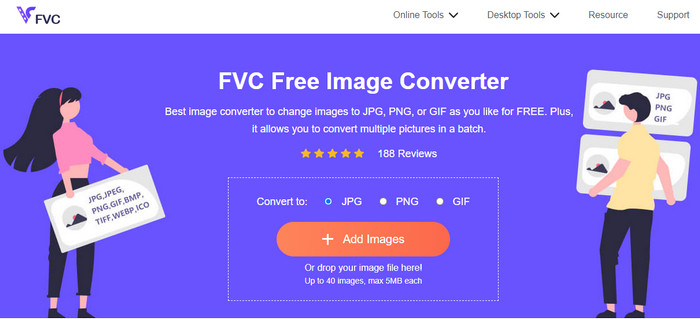
Prós
- Adequado para usuários avançados e não profissionais.
- Oferece uma interface intuitiva com um processo de conversão simples.
- Acessível a todos os navegadores.
- 100% grátis.
- Nenhum anúncio está aparecendo na tela.
- O recurso de conversão em lote está disponível.
Contras
- Uma conexão com a internet é altamente recomendada.
Media.io
Another JPG converter you can rely on when converting your image files is Media.io. This online converter offers a fast conversion process. This way, you can convert image files in a short time. Also, you can convert files in just three simple steps. It also provides an easy-to-understand interface, making it perfect for beginners. Media.io is also accessible in all browsers, making it convenient for all users. Aside from that, you can do a batch conversion process. You can upload five image files when doing a batch conversion process. Besides JPG, Media.io supports other formats. It includes BMP, PNG, TIFF, TGA, and more. You can also upload images from various platforms like computers, Google Drive, Dropbox, and via link. However, using the free version can only convert 10 images per day. Then, five image files are the maximum if you want to do a batch conversion process. So, if you want more great features in this web-based image converter, you must get the paid version. There are also annoying ads showing up on your screen, making it disturbing for users.
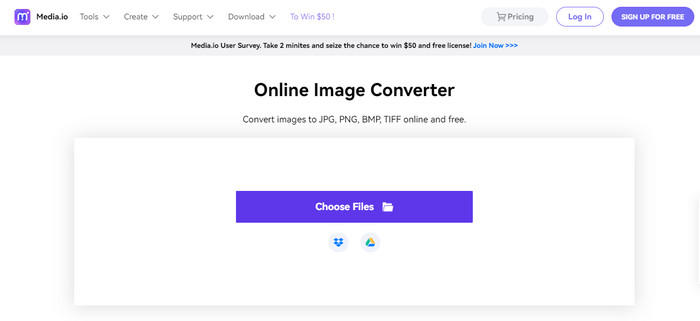
Prós
- Perfeito para usuários não profissionais.
- Disponível em todos os navegadores como Chrome, Edge, Firefox e muito mais.
- Ele oferece um processo de conversão em lote.
- Ele suporta vários formatos, como PNG, BMP, TIFF, TGA e muito mais.
Contras
- Anúncios irritantes estão sempre aparecendo na tela.
- O processo de conversão em lote é limitado a cinco imagens.
- Ele permite que os usuários convertam 10 imagens por dia.
- Requer uma conexão com a internet para operar o conversor de imagem.
Convertio
If you are looking for a JPG creator to turn images into JPG, use Convertio. This online tool can easily convert your images to JPG format. Also, it has a straightforward process of converting image files. This way, you can say that Convertio is suitable for skilled and non-professional users. Additionally, a batch conversion process is available in this online converter. So, you can convert multiple files in a single go. Furthermore, Convertio supports more image formats than you imagine. It supports PNG, GIF, BMP, SVG, ICO, TIFF, and more. However, Convertio has many drawbacks when using the accessible/free version. You can only upload a maximum number of two image files when doing a batch conversion process. You also can upload with a maximum file size of 100MB. Lastly, you must have internet access when using the tool to convert image files. To use more advanced features, you need to purchase a subscription plan.
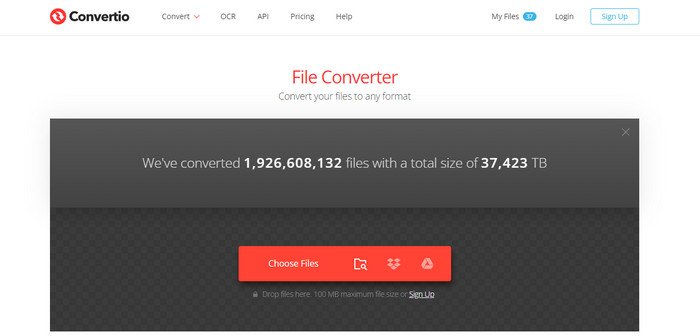
Prós
- Oferece um processo simples, tornando-o adequado para iniciantes.
- A ferramenta é acessível a todos os navegadores da web.
- Ele suporta vários formatos de arquivo de imagem.
Contras
- A imagem máxima que você pode carregar para o processo de conversão em lote é duas.
- Uma conexão com a Internet é sugerida ao operar a ferramenta.
- Adquira um plano de assinatura para aproveitar recursos mais avançados.
Converter grátis
One of the reliable image converters you can use is Free Convert. It can easily convert your image file to JPG without hassle. Free Convert can offer users a trouble-free method of converting image files. In addition to that, this image converter has comprehensible layouts. Moreover, you can use Free Convert on various platforms. It includes Firefox, Google, Edge, and more. Additionally, the online tool has more features to offer. Aside from converting images, you can also convert videos, audio, document, e-book, and more. But, even though it offers many things, you can still encounter disadvantages when using the online tool. You can only upload images up to 1GB file size. There are also some annoying ads on the screen during the conversion process. Since Free Convert is an online tool, you must have an internet connection when converting files. If you want to upload more images without worrying about the limitations, it is required to get the subscription plan.
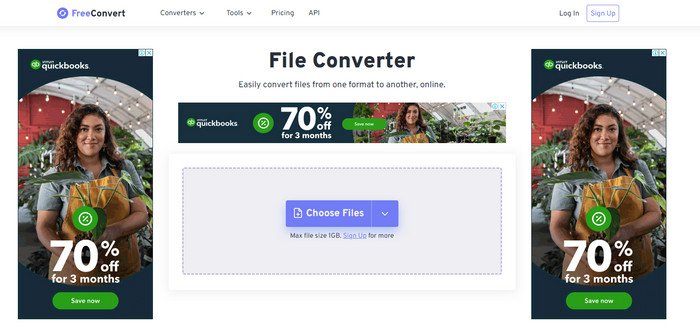
Prós
- Ele oferece um layout fácil de entender que é perfeito para todos os usuários.
- Disponível em todos os navegadores.
- Ele oferece mais recursos além de converter imagens.
Contras
- Anúncios perturbadores estão aparecendo na tela.
- Ao fazer upload de arquivos, 1 GB é o tamanho máximo do arquivo.
- Adquira um plano de assinatura para experimentar mais recursos.
- É necessária uma ligação à Internet.
Video Converter Ultimate
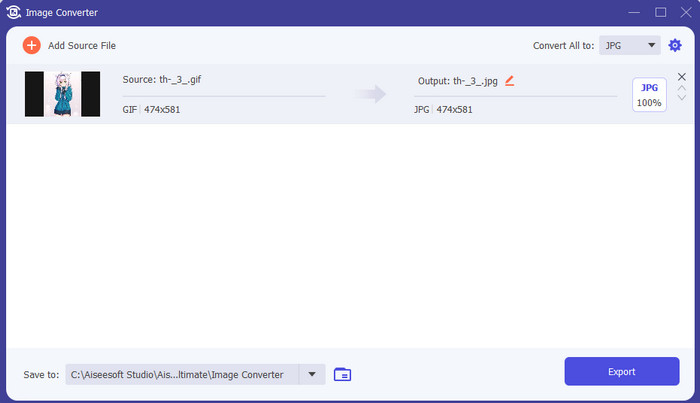
One of the best offline image converters is Video Converter Ultimate. With the help of this free JPG converter, you can convert many files. You may quickly convert many files because of its quick conversion speed. It also offers a batch converting method to convert numerous files simultaneously. Video Converter Ultimate also supports several image formats. It includes PNG, BMP, WEBP, and TIF. This offline image converter provides a user-friendly interface and straightforward conversion procedures. Users of all skill levels can convert photographs in this way, especially beginners. Also, this converter is accessible from both Mac and Windows operating systems. Furthermore, besides converting, Video Converter Ultimate has more features to offer. It also allows you to edit videos, add filters, convert videos, and more.
Free DownloadFor Windows 7 or laterSecure Download
Free DownloadFor MacOS 10.7 or laterSecure Download
Prós
- Ele oferece uma interface simples, perfeita para todos os usuários.
- Grátis para baixar.
- Disponível em Windows e Mac.
- Tem mais recursos para oferecer além da conversão.
- Ele oferece um recurso de conversão em lote.
Contras
- Para experimentar recursos mais avançados, obtenha a versão pro.
Microsoft Paint
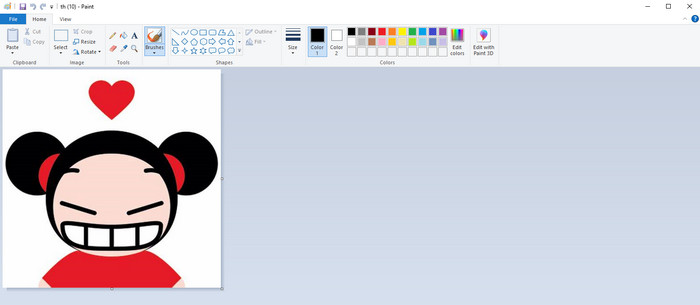
After discovering the JPG converters online and using offline programs, let’s proceed to the default way of converting images to JPG, Microsoft Paint. This pre-installed JPG maker is also capable of converting images to JPG format. One of the best benefits you can get here is that you don’t need to install any program. All you can do is open your computer and launch the Paint program. The interface is also simple, which is suitable for new users. However, Paint only supports limited image file formats. In addition, the tool doesn’t support a batch conversion process. So when using the tool, you have to convert image files manually.
Prós
- Ele oferece uma interface fácil de entender com métodos simples.
- Adequado para iniciantes.
- Não requer um processo de instalação.
Contras
- Ele suporta apenas formatos de saída limitados.
- Não aceita arquivos grandes.
- O processo de conversão em lote não está disponível.
Parte 2. Perguntas frequentes sobre o melhor conversor JPG/JPEG
Quais são as vantagens dos arquivos JPEG?
Os formatos de arquivo JPG podem oferecer imagens de alta resolução. Esta é a razão pela qual fotógrafos e editores usam arquivos JPG. Além disso, o JPG é menor em tamanho. Dessa forma, você pode salvar mais imagens sem se preocupar com o armazenamento do computador.
Quando você deve usar um JPEG?
O formato de arquivo JPEG é melhor usado para fotos ou imagens com muitos detalhes porque ajuda a encobrir todas as falhas relacionadas à compactação. A imagem JPEG não ficará bonita se tiver muitas arestas ou curvas.
O JPEG é o mesmo que uma foto?
Uma foto é uma imagem, mas um JPEG é um formato de arquivo de imagem. JPEGs são um tipo de formato de arquivo de imagem digital, mas existem outros. JPEG, PNG, TIFF e outros tipos de arquivo podem ser usados para armazenar fotos. O tipo de arquivo padrão de uma câmera para armazenar uma foto é JPEG.
Conclusão
After introducing various JPG converters, you can now get enough idea of what converters you can utilize to convert your image files to JPG format. Some require a subscription plan, and some don’t have a batch conversion feature. If you want a free image converter with a batch conversion feature, use FVC Free Image Converter.
-
 Como converter GIF para JPG sem perder qualidade
 Leia e obtenha os métodos mais eficazes para converter GIF em JPG profissionalmente. Você aprenderá a converter arquivos de imagem com o guia de conversores de imagem perfeitos
-
 4 abordagens confiáveis para converter JFIF para JPG com facilidade
 Este guia contará tudo sobre a conversão de JFIF para JPG online e offline. Se você quer aprender os métodos mais eficazes, leia este post imediatamente!
-
 Etapas incomparáveis para converter o formato NEF para JPG de maneira eficaz
 Etapas incomparáveis para converter o formato NEF para JPG de maneira eficaz
