


 Video Converter Ultimate
 Gravador de ecrã
 Reparo de vídeo
 Secure Download
Removedores de marca d'água 123rf - comentários, prós e contras e alternativas
123RF é um site de licenciamento isento de royalties para imagens, filmagens e áudio online. Ele oferece muitas fotos acessíveis sem royalties, que muitas pessoas compram. 123RF é uma empresa que tem milhares a milhões de fotos para download.
123RF is a company that is 15+ years in business. It also has a mobile app available on most known mobiles. The mobile app lets you search the library, create lightboxes, and some advanced tech tools. 123RF has many amazing and high-quality images that you can download. However, when you download 123RF photos, it contains an annoying watermark. So, if you want to remove 123RF watermarks from your photo, read this article. You will know the best 123RF watermark remover at the end of this article.

Parte 1. Revisões dos removedores de marca d'água Ultimate 123rf
Muitos removedores de marca d'água estão disponíveis para download em seu dispositivo ou uso online. Mas nem todos são fáceis de usar e têm recursos de edição incríveis para usar. Então, se você quiser saber qual é o melhor removedor de marca d'água para usar, leia esta parte amplamente.
Removedor de marca d'água.io
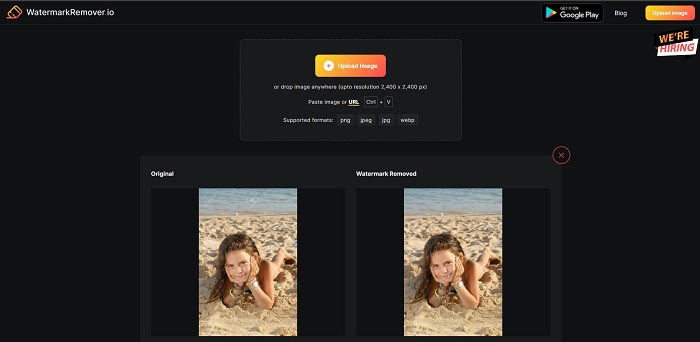
Watermark Remover.io is a 123rf online watermark remover popular on the internet. Many people use this watermark remover because it is convenient to use. Moreover, it supports the most common image formats, including PNG, JPEG, JPG, WEBP, and others. It can also support images with 2,400 x 2,400 px. Also, you do not need to worry about the security of your data because this online tool is 100% safe to use. What’s even more impressive is that after you upload the 123RF image you want, it will automatically remove all the watermarks embedded in your photo.
Prós
- Possui uma interface de usuário intuitiva.
- É de uso gratuito.
- Ele não contém anúncios irritantes.
- Interface de processamento rápido.
Contras
- É dependente da internet.
Removedor de marca d'água.net
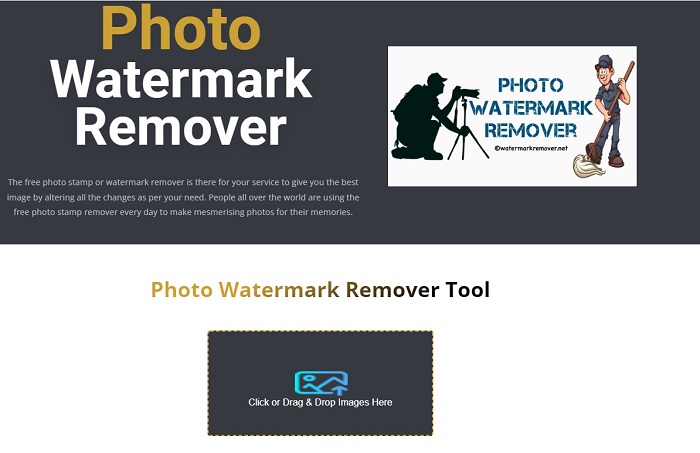
Watermark Remover.net is another online watermark remover that you can access for free. It has an easy-to-use software interface like the tool above, making it a beginner-friendly tool. It is an efficient tool to remove 123rf watermarks on your 123rf images. In addition to that, it allows you to remove any type of watermarks (text, logo, and image) on your image. Even more impressive about this online tool is that it enables you to batch remove watermarks on your images. Furthermore, it produces high-quality images even after removing the watermark on your image.
Prós
- É uma ferramenta amigável.
- Ele reverte a foto do formato original.
- Acessível em todos os navegadores da web, como Google, Firefox e Safari.
Contras
- Ele contém anúncios perturbadores.
- Tem um processo de upload lento.
Especialista em marca d'água Bitwar
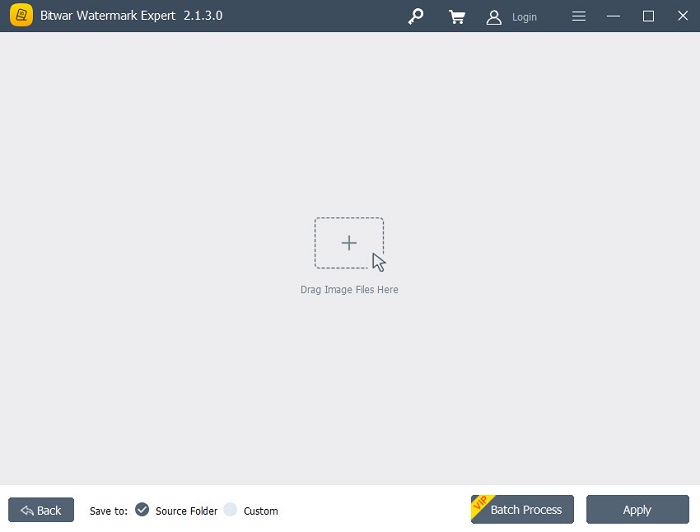
Bitwar Watermark Expert is an offline watermark remover that many people use as the first line of choice. It does not just remove watermarks on your image. You can also add a watermark, remove and watermark it on your videos. Also, you will not have a hard time downloading this app because it is free and easy to download. Furthermore, you can remove any unwanted objects on your images, like date stamps, logos, and images. It also has an outstanding feature where you can retouch old photos to remove scratches and flaws from your old photo. So, try this stunning watermark remover if you want to have 123rf images without a watermark.
Prós
- Possui uma interface de usuário simples.
- Oferece processamento em lote para remover marcas d'água.
- Suporta os formatos de imagem e vídeo mais conhecidos.
- O download é gratuito.
Contras
- Está disponível apenas no Windows.
iMyFone Mark Go
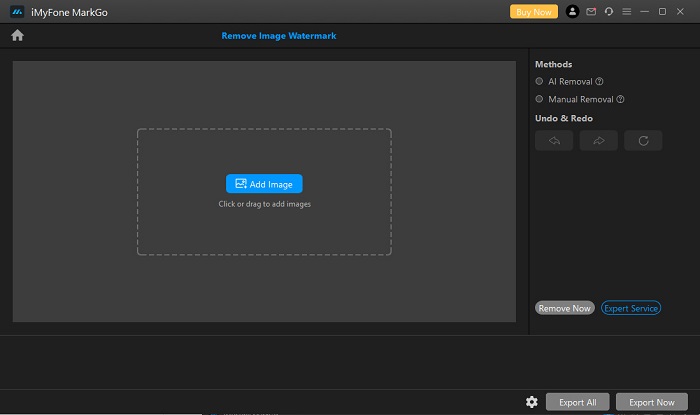
iMyFone Mark Go is a downloadable app that can remove the logo and text watermark on your 123rf image. It uses an AI removal process to detect watermarks on your image and remove it automatically. Also, it has a manual removal process where you can remove any watermarks on your image. In addition, it has many features that you can use, such as background remover, video watermark remover, and adding watermarks to video or image. Also, you can download it from Windows and Mac.
Prós
- Possui uma interface de usuário limpa e intuitiva.
- Ele pode detectar automaticamente uma marca d'água e removê-los.
- Tem um recurso de processamento em lote.
- Produz saídas de alta qualidade.
Contras
- Compre o aplicativo antes de acessar seus recursos.
Parte 2. Melhor removedor de marca d'água 123rf on-line
O uso de um processo de remoção de IA às vezes deixa uma marca desfocada na imagem, por isso é mais eficiente remover as marcas d'água da imagem manualmente. E suponha que você não esteja satisfeito com os recursos e capacidades dos removedores de marca d'água acima. Nesse caso, temos outra ferramenta que muitos profissionais utilizam para remover qualquer tipo de marca d'água. Leia continuamente para conhecer esta ferramenta definitiva e como você pode ter uma imagem de 123rf sem marca d'água.
FVC Free Watermark Remover is a web-based watermark remover popular for people looking for a watermark remover. This online watermark remover can easily remove the 123rf watermark on your image. Also, it is very easy to use; that is why it is a user-friendly tool. Furthermore, it supports the most standard image formats, including PNG, JPG, JPEG, BMP, WEBP, and more. You do not need to worry about your image's output format because it saves your image in the same format. And unlike the other watermark removers, this tool enables you to draw a polygonal outline or a lasso using your mouse to choose the watermark area on your image.
Prós
- Possui uma interface de usuário direta.
- Não requer que você faça login.
- É seguro e gratuito para usar
- Não contém anúncios perturbadores.
- Acessível em todos os navegadores da web, como Google, Mozilla Firefox e Safari.
Contras
- É dependente da internet.
Como remover a marca d'água 123rf no FVC Free Watermark Remover:
Step 1. On the browser that you use, type FVC Free Watermark Remover.
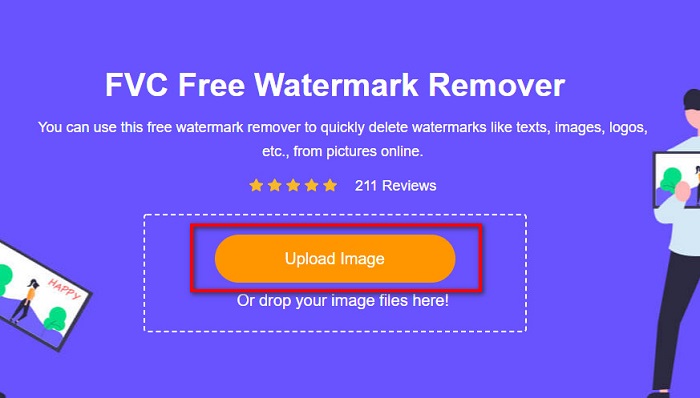
Step 2. Click the Upload Image button on the main interface to upload your 123RF image.
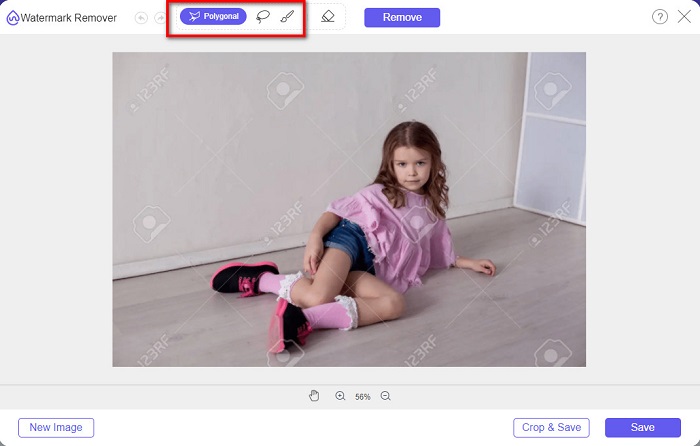
Step 3. And then, select the remover tool you want to use to remove the watermark. You can choose between Polygonal, Lasso, or Brush.
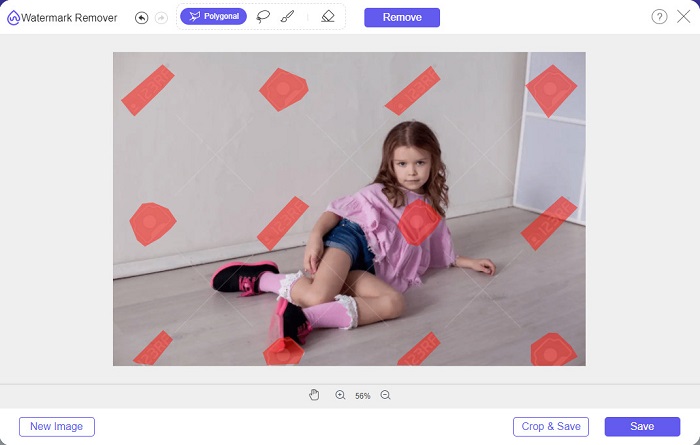
Step 4. Next, trace the watermarks on your image.
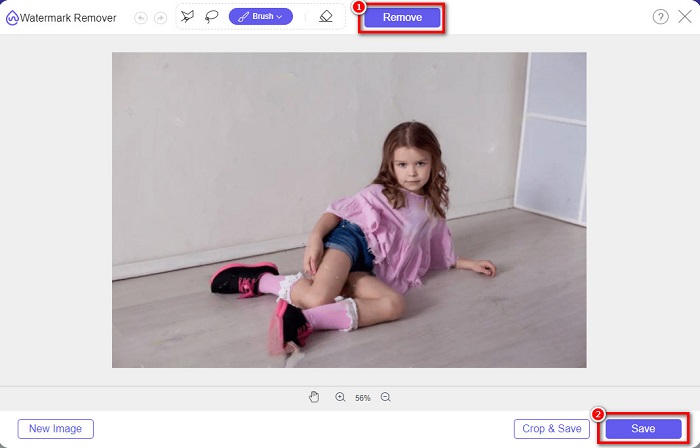
Step 5. Lastly, click the Remove button to remove the selected watermarks on your image. You will see that the watermarks on your image are removed, then click the Save button to save your image.
Relacionado a:
Outstanding Photobucket Watermark Remover Online and Offline
What Is Watermark on a Video & How to Add or Remove It
Parte 3. Perguntas frequentes sobre removedores de marca d'água 123rf
Você pode remover marcas d'água sem desfocá-las?
Yes. You can use FVC Free Watermark Remover to remove any watermarks without leaving blurred marks on your image.
Podemos remover marcas d'água de vídeos?
É claro. Existem vários aplicativos de software que você pode usar para remover marcas d'água (texto, logotipos e imagens) em seus vídeos. Existe um aplicativo popular chamado FVC Video Converter Ultimate, que permite remover facilmente marcas d'água de vídeos.
O Adobe Photoshop remove marcas d'água 123rf?
Sim. O Adobe Photoshop pode remover qualquer marca d'água em sua imagem ou vídeo profissionalmente.
Conclusão
The 123rf watermark removers shown above are great tools to remove the 123rf watermark on your image. You can easily remove the 123rf watermark, whichever among them you will use. But if you want a free converter that you can easily access, use FVC Free Watermark Remover.
-
 Guia sobre o que é uma marca d'água em uma foto [atualizado em 2022]
 O que é uma marca d'água em uma foto? Precisamos adicionar um? Como podemos removê-lo? Todas as coisas que você precisa estão aqui, então continue lendo este blog.
-
 Como remover a marca d'água do Wondershare DVD Creator com facilidade
 Este artigo aborda informações sobre como remover a marca d'água do Wondershare DVD Creator. Para obter todas as informações que você precisa é uma obrigação ler isso.
-
 Remova facilmente a marca d'água do PDF com etapas simples
 Remova a marca d'água do PDF seguindo estas etapas simples. Aprenda como remover facilmente marcas d'água do seu arquivo PDF usando essas ferramentas incríveis.
