


 Video Converter Ultimate
 Gravador de ecrã
 Reparo de vídeo
 Secure Download
Revisão completa sobre os aplicativos para aumentar as resoluções de imagem no iOS e Android
With a single click, we can capture everything we want with the built-in camera of our smartphones. Though everyone can capture images on their phone, not everyone can capture 1080p images or even higher because of faulty lenses. When purchasing a phone, users tend to look for a camera capable of capturing wide-lens, ultra-wide lens, macro lens, or telephoto. Yet phones that use this type of lens are pricey. No wonder people are looking for a way to increase their images without purchasing a high-end camera. This article will help you recognize and share a truthful review about the apps to increase your photo resolution quickly.

Parte 1. Os 4 principais aplicativos para aumentar a resolução da imagem disponíveis no Android e iOS
Pixlr
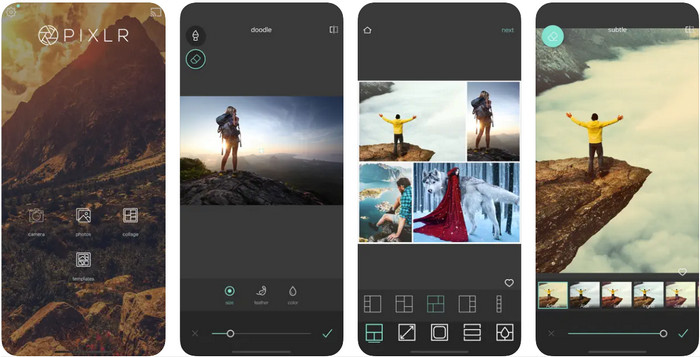
Pixlr is an app that increases the photo resolution to turn your blurry images into the best quality ever! It is a free-to-download app on Android and iOS; It supports additional features you can use if you purchase the premium version. You unleash your creativity with this image editor and explore amazing things to transform your image into an impressive one. In addition to that, this app does support a wide range of formats, so uploading photos here wouldn't cause you much trouble. Though the app seems to be the first choice, the ads are killing this app because they are popping out of nowhere. If you don't like the ads, you must purchase the app to remove them while using it.
Prós
- Você não teria problemas para usar este editor de imagens no Android e iOS.
- Ele pode melhorar a resolução da maioria dos formatos de imagem facilmente.
- Ele suporta recursos de edição adicionais que você pode usar livremente.
Contras
- Os anúncios estão matando este aplicativo.
- Havia limitações quando você não comprava a versão premium.
Remini
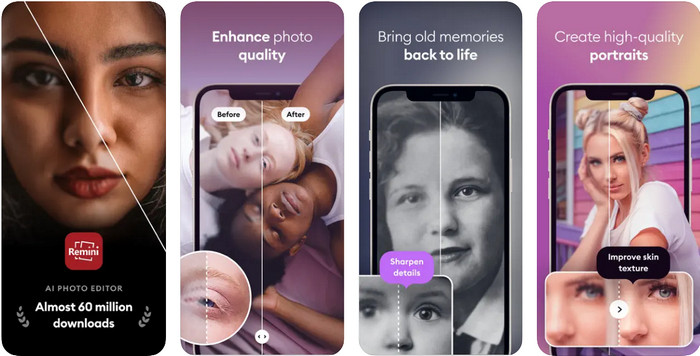
Remini can make photos higher resolution app on iOS, but you can download this app also on Android. The app offers unique features you can use to instantly enhance the image you input and turn them into HD. To make your photo even better, you can't go wrong with downloading this app because of its Artificial Intelligence. Also, you can transform your old, blurry, pixelated images here to fix them instantly. Even though the app supports an AI, most users of it encounter problems, including the displayed ads. The freest app doesn't minimize the displaying of ads on their free version, and one of the apps we are talking about is the Remini.
Prós
- Ele recebe atualizações regulares para edição de imagens.
- Possui tecnologia avançada de IA que pode ajudá-lo melhorar a qualidade da imagem.
- Mesmo que seu recurso seja avançado, ainda é fácil de usar.
Contras
- Os anúncios não são minimizados.
- Ele encontra muitas falhas na atualização recente.
PicPlus
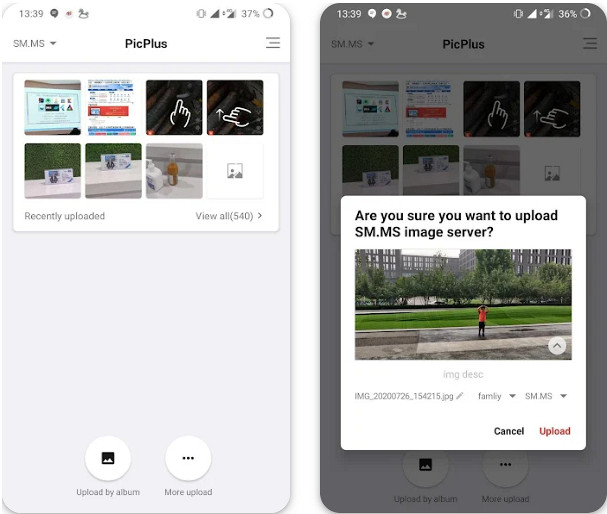
Is there an app to increase the photo resolution? No need to ask this question because Picplus is here to help you. It is an ideal app to improve your images by adding retouch, filters, and double exposure, aside from improving your resolution. Even though you aren't an expert on using an image editor if you download and use this app as your solution, you can also use this app to compile images into a single photo, a collage. Like the other app we mention here, this app can't optimize the popping of ads while users are using this app.
Prós
- Recursos de edição adicionais estão disponíveis aqui para deixar sua imagem com a melhor aparência.
- Você pode adicionar efeitos 3D modernos às suas imagens com este aplicativo.
- Não há necessidade de ser um editor de imagens experiente se você estiver usando este aplicativo.
Contras
- Os anúncios são exibidos quando você usa a versão gratuita.
- Não aumenta a resolução, mas você pode melhorar sua imagem.
Snapseed
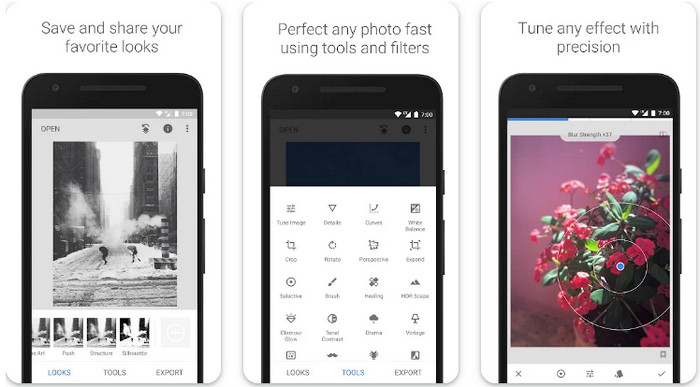
Snapseed is the most popular app to improve image resolution in this list and worldwide. Most mobile users who edit images tend to use this app because of the editing options it provides that could make your picture look the best. Unlike any other app you can download on Android and iOS, you wouldn't need to purchase it because its features and functions are accessible to all users. Though the app is free on mobile, the options for editing your images could be a problem here because of the app's advanced features. Nevertheless, learning how to use this app is worthy of anyone's time to make their images look eye-catchy and the best.
Prós
- Ele pode fazer várias edições em sua imagem facilmente.
- Você pode remover manchas ou cicatrizes com seu recurso de cura.
- Baixe o aplicativo em seu telefone gratuitamente.
Contras
- Tem muitos recursos que às vezes se torna difícil encontrar o que usar.
Tingo: AI Face Editor Retoque
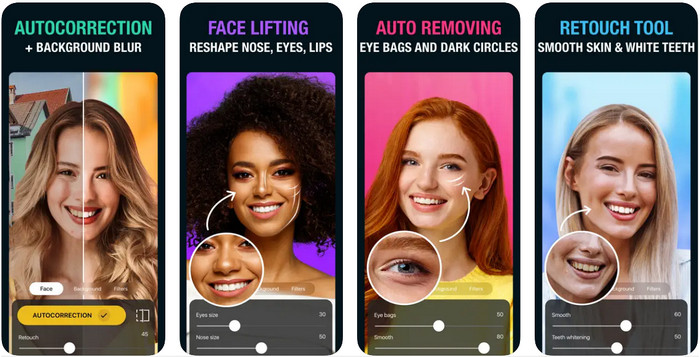
Last on the list is the Tingo. It is an AI-powered free app to increase the photo resolution you can download on your phone. This app became beneficial to all users who have downloaded it because of what it offers them, such as auto-correction, skin smoother, teeth whitener, and many more. If you are going to enhance a selfie image, then you can go wrong in picking this app to edit the image you have. However, this selfie editor is available on iOS and doesn't support an Android version. Also, you can't use the full feature of this app if you don't subscribe to its plan.
Prós
- Você pode aproveitar sua tecnologia de IA para melhorar sua imagem.
- Editor perfeito para imagens selfie por causa dos recursos que possui.
- É gratuito para download em dispositivos iOS, seja um iPad ou iPhone.
Contras
- Não suporta uma versão do Android.
- Você precisará se inscrever para usar seu recurso premium para melhorar as imagens.
- Menos provável de ser usado para imagens que não sejam uma selfie.
Parte 2. Bônus: uma solução on-line que aumenta a resolução da imagem sem anúncios
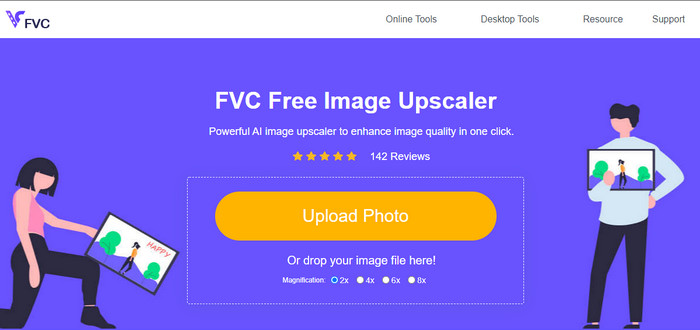
Are you tired of the ads that are popping out? Well, you can still manage to use an app that increases the photo resolution without downloading it on your mobile device, and that is FVC Free Image Upscaler. This online software can improve your images into a better looking without adjusting. All the things that need to be improved can be detected using the algorithm that the AI can understand. So, if you want to use this tool to make your resolution higher, like 1080p, 4k, or even more, then choose to use this tool.
Parte 3. Perguntas frequentes sobre os aplicativos para aumentar a resolução da sua foto
Por que minhas imagens ficam embaçadas?
Existem inúmeras razões pelas quais as imagens ficam desfocadas, como lentes defeituosas, seleção de baixa qualidade e muito mais. Você pode melhorar a qualidade da sua foto depois de editá-la com a ferramenta que incluímos neste aplicativo.
É possível transformar a imagem em HD?
Absolutely, you can turn your image into a high definition or in short-term HD. If you are ready to learn how to do it, you can click this link and follow the tutorial we add here.
Preciso melhorar a qualidade da foto?
Sim, você precisará tornar suas imagens de alta qualidade para destacar as cores da imagem. Antes de fazer isso, você precisará de uma ferramenta como os aplicativos que você pode baixar em seus dispositivos móveis.
Conclusão
Já compartilhamos os 5 principais aplicativos para aumentar a resolução de suas fotos em seus dispositivos móveis. Embora não tenhamos adicionado um tutorial, você ainda pode aumentar a resolução da imagem facilmente por causa de sua interface intuitiva para Android e iOS. Classifique este artigo de 1 a 5 estrelas com base em sua experiência de ler este artigo.
-
 Como aumentar a resolução da imagem [5 maneiras de melhorar]
 Está com problemas porque a resolução da sua imagem é baixa? Não se preocupe mais! Aqui, vamos te ensinar como aumentar a resolução da imagem.
-
 Melhore a resolução da foto do iPhone com os principais aprimoradores
 Você quer precisar melhorar a resolução da foto do iPhone? Bem, neste artigo abordamos as melhores ferramentas que você pode usar e outros truques que você deve conhecer!
-
 Restauração de fotos antigas online e offline [etapas fáceis]
 Quer restaurar uma foto antiga? Com essas ferramentas, você conhecerá o processo de restauração de fotos antigas. Leia este post para aprender os métodos mais simples.
