


 Video Converter Ultimate
 Gravador de ecrã
 Reparo de vídeo
 Secure Download
Maneiras eficazes de criar fotos em HD online e no Android [tutorial completo]
É um milagre? É mágica? Bem, não é, e você pode fazer fotos HD instantaneamente sem usar o Adobe Photoshop ou qualquer software profissional no seu dispositivo. As informações deste artigo podem transformar suas imagens em alta definição com os melhores otimizadores que encontramos na web e em seus dispositivos Android. Pode ser impossível lidar com essa tarefa, especialmente para aqueles que são inexperientes nessa situação. No entanto, você não precisa se preocupar se seguir este guia.

Parte 1. Como fazer uma foto HD sem uma ferramenta profissional na Web gratuitamente [Escolha do Editor]
1ª Via. Como fazer uma foto HD por upscaling das imagens [Top Choice of the Editor]
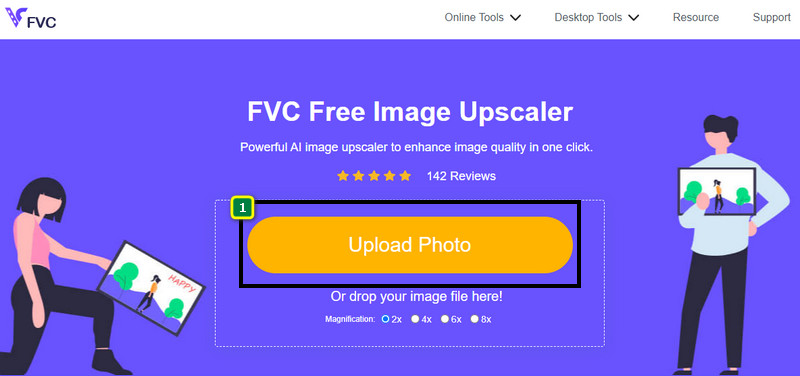
FVC Free Image Upscaler is a powerful image upscaler you can use to upscale the pixels on the image and turn them into HD. This online upscaler has an AI that could detect the wrong on your image and improve it instantly without adjusting many options. In addition, you can enlarge the image as well into 2x, 4x, 6x, and 8x without stretching the image you upload here. Do you want to know the secret on how to make a photo become HD with this? You can follow the indicated steps we add below.
Step 1. Open the image upscaler online by clicking this link. It will lead you to the official website, and there is no need to worry because it is safe on any browser you currently use or prefer.
Step 2. Click the Upload Photo to add the low-quality image you want to turn into an HD. It has a drag and drop feature to add the image if you're going to try using it.
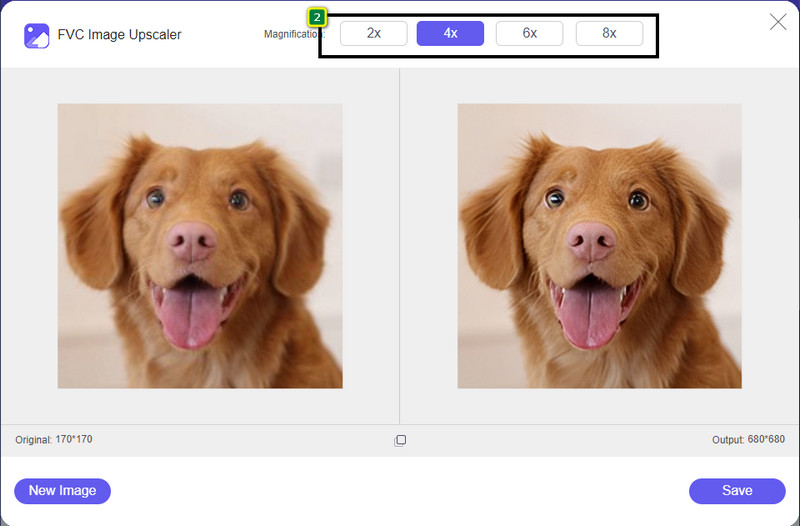
Step 3. Wait for the tool to process the image, and select the magnification you want to apply to your image, and it will turn it into HD.
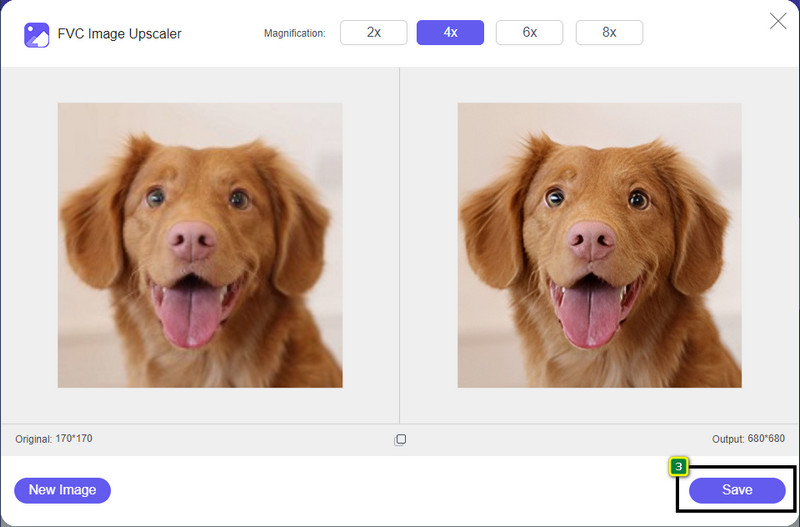
Step 4. You can now save the image you upscale here by clicking the Save button on the lower part of it. It will save the high-definition image to the folder of your drive; you can check it out to see the result.
2ª Via. Como fazer uma imagem HD convertendo as imagens
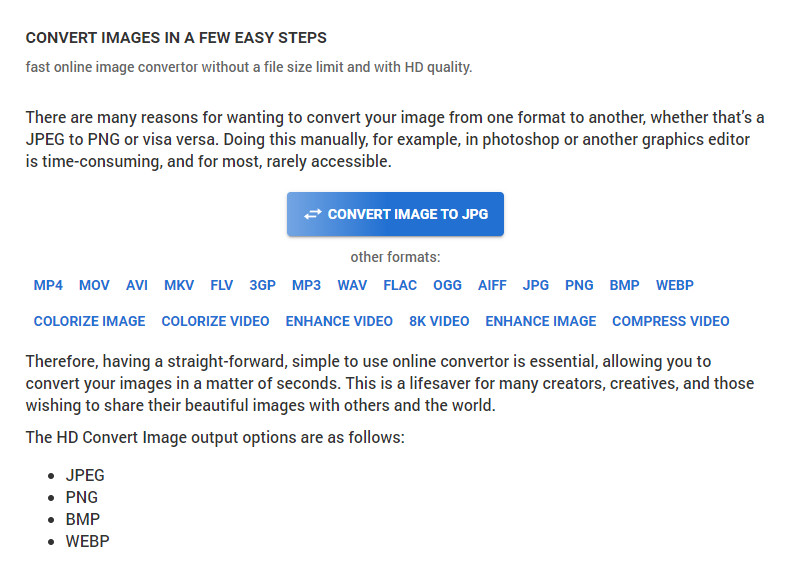
Though HDconvert.com can make your image high quality, the process takes a different path. With this tool, you can convert the poor-quality image into HD by uploading it here and changing some options to achieve your desired resolution. We cannot hide the fact that it can convert the image you upload into JPG, PNG, BMP, or WebP while changing your image's quality. In addition, you can tweak some advanced options on your image, like resizing, or you can skip it if you don't want to be applied. However, you will need to purchase the premium version to have high image quality. Are you interested in how this tool works? If so, you can keep reading about how to make a photo look more HD.
Step 1. Open the official website of this converter, click the Convert Image to JPG, then Select Files to upload the image you want to convert into HD.
Step 2. Select the image format you want to apply to your image and click Next.
Step 3. Change the image quality by adjusting the slider to your preferred percentage or 100% and press Next.
Step 4. Hit the Convert File to export the image you convert into HD here.
3ª Via. Como fazer uma imagem HD aprimorando a imagem
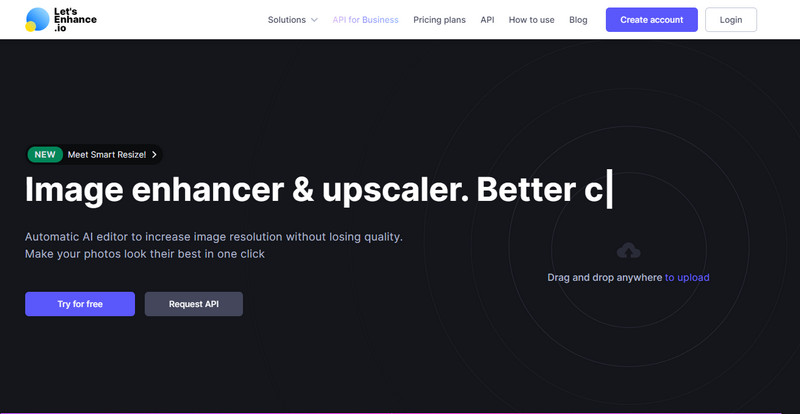
Let's Enhance.io can help you enhance your picture on your desktop to a better quality like HD. You won't have trouble enhancing your image into HD if you use this tool. Unlike the first tool, before you can use its free version, you will need to log in here using your available account or create an account here. Though log-in is required with this, rest assured that its performance provides the best you can achieve on other desktop programs that enhance the image. So, if you want to use this picture HD enhancer, you can read the indicated steps below as we try it to show you how to use it.
Step 1. Open your web browser, search the name it, and click the link on the result that will show.
Step 2. Press the upload icon to add the image you want to improve into HD.
Step 3. Under operation, change the settings you want to make your image into a high definition.
Step 4. After the adjustment, click Start Processing to process the low-quality image into HD.
Step 5. Press the download icon to have the photo you enhance here.
Parte 2. Como fazer uma foto HD no Android com o PicsArt
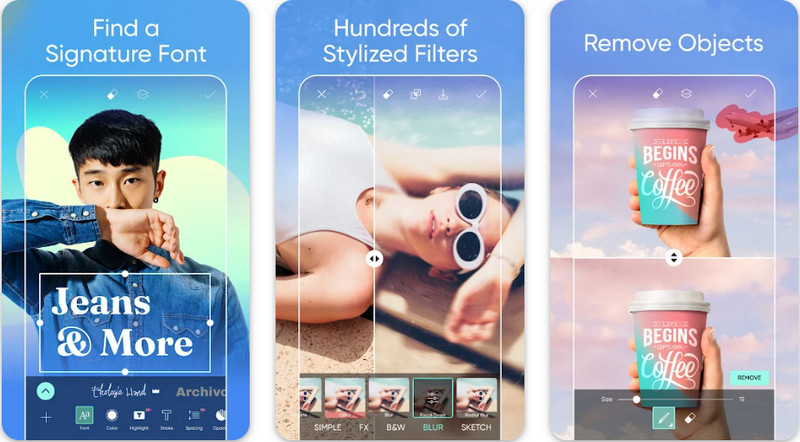
For Android users who need to make their image into HD, you can try downloading the PicsArt on PlayStore. It is a solution for many users because of the different editing features you can use to your image and make it look better than the raw version of it. Though this app can do much for you, the free version leaves a watermark on the final product. If you dislike the watermark, you will need to purchase its premium version. Overall, the app is our choice regarding making the image clear and HD. So, if you want to make the image high-quality on your Android device, then you can't go wrong in picking this app. Copy the tutorial on how to make a photo HD in PicsArt below.
Step 1. Download the app on Playstore, and launch the app.
Step 2. Click the + icon to choose the image you want to turn into HD in your gallery.
Step 3. Tap the Effects and select the HDR; adjust the options to make your image into HD, then press the check icon.
Step 4. At the top of your phone, click the download icon to save the HD image on your gallery. To change photo resolution on iPhone, click here to learn more details.
Parte 3. Perguntas frequentes sobre como fazer uma imagem HD
Fazer a imagem em HD aumenta o tamanho do arquivo?
Absolutamente! O tamanho da imagem que não é HD e o HD possuem tamanhos de arquivo diferentes. HD tem mais dados de pixel que podem apresentar uma imagem detalhada, e seu tamanho também é mais pesado do que a imagem que não é HD.
Transformar imagem 4k em HD é uma má escolha?
Pode parecer que sim, mas se você quiser economizar armazenamento, pode transformar as imagens 4k em HD, e suas diferenças de qualidade visual não são muitas. Você pode desfrutar de sua imagem 4k mesmo que tenha se tornado HD.
Por que preciso tornar a imagem HD?
Transformar sua imagem em HD pode tornar sua imagem mais detalhada em aparência e atraente em comparação com aquelas que não são. Portanto, se você deseja aprimorar a imagem em HD, precisará de uma ferramenta para aumentar os pixels da imagem para dar vida ao HD.
Conclusão
Incrível né? Você pode fazer foto HD com as diferentes maneiras que adicionamos aqui sem a ajuda de software profissional como o Adobe Photoshop. Copie as etapas para a ferramenta de sua escolha e aprimore sua imagem de baixa qualidade para uma melhor, como HD.
-
 Melhore a resolução da foto do iPhone com os principais aprimoradores
 Você quer precisar melhorar a resolução da foto do iPhone? Bem, neste artigo abordamos as melhores ferramentas que você pode usar e outros truques que você deve conhecer!
-
 Restauração de fotos antigas online e offline [etapas fáceis]
 Quer restaurar uma foto antiga? Com essas ferramentas, você conhecerá o processo de restauração de fotos antigas. Leia este post para aprender os métodos mais simples.
-
 Top 7 Pixels Enhancer para todos os navegadores da Web que você deve usar
 Se você quer saber os melhores intensificadores de pixel para usar, é melhor você conferir este post. Este artigo lista sete melhores aprimoradores de pixel de foto para todos os navegadores da web.
