


 Video Converter Ultimate
 Gravador de ecrã
 Reparo de vídeo
 Secure Download
Passos fáceis sobre como redimensionar fotos para o Facebook
Many millennials and adults use Facebook as the most popular social media platform. Facebook is an app where you can upload images and share or send them to your friends. And many people want to have a great quality image to upload on Facebook. If you also want to upload high-resolution and high-quality photos, we have the tool to help you. Luckily, we found apps on iPhone, Android, and Online that can resize images quickly and efficiently. So, buckle up on your seats because, in this post, you will quickly learn how to resize photos for Facebook.

Parte 1. Como redimensionar fotos no iPhone para o Facebook
Se você estiver usando um dispositivo iPhone, os aplicativos podem ser baixados na AppStore para ajudá-lo a redimensionar sua foto. Além disso, existem aplicativos gratuitos que você pode usar no seu dispositivo iPhone. No entanto, nem todos os aplicativos produzem saídas de alta qualidade. Por isso procuramos o melhor app para redimensionar imagens instantaneamente.
Remini is the most popular photo resizer application you can download on your iPhone. This app has a user-friendly interface because it has intuitive functions. In addition, Remini can enhance your image using its AI (Artificial Intelligence) enhancer, which automatically resizes your image and enhances it at its finest quality. And not only that, with this app, you can improve your video with its video enhancer feature. Furthermore, it supports all common image formats, like JPEG, JPG, and PNG. What’s also fantastic about this app is that you can download it for free on AppStore. So, if you like to use this app to resize a photo for Facebook cover, follow the procedures below.
Como redimensionar uma imagem usando o aplicativo Remini:
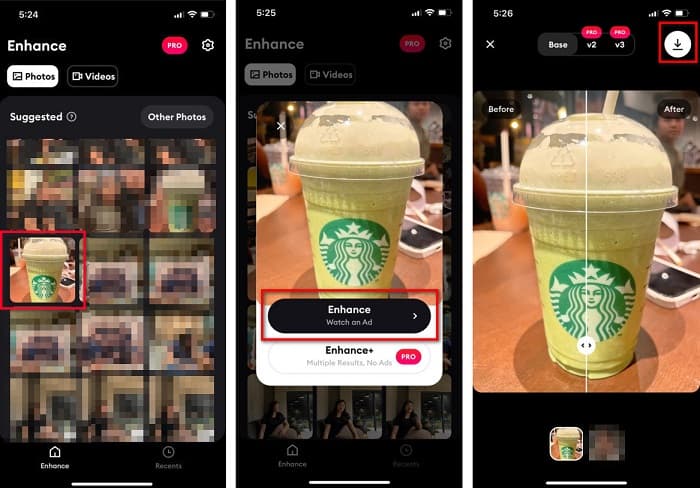
Step 1. Open your AppStore, browse the Remini app and download it on your device. After installing the app, open it.
Step 2. After opening the app, you will see your photos and select the image you like to enhance. And then, tap the Enhance button to go to the following interface.
Step 3. Before proceeding to the next interface, you must first watch an ad. And then, you will see the before and after of your image. Tap the Download icon at the top-right side of your screen.
Parte 2. Como redimensionar fotos no Android para o Facebook
Você é um usuário do Android? Não se preocupe; também apresentaremos um aplicativo que você pode usar para redimensionar uma imagem. Embora existam muitos aplicativos que você pode baixar na PlayStore, escolhemos o melhor entre eles para apresentar a você. Leia abaixo para saber como redimensionar imagens para o Facebook no Android.
AI Photo Enhancer & PixelLeap is another great app that will help you resize your image for better quality. This photo resizer is free to download on your PlayStore app and safe to use. Additionally, if you want to enhance or restore an old image, then AI Photo Enhancer & Pixel Leap. And with its AI technology, just upload the image you want to resize, then the app will automatically enhance your image. Furthermore, it has a simple user interface, which is a very great app if you are a beginner user. Also, it has other editing features you can use, such as rectify, colorize, animate, emote, and brighten your image. However, the problem with this app is that it contains many ads that take time to finish and leaves a watermark on your output. Nevertheless, this app is the solution if you want to resize a photo for Facebook without cropping.
Como redimensionar uma imagem usando AI Photo Enhancer e PixelLeap:
Step 1. Install AI Photo Enhancer & PixelLeap on your Android device.
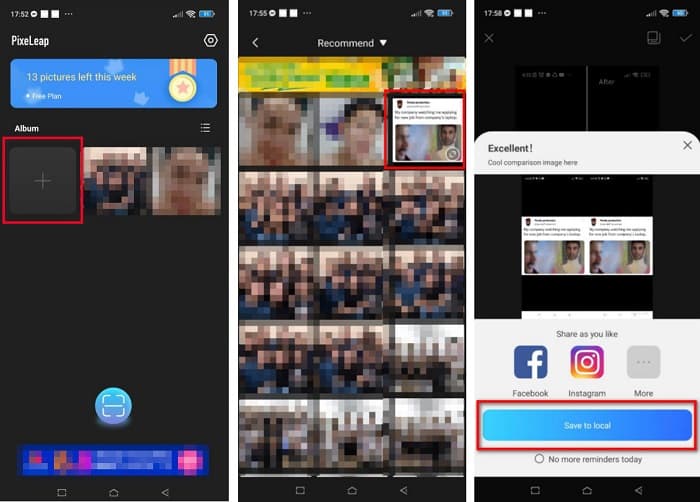
Step 2. And then, on the app’s main user interface, tap the + sign box to upload the image you want to resize. And then, the app will let you watch an ad before proceeding to the next interface.
Step 3. Browse the image you want to resize, then tap it. After selecting the image, tap the Enhance option. Then, the app will automatically enhance your image. Tap the Save to local to download your output.
Parte 3. Como redimensionar uma foto online para o Facebook
A vantagem de usar um aplicativo online é que ele permite economizar espaço no seu dispositivo. Além disso, existem muitos aplicativos da Web de acesso gratuito que você pode usar no seu navegador. Portanto, se você deseja usar um aplicativo online para redimensionar uma imagem para upload no Facebook, mostraremos como redimensionar uma foto para o Facebook.
FVC Free Image Upscaler is the best online photo resizer that allows you to upscale your image up to 2x, 4x, 6x and 8x magnification. With its simple user interface, beginners can easily resize an image. Moreover, it supports all image formats, including JPEG, JPG, PNG, and BMP. What’s even more impressive about this application is that it uses an AI technology that automatically detects the low-resolution part of an image and then enhances it. Additionally, it can fix the lost pixels, color textures, and more details entirely and perfectly. Also, it is accessible on all web browsers, including Google, Firefox, and Safari. Therefore, if you want to use FVC Free Image Upscaler to resize or enhance your image, follow the easy steps below.
Como redimensionar uma imagem para o Facebook usando o FVC Free Image Upscaler:
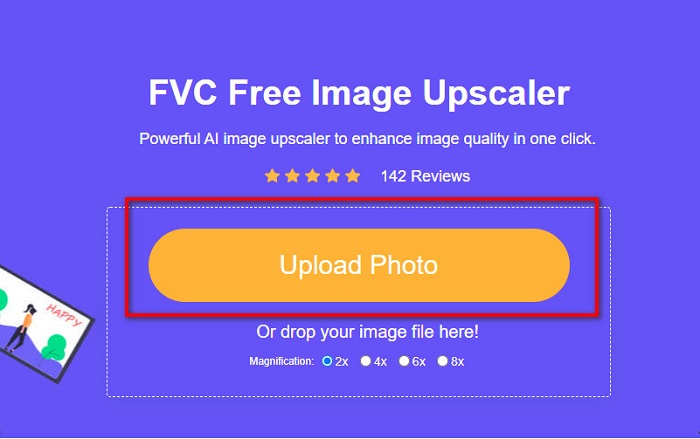
Step 1. Open your browser and type FVC Free Image Upscaler on the search box. You can click the provided link to be directed to the website. Click the Upload Photo to launch the app.
Step 2. And on the software’s main user interface, click the Upload Photo to import the image you want to resize.
Step 3. On the next interface, select the magnification preset you want for your image output. You can select between 2x, 4x, 6x, and 8x magnification. Then proceed to the next step.
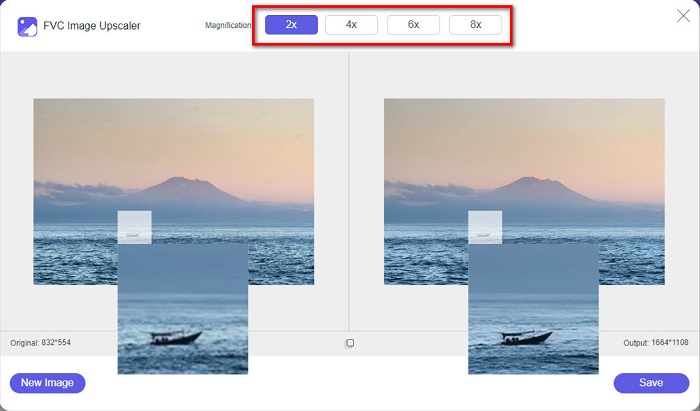
Step 4. Finally, tick the Save button to save your output on your computer. And you will see the difference between your original file and the resized image. In just a second, your image will be saved.
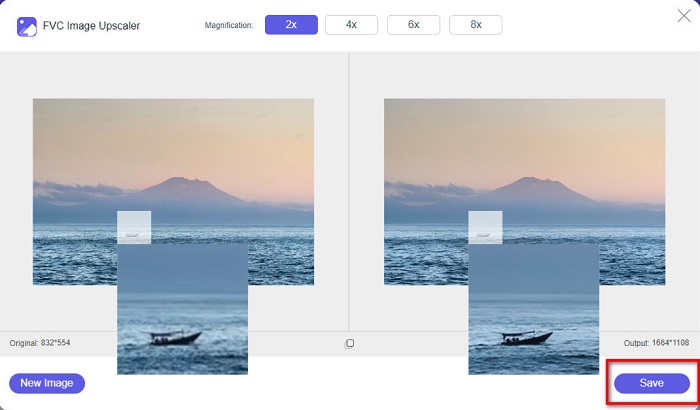
E é isso! Tão fácil quanto ABC, sua imagem agora é aprimorada e redimensionada.
Related to:
How to Sharpen Image Online and Offline With 4 Easy Ways
How to Resize Image – Adobe Resize Image [Online and Offline]
Parte 4. Perguntas frequentes sobre como redimensionar fotos para o Facebook
Qual é a melhor proporção de fotos para o Facebook?
Em relação à proporção da foto, é melhor usar uma imagem vertical com proporção de 4:5 e 1200 x 1500 px. E se você quiser uma imagem quadrada, a resolução deve ser 1080 x 1080 px.
Qual é o tamanho de uma postagem no Facebook?
O tamanho de imagem recomendado para uma postagem no Facebook é de 1200 x 630 pixels para evitar pixelização e ter um tempo de carregamento mais rápido.
Qual é o melhor formato de imagem para carregar no Facebook?
O melhor e recomendado formato de imagem para upload no Facebook é o formato JPG. É melhor carregar um formato JPG com uma cor RGB inferior a 15 MB.
Conclusão
We have the above solutions if you want to resize a photo for Facebook. By reading this article comprehensively, we hope you have learned all the necessary things you must do. You can surely resize any image you want using iPhone, Android, or Online apps. But for better results, use FVC Free Image Upscaler, which will also enable you to save space on your device.
-
 Melhor aplicativo de redimensionamento de fotos online, offline, Android e iPhone
 Quais são os melhores aplicativos de redimensionamento de fotos? Clique na página para conhecer os cinco principais aplicativos de redimensionamento de fotos mais poderosos que você pode usar para aprimorar ou redimensionar seu arquivo.
-
 Como redimensionar imagem - Adobe Resize Image [Online e Offline]
 Se você estiver procurando por redimensionamento de imagem da Adobe, temos a solução para você. Veja este post completamente para saber como redimensionar imagens usando o Adobe no seu PC.
-
 Os 4 principais ampliadores de GIF offline e online que você não deve perder
 Este post é para você que está procurando os melhores ampliadores de GIF. Listamos os ampliadores de GIF online e offline de melhor desempenho para o seu computador.
