


 Video Converter Ultimate
 Gravador de ecrã
 Reparo de vídeo
2 conversores usados para converter DV para MOV sem deteriorar a qualidade
DV files are the most common file type on every camcorder because it stores the best video to edit and watch. Maybe you're wondering if you can use this format on an iMovie to edit it or watch it on Quicktime. But you can't use this raw file because it is an unsupported and old version. Yet, no need to worry since you can convert your DV files into a supported format on Mac like MOV. As we continue reading this article, we will develop a deep understanding of why you need to convert DV to MOV on your Mac.

Parte 1. Converta arquivos DV para MOV no Mac com o poderoso conversor offline
FVC Video Converter Ultimate is the phenomenal tool you'll use to convert DV to MOV on Mac and PC as well. Without any doubt, this converter can help you transform your files into a new format without breaking a sweat. Moreover, some users demand a fast way of converting a file into a new format; luckily, this will help you swiftly outdo it. In addition to its conversion, you can also edit here like cropping, merging, cutting, and many more. So, if you want to experience the converting capability of this ultimate tool then follow this demonstration on how to do it.
How to Convert DV Files to MOV with the Helpful FVC Video Converter Ultimate:
Step 1. Download the DV converter on your Mac or PC, follow the installation process and click Start Now to open the software.
Free DownloadFor Windows 7 or laterSecure Download
Free DownloadFor MacOS 10.7 or laterSecure Download
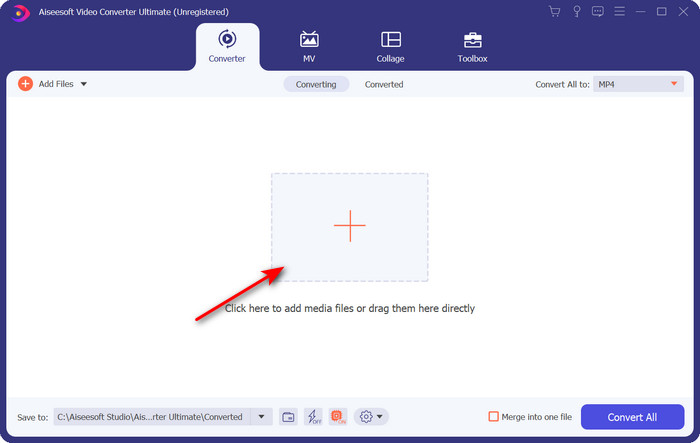
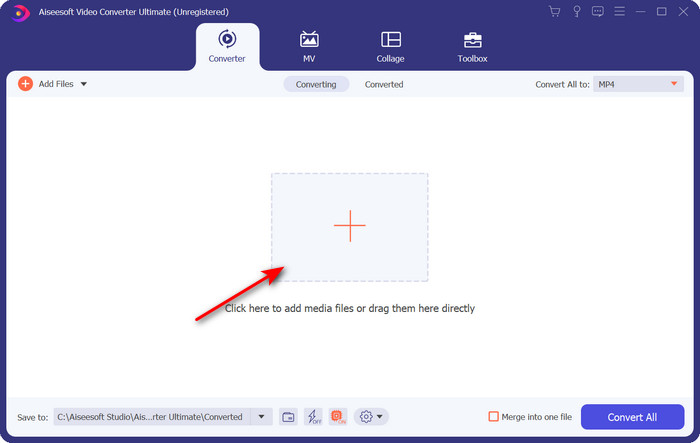
Step 2. After launching, upload the file you want to convert by clicking the + button; the folder will show, locate the file, then click Open.
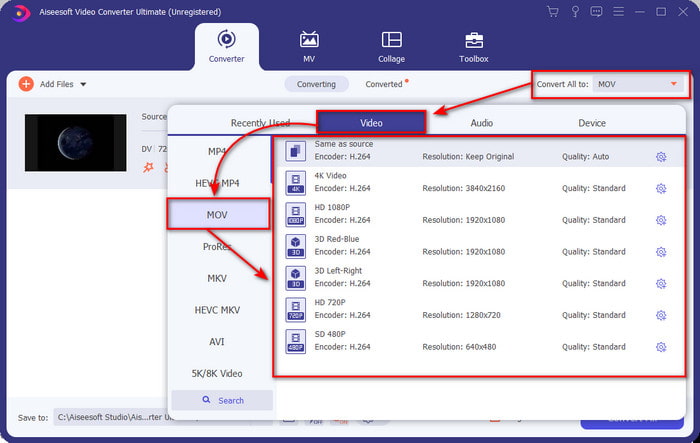
Step 3. To select the format, click the drop-down button, choose the MOV format and the resolution you want it to be. The quality of your output can be set high, but the size will be much bigger compared to the original.
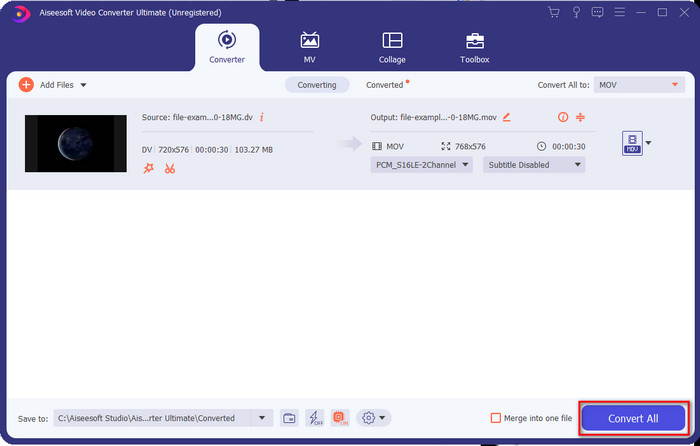
Step 4. Click Convert All to begin the process of converting the DV to MOV and download it at once.
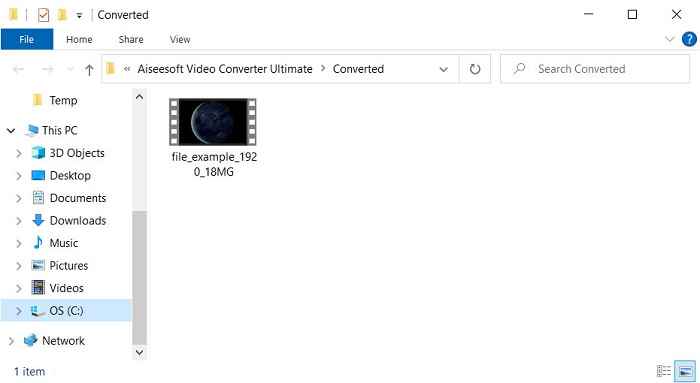
Step 5. The converted file's location will show; you can now watch or edit the file on your Mac without worrying about not opening the file.
Parte 2. Converta DV para MOV gratuitamente com o conversor online
Want to convert video on your browser? Therefore, you must use FVC Free Video Converter Online to convert DV to MOV for free. You can also change the resolution, bitrate, and frame rate other than its converting capability, like the FVC Video Converter Ultimate. Even though you can use this free online, the powers of this online tool are far different from the offline converter above. But if you want to do a simple conversion for free, this must be your go-to online converter. To make it short, let's now proceed to the steps on how to use it.
Como converter arquivos DV para MOV com o útil conversor de vídeo gratuito FVC Online;” /]Step 1. To open the online tool, click this link then a new browser will open.
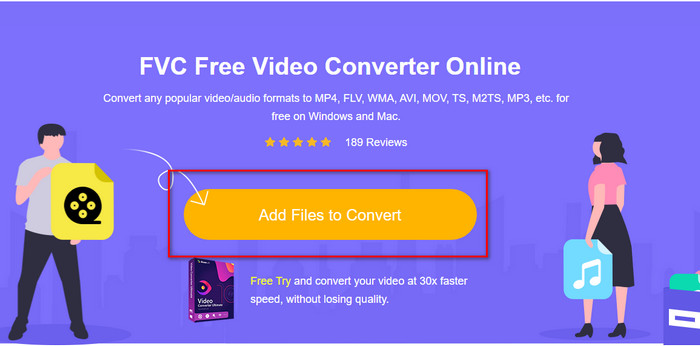
Step 2. Hit the Add Files to Convert to run the online converter, then select the .dv file you want to convert on the folder.
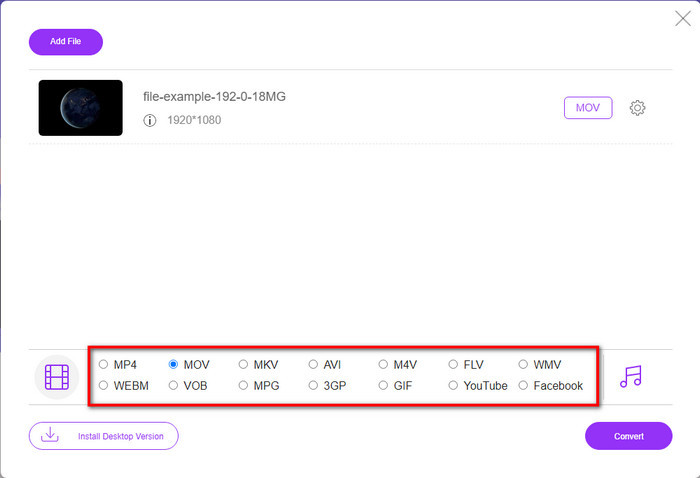
Step 3. Pick out the MOV format or the other format you want on the list below.
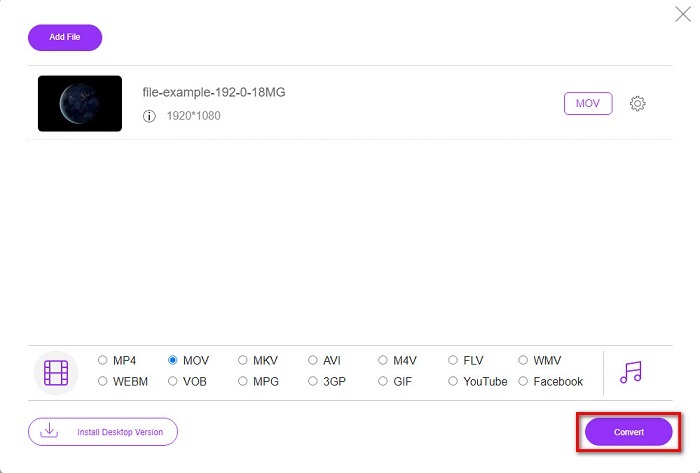
Step 4. To start the conversion, click Convert and wait for the process.
Step 5. Once done, a new folder will show with the converted file on your screen.
Parte 3. DV vs. MOV
O formato DV é ideal para salvar o vídeo e o áudio porque usa o mesmo algoritmo do MPEG. Mas isso é muito diferente do MPEG, pois não depende da compactação da taxa de quadros anterior. Portanto, em vez de depender da compactação intra-taxa, ele usa compactação independente para editar a reprodução mais rapidamente. Como resultado, os arquivos DV foram introduzidos no final de 1995 como um formato de vídeo padrão em todas as filmadoras. Mas hoje, veremos menos filmadoras baseadas em fita porque agora usamos um disco rígido, SSDs e cartões de memória para armazenar gravações.
Por outro lado, o formato MOV foi desenvolvido pela Apple para armazenar um arquivo de mídia de alta qualidade que pode ser usado em todos os editores ou reproduzido com o media player. Esse formato ganha muito respeito, pois pode conter elementos de mídia coletiva e cada um pode coletar dados para vídeo, áudio e texto. Assim como no DV, a compactação que esse formato oferece é baseada no algoritmo.
Para completar, você não pode fazer upload de arquivos DV diretamente no aplicativo Mac porque esse formato está desatualizado. Agora existem formatos melhores que .dv. Mas se seus vídeos estiverem neste formato, você pode usar um conversor de DV para MOV e converter o arquivo para reproduzi-lo no Quicktime ou editá-lo no iMovie.
Parte 4. Perguntas frequentes sobre conversão de DV para MOV
Por que não consigo reproduzir arquivos DV no Mac?
Muitos motivos podem variar neste caso, especialmente arquivos DV, que são menos compatíveis com quase todos os sistemas operacionais. Mas listamos dois possíveis motivos para você não conseguir, e o primeiro é que o media player que você está usando não suporta esse formato. É o problema mais comum na maioria dos formatos por motivos de compatibilidade e sua solução para converter. A outra é que seus arquivos .dv podem estar quebrados ou corrompidos. Como está danificado ou corrompido, o arquivo não será reproduzido.
O arquivo DV ainda é um formato ideal?
Antes era ideal para gravar e editar arquivos de mídia, mas hoje o formato não é dos melhores. A principal razão é que existem formatos melhores que .dv, e a outra é a compatibilidade.
Como compactar arquivos DV?
Although DV files are still compressed, their MB will be bigger if the video length is too much. So compressing the file is a must to transfer it easier and save some space. To know how to compress your DV files or other media files, read this article to learn how to compress videos without losing quality.
Conclusão
Briefly recap, DV files were best in recording audio and video before, but today there are other successors. Also, this format doesn't get much compatibility compared to MOV, especially if you want to edit or watch the videos on Mac. Since the format is outdated, you must consider converting it online or offline with the help of the mentioned tool above. Overall, the FVC Free Video Converter Online is the best we found on the web. Besides being free, this online tool's performance is far different from the web tool available. But we must give way to the phenomenal converter, the FVC Video Converter Ultimate. This tool needs no introduction and will help you without a doubt in any converting problem you will encounter. It is now in your hand to choose which is better for you.
-
 Como converter AVI em MOV com etapas e ferramentas fáceis
 Você quer saber como converter AVI em um MOV jogável? Você deve seguir este artigo para saber como fazê-lo e dicas para ter uma conversão bem-sucedida.
-
 4 maneiras de converter DivX em MOV gratuitamente [online e offline]
 Você luta contra as limitações de um DivX ou não tem reprodutores de mídia para acessar vídeos neste formato? Se você deseja convertê-lo para o formato MOV, continue lendo este artigo para preencher as lacunas.
-
 Conversor M4V para MOV grátis - Como converter M4V para MOV
 Se o seu media player não suporta M4V, você já se esforçou para assistir a um filme no seu iPhone? O tópico principal deste artigo é convertê-lo em um arquivo de vídeo MOV.
