


 Video Converter Ultimate
 Gravador de ecrã
 Reparo de vídeo
Ampla variação de diferentes conversores para MOV para AVI online e offline
MOV is a format developed by Apples Inc. to be played on their default media player and that is QuickTime player. In this case, if you transfer your MOV file into another desktop program like Windows or such. There is a big chance that it will come out unsupported because it is exclusive for Mac users only. So, if you are one of the users who are having difficulties on playing MOV files on your desktop. Then you must keep up the pace reading this article to determine which you should choose. As your personal converter that will teach to convert MOV to AVI without losing any quality and security as well.

Parte 1. Converta MOV para AVI Online sem Limitação
FVC Free Online Video Converter
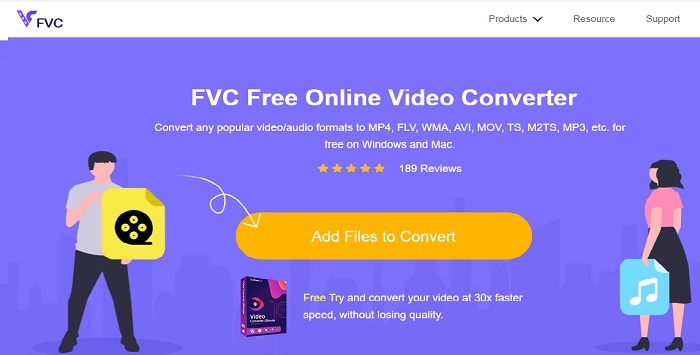
First of the best converters online is the FVC Free Video Converter. If you want to experience a new height of video or audio converting via online then this must be for you. It is one of the best free MOV to AVI converters. Moreover, the downside of this is that it doesn't provide premium features like on the paid version and the format options are limited. Although you can convert without limit, it can't do multiple conversions at one go. On being said the tool is free and better than VLC as a converter. Do you want to know how to use this online tool? Follow the steps below to know how to convert effortlessly.
Step 1. Click this link to go to the main website. No need to worry it is secured and safe to be accessed by you.
Step 2. Hit the Add Files to Convert to start the program.
Download the Desktop Version to convert files in batch.
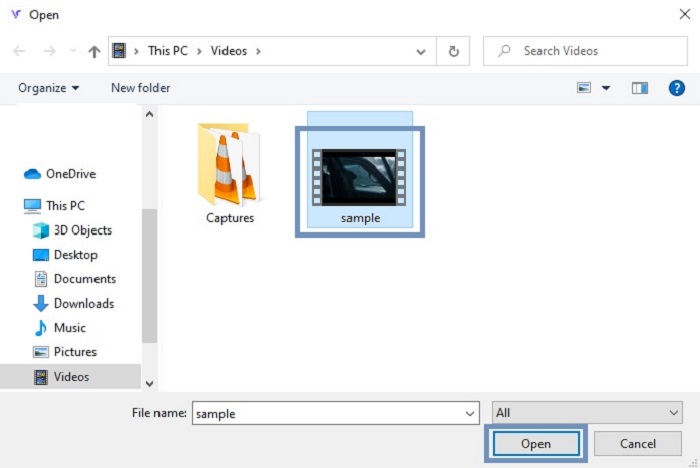
Step 3. Choose the MOV file you want to be converted and press OK to proceed.
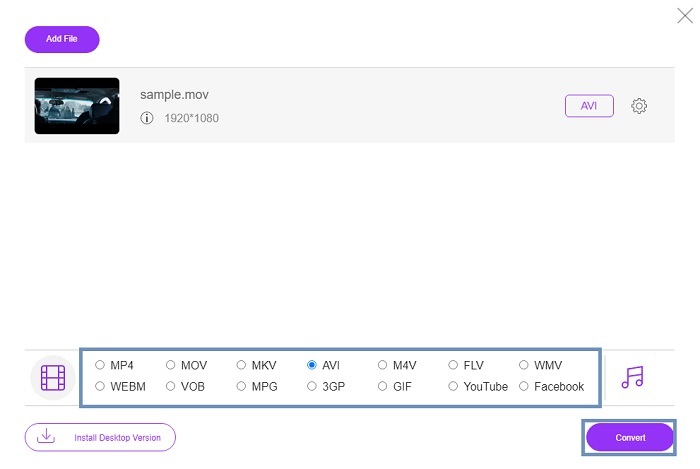
Step 4. After choosing the AVI format or what do you want it to be click the Convert to start the process.
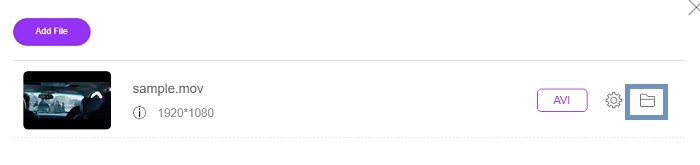
Step 5. Wait for a couple of minutes to be finished. Then click this folder to check out the final output there.
Parte 2. Converter MOV para AVI Desktop App offline
Se a conversão online não é o seu forte, então você deve considerar o uso dessas magníficas ferramentas baseadas em desktop. Escolha o melhor conversor para fazer o trabalho.
1. FVC Video Converter Ultimate
If you want to experience the majestic converting, editing and enhancing of video and audio. Then this FVC Video Converter Ultimate must be your tool for the job. Convert your MOV to AVI format without breaking a sweat. Because of its user-friendly interface and lightweight as well. It became the first-choice converter by many other users over the internet. As of today the number of users who download this tool has grown greatly in population and skill wise. Unlike any other tools that are presented here and on the web. Just by acquiring this tool is like you have a Swiss army knife of your own. Although it provides full pact features this software is payment first policy. Which only means that if you want to use it, you'll need to buy it. But no need to worry because it is only cheap and the payment method is secured and supported by PayPal, wire transfer, Visa and more. If you're having trouble if this is the best choice then why don't you try to read the steps below to know if this is the best converter for you.
Step 1. Download the software to your desktop drive and choose the most suitable to your program. Then adjust the preferences if you want and click finish to install the software on your drive.
Free DownloadFor Windows 7 or laterSecure Download
Free DownloadFor MacOS 10.7 or laterSecure Download
Step 2. After the installation process it will automatically be opened as well. This is the sample interface of it.
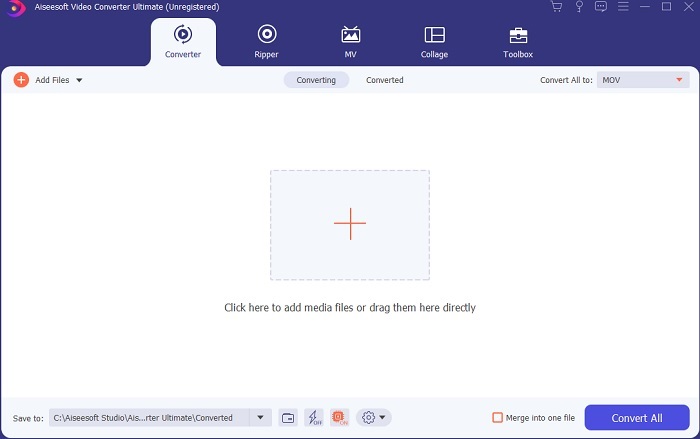
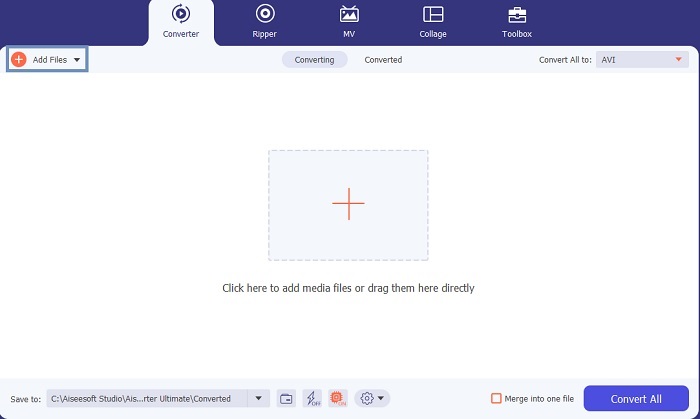
Step 3. Click the Add Files button and choose the MOV file you want to be converted. If you want to convert many MOV files you can drag-and-drop them to the interface of the tool.
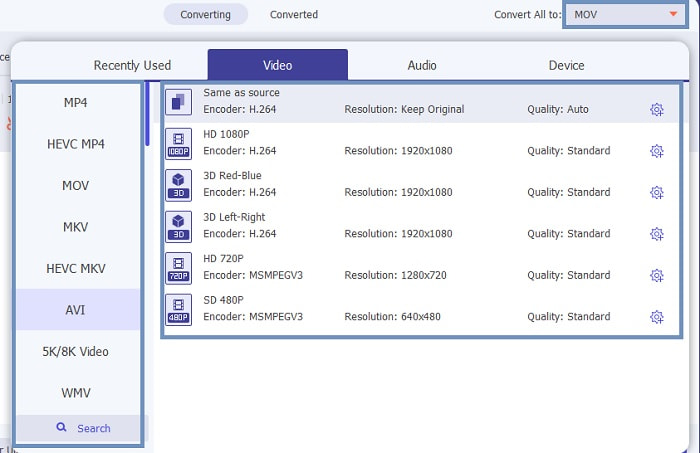
Step 4. Select the format you want in the list at the submenu of Convert All to. There are different variations you may choose from. And to start the action click the Convert All.
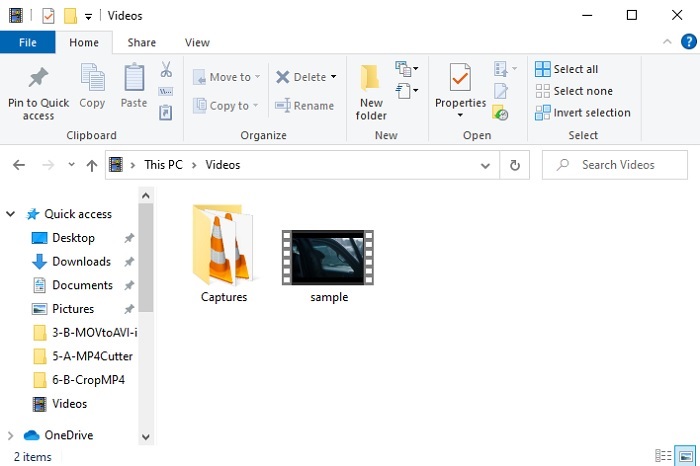
Step 5. This will only take a couple of seconds and if it is done. A file explorer will open into your screen and click the file you converted to watch it now on your computer. If you want to add, enhance or do something special to the video. You can go to the Toolbar section and check out the available features to upgrade your videos or audio.
2. VLC Media Player
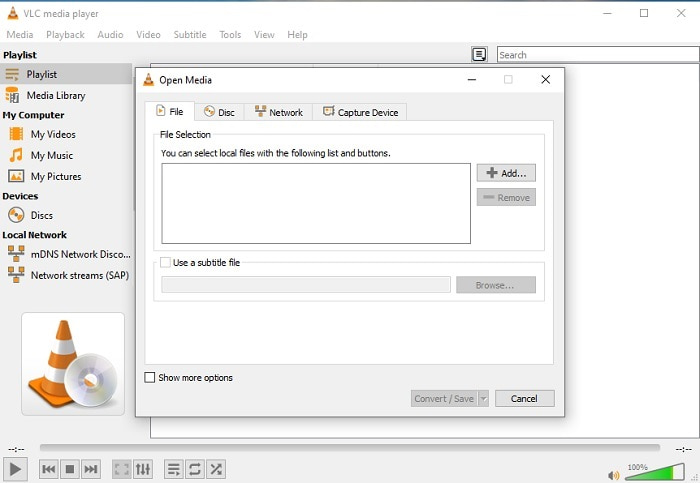
Did you know that you can convert MOV to AVI using VLC? Yes, you can use this media player as your converter. Although it can convert formats it is not the best choice to use as your converter. Because it is not user friendly, less instruction on the interface on how to use it, and much less format availability. Although this can be the best media player, the best converter is not its forte. But if you want to try it you can check it out for yourself and use it to convert your format.
3. Pazera
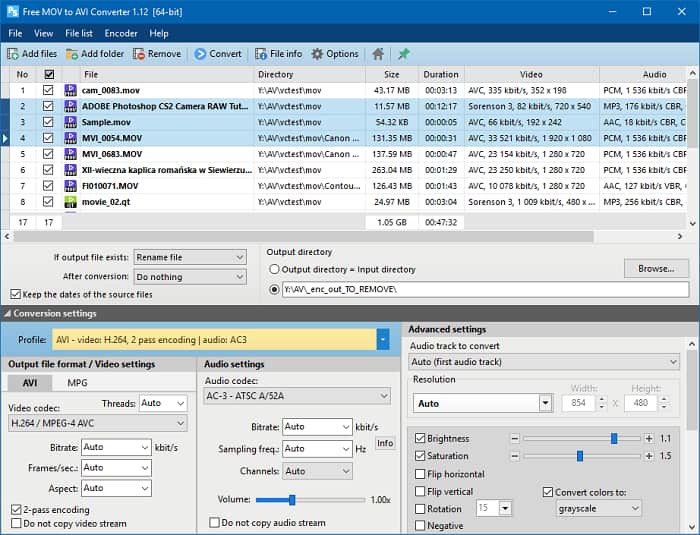
You can download Pazera MOV to AVI converter for free. This tool is easy to use and little to know it provides a good converting expertise. But the intimidating part of it is that it is not a multi-converter. Unlike in the upper part tools available. The converter only gives you the experience of a single pattern of conversion only. To be clear, if you download MP4 to AVI converter then that is the conversion you will get. So, if you're looking for an all-out converter this must be your last resort. In addition, if you try to access the webpage of the tool to download there are a lot of pop-up ads which are annoying. You must beware if you try to access this tool.
Further Reading
MOV vs. AVI
O formato MOV pode ser usado para armazenar um filme, programa de TV, videoclipe curto ou filme caseiro. Na verdade, ele é salvo no formato de arquivo QuickTime (QTFF), que foi introduzido pela Apple em 1991. Os arquivos MOV são frequentemente usados quando as pessoas desejam salvar um vídeo com alta qualidade.
Baseado no Resource Interchange File Format (RIFF), o formato AVI foi introduzido pela Microsoft em 1992. Ele pode salvar vídeo/áudio de alta qualidade, pois usa menos compactação. Mas isso também causa o tamanho grande do arquivo AVI, o que pode ser um problema quando há espaço limitado.
Parte 3. Perguntas frequentes sobre MOV para AVI
O QuickTime pode converter MOV para AVI?
Embora o QuickTime seja conhecido por ser o media player padrão do Mac. A conversão via QuickTime é possível. Você pode verificar este link se quiser saber como converter MOV para AVI com o QuickTime.
Quais são as diferenças entre MOV e AVI?
A primeira grande diferença entre os dois é o seu dono. Como foi dito em primeiro lugar, o MOV foi fabricado pela Apple Inc. como seu formato exclusivo para players QuickTime. O MOV tornou-se popular por ser um dos melhores formatos que você pode usar, pois também armazena diferentes arquivos de áudio, vídeo e texto. O AVI foi desenvolvido pela Microsoft para competir com o MOV. Embora este formato seja descompactado. Portanto, se você gravar ou baixar um arquivo nesse formato, espere um tamanho de arquivo grande. Portanto, se você quiser diminuir o tamanho do arquivo, precisará compactá-lo. Mas o bom disso é que produz uma saída de áudio e vídeo de alta qualidade.
Onde posso reproduzir meu MOV convertido para AVI?
If you want to watch your newly converted AVI file or MOV file. You can check the FVC Free Video Player to watch it. So even if you don't convert a MOV file to AVI on Mac or PC you can still watch it later.
Conclusão
To end the adventure we take, it is clearer to us that converting is one the easiest jobs that anyone can partake in. Learning from this article is a big change for each and everyone of us because it provides details, steps, and alternatives as well. So, if you're still confused on what to use as your primary choice converter then this must state the case. FVC Video Converter Ultimate is an all-around converter that you ever longed for. The idea to convert, edit, enhance, and make is in this tool. So, what are you waiting for? No need to worry because the FVC Video Converter Ultimate is the unrivaled converter.
-
 4 melhores métodos para converter MOV para MP3 no Windows e Mac facilmente
 Quando você deseja extrair os arquivos de áudio MP3 de arquivos MOV, você pode aprender mais sobre os 4 conversores MOV para MP3 mais eficientes para obter os arquivos desejados do artigo.
-
 8 melhores jogadores MOV para reproduzir arquivos QuickTime MOV com qualidade original
 Saiba mais sobre os 8 melhores reprodutores MOV disponíveis para Windows e Mac. Você pode escolher o desejado e apropriado para reproduzir arquivos MOV com a qualidade original.
-
 MKV para MOV - Como converter MKV para MOV
 Como faço para converter MKV para MOV no Mac? O iMovie consegue ler MKV? O que significa o formato MOV? Esta postagem mostra 2 maneiras simples de ajudá-lo a converter MKV em MOV com conversores de vídeo profissionais e online gratuitos.

