


 Video Converter Ultimate
 Gravador de ecrã
 Reparo de vídeo
3 maneiras diferentes de transformar arquivos MPG em MOV em sua área de trabalho ou online
Converting a format is essential, especially if we were going to talk about compatibility and the purpose of the format. Like MPG, this format stores data from DVDs such as metadata interleave, audio, and video. But ripping this format from DVDs and playing it on Quicktime or editing it on iMovie can't be uploaded because the format is unsupported. However, you can convert your .mpg into a supported format like MOV format. This article will suggest some of the best converter software you can use to convert MPG to MOV on Mac for free and without adjusting its quality.

Parte 1. Como converter MPG para MOV no Mac e Windows
First on the list is the crème-de-la-crème of all the converters you can use and learn how to convert MPG to MOV on Mac or PC. FVC Video Converter Ultimate provides the highest quality and fastest conversion that you can make in less than a minute. Moreover, download this if you don't have any experience converting files and don't want to be disappointed on the first try. But, if you are the type of user who wants to add special effects, crop, merge, and do more, check out the Toolbox of this converter. Other than that, if you're looking for trustworthy and easy-to-use software and achieve phenomenal output instantly, then follow the instructions below.
Step 1. Download the MPG to MOV converter for free on your Mac or PC. After that, install the File and do the quick set-up.
Free DownloadFor Windows 7 or laterSecure Download
Free DownloadFor MacOS 10.7 or laterSecure Download
Step 2. To insert the file, click + sign located at the middle part of the interface. Find the .mpg File on the folder that will show next, then click Open and proceed.
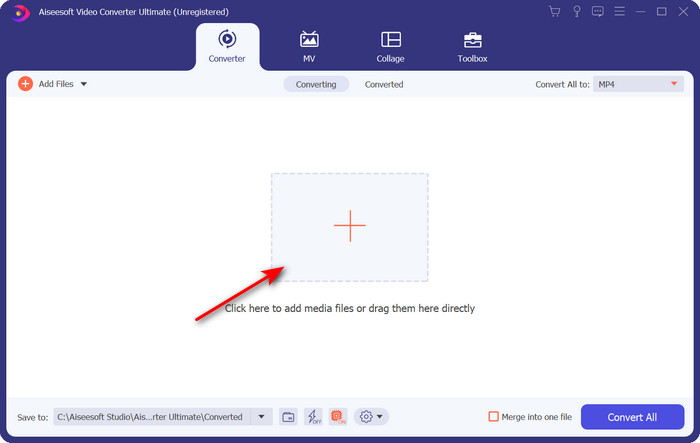
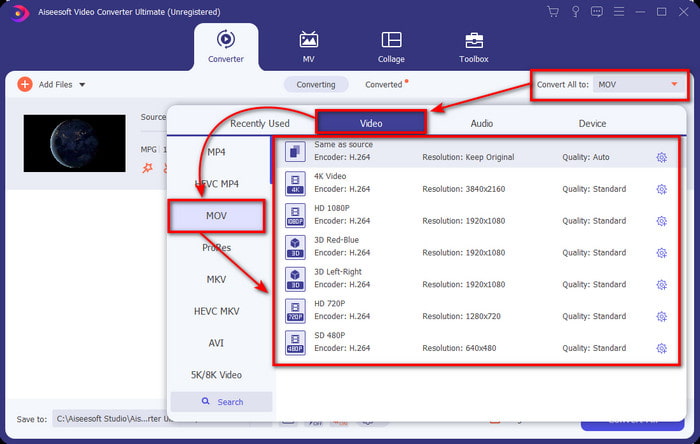
Step 3. Hit the drop-down button and choose the MOV format or any format available on the list.
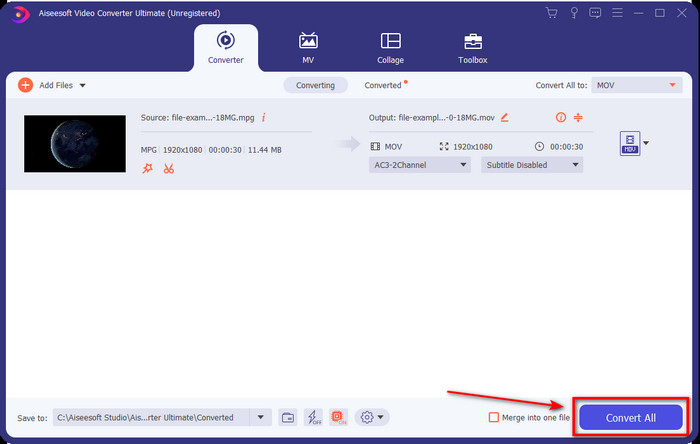
Step 4. Once you are ready to start the converting process, click Convert All.
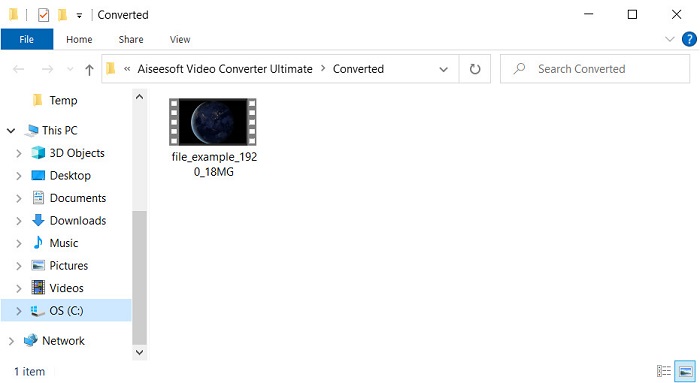
Step 5. Your .mov will be ready after a few seconds, and if the folder opens on your display, click the first file to watch or edit on your Apple device.
Parte 2. Converter MPG para MOV usando o Quicktime
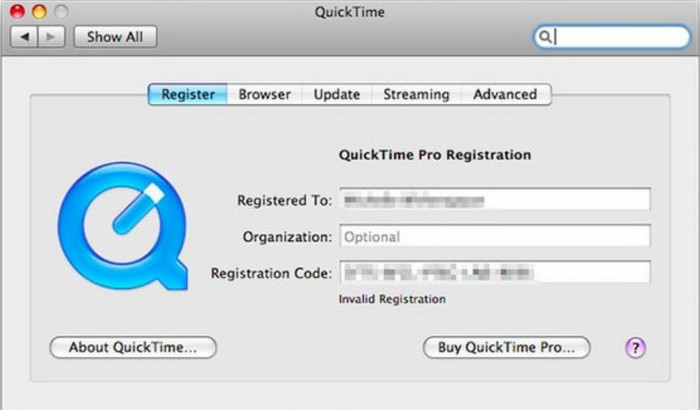
Quicktime Player is a native media player made for Apple devices to play almost any video and audio format. But did you know that you can also use this as a converter? But the converter this tool provides is not as detailed as the first converter mentioned above. Yet, if you have an Apple device and want to convert MPG to MOV with the Quicktime Player, then follow the steps below.
Step 1. Open the Quicktime Player on your Mac, click File under it, click Open File, locate the .mkv file on the folder, and press Open.
Step 2. Re-click File, but now click the Export As choose the available pixels on the list.
Step 3. To start converting the file on Quicktime, click Save.
Parte 3. Converta MPG para MOV usando o conversor online gratuito de MPG para MOV
Want to know the best MPG to MOV converter free online if you don't want to risk downloading software? Then FVC Free Video Converter Online is the one. It is simple, available in all browsers, malware-free, and a reliable online tool. All of the things a simple converter should have are available here. Furthermore, this software supports numerous media formats and does convert without logging your account. Want to use this tool? Then follow the simple steps.
Step 1. Tick this link to go to the official website of FVC Free Video Converter Online.
Step 2. Once you are now on the web interface, click the Add Files to Convert. Find the .mpg file you want to convert on the folder, then press Open.
Download the Desktop Version to convert files in batch.
Step 3. After uploading the file, choose the MOV format in the sub menu.
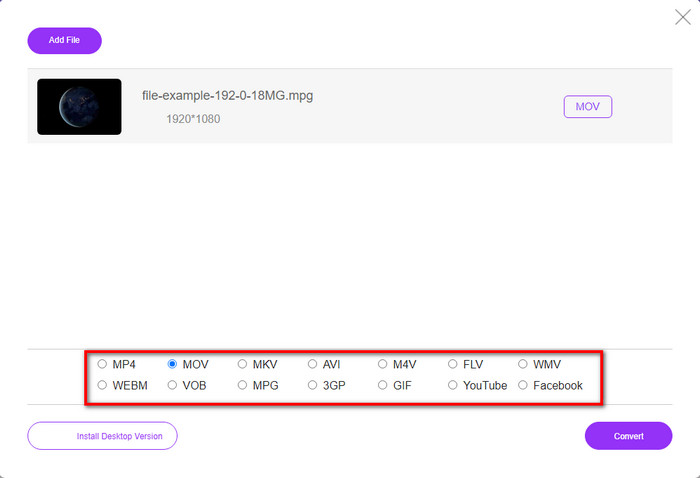
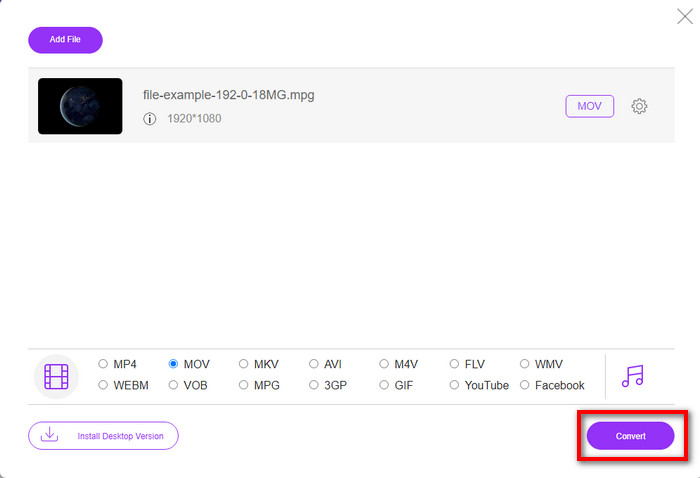
Step 4. Since you already clicked the MOV, let's download it now by hitting the Convert.
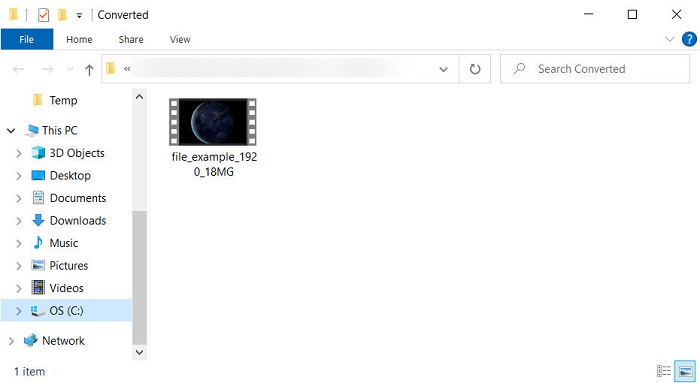
Step 5. After converting, a folder will show with a .mov file.
Parte 4. Amplo conhecimento sobre MPG para MOV e por que precisamos convertê-lo
MPG é um formato de mídia bem conhecido que usa MPEG como formato de vídeo padrão digital. Esse tipo de arquivo geralmente usa MPEG-1 e MPEG-2 como codificador de arquivo de mídia. Ele usa esses dois compressores para suportar todas as deficiências do compressor, especialmente para armazenar vídeos de alta resolução. Como dito anteriormente, esse formato pode conter três elementos: áudio, vídeo e metadados em um fluxo para distribuição mais rápida de filmes na web.
Mas o MOV pode armazenar um vídeo de alta qualidade e áudio cristalino geralmente usado para editar o vídeo. Ao contrário do MPG, esse formato de mídia multiplex pode acompanhar diferentes dados de mídia, como vídeo, áudio e legendas. Mas o codificador e decodificador desse formato comumente usado é o MPEG-4.
Seria melhor transformar seu MPG em MOV porque quando você transfere o arquivo para dispositivos Apple, ele não será reproduzido no Quicktime ou editado no iMovie. Embora o Quicktime Player e o iMovie suportem MPEG-1 e MPEG-4, os outros MPEGs, como o MPEG-2 que um .mpg usa, não são suportados. Para torná-lo compatível em dispositivos Apple é a razão pela qual você precisa converter o arquivo em MOV.
MPG vs. MOV
Feito pelo Moving Picture Experts Group (MPEG), o MPG é um formato de vídeo digital comum para armazenar informações de vídeo, áudio e metadados. É bastante útil ao criar filmes para compartilhar na Internet. Esses arquivos em MPG geralmente contêm compressão de vídeo/áudio MPEG-1 ou MPEG-2.
O formato MOV pode ser usado para armazenar um filme, programa de TV, videoclipe curto ou filme caseiro. Na verdade, ele é salvo no formato de arquivo QuickTime (QTFF), que foi introduzido pela Apple em 1991. Os arquivos MOV são frequentemente usados quando as pessoas desejam salvar um vídeo com alta qualidade.
Parte 5. Perguntas frequentes sobre conversão de MPG e MOV
Quanto tempo levaria para converter MPG?
Há dois fatores que podem afetar seu processo de conversão. Primeiro, se você usar um conversor online, isso dependerá da velocidade da sua internet. Este processo levaria mais tempo em comparação com o outro conversor não baseado. E por último, quanto maior o tamanho do arquivo, mais tempo levará para convertê-lo. Portanto, se o tamanho do arquivo .mpg for grande, você normalmente esperaria que ele terminasse.
Posso reproduzir arquivos .mpg no VLC?
O VLC é um dos principais players de mídia que você pode baixar em todos os dispositivos para reproduzir vídeos no formato não reproduzível em seu media player nativo. Você também pode reproduzir aqui todos os formatos MPEG-1, MPEG-2, MPEG-3 e MPEG-4.
A compactação de MPG afeta a qualidade?
Compressing a file shouldn't affect the quality because what you did was making it small. But when you compress your .mpg too much the quality of it will change a bit. So, to avoid this you will need to read this top 7 video compressors you can use.
Conclusão
Para recapitular todas as informações detalhadas mencionadas acima, você pode converter seu MPG para MOV se quiser usar o vídeo em dispositivos Apple. Embora softwares como Quicktime e iMovie suportem MPEG-1 e MPEG-4, o MPEG-2 e o MPEG-3 não são suportados. Portanto, para torná-lo compatível com seus dispositivos Apple, é ideal convertê-lo. Todas as ferramentas mencionadas aqui são muito eficazes e fáceis de usar se você converter o arquivo.
-
 FLV para MPG - Como converter FLV para MPG no Mac, PC e online gratuitamente
 Como converter FLV para MPEG? Posso converter FLV para MPG gratuitamente? Este post compartilha 3 conversores de vídeo gratuitos para ajudá-lo a converter FLV para MPG sem perda de qualidade.
-
 Como converter MPG para formato GIF [online e offline]
 Quer expressar uma emoção muito melhor? Então você deve usar GIF. Este artigo irá ensiná-lo a converter um arquivo MPG em GIF para expressar melhor seus sentimentos.
-
 [2022] Escolhas quentes do conversor MPG para AVI para ajudá-lo a converter MPG para AVI
 Você já se perguntou sobre como converter seu MPG em um arquivo de vídeo AVI apenas para reproduzi-lo em seu reprodutor de vídeo? Aqui está o melhor artigo que você pode encontrar sobre o assunto acima.

