


 Video Converter Ultimate
 Gravador de ecrã
 Reparo de vídeo
Guia rápido e fácil de entender sobre como converter TRP para MOV
TRP format is not very common to play it on a media player or even edit it with the editors. And some users tried to change the .trp into .ts, .mpg, .mp4 and re-play them on the media player. But many already failed in this attempt; although you can change the extension, the structure is still the same. So to avoid this mistake, why don't you try to convert TRP to MOV format? To successfully solve this problem. Below, you will learn what TRP format is and turn it into a playable MOV format.

Parte 1. O que são TRP e MOV
O TRP é conhecido por seus fluxos digitais multiplexados para vídeo e áudio e, em seguida, reproduzindo-os de forma síncrona. Além disso, esse formato é frequentemente usado na correção de erros em todas as transmissões de vídeo digital ou DVB. Além disso, .trp usa dois codecs separados para codificar o vídeo em H.263 ou H.264 e AC3 para áudio. Após a codificação, os arquivos de áudio visual armazenados aqui estão prontos para serem transmitidos para toda a web sem limitação de distância. Embora o formato pareça excelente, armazenando arquivos mantendo a qualidade de ponta. No entanto, alguns softwares não são adequados neste formato.
Pelo contrário, o formato MOV prefere manter a reprodução de vídeo e áudio de alta qualidade em todos os players do Quicktime. Embora o formato seja para Apple, você ainda pode reproduzir o vídeo mesmo se não tiver Mac ou iOS, pois esse formato suporta vários players e editores de mídia.
Então, agora, a solução ideal para esse problema do TRP é convertê-lo, especialmente se você deseja transferir o arquivo para Mac ou iPhone e reproduzi-lo ou editá-lo posteriormente. Sem mais atrasos, vamos ao conversor que você pode usar idealmente para converter arquivos TRP para MOV.
Parte 2. Como converter TRP para MOV com o software fenomenal no Windows/Mac
This TRP to MOV converter is placed at the top because it is the best tool to convert your TRP files, FVC Video Converter Ultimate. It is the perfect tool to experience the quickest and easiest way to decode and encode your TRP files. Other than its encoding and decoding, with the help of this software, you can also edit video, merge, cut, crop, etc. It is all thanks to the customers who trusted this tool to convert their file and buy it.
Prós
- O conversor TRP mais rápido que você pode usar para converter TRP para MOV, AVI, MP4, MKV e muito mais.
- Nenhuma limitação para converter e a conversão em lote funciona bem.
- Disponível para download em todos os desktops PC ou Mac.
- Recursos avançados estão dentro da caixa de ferramentas integrada.
Contras
- Você precisa comprar o software antes de usá-lo.
- É necessário baixar o arquivo em sua unidade.
Sem mais explicações, vamos começar a usar este conversor altamente recomendado seguindo os passos abaixo.
Step 1. Before running the program, you must download it first on your drive, install it afterward, and click Start Now to open the program.
Free DownloadFor Windows 7 or laterSecure Download
Free DownloadFor MacOS 10.7 or laterSecure Download
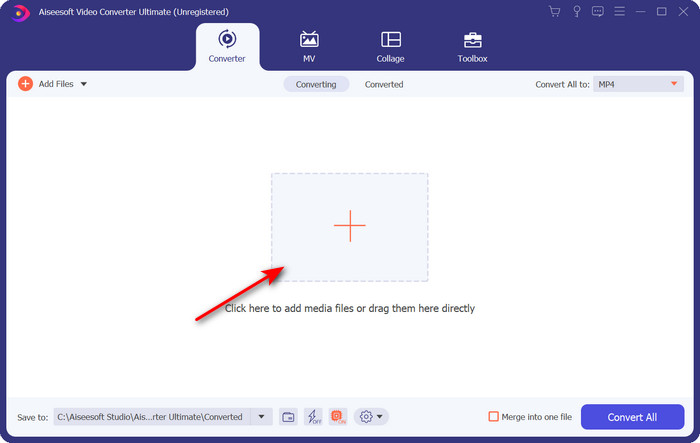
Step 2. Click the + button in the middle of the software interface; a folder will show on the screen, find the .trp file and click Open to upload it.
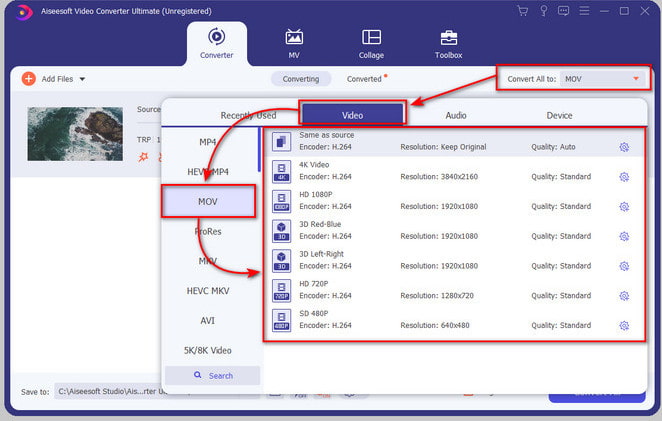
Step 3. Click Convert All to and find the MOV format and choose the resolution you would prefer.
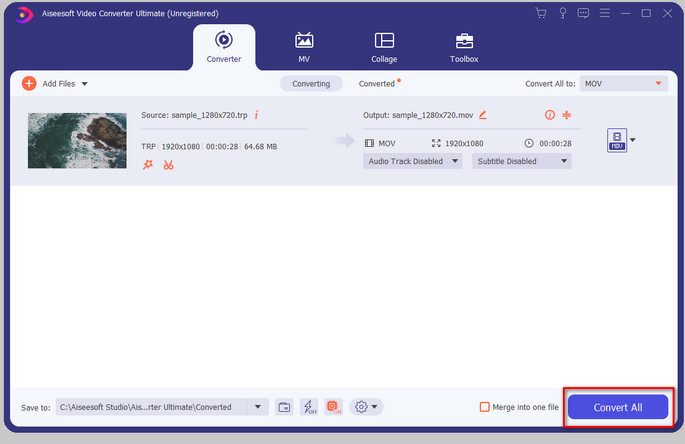
Step 4. If you are ready to start converting the format to .mov, click Convert All.
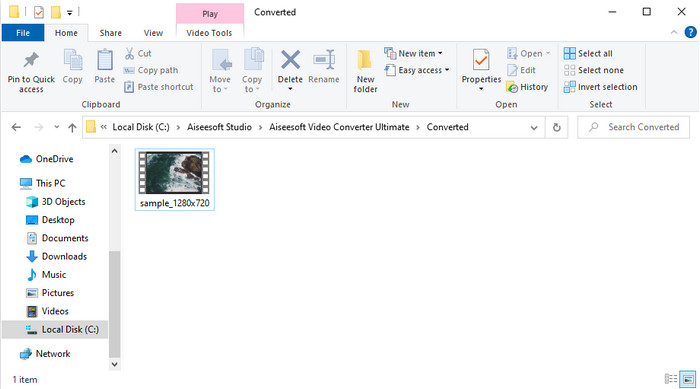
Step 5. Just wait until the process then a new folder will show with the converted format you've done earlier. To watch the file on your Mac or any iOS device, click it.
Parte 3. Como converter TRP para MOV gratuitamente em todos os navegadores online
Do you have no desire to download software to change the TRP to MOV? Then we advise using FVC Free Video Converter Online to convert your file on the web. Unlike the first tool presented above, this online converter is available on the web. And for sure, this is malware-safe, and it has no ads at all on the net interface. But the drawback of this webtool is that you can't use it if you don't have internet connectivity. Another one is that this tool supports an average format compared to the FVC Video Converter Ultimate. Apart from that, you can use this for free and without any limitations. So now, if you want to try this online converter, proceed to the steps on how to use it.
Prós
- Compatível em todos os motores de busca.
- Sem limitação na conversão de TRP para MOV, MP4, AVI, etc.
- Nenhum anúncio irritante na interface.
Contras
- Você não pode realizar a conversão em lote como a ferramenta definitiva.
- Acessar a ferramenta da web requer a internet porque é uma ferramenta baseada na internet.
Step 1. To run the webtool, click this link.
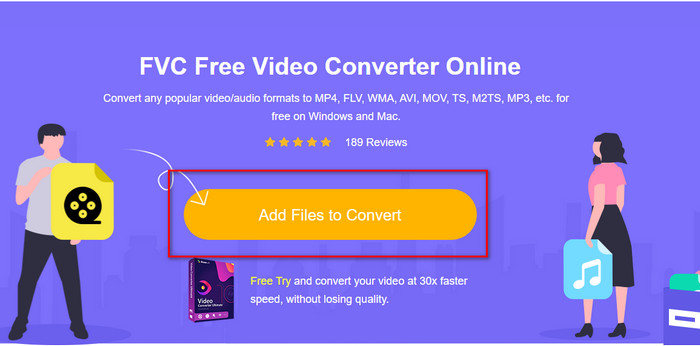
Step 2. Tick the Add Files to Convert, and the folder will open, look for the file on the folder and hit Open.
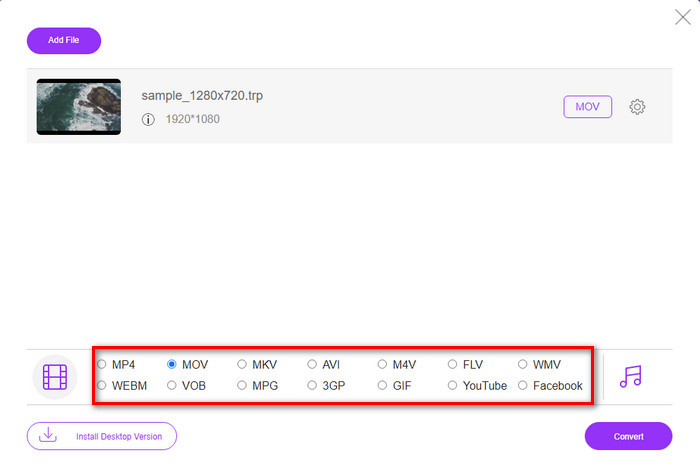
Step 3. Pick out the MOV on the list below, or choose whatever format you want it to be.
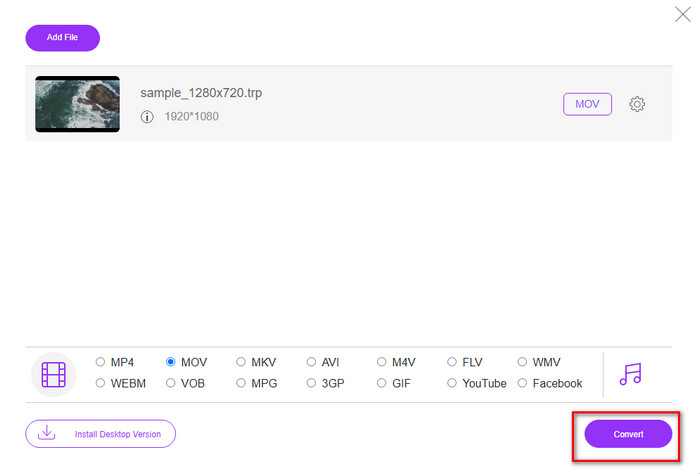
Step 4. Finally, to start converting the file, click Convert.
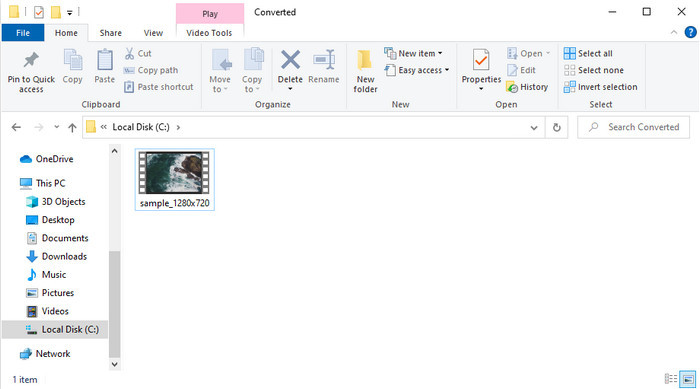
Step 5. Once converting is finished, a folder will show on the screen with the file.
Parte 4. Perguntas frequentes sobre conversão de TRP para MOV
Posso mesclar arquivos .trp em um vídeo?
Yes, you can make two or more .trp videos, conjoint, and download them as one by merging. It is super easy to do if you use the FVC Video Converter Ultimate. Want to learn how? Then click this link and give 5 minutes to learn how to merge TRP files or even other videos like MP4, MOV, AVI, and more.
Quanto tempo levará para converter TRP para MOV?
Depende da duração do vídeo que você está convertendo ou, se estiver usando uma ferramenta da web, dependerá da velocidade da sua internet. O processo irá variar dependendo do que você está usando. Ainda assim, o sucesso é certo se você usar os conversores apresentados acima.
O tamanho do arquivo TRP muda após a conversão?
The file size should change a bit, but it shouldn't double or even triple its size. In addition, if you think that your converted .trp videos are large, you can read this article and know how to compress trp videos.
Conclusão
To end, if you want to convert your TRP files into MOV on the web, then we strongly suggest that you use the FVC Free Video Converter Online. It is the finest online converter that will help you convert the format into a new one. But if you want to convert your files into a new one in an easier way and do batch conversion, then use FVC Video Converter Ultimate. This tool provides the best ultimate output, advanced features, and a lot of choices format—experience all-out converting with the help of the two tools above. There is no wrong choice whatever converter you choose.
-
 Guia mais fácil sobre como converter TRP para AVI no Windows e Mac
 Talvez você não esteja familiarizado com o formato de vídeo TRP e se pergunte como converter TRP para AVI? Leia este artigo mais para conhecer os detalhes que dizem respeito ao problema.
-
 Métodos excelentes para usar na conversão de VOB em MOV
 Os downloads de vídeo online são convenientes, mas e se o vídeo estiver no formato VOB e seu player não o suportar? Este post vai te ensinar como converter VOB para MOV.
-
 Dicas rápidas e fáceis para converter WMV para MOV [Comprovado]
 Você quer saber quais são os melhores e mais fáceis de usar conversores que convertem WMV para MOV? Continue lendo este artigo, pois ele discute todas as opções possíveis que você precisa considerar usar.
