


 Video Converter Ultimate
 Gravador de ecrã
 Reparo de vídeo
 Secure Download
Lista de ferramentas e plataformas disponíveis na Web para gravador de voz / vídeo 3GP
An ISO standard format container known for its small size that is very suitable for transferring data over 3G networks and alike. Some of the advanced 3GP call recorders use this as their standard-based format. In a while, the birth of the 3gp format helped us to view huge files on our smartphones even while having a slow internet connection. Most of the users use this file as it supports video audio and text format. In such a way, users still want to record 3GP videos or save a 3GP audio file to a new format, such as MP3. In that case, a 3GP video recorder or 3GP voice recorder becomes an indispensable tool. So, keep the ball rolling and proceed to the details below.

Parte 1. Melhor gravador 3GP online para capturar vídeos 3GP gratuitamente
FVC Free Screen Recorder
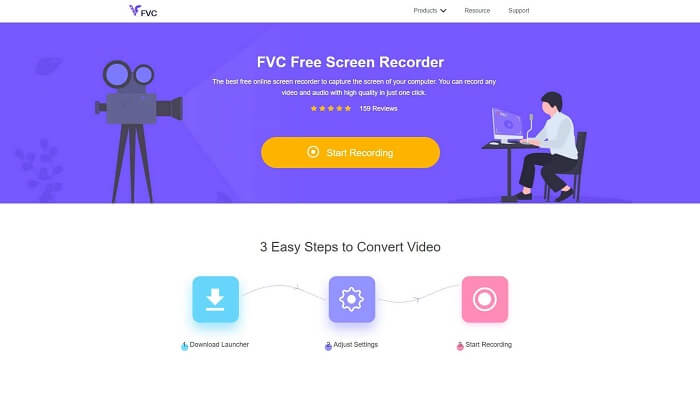
A tool that is best for the user who doesn't want to download any file and has a stable connection to do the recording. If you are that user then this is the best online free screen recorder developed by the FVC, this is the FVC Free Screen Recorder. A tool that allows the user to capture all the screen display action in your computer. If you want to record gameplay, business meetings, discussions, and such then this is the best for you. For more detailed information and steps please read it carefully and follow the instructions that are listed.
Step 1. Click this link to proceed to the main interface of the website. Click the Start Recording and launch the tool.
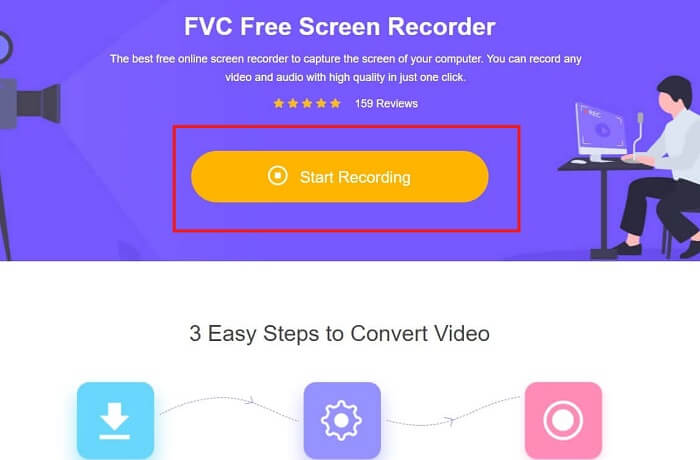
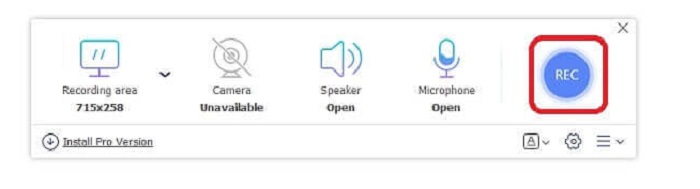
Step 2. If the tool is already open, you will notice a floating screen like this.
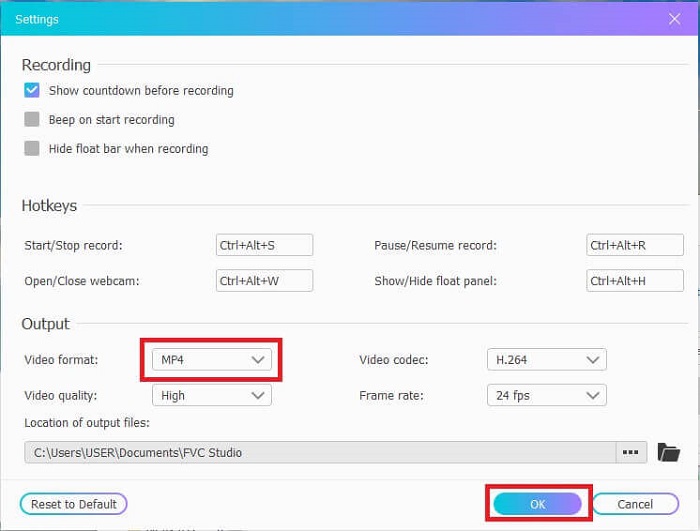
Step 3. Press the Settings to adjust the format and the other settings you may like, then click OK to save.
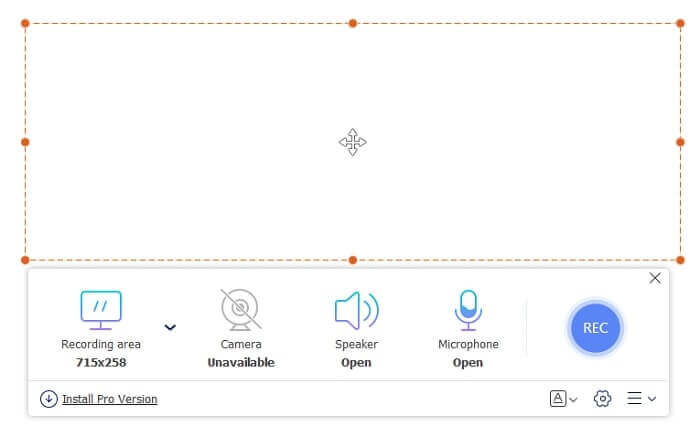
Step 4. In the floating toolbar, you may adjust the frame size or click the Full Screen for full display as well. Next to the frame size is the Webcam to add your face while recording, Speaker for the system sound, and lastly the Mic to add your voice. If you're ready to start click the disk-shaped button to start recording.
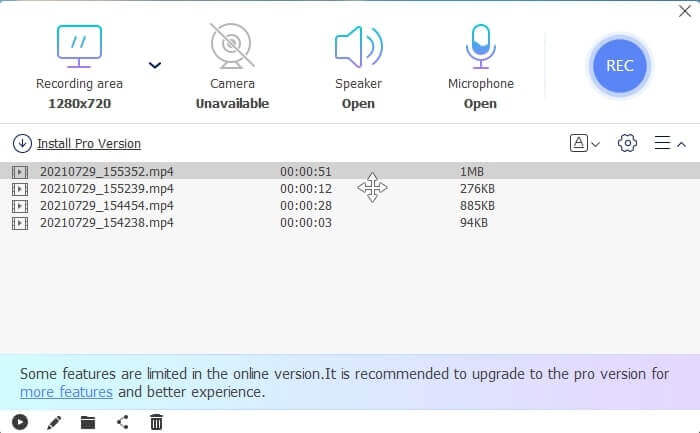
Step 5. If the recording is finished, click the square button, a History list will show below the floating toolbar, arranged from the latest and oldest.
Prós
- A melhor ferramenta online gratuita disponível para todas as plataformas.
- Ao contrário de qualquer outra ferramenta online, é fácil de usar e nenhum anúncio aparecerá repentinamente durante a gravação.
- Para se inscrever, você precisava usar a ferramenta.
Contras
- Depende da Internet, não funcionará sem conexão com a Internet ou dados.
- Não possui recurso de tela de bloqueio. Ele está disponível apenas na versão premium da ferramenta.
Parte 2. Outros gravadores de vídeo e voz 3GP populares para Windows e Mac
1. Gravador de tela FVC
Já ouviu falar de um dos melhores gravadores de tela escolhidos pelo usuário em todo o mundo? Então, se não for, é para você. Gravador de tela FVC Este gravador de tela está disponível em todas as plataformas diferentes conhecidas. Os problemas mais comuns que você pode encontrar com o outro gravador de tela, algum gravador de voz android 3gp sem saída de som. Ao usar a ferramenta, você nunca encontrará esse tipo de problema, desde que não desligue o alto-falante do sistema de som e o microfone para adicionar sua voz. Se você deseja saber como usar esta ferramenta multifuncional, leia atentamente e siga as instruções abaixo.
Step 1. Download the tool. Choose between the two operating systems you are currently using. Install the tool then adjust the Preferences according to your wants, click Finish to proceed.
Free DownloadFor Windows 7 or laterSecure Download
Free DownloadFor MacOS 10.7 or laterSecure Download
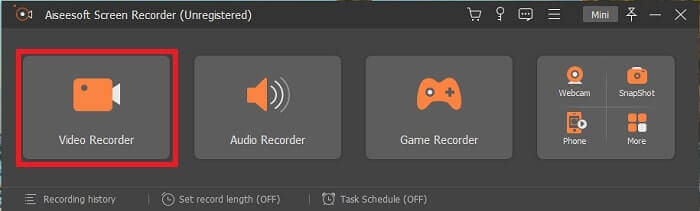
Step 2. After installation, a floating toolbar like this will pop up to your screen. This will indicate that the app you're using is already running through the program. Click the Video Recorder.
Step 3.After clicking it, adjust the display to full-screen or you may as well select a region. Press the System Sound to add your computer's sound. These other options are only depending on if you want to use them. You may as well add your face and voice by turning on the Webcam and Microphone.
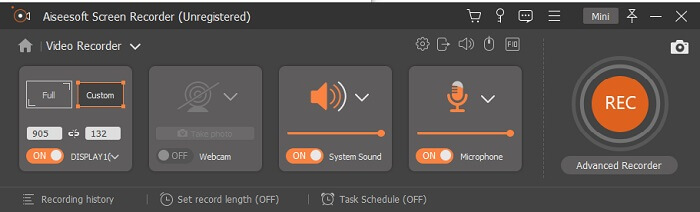
Step 4. Before starting it, proceed to click the Gear button and adjust the settings if needed, then click OK to save the settings. After all of the preparation, click the round-shape button to start the recording.
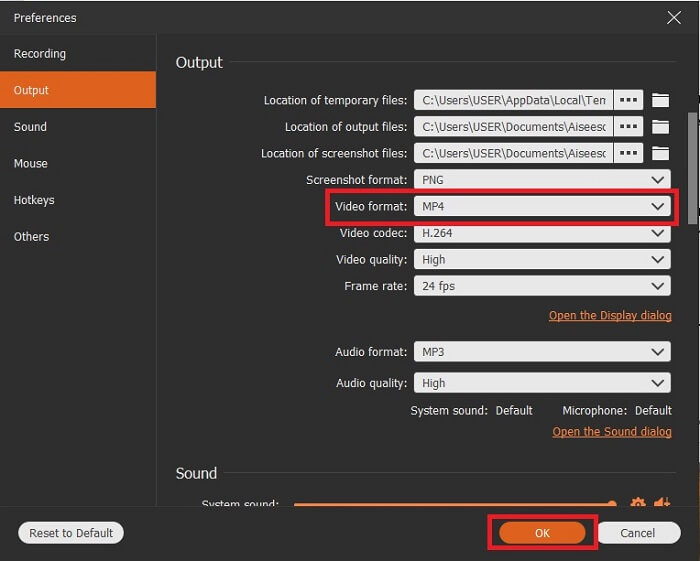
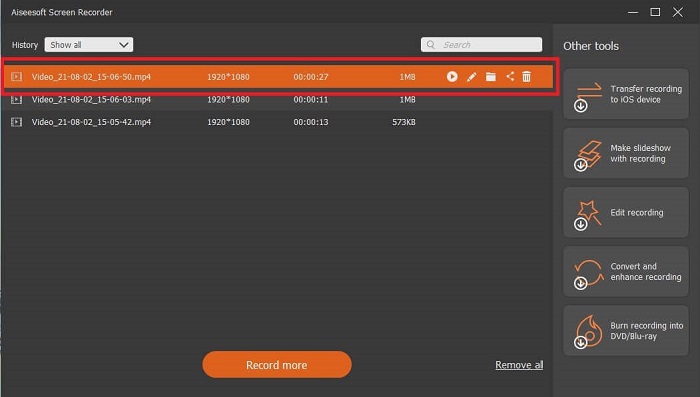
Step 5. If you want to end the recording, click the tiny square button in the toolbar to Stop. Click Save and choose where to save it. Then a list will show on your screen. It is arranged from the latest to the oldest. Click the first video at the top to re-watch the video film.
Prós
- Não depende da internet. Grave o quanto quiser, a qualquer hora e em qualquer lugar.
- É fácil de usar e a melhor escolha para iniciantes que desejam uma saída profissional ou para profissionais que procuram um gravador de tela fácil de usar.
- Ele tem esse recurso exclusivo, a tela de bloqueio.
Contras
- Ferramenta paga para usar e ainda assim os usuários a usam.
- Requer 2,4 MB de armazenamento para ser baixado.
2. ScreenFlow
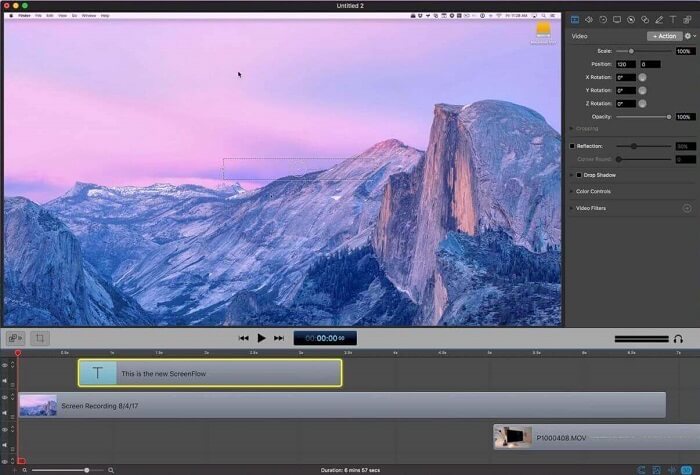
Outra melhor ferramenta para usuários de mac. Screenflow é uma ferramenta considerada a melhor ferramenta de gravação de tela no sistema operacional mac. É uma ferramenta paga para usar. Portanto, se você acha que essa ferramenta é barata, a resposta não é. Esta ferramenta custa quase acima do limite que um gravador de tela pode oferecer. Ele pode oferecer o que outros gravadores de tela pagos podem oferecer. E por alguma razão, os usuários do Mac preferem este como seu gravador de tela de escolha pessoal.
Prós
- Ferramenta fácil de usar que está disponível para mac.
- Ferramenta atualizada.
- Sem problemas de malware.
Contras
- Disponível apenas no Mac.
- Pode ser tão caro quanto sua escolha.
3. Fraps
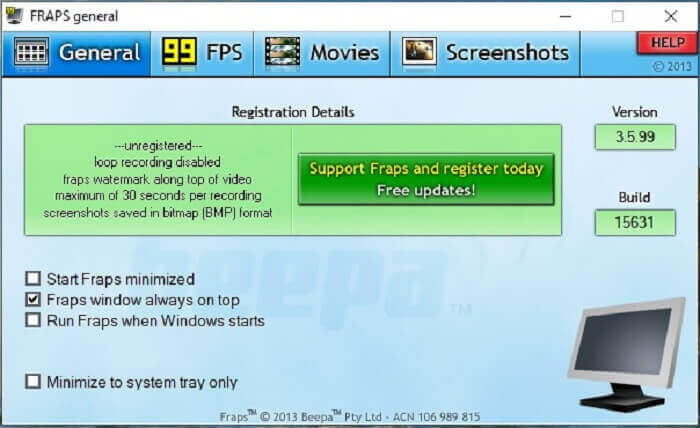
Como a outra ferramenta, o Fraps pode ser facilmente colocado entre os 10 melhores gravadores de tela. Esta ferramenta torna sua gravação de tela o mais fácil possível. Por causa de suas instruções imediatas da ferramenta. Mas essa ferramenta não está na atualização. Por causa do menor número de atualizações fornecidas à ferramenta, sua popularidade tornou-se cada vez menor, mas ainda assim, alguns usuários a preferem como está.
Prós
- Uma ferramenta única que suporta o formato de arquivo AVI.
- Interface amigável com instruções detalhadas.
- Suporta resoluções de até 7680x4800.
Contras
- A interface é entediante de se olhar.
- Por causa do formato de arquivo AVI. Se você gravar 20 minutos de vídeo, consumirá quase 4 gib de armazenamento. Não é a melhor escolha para gravações longas.
Parte 3. Gráfico de comparação
| FFeatures | FVC Free Screen Recorder | Gravador de tela FVC | Fluxo de tela | Fraps |
| Gravação de tela de vídeo / áudio |  | | | |
| Anotar | | | | |
| Malware seguro | | | | |
| Aceleraçao do hardware |  | | | |
| Tela de bloqueio | | | | |
| Tamanho do arquivo | Poucos kbps para o lançador | 2,1 MB | 85,3 MB | 2,4 MB |
| Sistema operacional disponível | Em todas as plataformas | Em todas as plataformas | Mac OS | Windows XP, 2003, Vista e Windows 7 |
| Faixa de preço | Um gravador online gratuito de código aberto | Por 1 mês: $25,00 Por um ano: $31.20 Licença vitalícia: $55.20 | SCREENFLOW (preços com desconto por volume): $149 SCREENFLOWSuper Pak: $209 SCREENFLOWSuper Pak + Premium Support: $239 | É gratuito, mas você também pode se registrar no $37 |
Parte 4. Perguntas frequentes sobre gravador 3GP
Por que não consigo reproduzir meu formato de arquivo de mídia 3GP no reprodutor de mídia?
Maybe it is because your media player doesn't support this type of codec. If you want to watch your 3GP file format you may use the FVC Free Video Player. This media player is free and it supports different video-audio formats. As long as you have the internet, you can also avail yourself of the premium version with more options and features than the free version. Or you can read on Best 3GP Players to find your desired one.
Como faço para salvar um arquivo de áudio .3gp de um gravador de voz Android para mp3?
Use a converter that can convert 3GP to MP3. A great example is the FVC Free Online Video Converter. It can convert more than 200+ media file formats that are available to all platforms.
É possível mesclar diferentes arquivos 3GP em uma saída de mídia?
Yes, it is possible with the help of FVC Free Online Merger. This online tool makes it impossible to merge 2 or more 3GP files as one. It is another best tool produced by the FVC. Click the merger to continue.
Conclusão
Concluímos que a maioria dos usuários ainda faz a gravação para diferentes tipos de finalidades. Quer eles o usem como um gravador para montagens, reuniões de negócios, discussões com professores e muito mais. Mas, ainda assim, seja qual for o motivo da gravação ou qualquer formato que você deseja que seja a saída do produto final. Todos os gravadores podem fazer o trabalho conforme você pedir.
But all of the different recorders around the web and in this list maybe you’re still wondering what is the best that will suit you. Before giving you an idea about what you should choose, you must think it through thoroughly. If your screen recorder can do the demand, you want today and maybe in the future. FVC Screen Recorder is the best tool for you. Unlike any other tool that is listed here. This tool is so unique that it can create a space between all the screen recorders over the web. And yet it is always simple to use and execute the best performance a newbie or professional should ask for. So, what are you waiting for? Don’t settle for a free or an expensive one if you can buy a cheap version that can do more than this tool.
-
 4 melhores gravadores de lançamento da web gratuitos para capturar vídeo na tela
 Procurando a melhor maneira de registrar atividades na tela em sua área de trabalho sem pagar um centavo? Aqui estão os 4 gravadores gratuitos de lançamento na web usados com mais frequência.
-
 O gravador de áudio imparcial Cinch Review e a melhor alternativa
 Cinch Audio Recorder é a melhor maneira de baixar músicas de sites de streaming. Aprenda mais sobre a revisão imparcial e a melhor alternativa do artigo.
-
 Os 5 melhores gravadores de mouse e teclado para Windows e Mac
 Aqui estão os cinco melhores programas de gravador de mouse e teclado que podem salvar os movimentos do mouse e cliques do teclado e repetir os eventos.
