


 Video Converter Ultimate
 Gravador de ecrã
 Reparo de vídeo
 Secure Download
Conheça os princípios básicos sobre os aplicativos do gravador de formato AMR
AMR or also known as Adaptive Multi-Rate is a lossy format. This type of file contains voice recording, MMS messages and such. It was made specifically for 3G phones only but now you can open it with the other media player that supports this format. Moreover, users encounter trouble choosing what is the best AMR recorder that fits their demands. So, this article talks about the tools that are all based on your specification, steps, information and many more. Read this write-up to know what is the best for you as their future customer. Without any more delay let’s now proceed.
Parte 1. Melhor gravador AMR para Windows e Mac
FVC Free Audio Recorder

An online tool that allows you to record any calls, jamming sessions, voice over, and many more. FVC Free Audio Recorder is a tool developed by the FVC which allows the user to experience a better recording online. This tool does the task as an audio recorder. If you have a doubt about this tool, why don’t you try it first. So, without any more explanation, let’s explore this incredible tool and learn from it by following this simple step provided to you.
Step 1. Press the link to go to the main website. Don’t worry, it is malware free.
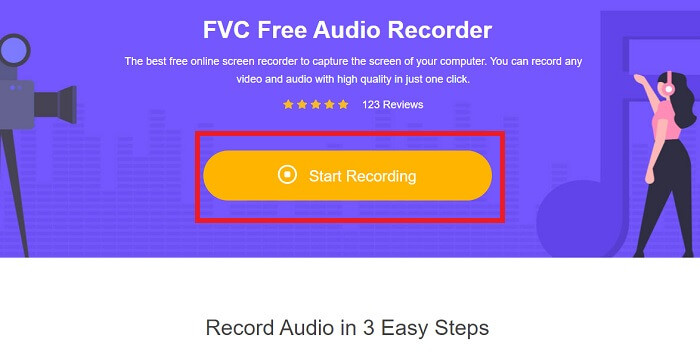
Step 2. launch the tool by clicking Start Recording.
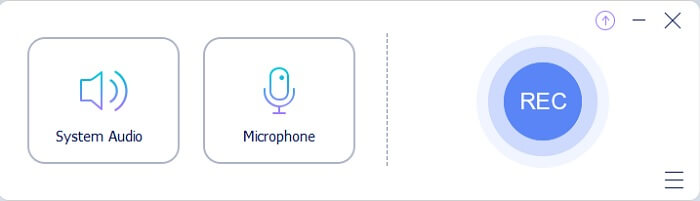
Step 3. A toolbar like this will show to your screen. It only means that the tool is already running.
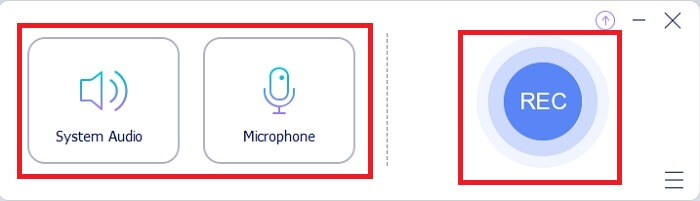
Step 4. The tool bar has a Speaker to add the sound in the system and Mic for your voice. If you’re ready click the round button to Start.
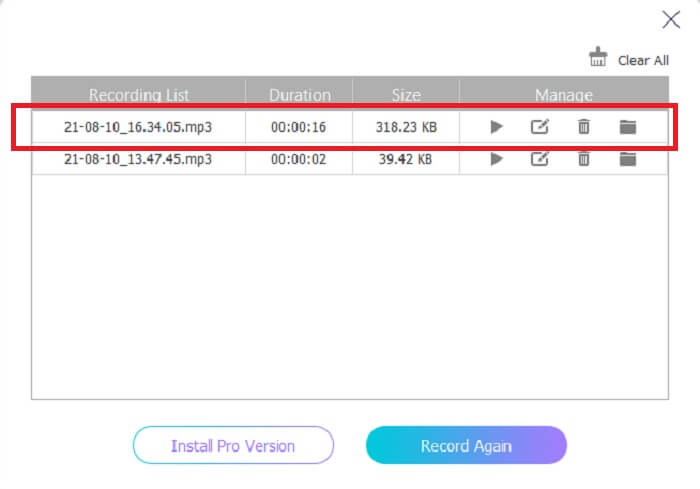
Step 5. If recording is already finished, click the cube shape button to stop the recording. It will be automatically saved in your storage. If you want to re-listen again the recording click the three-lined below and the recording list will show the first one that is the latest.
Parte 2. 4 Melhores ferramentas alternativas para AMR Recorder para Windows e Mac
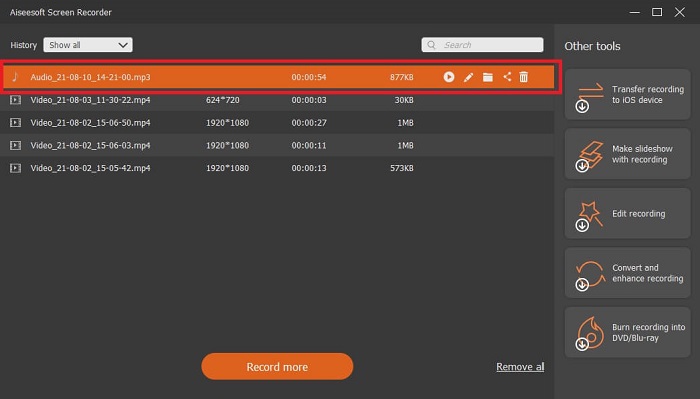
1. Gravador de tela FVC
If you are looking for the best mp3, amr, wav, ac3 audio recorder then this is for you. No need to look for the other tools, instead focus on what this tool can provide. Because this tool is the one-and-only FVC Screen Recorder. This is the finest premium video-audio recorder that most people use as their first-choice recorder. Not only that, maybe you’re wondering why you should use this tool as your personal recorder. Then it is an honor to introduce this tool and provide these easy steps for you. Without further ado let’s proceed to the steps. Follow it thoroughly to become a pro in recording.
Step 1. Choose between the platform that you’re currently using. Download it then install. Change the Preferences according to your wants and click the Finish to save.
Free DownloadFor Windows 7 or laterSecure Download
Free DownloadFor MacOS 10.7 or laterSecure Download
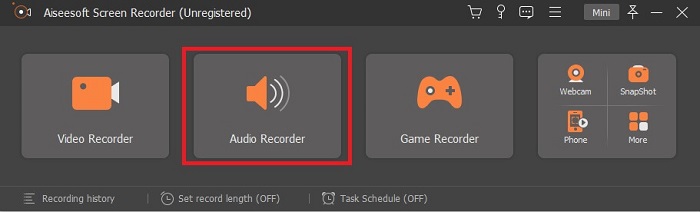
Step 2. After launching the tool, A floating toolbar like this will show in your display. Then click the Audio Recorder to proceed.
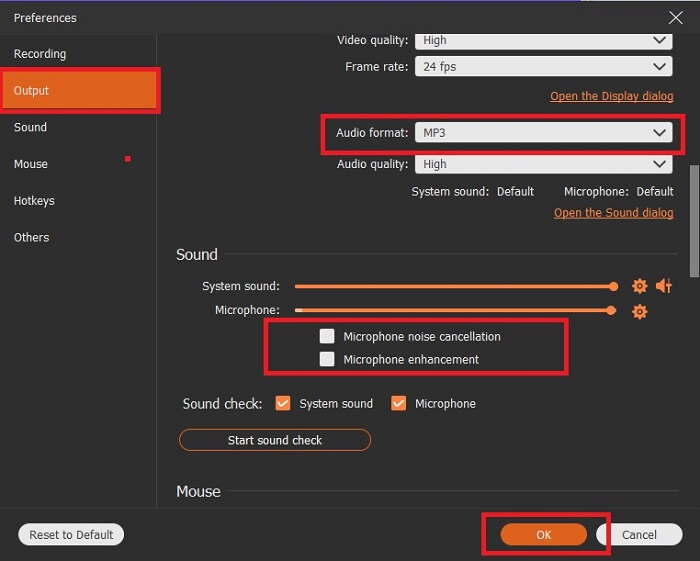
Step 3. Find the gear icon to go to the settings. Change the Audio output to the format you want and adjust other options then click OK to save.
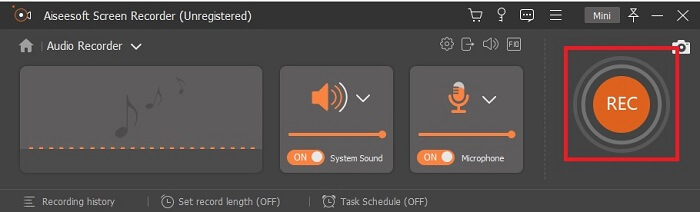
Step 4. In the toolbar, click the System Sound and Microphone to add the audio system and your voice. If everything is done, now you’re ready to go. Click the round REC button to start recording.
Step 5. If everything is settled and done, click the box button to stop the recording. Click the Save and Next to save the final output. If you want to recap your recording then click the parallel line and a history of your recording will show.
2. Audácia
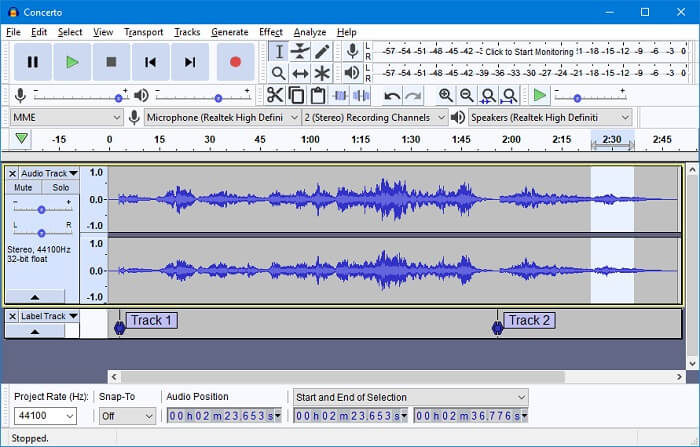
Another audio recording tool. Audacity is a bit complicated if you're new to the interface but in later days you’ll get onto this. You may as well record and edit it, like merging audio tracks. But the program has a limited mixing ability and the files for installation of the tool are separated for the plug-ins and encoders.
3. Wavosaur
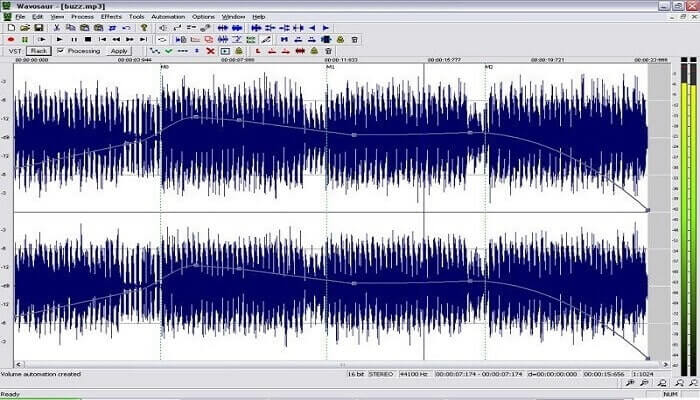
Wavosaur has tools to record and edit, such as copy, trimming, splitting etc. This tool can do the most complicated things like music arrangement, complex beat, and many more. If you’ve been troubled on how to use the tool because you’re not familiar with it, it also provides a video tutorial for you to understand.
4. Adobe Audition
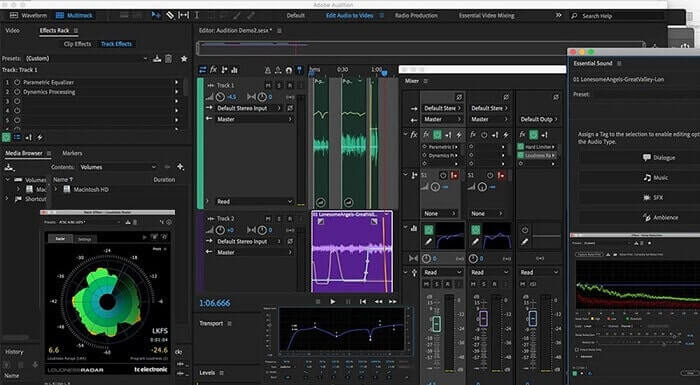
This tool is most commonly used in industrial recording. If money is no issue to you then Adobe Audition is a good tool for music producing. It provides precise editing of the music, cleaning it up, sound design and others. But the tool can’t provide you a one-time payment and it has an overwhelming User Interface. So, you must be prepared if you want to try using the tool.
Parte 3. Gráfico de comparação
| Recursos | FVC Free Audio Recorder | Gravador de tela FVC | Audácia | Wavosaur | Adobe Audition |
| Gravação de áudio |  | | | | |
| Cancelamento de ruído |  | | | | |
| Ferramentas de edição | | | | | |
| Aprimoramento de microfone | | | | | |
| Especialidade | Gravação simples, mas eficiente | Mais opções são fornecidas aos usuários, em vez da versão gratuita com saída profissional. No entanto, é fácil de usar com saída profissional. | Efeitos básicos, edição e adição. | Ferramentas de edição para reproduzir, parar, gravar, retroceder e muito mais. | conjunto de ferramentas abrangente. |
| Formato / s disponíveis | MP3 e AMR | MP3, WMA, AAC, M4A, FLAC, OGG, AMR, Opus e muitos mais. | WAV, AIFF e MP3 | WAV e MP3 | AC-3, M4A, MAT, VOX, W64, WAV e muitos mais |
| Faixa de preço | É uma ferramenta online grátis | Por 1 mês: $25,00 Por um ano: $31.20 Licença vitalícia: $55.20 | Software gratuito para download | Software gratuito para download | $27.62 / momento, para anual $315.61 / anos, para anual $41.43 / plano mensal |
Parte 4. Perguntas frequentes sobre o gravador AMR
Quais são os diferentes tipos de arquivos AMR?
Amr has two types of format standards the AMR-NB and the AMR-WB.
AMR-NB is a narrowband version or known as the basic version. It includes a low bitrate that you may have on MP3 that ranges from 300 to 3400 that are most commonly used for traditional telephones. Examples of its bitrate are:06.70 kbps, 07.40 kbps, 07.95 kbps, 10.20 kbps, 12.20 kbps.
While the AMR-WB occupies a much broader bandwidth. It stores more quality audio than the NB, the range of it is from 50 to 7000 Hz. Because of its wide range frequency GSM and UMTS use this to optimize. Here are some lists of the bitrates it used:15.85 kbps, 18.25 kbps, 19.85 kbps, 23.05 kbps, 23.85 kbps.
Por que meu AMR não pode ser aberto no reprodutor de mídia?
Like any other file formats, some of the media players don't support this type of format. So, if you want to play your AMR recordings, FVC Free Video Player might help you to play it.
AMR é um formato de arquivo compactado?
Sim, é um formato de codec de áudio compactado para codificação de voz.
Conclusão
Para encerrar a escrita, essas ferramentas mencionadas têm suas próprias habilidades diferentes e exclusividade. Mas nem todos eles são a melhor escolha para iniciantes. Então, se você quer saber o melhor gravador que é escolhido pelo iniciante e também pelo especialista. O FVC Screen Recorder é uma ferramenta multifuncional que permite que você faça o que quiser. Isso não limita o usuário à sua fronteira. Mas ajuda você a ir mais e sair da sua zona de segurança. Então, o que você está esperando, esta ferramenta especial não será um fardo para você, mas será sua grande ajuda.
-
 Os 5 melhores gravadores de tela WebM para Windows / Mac: uma análise aprofundada
 Saiba mais sobre os arquivos de extensão do WebM lendo o artigo e descubra os aplicativos gravadores de tela do WebM que você pode usar para gravar vídeos do WebM.
-
 4 melhores gravadores de vídeo SWF acessíveis online gratuitamente
 Você já ouviu falar sobre o arquivo SWF? Saiba mais sobre esse formato de arquivo e descubra maneiras de gravar arquivos SWF usando ferramentas online gratuitas.
-
 Incomparáveis gravadores de vídeo MTV compatíveis em computadores Mac / Windows
 Este artigo o ajudará a aprender sobre o formato de arquivo MTV e uma lista de gravadores de vídeo MTV que você pode usar para gravar telas de computador com facilidade.
