


 Video Converter Ultimate
 Gravador de ecrã
 Reparo de vídeo
Revisão exaustiva do software de gravação de áudio para gravar áudio de forma eficaz
If you are an expert or amateur, you must have audio recording software to maneuver and polish the audio for a particular use. On top of that, choosing a suitable audio recorder on your device must be challenging because many choices are available in the market. Instead of testing out multiple audio recording programs, we will bring the four recorders we found suitable for your needs to avoid downloading or accessing malicious software. The list of audio recorders below sifts thoroughly to offer you only the best and not the poor performing audio recorder.

Parte 1. 4 Melhor software de gravação de áudio no Windows e macOS
1. Gravador de tela FVC
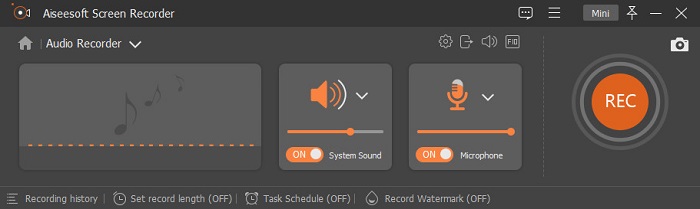
Do you need to record audio from the computer but don't know what to use? If that is the case, we present the best and by far the most picked recorder in the market, the FVC Screen Recorder. It has a brilliant user interface that allows users to interact with the software without doing complicated things. In addition to that, users tend to have a problem with the background noises, so with the help of its new additional noise cancellation, you can record without having trouble with the small background noises. Moreover, it has multiple features that will help you effectively record. Want to know what are these? In that case, let's have a walkthrough of the key features of the FVC Screen Recorder.

Gravador de ecrã
Mais de 4.988.518 downloads- Grava sons com qualidade de áudio ultra-alta.
- Grave áudio 24 horas por dia, 7 dias por semana, desde que tenha armazenamento suficiente na unidade do computador.
- Você pode gravar o som do sistema com um microfone ao mesmo tempo.
- O aprimoramento do microfone está disponível para uma experiência muito melhor de gravação de sua voz.
- Você pode verificar o áudio do microfone, se necessário.
Free DownloadFor Windows 7 or laterSecure Download
Free DownloadFor MacOS 10.7 or laterSecure Download
Prós
- O programa permite que os usuários experimentem uma alta emoção ao gravar áudio no Mac ou Windows.
- Recursos básicos de edição estão disponíveis, como cortar ou aparar o áudio.
- Possui um histórico de gravação integrado para encontrar facilmente o áudio gravado.
Contras
- Ele não suporta a adição de efeitos no áudio durante a gravação.
- Compre antes de usar.
2. Audácia
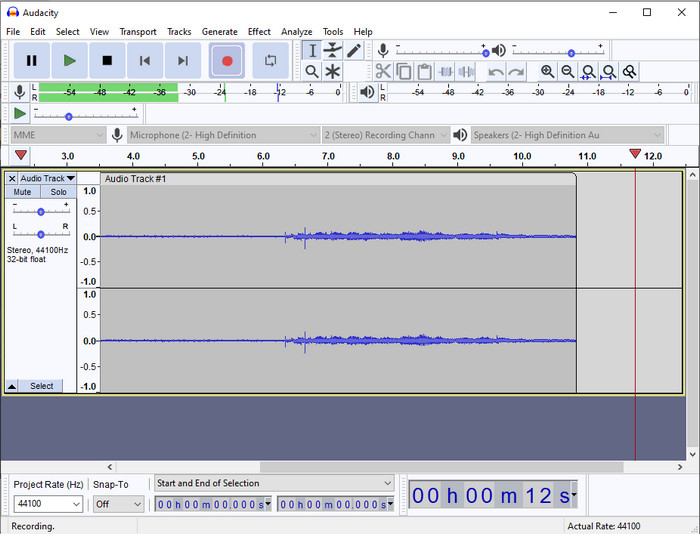
If you need a pro tool to handle your audio recording, then Audacity is a help. This pro-audio recorder has already helped millions of podcasters in their journey of recording audio. If you need to have an advanced recorder for free, this audio recorder is one of them. Although it has some pro recording, it is still hard to familiarize with the tool because of its poor GUI. Even though it responds to professional recording, some of its features still need to be upgraded, like noise cancellation. Nevertheless, Audacity records computer audio in a professional way that not all of the recorders can provide.
Prós
- Gratuito para download em todas as plataformas de desktop.
- Oferece recursos de edição especializados para o profissional.
- Possui alguns recursos avançados que você precisará para criar um podcast.
Contras
- A GUI do software está desatualizada.
- Uma atualização precisa de alguns de seus recursos.
- Não é a melhor escolha para amadores e para quem não sabe gravar.
3. Jogador QuickTime
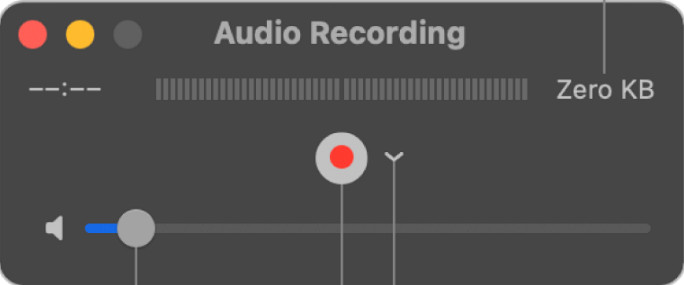
The QuickTime Player can also be used as an audio recorder on Mac if you need it. Although the player is not that sufficient and effective recording, you will experience delays and less quality for the audio output. However, if you need a quick audio recording on your Mac, this is a choice because you won't need to download and it is undoubtedly safe to use. But if you are a pro looking for the best audio recording software, this is not the perfect tool.
Prós
- Já está disponível em todos os macOS.
- Gratuito, seguro e fácil de usar.
Contras
- Não é tão eficaz quanto o outro gravador de áudio nesta lista.
- A qualidade de saída final do áudio é baixa.
- Não é a melhor escolha para gravação e edição profissional.
Related:
How to Record Screen with Audio on Mac Using QuickTime
How to Convert QuickTime to MP4
4. Ocenáudio
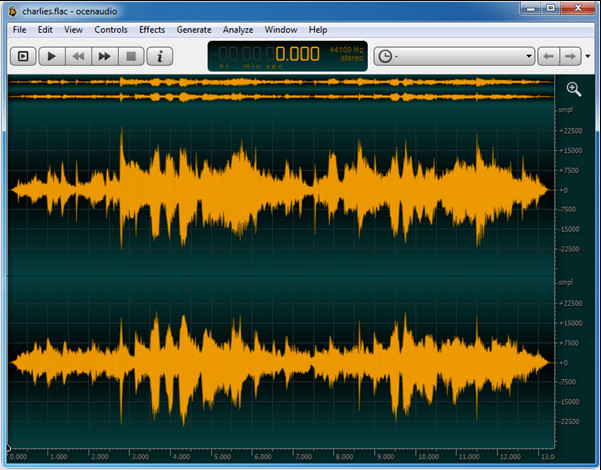
If you need a multiplex recorder to record audio on Windows 10 or higher, then Oceanaudio will help you. This tool has an almost similar interface with Audacity, but it is easier to understand the GUI of this tool. Further explanation, this recorder provides complexity and some features that you will need on audio recording. Although it is a bit hard to use and you will need to watch a tutorial on using it, it is still worth it at the end of the day. So, if you need an editor with a better interface than Audacity, this must be your pick.
Prós
- Ele usa tecnologia avançada para gravação.
- É uma escolha especializada para fazer a gravação de áudio.
- Você pode ouvir sua voz durante a gravação.
Contras
- Não é amigável.
- Iniciantes podem ficar confusos ao usar esta ferramenta.
Parte 2. Tabela de Comparação sobre Software de Gravador de Áudio
| Recursos | Gravador de tela FVC | Audácia | QuickTime Player | Ocenaudio |
| Gravar som e microfone do sistema |  | | | |
| Edite a gravação | | |  | |
| Aceleraçao do hardware | | | | |
| Pré-escuta em tempo real | | | | |
| Salve a qualidade original | | | | |
| Melhor interface de usuário | | | | |
Parte 3. Perguntas frequentes sobre o software de gravador de áudio
O Cinch Audio Recorder é o melhor gravador de áudio?
Well, we have a recent review about the Cinch Audio Recorder. So, if you want to know more about the audio recorder, you must click this link and learn more detailed information about the recorder.
Quais são as qualidades de um bom gravador de áudio?
Você precisará conhecer os padrões básicos antes de escolher um bom gravador de áudio. Primeiro, ele deve ser capaz de capturar o áudio no microfone com facilidade. Em segundo lugar, é seguro e livre de malware. Terceiro, se você precisar comprar a ferramenta, a própria ferramenta deve fornecer excelência aos usuários. Quarto, a taxa de eficácia significa que a ferramenta deve ser muito eficaz em uma gravação. Quinto, recursos básicos ou avançados devem estar disponíveis para ajudar os usuários a gravar. Antes de escolher um gravador de áudio para ajudá-lo, você pode confiar nesses padrões.
Como gravar áudio no Windows 10?
Before recording on Windows 10, you must choose the best recorder like the FVC Video Recorder by downloading it on your desktop, promptly installing the tool, and launching it. Next, choose the option the Audio Recorder and click it. You can now easily add the system sound on your recording or the mic by turning them on on the floating toolbar. Once you are ready to record, click the round red button to start. If you need to end the recording, click the square button to stop; after that, a new interface will show you the list of audio recordings you've made.
Conclusão
Today, we know the audio recording software available on your desktop. All of these tools presented here will help with your recording. However, if you are looking for a recorder that outperforms the other recorder, FVC Screen Recorder must be for you. Still, doubting the audio recorder? In that case, downloading it is the only way to test it out and know if it works, as we say in this article.
-
 Os 4 principais gravadores de som AIFF gratuitos que produzem áudio de alta qualidade
 Este artigo fala sobre AIFF e algumas das ferramentas mais populares que você pode usar para produzir o formato AIFF de alta qualidade.
-
 3 das melhores técnicas de gravação de áudio no iPhone
 Está com dificuldades porque não consegue fazer a gravação de áudio corretamente no iPhone? Então leia este artigo para saber como gravar áudio no iPhone e quais são as ferramentas disponíveis.
-
 7 do Magnífico Gravador de Voz Acessível em Todas as Plataformas
 Quer aprender a fazer gravação de áudio? Então vá para este artigo enquanto falamos sobre o melhor gravador de áudio que pode atender às suas necessidades.
