


 Video Converter Ultimate
 Gravador de ecrã
 Reparo de vídeo
O que significa AVI e como reproduzi-lo em desktops e dispositivos móveis
One of the known uncompressed formats is the AVI. It is most commonly used for synchronized playback of videos and audios. If you want to know more about AVI then you must keep on reading. The purpose of this article is to know what AVI is and what is the media player that supports this type of file. Keep on reading below to have more ideas about the format and media player available.

Parte 1. O que é um arquivo AVI
AVI was introduced in the market in the late 1992 by Microsoft. The AVI name meaning is Audio Video Interleave. It is one of the most popular file containers for its simplicity and compatibility in all different platforms. So, if you want to record or download a video or audio in the format of AVI expect that it is big in size because it is uncompressed. To have more ideas, here are some of the pros and cons of the format.
Prós
- É um contêiner de arquivo multifuncional que pode conter qualquer arquivo.
- Formato amplamente utilizado para quaisquer curtas-metragens, promoções e anúncios. Pela qualidade que oferece.
- As lojas AVI de qualidade são excepcionais.
- Você não precisará de um hardware ou software específico apenas para reproduzir arquivos AVI, pois é irrestrito.
- Comprima os arquivos AVI facilmente porque suporta diferentes codecs como DivX, XviD, MPEG-1, MPEG-4 e muito mais.
Contras
- Se você compactar o arquivo AVI além do limite, há uma chance de que seu arquivo 4k, HD ou 1080 diminua a qualidade.
- Os AVIs não são compactados, portanto, espere um tamanho de arquivo grande se você usar esse tipo de formato.
- Se você usa codecs via online para compactar AVI, lembre-se que os mesmos codecs devem ser instalados em seu drive. A instalação de codecs é muito simples, mas é um pouco assustador selecionar codec porque alguns não são confiáveis e não são seguros. Portanto, tenha cuidado se você baixar um.
Now that you know what the format is about. Now is the right time to know how to play AVI files on your desktop. All of the tools that have been mentioned below are the best media player you already encounter or not while searching over the web. Every AVI player indicates description and steps so read carefully to know which one is the best.
Parte 2. Como reproduzir arquivos AVI no Mac e Windows Media Player
1. Reprodutor de vídeo gratuito FVC
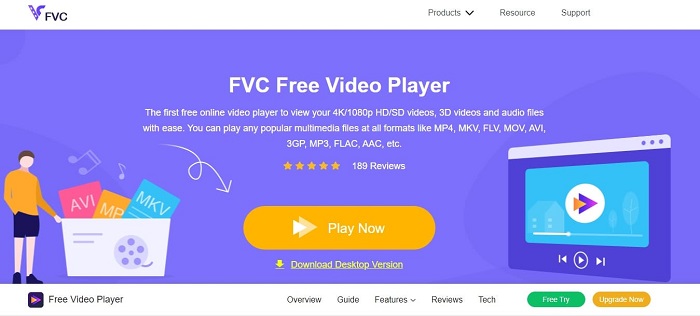
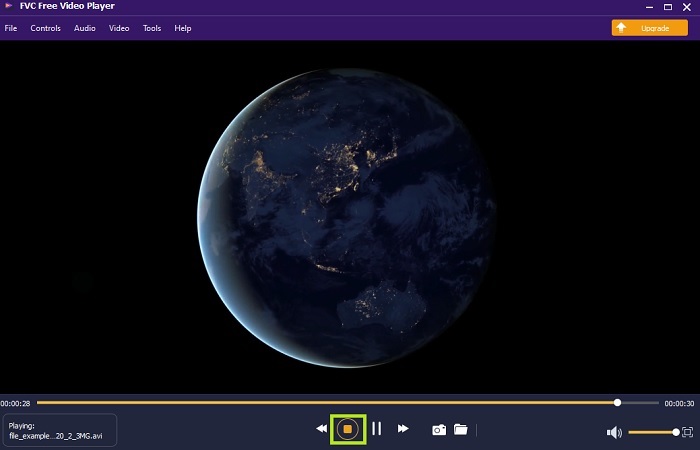
Use this FVC Free Video Player to watch any video format by using your internet. Unlike any other media player mentioned below this tool doesn’t need additional files just to function. So, if you have an internet connection you can watch anytime and anywhere. Also, it provides a high quality one and never has a bug issue to play AVIs. But remember that if your internet connection has been interrupted this tool will load or pause for a minute. Which is very common because it is internet dependent. You can also play DVDs here as well if you want. No more asking yourself how to open AVI files so you can watch it. If you follow the steps below provided only for you.
Step 1. Click this hyperlink to proceed to the main webpage of the AVI video player.
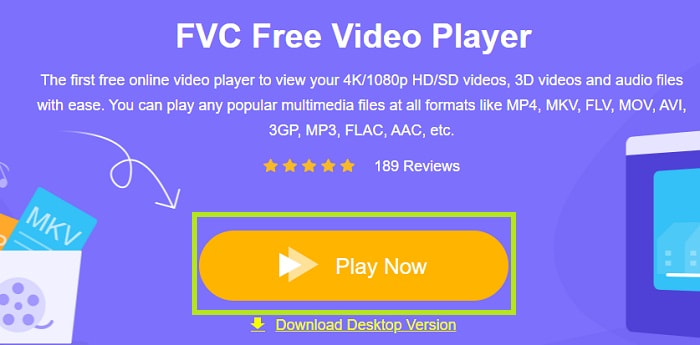
Step 2. Click the Play Now to launch the online AVI player.
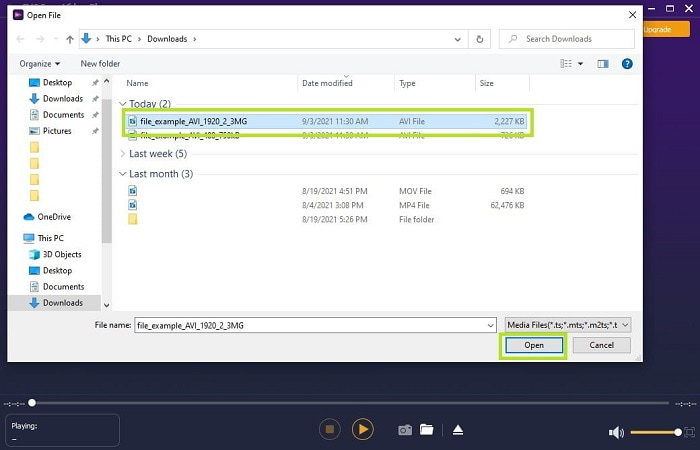
Step 3. Then click the Open File and select the AVI video you want to watch. If you already selected it, click the Open.
Step 4. Wait for a second to play the AVI video and voila it is now playing. In the interface you can also take a screenshot for free while watching if you want.
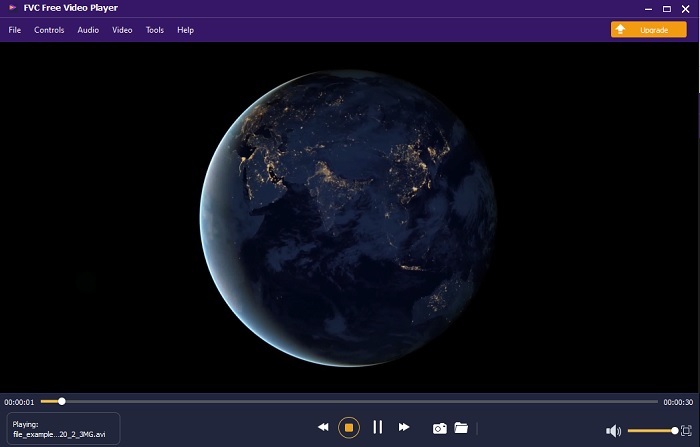
Step 5. And if you want to end the video just click the square button to stop. Repeat the same step if you want to play another AVI video or other format.
Prós
- Nenhum arquivo extra é necessário para iniciar a ferramenta.
- É mais eficiente do que as outras ferramentas abaixo.
- Ele fornece vibrações 3D se você estiver assistindo a um vídeo em 4k.
Contras
- Dependente da Internet, portanto, se você não tiver Internet, não poderá acessá-la.
- Alguns dos principais recursos do premium não são visíveis aqui.
2. Windows Media Player
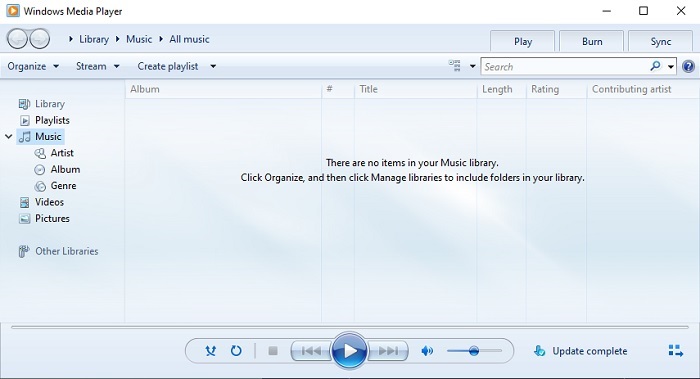
If you want to know how to play AVI files on Windows 10 you can use this default media player developed by Microsoft for Windows users. But there are some cases where you will need to download an extra codec just to play AVI on this media player. Which is a bit of a hassle and sometimes it is annoying because finding the right codec will give you a hard time. So, expect to have trial and error if this happens and sometimes to download the wrong codecs. But no need to worry because it is very simple to download codecs on your desktop.
Prós
- Reprodutor de mídia integrado para Windows.
- Suporta quase todos os formatos.
- Fácil de usar.
Contras
- Em alguns casos, você precisará baixar codecs adicionais que essa ferramenta não suporta.
- Não fornece streaming em conexões DSL lentas.
3. VLC Media Player
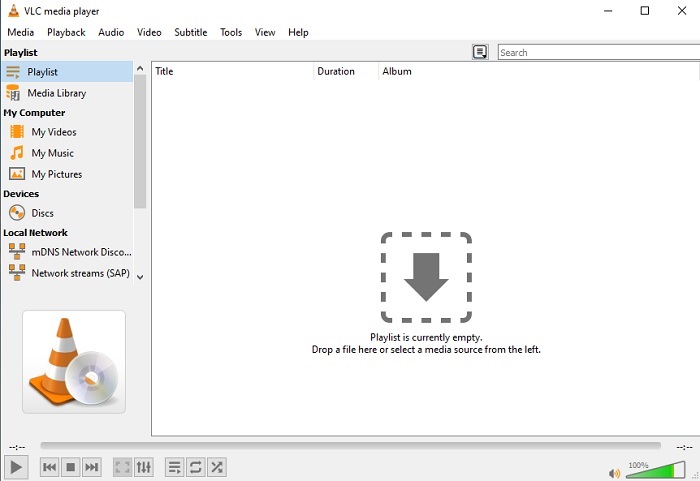
This media player doesn't require additional codecs to be downloaded and to play AVI. Maybe you're asking how to run an AVI file with ease VLC Media Player might be the answer to that. This media player helps millions of users world wide just to play their media file just by opening their file and playing it here. Despite millions of users trusting this tool there are some bugs in this tool and some of the files aren't supported in this software. Expect some errors but no need to worry because it is only once in a blue moon.
Prós
- Um dos melhores players de mídia para todas as plataformas.
- Ele pode reproduzir vídeo mesmo que ainda não tenha terminado de ser baixado. Mas não o vídeo inteiro.
- Flexível em todos os formatos.
Contras
- Na maioria das vezes, existem alguns pequenos bugs que você pode encontrar ao usar o VLC.
- Ele também tem dificuldade em reproduzir alguns formatos de vídeo por causa dos codecs.
Parte 3. Como assistir arquivos AVI no iPhone
The media players above can't be accessed over to your mobile devices. But there is a way to play AVI on iPhone or iPod. Not only that, we know that AVI files are big. So, if you transfer it to your phone, it will surely take up most of the space on your devices. Instead of transferring the raw AVI file you must convert it into a new format that is playable and now losing the quality as well. Convert AVI to a right format with the help of Video Converter Ultimate. For more details about how to convert please go to this link.
Parte 4. Perguntas frequentes sobre AVI
Qual é melhor, AVI ou MP4?
AVI is better on quality but uncompressed while MP4 files are less on space but it has a good quality as well. If you want to know more about what the differences are and which one is better, you must click AVI vs MP4.
Como converter AVI para MP4?
Converting is the best way to lessen the file size of your file and change it to another format. And the best way to convert AVI to MP4 is listed here in this article. It will teach you the steps on how to convert and what are the different tools you may use to convert.
O QuickTime pode reproduzir AVI?
Embora o reprodutor de mídia QuickTime suporte diferentes formatos, existem alguns problemas ao reproduzir AVI no reprodutor padrão do Mac. Por causa do proprietário que a Microsoft tem. Então, para saber qual é a melhor alternativa para o QuickTime você deve ler este artigo e escolher qual é a melhor alternativa.
E se o arquivo AVI não estiver abrindo?
Existem algumas razões pelas quais os arquivos AVI não estão abrindo. A primeira é porque o arquivo está incompleto, exceto que, por estar descompactado, algum arquivo pode ser perdido. Em segundo lugar, o formato AVI não é compatível com seu reprodutor de mídia local ou de terceiros. Terceiro, considere-o morto, especialmente se você comprimi-lo demais para que ele possa se tornar impossível de jogar. Por fim, o codec está errado, portanto, se você compactar o AVI com codecs diferentes ao mesmo tempo, esse problema é comum.
Conclusão
To conclude, AVI is used by many users all around the web. But the file itself is uncompressed so you better be prepared to have a lot of space on your drive if you're recording, downloading or transferring AVI files. As of today, no more asking what is AVI format because of the given information above and where you can play it. Feel free to use the FVC Free Video Player because it is open-source that can be accessed by anyone with internet access. But you can also like to use the premium version of the tool that supports more format than the free version and it has a lot of features as well. If you want to check it click the download button to install it on your desktop.
-
 As 5 melhores alternativas do Windows Media Player para celulares Android
 Como não é possível baixar o Windows Media Player para Android, você deve ler este artigo e aprender sobre as 5 melhores alternativas para o Windows Media Player.
-
 Os 5 melhores reprodutores de vídeo para iPhone que você não deve perder em 2025
 Para reproduzir vídeos em todos os formatos e ter uma melhor experiência de visualização em seu iPhone, você deve ler este artigo e aprender sobre os 5 melhores reprodutores de vídeo para iPhone 12/11 / X / 8/7/6.
-
 Guia excepcional sobre como reproduzir arquivos MOV em dispositivos móveis Android
 Está tendo problemas por que seus arquivos MOV não estão sendo reproduzidos no seu reprodutor de mídia Android? Então, leia este artigo, ele fornecerá 2 métodos diferentes para consertar arquivos MOV e torná-los reproduzíveis.
