


 Video Converter Ultimate
 Gravador de ecrã
 Reparo de vídeo
4 maneiras mais fáceis de converter o arquivo F4V para o formato de arquivo de mídia AVI
A Macromedia introduziu o F4V e, mais tarde, a Adobe o desenvolveu para competir com o armazenamento de vídeo moderno e de alta qualidade. Além disso, é criado como um formato substituto para o FLV, pois o FLV tem uma limitação. Uma explicação adicional é que o arquivo F4V usa o formato de arquivo de mídia de base ISO com um codec H.264 para diminuir o tamanho do arquivo. Embora o formato contenha saída de alta qualidade, o F4V tem menor compatibilidade do que o outro formato. E não apenas isso, mas esse formato também foi eliminado porque o Adobe Flash Player já foi aposentado.
So if you have the same problem with others because their .f4v can't play on their media player, continue reading below. We gather different tools that will help you play the unplayable .f4v by converting the format into AVI. And now, let's proceed and know how to convert F4V into AVI format with the online and offline tools available.

Parte 1. Aprenda a converter F4V para AVI com o Fenomenal F4V para AVI Converter
If you're looking for the best converter that will be an aid on your problem, then FVC Video Converter Ultimate must be the aid. We tested the tool ourselves and read some of the comments; the ultimate is not just a name, but the software's performance and features are ultimate as well. Also, one of the most impressive features this tool offers is the fast conversion and hardware acceleration so that the customers who use this software will not need to wait.
Also, if you want to create GIFs, speed-up videos, or slow them down, reverse, boost the audio, etc. As this tool provides advanced features, you will still need to pay for it before you can use it, and no need to worry because you will not spend more than a hundred dollars. So now, if you are still in the stage of deciding to buy this tool, then try to read the provided steps below and convert the F4V file to AVI by following these steps below.
Step 1. Before you can use this powerful tool, you must download it now on your desktop. Then install it and do the set-up very quickly; click Start Now to open the device.
Free DownloadFor Windows 7 or laterSecure Download
Free DownloadFor MacOS 10.7 or laterSecure Download
Step 2. If the tool is already open, go to the Add Files or click the + button, then a folder will show and search for the .f4v file extension and click Open.
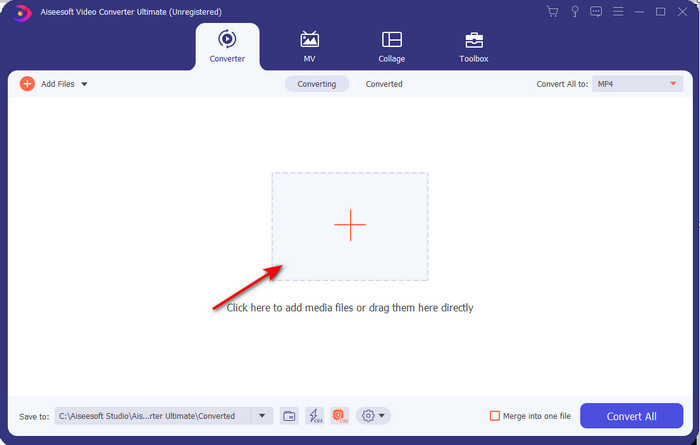
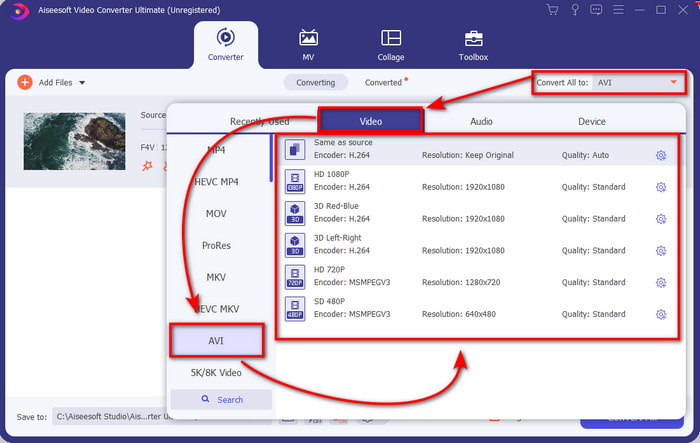
Step 3. After inserting the file, click Convert All to the top-right part of the interface and choose the AVI format.
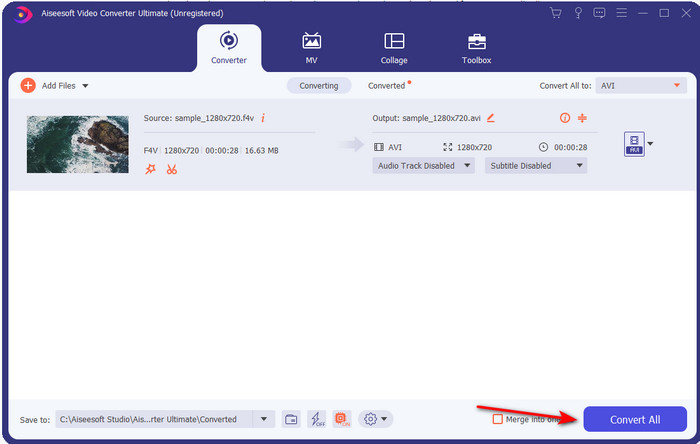
Step 4. And now, to start the conversion process, click the Convert All. Wait for several minutes to turn your F4V to AVI.
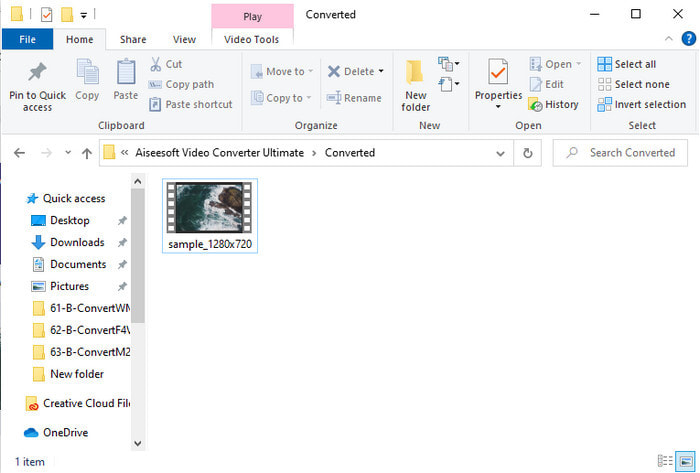
Step 5. A file folder will automatically open on your desktop with the converted .f4v format you've made here. Click the video file to watch the unplayable before on your desktop, or transfer it on your phone if you want.
Parte 2. Aprenda a converter F4V para AVI online com os 3 conversores da Web disponíveis
1. Conversor de Vídeo Grátis FVC Online
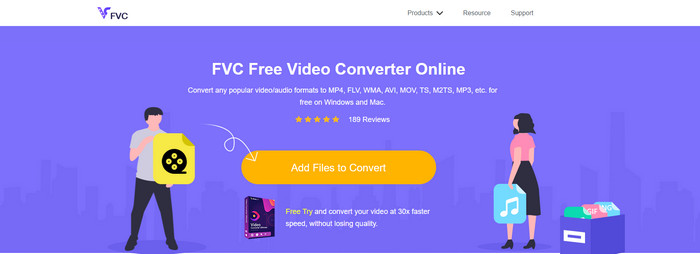
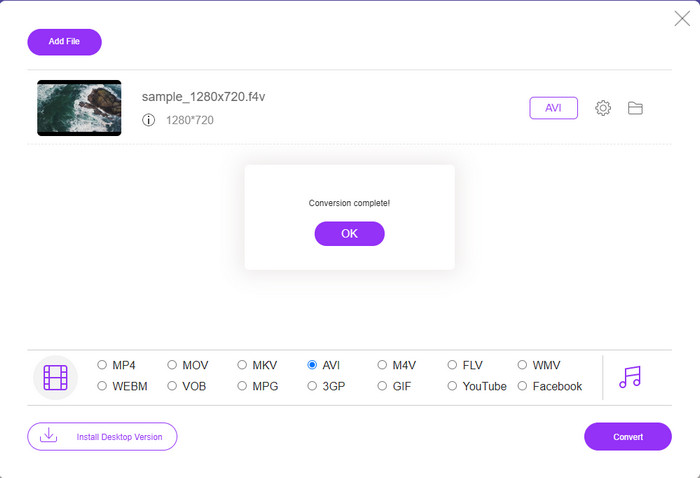
If you want to know which web converter is the best, FVC Free Video Converter Online might be it. All of the features you would love to use are available here, as you can change the bitrate and fps of the video to make it high in quality before you convert it. Millions of internet users have already praised the overall performance of this web tool. Also, this web tool supports a medium range of formats you can choose from and upload. However, you are not allowed to make your video look fantastic like the ultimate tool provides. Nevertheless, if you want to try and convert F4V to AVI format, follow these steps below.
Step 1. Click this link to go to the FVC Free Video Converter Online.
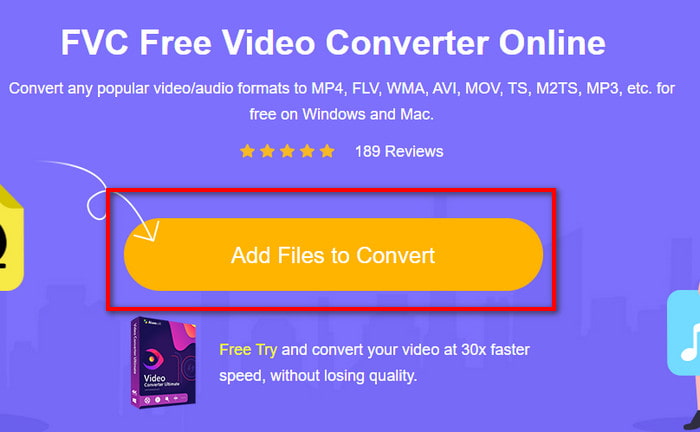
Step 2. Then press Add Files to Convert to launch the tool and select the file you want to convert into a new format on the folder by clicking Open.
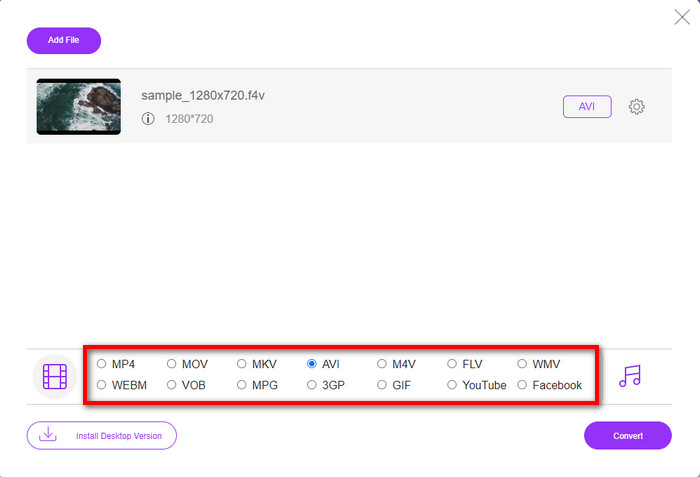
Step 3. Once the file is in, choose the AVI format at the lower part of any format you want it to turn.
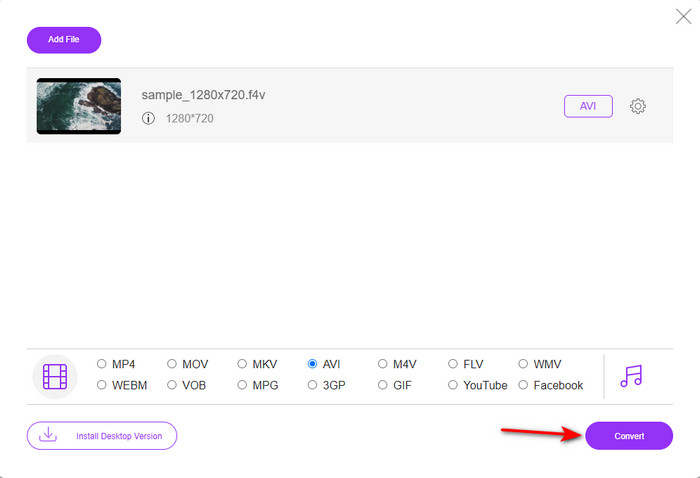
Step 4. After selecting the AVI format, it is now the right time to convert it by clicking the Convert button.
Step 5. Wait for several minutes for the file to be downloaded, and then a file folder will show with the converted file.
2. Zamzar
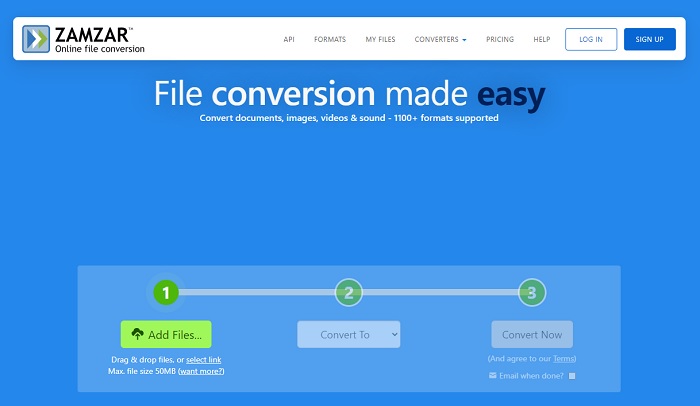
Another converter alternative you can use online is the Zamzar. Just like any converter, this tool needs an internet connection to be used or accessed. All of this on the web tool presented here does need the internet to fuel the conversion. As many users use this, Zamzar became popular because it supports many formats you can use and choose. Also, it is free of charge to use however there is a limitation on the file size this tool can convert. So, if your .f4v file is more than 50MB, you can't convert it in here as it specifies below. And if your file is less than that, you can try to use this to convert F4V to AVI online by following the procedure below.
Step 1. Open your web browser and search Zamzar.
Step 2. Press Add Files and locate the file you want to convert. Then, choose the AVI format press Convert to; after that, click Convert.
Step 3. Wait for the process; then a new interface will show, and click the Download to save the file.
3. Converter arquivos
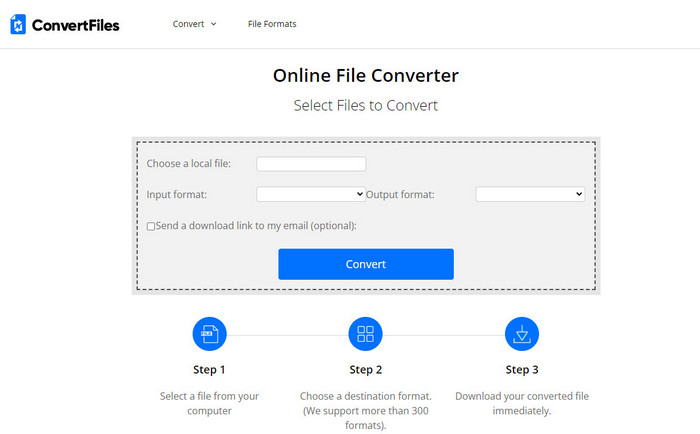
If you want a more straightforward conversion process that takes only a few minutes, try to use ConvertFiles. The tool performs great during the conversion and after conversion as well. But the ads are killing this tool because there is a lot on the interface of the web tool. Also, the process takes a lot of time compared to the other converters online and offline. The file size you can insert here is much larger than the Zamzar. So now, if you want to use this tool to convert the F4V file to AVI, then follow these steps.
Step 1. Go to your web browser and search the Convert Files, then open it.
Step 2. Click Choose a Local File to open the folder and locate the file under the Output Format; click the AVI. Then click Convert to start the conversion.
Step 3. After the conversion, click the blue highlighted URL that will transfer into a new web. Click this link to download the converted format.
Parte 3. Qual formato é melhor; F4V vs. AVI
Bem, F4V e AVI fazem seu trabalho como um contêiner na melhor das hipóteses. No entanto, existem muitos desses formatos em comum, e sua finalidade não é a mesma. Por exemplo, se você deseja armazenar um vídeo de alta qualidade em um tamanho de arquivo pequeno e manter e proteger os dados de vídeo DRM MPEG-4, o F4V é a melhor escolha. Mas suponha que você queira armazenar um vídeo de alta qualidade que suporte a reprodução de mídia sincronizada. Nesse caso, você deve escolher o formato AVI, pois possui um contêiner diferente para áudio e vídeo. Apesar disso, o tamanho do arquivo AVI é muito grande para muitos dispositivos e até mesmo desktops porque não é compactado.
Parte 4. Perguntas frequentes sobre conversão de F4V para AVI
A conversão de F4V diminui a resolução após a conversão?
A resolução do vídeo deve manter sua qualidade original mesmo depois de convertê-lo em um novo formato. Em alguns casos, muitos usuários percebem que a qualidade de seu F4V ficou menor. Um dos motivos deve ser que a taxa de qualidade definida é baixa ou a ferramenta que você usa não suporta vídeos 1080 ou 4k.
Por que o F4V não pode ser reproduzido no meu media player?
This format can play in several media players, but not all of the media players support this format. So, if you want to watch the video in this format, it is the best choice to convert it into a new format or find a new third-party media player to watch your F4V videos.
Preciso comprimir F4V para diminuir o tamanho?
The file size of the F4V is not that big compared to the AVI format. After all, if you try to compress this file container, there will be a chance that the quality of the video will lessen. Here you can learn how to compress your F4V videos.
Conclusão
Ao terminar este artigo, agora temos uma visão do que é F4V e por que você precisa convertê-lo. Todos os softwares online e offline mencionados neste artigo funcionam bem. Embora todas as ferramentas sejam ótimas, o FVC Video Converter Ultimate ainda se destaca entre os demais. Como esse software funciona bem, você não tem conexão com a internet, e essa ferramenta pode terminar o processo de conversão em um piscar de olhos. Então agora, se você quiser experimentar a conversão fenomenal de que estamos falando, faça o download agora.
-
 Como converter TS para AVI / MKV / MOV / WMV online e gratuitamente no Win / Mac
 Quer converter arquivos TS para AVI / MKV / MOV / WMV rapidamente? Este artigo mostra conversores de vídeo online e offline com guia completo. Talvez você possa obter o melhor conversor TS grátis aqui.
-
 [Free & Online] 7 maneiras de converter MTS para AVI no computador Mac/Windows
 Como converter MTS para AVI com facilidade? Neste guia, você encontrará 7 maneiras fáceis e gratuitas de converter arquivos MTS para AVI no Windows ou Mac sem perda de qualidade.
-
 Tutorial para converter arquivos MP4 em AVI com 7 conversores de vídeo grátis
 Deseja obter todas as maneiras gratuitas de converter vídeo AVI para MP4? Você não deve perder este artigo. Aqui estão 7 maneiras de converter arquivos AVI para MP4 gratuitamente no Windows, Mac, iPhone, Android e online.
