


 Video Converter Ultimate
 Gravador de ecrã
 Reparo de vídeo
 Secure Download
Top 6 HandBrake Alternatives: Honest Review [2026]
No single tool is the perfect fit for everyone. A program that works well for one person may not offer the experience another user is looking for. The same goes for HandBrake. While it’s a popular choice for video compression, some users may find the interface a bit complicated, while others may need more advanced features or a simpler workflow. If you’ve run into these limitations, it might be worth exploring other alternatives that better match your needs.
In this article, we've reviewed the 6 best HandBrake alternatives based on important factors like conversion speed, ease of use, batch processing performance, supported formats, GPU acceleration, and overall value for money. Whether you're a beginner looking for a simple video converter or an advanced user who needs more powerful features, this guide will help you compare your options and choose the software that best fits your needs.

| Ferramenta | Melhor para | OS Compatibility | Aceleração GPU | Processamento em lote | Preço |
| FVC Video Converter Ultimate | Fast video conversion, editing, and all‑in‑one media processing | Windows, mac OS | NVIDIA, AMD, Intel | sim | Paid (Free Trial) |
| FFmpeg | Advanced users and command‑line video processing | Windows, macOS, Linux | NVIDIA | sim | Free & Open Source |
| Zamzar | Quick online video conversion without installing software | Web‑Based | No GPU Acceleration | Limitado | Free & Paid Plans |
| VLC Media Player | Basic video conversion and media playback | Windows, macOS, Linux | Supported by GPU Acceleration | Não | Livre |
| Shotcut | Video editing with built‑in conversion features | Windows, macOS, Linux | Supported by GPU Acceleration | Limitado | Free & Open Source |
| XMedia Recode | Windows users needing advanced format conversion | janelas | NVIDIA, Intel | sim | Livre |
Parte 1. Conversor de vídeo FVC Ultimate
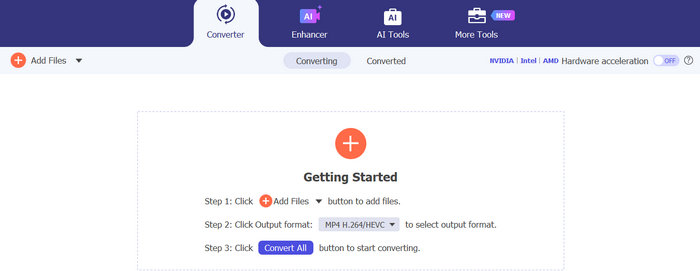
FVC Video Converter Ultimate is an excellent HandBrake alternative for users who need more than just basic video conversion. It supports over 1,000 video and audio formats while offering GPU acceleration for up to 120× faster conversion speeds. Beyond converting files, it includes powerful editing features such as video merging, trimming, cropping, enhancing, compressing, subtitle editing, and metadata editing, all within an intuitive interface. With stable batch processing and high‑quality output, it is suitable for both beginners and professionals looking for a complete multimedia solution.
Best For:
Users looking for a fast, all-in-one desktop converter with batch processing and editing features.
Rating:
5/5
Prós
- Supports over 1,000 video and audio formats.
- Uses NVIDIA, AMD, and Intel GPU acceleration for faster conversion.
- Offers batch conversion without compromising quality.
- Built‑in video editing tools, such as merging, trimming, cropping, and adding subtitles.
- Features a clean and beginner‑friendly interface.
- Available for both Windows and macOS.
Contras
- Full features require a paid license.
- Some advanced tools are only available in the premium version.
Part 2. FFmpeg
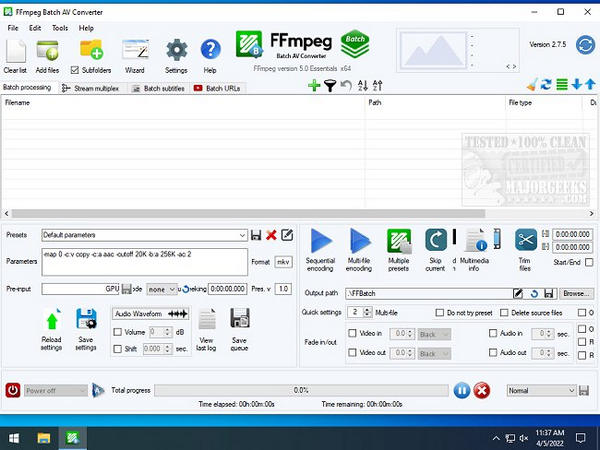
FFmpeg is also one of the best HandBrake alternatives available today. This free, open‑source multimedia framework uses a command‑line interface to convert, edit, record, fix corrupted video and process audio and video files across numerous formats. It supports Windows, macOS, Linux, BSDs, Solaris, and Darwin, making it highly versatile. Although its technical interface can be intimidating for beginners, FFmpeg delivers excellent output quality, advanced customization, and powerful batch processing capabilities that make it a favorite among developers and experienced users.
Best For:
Advanced users, developers, and professionals who need precise control over video conversion, automation, and batch processing.
Rating:
4/5
Prós
- Completely free and open‑source.
- Supports a vast range of video and audio formats.
- Provides precise control over conversion settings and encoding parameters.
- Excellent for batch processing and workflow automation.
- Delivers high‑quality video output.
Contras
- The command‑line interface has a steep learning curve for beginners.
- Requires manual command input.
- No graphical user interface for easily adjusting conversion settings.
Part 3. Zamzar
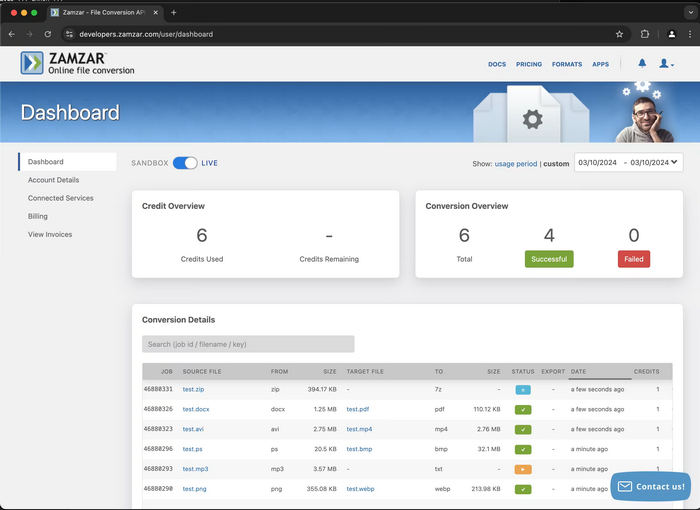
Meanwhile, if you prefer converting videos directly from your browser, Zamzar is a reliable HandBrake alternative worth considering. This web‑based file converter supports a wide range of video, audio, image, and document formats, making it a versatile choice for occasional conversion tasks.
Best For:
Best for users who want a cloud‑based video conversion process.
Rating:
3/5
Prós
- Web‑based, no need for software installation.
- Works on any device with a web browser.
- Supports a wide range of video, audio, image, and document formats.
- Simple and intuitive interface suitable for beginners.
- Allows uploads from cloud storage services and URLs.
- Offers free and premium plans to suit different needs.
Contras
- The free version comes with file size limitations.
- Conversion speeds may slow down during busy periods.
- A stable internet connection is required for smooth performance.
- It may not be the best choice for large videos or batch conversions.
- Some advanced features are only available with a paid plan.
Part 4. VLC Media Player
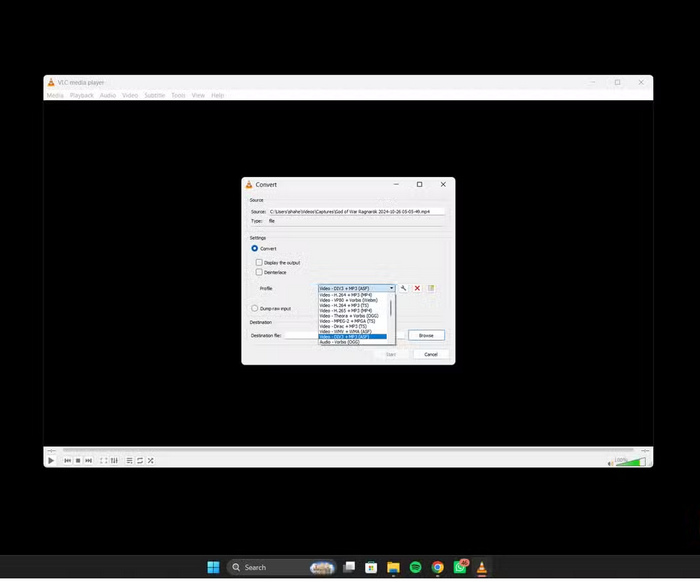
Next on our list is one of the best HandBrake alternatives, the VLC Media Player. While it's best known as a multimedia player, VLC also includes a built‑in video converter that supports popular formats such as MP4, WebM, TS, and OGG. It allows you to convert videos, process multiple files in batches, preview videos during conversion, and use the HEVC codec to maintain good video quality. Although it doesn't offer advanced editing features, its straightforward interface and reliable conversion performance make it an excellent choice for users with basic video conversion needs.
Best For:
Beginners and casual users who want a free, easy‑to‑use tool for video conversion and media playback.
Rating:
4/5
Prós
- Completely free with no ads or spyware.
- Supports a wide range of video formats and codecs.
- Allows batch video conversion.
- Includes preset profiles for quick and easy conversion.
- Supports HEVC codec for better video quality.
- Available on Windows, macOS, Linux, Solaris, and BSD.
Contras
- Lacks advanced video editing and customization features.
- Basic interface may not meet the needs of professional users.
- Fewer conversion settings compared to dedicated video converter software.
Part 5. Shotcut
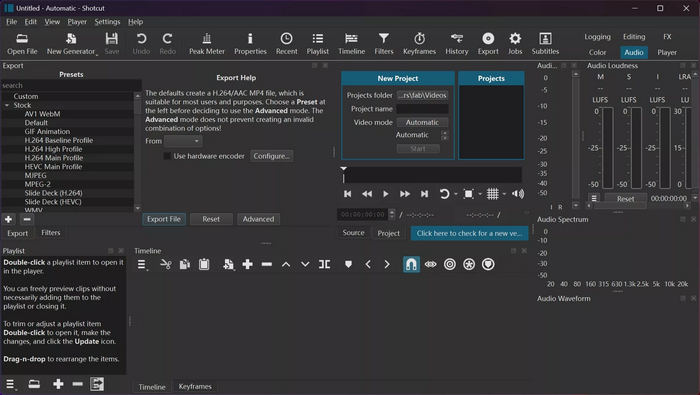
Shotcut is a free, open‑source HandBrake alternative that combines video conversion with a comprehensive set of editing tools. Available on Windows, macOS, and Linux, it supports hundreds of video and audio formats through FFmpeg and exports videos without watermarks or time limits. In addition to converting videos, Shotcut lets you trim, crop, apply filters, adjust audio, and enhance your videos before exporting them. While its interface has a moderate learning curve, it offers an excellent balance of functionality and value for users who need both editing and conversion in one application.
Best For:
Best for users who are into video editing.
Rating:
4/5
Prós
- Completely free and open‑source.
- Sem marcas d'água.
- Supports hundreds of video and audio formats.
- Includes built‑in video and audio editing tools.
- Available on Windows, macOS, and Linux.
Contras
- The interface may take time for beginners to learn.
- Batch conversion features are more limited than dedicated video converters.
Part 6. XMedia Recode
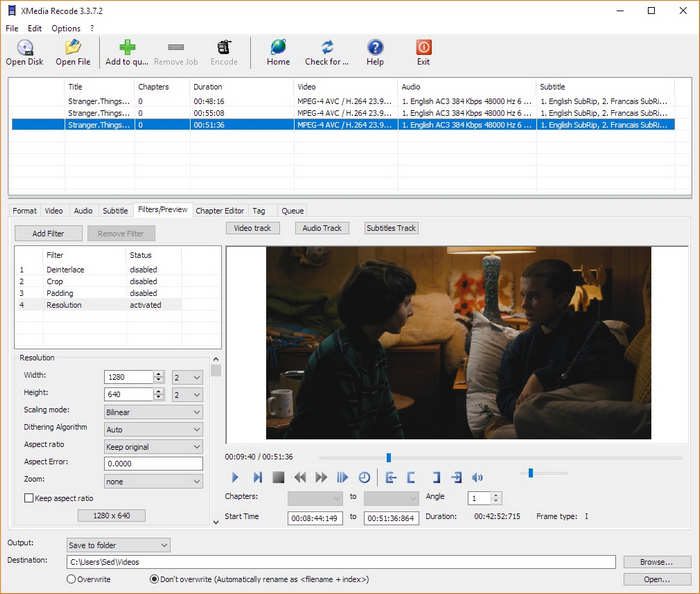
The last HandBrake alternative that you can try is XMedia Recode. This tool supports a wide range of video and audio formats while giving users precise control over codecs, bitrate, resolution, subtitles, and audio tracks. The software also supports batch conversion and GPU acceleration, allowing you to process multiple files efficiently. While its interface may appear technical at first, it's a powerful choice for users who want more control over their video conversions.
Best For:
Windows users who need advanced video conversion with detailed format and codec customization.
Rating:
4/5
Prós
- Totalmente grátis.
- Supports numerous video and audio formats.
- Offers advanced codec and encoding settings.
- Supports batch video conversion.
- GPU acceleration improves conversion speed.
- Includes audio track and subtitle management.
Contras
- Available only on Windows.
- Lacks the modern design found in newer video converters.
Part 7. FAQs about HandBrake Alternatives
What should I consider when choosing a HandBrake alternative?
The right HandBrake alternative depends on what you actually need from a video converter. Before choosing a tool, consider things like supported formats, conversion speed, GPU acceleration, batch conversion options, editing features, ease of use, and whether it works with your operating system. If you often make edits before converting videos, a tool with built‑in editing features can save you time. However, if you only need quick and simple format conversions, a lightweight program or online converter may be all you need.
Which HandBrake alternative is best for preserving video quality?
Several HandBrake alternatives can maintain excellent video quality during conversion. Tools such as FVC Video Converter Ultimate, FFmpeg, and XMedia Recode offer advanced encoding settings that help preserve the original resolution and bitrate. To achieve the best results, avoid excessive compression and select output settings that closely match your source video.
Can I convert multiple videos at the same time?
Yes, but it depends on the software you choose. Many desktop HandBrake alternatives, including FVC Video Converter Ultimate, FFmpeg, and XMedia Recode, support batch conversion, allowing you to convert multiple files in a single process and save time.
Does HandBrake have a video merging feature?
No. HandBrake does not include a built‑in video merging feature. It is primarily designed for video conversion and compression rather than video editing. If you need to combine multiple videos into a single file, you'll need to use a HandBrake alternative with video editing capabilities, such as FVC Video Converter Ultimate or Shotcut, or use a separate video editing application before converting your files.
Conclusão
HandBrake is still a reliable choice for video conversion, but it may not fit every user’s workflow. If you’re looking for faster processing, built‑in editing tools, video merging, or a simpler experience, it’s worth checking out other options. The HandBrake alternatives covered in this article each have something different to offer, from all‑in‑one video converters to convenient online tools and more advanced customization options. Take a look at their features and choose the tool that works best for your needs, so you can handle video conversion more easily and efficiently.
-
 Uma análise simples do VLC Media Player e das 5 melhores alternativas
 Por que o áudio não funciona no VLC Media Player? Para players de mídia populares, você pode ler a análise e as melhores alternativas no artigo.
-
 WAV para MP3 - os 5 principais conversores gratuitos para converter WAV em MP3
 Esta página é uma lista de conversores gratuitos de WAV para MP3 (iTunes, Audacity, VLC, Windows Media Player e Free Audio Converter) para uso.
-
 7 Ways to Convert AVI to MP4 [Comprehensive Guide]
 Converta facilmente seus arquivos AVI para MP4 com estes sete métodos eficazes. Leia este artigo e descubra qual conversor de AVI para MP4 funciona melhor para suas necessidades.
